Dental Software for Elderly Patients That Calls, Not Texts
Dental software for elderly patients should call, not just text. See what features matter, who to enroll, and how to roll out automated calls.
Share:
Table of contents
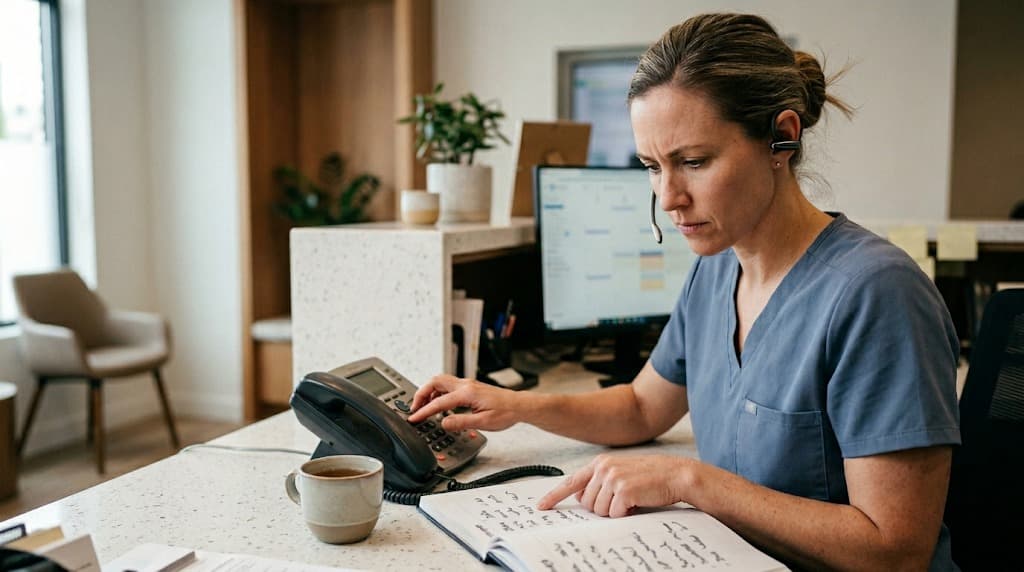
Three-provider practice, Tuesday morning. The front desk is staring at 14 unconfirmed appointments for the week. Eleven of them belong to patients over 70, the demographic where dental software for elderly patients is supposed to earn its keep. The reminder texts went out Sunday, just like the system was designed to do. Nobody opened them.
This pattern is common enough that I've stopped being surprised by it. The software still texts, by default, even when the patient demographics tell a different story. The 65-and-older cohort is the most reliable revenue base in most general practices, and it's the cohort that responds least to SMS. The math doesn't work.
This article covers what dental phone reminders actually do, why text-first tools miss this demographic, the features that matter when you evaluate an automated calling system, and how to roll one out without breaking your existing reminder flow. Channel-fit matters. The goal is a hybrid setup that meets each patient on the channel they already use.
Why do older patients ignore text reminders?
Older patients ignore text reminders because phones are still their default channel and SMS habits skew younger. Many never enabled text notifications, can't read small screens easily, or don't trust unknown numbers. Hearing aids, vision changes, and pre-smartphone communication norms keep voice calls in the lead for this demographic.
In dentist forums and Facebook groups, owners consistently report the same pattern. Text confirmation rates run 20-30% for patients over 70, then climb to 60% or higher for patients under 50. The cohort that drives the most predictable revenue is the cohort least likely to respond to your reminder stack. That gap matters more than most practices admit.
The reasons aren't mysterious. Age-related hearing and vision changes become more common after 65, and many patients in that range still prefer a phone call because a voice on the line is easier to process than a screen of small type. CDC oral health data shows older adults remain a major dental care cohort, and the practices that adapt their reminder mix to that cohort keep their schedules fuller. Some patients have never set up text notifications on their device. Some block unknown short codes by default.
Text confirmation rate, by patient age
The gap older practices are missing.
60%+
Patients under 50
~45%
Patients 50 to 69
20-30%
Patients over 70
Community-reported pattern across dental practice owner discussions.
Then there's the trust gap. SMS phishing has trained older patients to ignore unknown text messages. A call from a recognizable practice name on caller ID feels more legitimate, even when it's automated. It's the same psychology that keeps landlines plugged in for this demographic decades after the smartphone wave.
The fix isn't to abandon text reminders. Layer them. Use phone as the default channel for any patient flagged by age, hearing status, or past response history, then fall back to text for confirmation. Most modern systems can run both in parallel without double-messaging the patient.
Related: If your text reminders are firing at the wrong times or to the wrong patients, that's usually a sync issue, not a software bug → why reminder systems get out of sync with your schedule
What is dental software for elderly patients?
This category is front-office software built around voice-first patient contact instead of SMS-first workflows. The system places automated calls to confirm, reschedule, or remind, then layers in text and email as backup. It treats the phone as the primary channel for any patient over a configurable age threshold.
The category overlaps with AI receptionist and patient communication platforms, but the orientation is different. A standard reminder stack assumes everyone wants a text. A voice-first stack assumes the channel should match the patient. Big difference.
The shift matters because NIDCR research statistics show seniors are retaining more natural teeth into their 70s and 80s than any prior generation. Translation: the dental population over 65 is growing, not shrinking. Practices that built reminder workflows around millennial-default behavior are misaligned with the cohort that fills the most chairs.
Two flavors inside the category
Older systems use static IVR scripts and pre-recorded audio that patients recognize as a robocall in three seconds. Newer systems use conversational AI voice agents that handle confirmation, rescheduling, and basic Q&A in a back-and-forth call. The difference in patient response rate is large enough that the category is worth treating as separate from generic reminder tools.
If you're evaluating a platform for this purpose, the first question isn't price. It's whether the tool actually completes a two-way call or just dumps a recording into voicemail. The second is whether it integrates with your practice management system natively. The rest follows.
Related: The same channel mismatch shows up at the front of the funnel → most online booking dental software doesn't actually book
Where do phone reminders fit alongside text and email?
Phone reminders fit as the default channel for patients who don't reliably respond to text or email, with the other two channels acting as backup or supplement. The mix shifts by patient profile rather than by office policy. Younger patients get text first, older patients get a call, and everyone gets an email.
The right way to think about this is channel layering, not channel substitution. You don't replace text with phone. You change the order of operations per patient. The reminder engine reads the patient's profile, picks a primary channel based on age and past response history, then escalates if no response within a defined window.
A patient born in 1948 with no prior text confirmations gets a call first, then a text 24 hours later if needed, then a staff dial-down if the appointment is high-value. A patient born in 1992 gets the reverse: text first, email second, phone only if the appointment is at risk. According to BrightLocal's local consumer research, communication preferences vary widely by age group, with older consumers reporting a much stronger preference for direct phone contact when interacting with local businesses.
| Patient age band | Default channel | Backup channel | Typical confirmation rate |
|---|---|---|---|
| 18-39 | Text | 60-75% | |
| 40-64 | Text | Phone call | 50-65% |
| 65-74 | Phone call | Text or staff dial | 40-55% |
| 75+ | Phone call | Staff dial | 25-40% |
How the system picks a channel
Per-patient logic, not per-office.
Step 1
Read patient profile
Age, response history, language preference.
Step 2
Pick primary channel
Call, text, or email by rule.
Step 3
Wait the window
Defined response window per channel.
Step 4
Escalate if needed
Backup channel or staff dial-down.
Build the channel rules once in your PMS or contact platform. Set them per patient instead of per office. The system handles the rest, and dental phone reminders only fire for the patients who actually need them.
Related: Same logic applies to the after-hours window → after-hours phone coverage without burning out staff
What features should dental software for elderly patients have?
A voice-first reminder platform should have two-way voice (patients can confirm or reschedule on the call), native integration with Dentrix, Open Dental, Eaglesoft, or Curve Dental, natural-sounding voice quality, multi-language support, configurable call windows, and clear TCPA and HIPAA compliance with simple opt-out paths.
Here's what each one actually means at the front desk:
- Two-way voice. The system handles confirmation, rescheduling, and basic questions in a real back-and-forth call. If the patient says "can we move it to Thursday," the AI agent should be able to actually do that, not just record a voicemail for someone to call back.
- PMS integration. Native sync with Dentrix, Open Dental, Eaglesoft, or Curve Dental. Without this, your team is double-entering appointments and the value evaporates within weeks.
- Voice quality. Patients hang up on robocall-grade audio inside 5 seconds. Newer AI voices are close enough to human that the patient stays on the call. This is the single biggest filter when evaluating tools.
- Multi-language. Spanish is the most common requirement in U.S. practices. Some platforms support 10+ languages without changing the script. Older patients are often more comfortable in their first language.
- Call windows. A 7 am call to a 78-year-old patient is a great way to lose them. Set time-of-day rules per patient or per cohort. Default: 9 am to 5 pm local, no weekends.
- Compliance. TCPA governs automated calls. HIPAA governs the appointment data. The platform should handle both, with explicit consent capture at intake and one-touch opt-out on every call.
The features list is long enough that most practices skip past it. Don't. The two that consistently separate working systems from ones that get ripped out within 90 days are voice quality and PMS integration. Everything else is fixable in setup. Those two aren't.
The other side of the front-desk equation is intake. If you're rebuilding reminders to fit the demographic, it's worth looking at intake software that reduces front-desk workload at the same time. The two systems share the same patient profile data and benefit from the same channel rules.
What does rollout look like for a real practice?
Rollout for a three-provider practice usually runs about 30 days. Start with a pilot list of patients 70 and older who no-showed in the last 60 days, set escalation rules for callers who ask for a person, and add a one-touch opt-out. The front desk reviews flagged calls daily for the first two weeks.
The biggest mistake is flipping the switch on every patient at once. Phone-first reminders for the whole roster will frustrate the under-40 cohort, who genuinely prefer text. Roll out in cohorts, measure, then expand. Here's a 30-day plan that's worked for the practices I've watched do this:
- Week 1, days 1-3. Pull a list of patients 70 and older who have no-showed in the last 60 days. Aim for 50 to 100 names. This is the pilot cohort.
- Week 1, days 4-7. Configure the call script. Keep it under 30 seconds: practice name, patient first name, appointment date and time, two options ("press 1 to confirm, press 2 to reschedule"), and a clear human-handoff path.
- Week 2. Pilot cohort goes live. Front desk reviews every flagged call (patients who asked for a person, opted out, or had a system error). Adjust the script and escalation rules based on what you hear.
- Week 3. Expand to all patients 65 and older. Layer text as backup at 24 hours after the call.
- Week 4. Full rollout. Patients under 65 default to text, with phone as escalation for high-value appointments or repeat no-show patients.
30-day rollout at a glance
Four phases. Each builds on the last.
Week 1
Pull list. Build script.
50 to 100 patients 70+ who no-showed in the last 60 days.
Week 2
Pilot live. Tune the script.
Front desk reviews every flagged call daily.
Week 3
Expand to all 65 and over.
Layer text as 24-hour backup.
Week 4
Full rollout.
Under 65 default to text. Phone as escalation.
The hidden cost most practices miss is front-desk training. A receptionist who's used to making 40 reminder calls a day suddenly has 5 escalations to handle and 35 hours of bandwidth back. According to BLS data on receptionists, median hourly wages have climbed steadily, which means every reclaimed hour translates to real money. Decide upfront what the front desk will do with the freed time, or it disappears into ambient busy-ness.
Related: Phone-first reminders are one of several reasons practices outgrow their current front-office stack → how dentists are rethinking their front-office software
How do you measure if dental phone reminders are working?
Dental phone reminders are working when confirmation rates climb for the 65-and-older cohort, no-show rates drop on that same cohort, and per-channel reachability flips so voice outperforms SMS for that group. Track cost-per-saved-appointment and front-desk hours reclaimed. Compare against the 90-day baseline before rollout.
Most reminder system rollouts fail measurement because the practice tracks the wrong metric. Total confirmation rate isn't useful. Cohort confirmation rate is.
If your overall confirmation rate stays flat after rollout but the 65-plus segment climbs from 40% to 70%, the system is working exactly as designed. The averages mask the win. Pull these five numbers monthly for the first quarter:
90-day phone reminder scorecard
Check each metric you're tracking month over month.
Your score: count your checks out of 5
The cost-per-saved-appointment number is the one most practices skip. Calculate it: monthly system fee divided by (saved no-shows multiplied by average appointment value). If a practice pays $500 monthly for the calling system and saves 15 appointments at $250 each, that's $3,750 in recovered revenue against a $500 cost. According to HubSpot's marketing benchmarks, phone and voice channels generally see higher engagement rates than email for service businesses, and dental practices are no different. The same ROI logic applies to comparing other dental analytics platforms against each other quarterly.
The most important shift in dental software for elderly patients isn't a new technology. It's a willingness to admit one channel doesn't fit every patient. Practices that build phone-first reminders for the 65-plus cohort, layered with text and email for everyone else, see the no-show rate drop in the demographic that drives the most predictable revenue. The math finally lines up.
Phone reminders aren't a text replacement. They're the channel match for the patients who weren't responding to texts anyway. The platforms that handle this well treat the call as a real conversation, integrate with the PMS so nothing falls out of sync, and free the front desk to do work that actually requires a human.
DentiVoice is one example of a system built around two-way voice for this purpose. It's worth a look if your no-show numbers are worse in the cohort that fills the chairs, the patients in their 60s, 70s, and 80s who pay for the biggest cases. Start there.
See what phone-first reminders sound like
DentiVoice handles two-way confirmation, rescheduling, and triage calls in a natural-sounding AI voice. Built for dental front-office workflows. Integrates with Dentrix, Open Dental, Eaglesoft, and Curve Dental.
Book a Free Demo →Want more on dental practice growth?
Browse Resources →Sources & References
Frequently Asked Questions
Dental software for elderly patients is a class of front-office tool that defaults to automated phone calls for older patients instead of text or email. It typically includes two-way voice for confirmation and rescheduling, PMS integration, and configurable rules for which patients get calls versus texts.
Yes. Practices that switch from text-only to phone-first reminders for patients 70 and older typically see confirmation rates climb 20-30 percentage points in that cohort. The improvement is largest when the system uses natural-sounding AI voice rather than legacy robocall audio.
Standard reminder systems default to SMS for all patients. Dental software for elderly patients flips the default to voice calls for older patients and uses text only as backup. The difference shows up most in confirmation rates for patients 65 and older.
A modern automated call uses a natural-sounding AI voice that introduces the practice, names the patient, states the appointment date and time, and offers two-way options like confirmation or rescheduling. Older systems use static IVR scripts that patients usually recognize as a robocall and hang up on.
Reputable dental phone reminder systems handle TCPA compliance through documented patient consent at intake and one-touch opt-out on every call. Confirm that the vendor logs consent records, suppresses opted-out numbers automatically, and respects state-specific time-of-day calling restrictions. HIPAA compliance is separate but equally required.
Typical pricing falls between $200 and $800 per month for a single-location practice, depending on call volume, integrations, and added features like outbound reactivation. Compare cost against saved no-shows: a system that saves 10 appointments per month at $250 each pays for itself several times over.
Small practices benefit most because each saved appointment represents a larger percentage of revenue and each missed call hits harder. A solo or two-provider practice with a senior-heavy patient base usually sees clearer ROI than a multi-location practice with a younger patient mix.
Was this article helpful?
Written by
DentalBase Team
Expert dental industry content from the DentalBase team. We provide insights on practice management, marketing, compliance, and growth strategies for dental professionals.