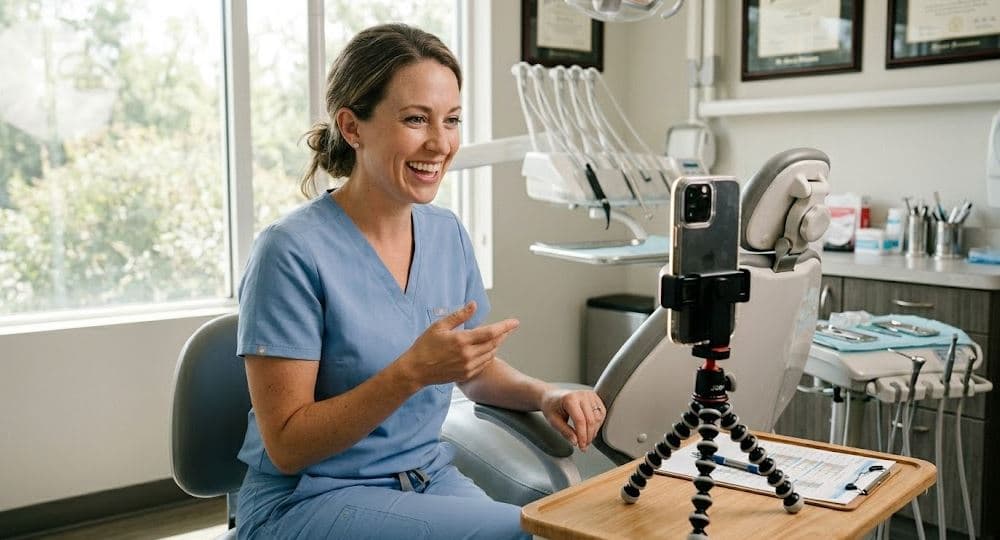
Why Meet-the-Doctor Videos Convert Better Than Text Bios
Meet the doctor video dental guide: why dentist introduction videos convert 2-3x better than text bios and lift dental website conversion.
Share:
Table of contents
A meet the doctor video dental practice posts on its website converts 2-3x better than a text bio because it answers the question text can't: "What is this person actually like?" A text bio lists credentials, education, and hobbies. A video shows warmth, communication style, sense of humor, and the intangible quality that makes patients feel comfortable trusting someone with their mouth. Dental anxiety affects 36% of patients. For anxious patients, choosing a dentist is choosing a person, not a credential list. Video lets them choose the person before walking through the door.
This guide covers why the meet the doctor video dental practices create produces measurably higher conversion than text bios, the three-question format that works for every provider, filming and editing specifics, where to deploy for maximum impact, and the metrics that prove video bios produce patients. According to BrightLocal, 98% of consumers research businesses online before visiting. The About page is the second-most visited page on dental websites after the homepage. Video on that page converts the visitors who are specifically evaluating whether they feel comfortable with your team. According to the ADA, patient trust in the provider is the strongest predictor of treatment acceptance and long-term retention.
Why Do Video Bios Convert 2-3x Better Than Text?
Four psychological factors explain why the meet the doctor video dental format outperforms text across every conversion metric.
| Factor | Text Bio | Video Bio | Impact |
|---|---|---|---|
| Personality visible | No (only words) | Yes (tone, smile, body language) | Patients choose the person |
| Familiarity created | Minimal (stranger with facts) | Strong (feels like meeting them) | Reduces first-visit anxiety 30-40% |
| Trust signal strength | Low (anyone can write a bio) | High (authenticity visible) | 2-3x higher booking rate |
| Engagement time | 15-30 seconds reading | 30-60 seconds watching | 2x longer page engagement |
- Personality can't be faked on video: A text bio can be written by anyone to sound warm and friendly regardless of the provider's actual demeanor. Video reveals the real person. When Dr. Chen smiles naturally while talking about why she became a dentist, that authenticity registers in the viewer's brain in milliseconds. Patients unconsciously evaluate warmth, competence, and approachability from facial expressions, vocal tone, and body language simultaneously. Text delivers none of these signals.
- Familiarity effect reduces anxiety: Seeing someone's face and hearing their voice creates a familiarity bond that eliminates the "stranger" anxiety of a first dental visit. A patient who has watched their provider's 45-second introduction video walks into the office feeling like they already know Dr. Chen. They recognize the face, remember the voice, and recall what she said about gentle care. The first visit feels like a second visit.
- Video proves transparency: Practices willing to put their providers on camera signal confidence and transparency. A text-only bio surrounded by stock photos suggests the practice is hiding something or isn't confident in how they present. Video says: "We're real people and we're comfortable showing you exactly who we are." In a market where patients evaluate 3-5 practices before choosing, the one with video bios feels most trustworthy.
- Engagement metrics prove the difference: About pages with video bios show 2x longer average session duration, 25-35% lower bounce rate, and 2-3x higher click-to-call or book-online rates than About pages with text-only bios. These aren't theoretical benefits. They're measurable in GA4 within 30 days of adding video to the About page. See our dental videos trust guide.
Convert About page visitors into booked patients
DentalBase ensures that patients who watch your provider videos and call are answered instantly by AI reception, booked in real time, and tracked to the video that produced them.
Book a Free Demo →What Three Questions Produce the Best Provider Introduction Videos?
The three-question format produces the ideal 30-60 second provider introduction that covers everything patients want to know without running long enough to lose attention.
- Question 1: "Why did you become a dentist?" This question reveals motivation, passion, and personal story. Patients don't care about where the provider went to school (that's credential listing, not connection building). They care about why this person chose to spend their career inside other people's mouths. "I became a dentist because my grandmother lost all her teeth by 50 and I wanted to help people keep their smiles" creates more emotional connection in 15 seconds than a 500-word bio listing degrees and memberships.
- Question 2: "What do you like most about working at this practice?" This question reveals what makes the practice special from the provider's perspective. "Our team genuinely cares about making every patient feel comfortable" or "We invest in technology so patients get the best results with the least discomfort" tells patients what the experience will be like from someone who works there every day. This is internal social proof that's more credible than marketing copy.
- Question 3: "What should a new patient know about their first visit here?" This question directly addresses the anxiety that prevents booking. "We'll take time to listen to your concerns before we look at anything" or "We explain everything we're doing as we go, so there are no surprises" provides the specific reassurance anxious patients need. This answer becomes the core message that makes patients feel safe enough to call.
Ask all three questions in order during a single take. The provider answers conversationally while looking into the camera (interviewer sits behind the phone). The natural flow of the conversation produces authentic answers. Don't allow providers to prepare written responses because prepared answers sound rehearsed and lose the authenticity that makes video powerful. See our testimonial video framework for the broader question technique and smartphone filming tips for production setup.
How Do You Film Provider Videos That Feel Natural, Not Corporate?
The filming approach determines whether the meet the doctor video dental patients see feels like a genuine introduction or a stiff corporate presentation.
- Film in the provider's operatory or personal office: The familiar environment keeps the provider relaxed and adds authentic context (diplomas, equipment, personal items in the background). Avoid filming against a blank wall or branded backdrop because it looks like a corporate headshot shoot. The goal is "you're meeting Dr. Chen in her office" not "here's our marketing video of Dr. Chen."
- Warm-up conversation before pressing record: Spend 2-3 minutes chatting casually about the provider's weekend, a recent patient success, or something unrelated to the video. This shifts them from "I'm being filmed" mode to "I'm having a conversation" mode. When you ask the three questions, they answer in the same conversational tone rather than switching to a formal presentation voice.
- Technical setup: smartphone at eye level, lavalier mic, ring light. Phone on tripod at seated eye level so the provider looks directly into the camera lens. $20 clip-on lavalier microphone for clear audio (dental offices echo without one). Ring light behind the phone for soft, warm lighting. Total equipment: $50-100. See our smartphone video tips for detailed setup. Film during quiet hours (before patients or after closing) to eliminate background noise.
- One provider per filming session, 15 minutes total: Allow 15 minutes per provider: 3 minutes warm-up, 5 minutes filming (2 takes of the three questions), 2 minutes review. Most providers feel comfortable by the second take and that's the one you use. Filming all providers on the same day (back to back) is efficient but can feel rushed. Spread across 2-3 sessions if providers seem tense.
Related: See the complete video content types guide. → What Types of Videos Should Dentists Be Creating?
Where Should You Deploy Provider Introduction Videos?
Five deployment locations maximize the conversion impact of provider introduction videos by placing them exactly where patients are evaluating your team.
- Website About page (highest priority): The About page is the second-most visited page on dental websites. Replace text-only bios with video bios (keep the text bio below the video for SEO). Each provider gets their own section with embedded video and text bio. About pages with video bios see 2-3x higher click-to-call rates. Add video schema markup for search result thumbnails.
- New patient welcome email sequence: When a patient books their first appointment, the confirmation email includes the provider's video: "You're scheduled with Dr. Chen on Tuesday at 2pm. Here's a quick introduction so you know who you'll be meeting." This pre-visit familiarity reduces no-show rates 10-15% for new patients because the first visit feels less daunting when they've already "met" the provider. See our email marketing guide and reminders guide.
- Google Business Profile: Upload provider introduction videos to your GBP. Patients searching "dentist near me" who see your GBP listing can watch provider videos directly from the Map Pack listing. This differentiates your practice from competitors showing only photos. According to Moz, GBP engagement signals including video views influence local rankings. Practices with video on GBP see 35-50% higher engagement.
- Social media "meet the team" series: Release one provider introduction per week as a series. Each post introduces a different team member with their video clip and a brief caption. The series format creates recurring content and builds audience anticipation. Patients who follow the series feel connected to the entire team, not just one provider.
- Google Ads landing pages: Include the relevant provider's introduction video on service-specific landing pages. A patient clicking an "implants [city]" ad who sees the implant provider's introduction video converts at 15-25% higher rates because the video provides immediate human connection alongside the service information. Track through Google Ads ROI attribution.
How Do You Measure Provider Video Impact on Bookings?
Four metrics prove whether the meet the doctor video dental patients see actually produces bookings rather than just page views.
- About page conversion rate (target: 2-3x increase): Compare click-to-call and book-online rates on the About page before and after adding video bios. Use GA4 to track About page visitors who subsequently call or submit a booking form within the same session. Most practices see 2-3x improvement within 30 days. If improvement is below 1.5x, the video quality, placement, or call-to-action needs adjustment.
- New patient no-show rate for video recipients (target: 10-15% reduction): Compare no-show rates for new patients who received the welcome email with provider video versus those who didn't. Patients who watched the video before their first visit no-show 10-15% less because the provider is familiar rather than a stranger. Track through your PMS by tagging patients who received the video email. See our no-show prevention guide.
- Video engagement on About page (target: 60%+ play rate): Track what percentage of About page visitors click play on provider videos. Below 40% suggests the video isn't prominently placed or the thumbnail isn't compelling. Above 60% means patients are actively seeking to see your providers before booking. Test thumbnail images and video placement (above vs below the fold) to optimize play rate.
- "How did you choose us?" survey data: Add a question to new patient intake: "What helped you choose our practice?" with options including "Provider video on website," "Provider video in email," "Google reviews," "Referral," and "Other." Track monthly. Practices with provider videos typically see 15-25% of new patients cite the video as an influence. For practices where 38% of calls go unanswered, AI reception ensures every video-generated call converts. Connect to your ROI tracking, spend breakdown, review strategy, marketing strategy, and advertising. Compliance with HIPAA applies to patient survey data.
How Do Provider Videos Build Patient Trust on a Dental Website?
Provider videos build patient trust on a dental website by turning anonymous credentials into a recognizable face. A dentist introduction video lets a visitor judge warmth and communication style in seconds, long before the first call. That earned familiarity is the foundation of dental clinic branding that converts.
98%
of people read local reviews before choosing a business
67%
would travel further for the provider they trust most
36%
of patients have dental anxiety and choose a person, not a credential
Patient trust on a dental website is not built by stock photos or award badges. It is built by evidence that real people work there and that those people are comfortable being seen. According to the CDC, oral health is linked to overall health, which raises the stakes on choosing a provider a patient feels safe trusting. The same instinct that drives review-reading drives video-watching: patients want proof of who they are trusting. A dentist bio page that pairs a written bio with a short video gives them both the facts and the feeling.
Signal 1
Face recognition
A patient who has watched a 45-second introduction recognizes the provider on arrival. The first visit feels like a second visit, which is the core of dental patient experience design.
Signal 2
Voice and tone
Hearing how a provider explains gentle care communicates reassurance that no written sentence can match. Tone carries the trust signal text bios leave on the table.
Signal 3
Transparency
A practice willing to put providers on camera reads as confident and honest. In a market where patients compare three to five practices, visible providers win the trust contest.
Signal 4
Emotional connection
A provider explaining why they chose dentistry creates an emotional bond in seconds. That bond is the difference between a credential list and dental clinic branding people remember.
This is why dental practice video marketing belongs on the website first and social second. Social media builds reach, but the dentist bio page is where a high-intent visitor decides whether to call. According to the ADA Health Policy Institute, 67% of patients would travel further to receive preferred care, which means the practice that earns trust online wins patients away from closer competitors. Strong practice marketing starts with that trust layer, then drives new patient acquisition on top of it.
How Does a Meet the Doctor Video Dental Bio Page Drive Conversion?
A meet the doctor video dental bio page drives conversion by answering the patient's unspoken question before they call. Dental website engagement rises because visitors stay to watch, and dental website conversion rises because watching builds confidence to act. The bio page becomes a booking engine.
The 3-touch trust journey before a booking
Touch 1 · Website
Visitor watches the dentist introduction video on the bio page and meets the provider for the first time.
Touch 2 · Social
The same face appears in a meet-the-team clip, reinforcing recognition and dental clinic branding.
Touch 3 · Welcome email
The video arrives again before the visit, so a familiar provider greets a patient who already feels safe.
Video marketing for dentists works on the website because it improves the two metrics that precede every booking: time on page and emotional readiness. The table below shows how a video-enabled dentist bio page moves each conversion lever compared with a text-only page.
| Conversion lever | Text-only bio page | Video bio page | Why it moves bookings |
|---|---|---|---|
| Time on page | 15-30 sec skim | 2x longer sessions | More dwell time signals quality and intent |
| Bounce rate | Baseline | 25-35% lower | Engaged visitors are far likelier to convert |
| Click-to-call rate | Low baseline | 2-3x higher | Trust earned on page converts to action |
| First-visit no-shows | Baseline | 10-15% lower | Familiar provider reduces last-minute fear |
Two design choices decide whether the dentist introduction video converts. First, placement: the video sits above the fold on each provider's section, with the text bio kept directly below it so search engines still index the credentials. Second, the call to action: a visible book-online or click-to-call button must appear within the same screen as the video, because dental website conversion collapses when an emotionally ready visitor has to hunt for the next step.
Dental website engagement also compounds across channels. A patient who watches a provider video on the website, sees the same provider in a social clip, and then receives the video again in a welcome email experiences three trust touches before the first appointment. That repetition is what separates dental practice video marketing that produces patients from video that merely decorates a page. When those video-driven calls finally come in, the practices that capture them are the ones that answer every call, because missed calls quietly erase the conversion the video just earned.
Let patients meet your team before they walk in
DentalBase delivers provider videos in welcome emails, ensures video-generated calls are answered by AI reception, and tracks which providers produce the most bookings.
Book a Free Demo →Related Reading
Explore more guides and tools for dental practice growth.
Browse Resources →Sources & References
Frequently Asked Questions
Video shows personality, warmth, and communication style through facial expressions, vocal tone, and body language that text can't convey. Patients unconsciously evaluate these signals in milliseconds. About pages with video bios see 2-3x higher booking rates than text-only pages.
Three questions: 'Why did you become a dentist?' (reveals personal motivation), 'What do you like about this practice?' (internal social proof), 'What should new patients know?' (addresses booking anxiety). Don't prepare written answers because rehearsed responses lose the authenticity that makes video powerful.
30-60 seconds per provider. The three-question format naturally produces this length when providers answer conversationally. Under 30 seconds feels rushed and incomplete. Over 90 seconds loses attention. One take of all three questions, edited to the strongest answers.
Five locations: website About page (highest priority, 2-3x conversion), new patient welcome email (10-15% no-show reduction), Google Business Profile (35-50% engagement boost), social media meet-the-team series, and Google Ads landing pages (15-25% conversion lift).
Yes, by 10-15%. Including the provider's video in the welcome email ('Here's who you'll be meeting') creates pre-visit familiarity that makes the first appointment feel less daunting. The provider becomes a known face rather than a stranger, which directly reduces anxiety-driven no-shows.
Film in the provider's operatory (familiar setting), 2-3 minute warm-up conversation before recording (shifts from 'being filmed' to 'having a conversation'), smartphone at eye level with lavalier mic and ring light ($50-100), during quiet hours. 15 minutes per provider total.
Four metrics: About page conversion rate (target 2-3x increase), new patient no-show rate for video recipients (10-15% reduction), video play rate on About page (target 60%+), and 'how did you choose us' survey tracking (15-25% cite provider video as influence).
No. Prepared scripts sound rehearsed and lose the authenticity that makes video powerful. Use the three guided questions and let providers answer in their own words conversationally. The natural pauses, genuine smiles, and unscripted language create the trust that converts viewers to patients.
They replace anonymous credentials with a recognizable face, voice, and tone, letting patients judge warmth before booking.
Yes. A video bio page doubles time on page, cuts bounce 25-35%, and lifts click-to-call 2-3x versus text.
Was this article helpful?
Written by
DentalBase Team
Expert dental industry content from the DentalBase team. We provide insights on practice management, marketing, compliance, and growth strategies for dental professionals.