How to Use Dental Analytics to Grow Production
Dental analytics software reveals what's driving production and what's holding it back. Here's how to track the right metrics and act on what you find.
Share:
Table of contents
How to Use Dental Analytics Software to Grow Production
By the DentalBase Team | March 10, 2026
Most dental practices aren't short on data. The daily production report, the morning schedule, the no-show log, and the recall reminder queue are already sitting inside the systems your team uses every day. What's usually missing is a way to turn that information into a specific decision before the next patient walks in. The ADA's practice management guidance treats case acceptance as one of the core performance indicators worth tracking closely, with 75% to 80% often used as a healthy benchmark for many practices. That gap does not close by staring harder at month-end reports.
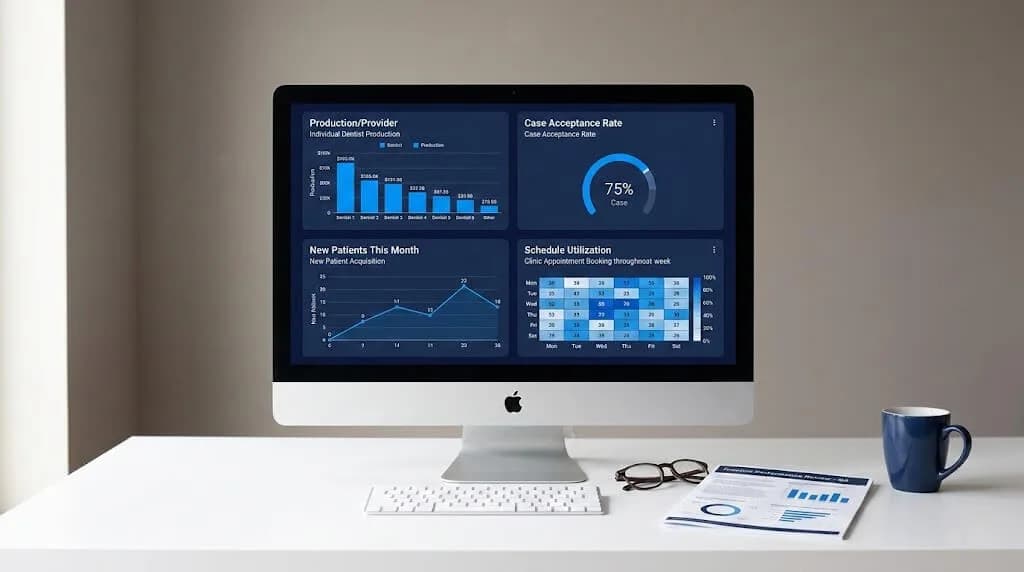
Dental analytics software changes your relationship with those numbers. Instead of static reports that tell you what already happened, you get dashboards that surface production gaps while there is still time to act. You can see which providers are running below target, which services have the weakest acceptance, where schedule capacity is leaking, and which marketing channels are producing real patients instead of empty traffic. As Dental Economics notes, the growth of electronic dental records and deeper analysis gives practices a more useful way to compare performance, improve care operations, and learn from their own data. This guide covers which metrics matter most, how to build a dashboard worth checking every morning, and how to turn data into decisions that move production.
Industry Benchmark
Case acceptance is one of the key KPIs the ADA recommends tracking, and 75% to 80% is a commonly used target range for a healthy practice.
Source: American Dental Association
What Dental Analytics Software Actually Measures
There is a difference between reporting and analytics that matters. A report tells you what happened. Analytics helps you understand what is driving the result and what deserves attention next.
Most practice management systems already generate reports. The problem is that they are siloed. Production by procedure lives in one place. Collections by payer live somewhere else. Schedule utilization is buried in another tab. Pulling those threads together manually every week is exactly why many practices stay reactive.
Strong dental analytics software brings those data streams into one view with context built in. You do not just see that hygiene production is down this month. You see whether specific chairs are below target, whether recall activity has slowed, whether overdue diagnostics are piling up, and whether new-patient flow is translating into treatment. That is the difference between a number and an operating signal.
Practices do not usually have a data problem. They have a visibility problem. Once the right numbers are connected in one place, weak spots become much easier to diagnose and fix.
Based on the shift toward data-driven decision-making described by Dental Economics
Skeptical? Fair. A lot of analytics tools promise transformation and end up becoming another dashboard nobody opens after week three. The difference comes down to which metrics you prioritize and whether the platform makes the next action obvious. That is where the real value starts.
The 6 Metrics That Drive Dental Practice Production
Every metric below connects directly to production. If your dental analytics software dashboard does not include these, start here. Expand each to see why it matters and how to interpret what you find.
Building a Dashboard That Gets Used Every Morning
The most common reason analytics dashboards fail is not the software itself. It is the lack of clear decisions around what goes on the screen, who reviews it, and what happens when a number moves in the wrong direction. Here is how to avoid that.
Quick Win
Before buying any dental analytics software, export the last 90 days of production data from your current PMS and build a simple spreadsheet with production per provider per day, case acceptance, and new patient source. That exercise will show you exactly where visibility is weak and what your next platform needs to do better.
Reading Your Data in Context, Not in Isolation
A 60% case acceptance rate can be progress if your baseline was 42%. It can also be disappointing if the practice has been stuck there for eight months. Numbers without context are decoration. The ADA's KPI guidance gives you one benchmark. Your own trailing 12-month performance gives you another. Good dental analytics software lets you see both without bouncing between reports.
When a metric drops, ask three questions before reacting. Did it fall relative to your own baseline? Is it weak against a reasonable industry target? Is it isolated to one provider, one day, or one category of care? Most production problems are not practice-wide. They are localized, and analytics makes that easier to spot quickly.
The trap is overreacting to one rough week. Look for movement that holds across several weeks before making major structural changes to scheduling, staffing, or marketing. Real patterns earn real action.
Where Call Tracking Fits Into Your Analytics Picture
If your dental analytics software only measures what happens after a patient is on the schedule, you are only seeing half the story. Production loss often starts earlier, at the unanswered phone call, the after-hours lead that never got a response, or the inquiry that reached the front desk but never became an appointment.
Call tracking fills that gap. Once you can see which channels are producing calls, how those calls are handled, and whether they convert into booked appointments, your analytics view gets much stronger from first touch through treatment and collection.
Related Reading
Dental Call Tracking: How to Measure Every Patient Call
How to connect phone data to production data and see where patients are falling out of the funnel.
What the Full DentalBase Platform Tracks
Many dental analytics software platforms do a solid job with production reporting. Fewer connect production with patient acquisition, call handling, schedule conversion, and reputation performance in one place. DentalBase is built to connect those layers so a practice can see the full picture from first online impression through booked appointment, completed treatment, and follow-up.
What DentalBase Analytics Covers
- AI receptionist call data, including answered calls, missed opportunities, and booking rates
- New patient source attribution across organic, paid, referral, and direct channels
- Online scheduling conversion rates and time to book
- Review volume, rating trends, and response performance
- SEO ranking movement and organic traffic trends
- PPC campaign performance, including cost per call and cost per booked appointment
- Front desk call handling and workflow visibility
That last point matters more than most teams realize. Front-office inconsistency affects how calls are answered, how opportunities are tracked, and how smoothly production holds during busy periods or staffing changes.
Related Reading
How to Reduce Front Desk Turnover in Dental Practices
High front desk turnover creates invisible production gaps inside your analytics. This guide covers why it happens and how to stop the cycle.
Related Reading
Best Platforms to Promote Your Dental Practice Online
Once your analytics show which channels are driving new patients, this guide helps you decide where to invest more and where to pull back.
Your 30-Day Analytics Action Plan
You do not need a fully configured dental analytics software platform to start moving in the right direction. Work through this plan with whatever data access you have right now.
30-Day Analytics Action Plan - Check Off As You Go
Week 1 - Pull Your Baseline
Week 2 - Set Benchmarks
Week 3 - Identify Your Top 2 Production Gaps
Week 4 - Make Your First Data-Driven Decision
That is enough for month one. One focused change, tracked consistently, gives you more usable insight than ten disconnected changes made all at once.
The practices that grow production consistently are not always the ones running the most complicated dental analytics software setup. They are the ones that choose the right metrics, review them every week, and make clear operational adjustments based on what the numbers show. The advantage is not complexity. It is clarity used consistently.
If you want a platform that connects call data, scheduling performance, patient acquisition, and online growth in one place without forcing your team to manage five separate tools, DentalBase is built for exactly that workflow.
See Your Practice Data in One Dashboard
Book a free demo and see how DentalBase tracks production, call performance, patient acquisition, and online growth in one platform built for dental practices.
Book a Free DemoFrequently Asked Questions
Dental analytics software helps practices track and interpret key performance data like production, collections, case acceptance, schedule utilization, recall, and patient acquisition. It turns disconnected reports into a clearer view of what is helping or hurting growth.
It helps grow production by showing where revenue is being lost. That might be low case acceptance, underused chair time, weak recall, missed calls, or marketing channels that generate traffic but not booked appointments. Once those gaps are visible, the team can fix them faster.
The best place to start is with a small set of metrics that directly affect production: production per provider per day, case acceptance rate, schedule utilization, net collection rate, new patient source, and recall or reactivation rate. Starting small usually works better than trying to monitor everything at once.
Yes. A practice can start by exporting data from its current PMS and reviewing basic numbers in a spreadsheet. Even a simple weekly review of production, case acceptance, and new patient source can uncover useful patterns before investing in a dedicated platform.
Reporting tells you what happened. Analytics helps explain why it happened and what to do next. A report may show that production dropped last month. Analytics helps show whether the drop came from one provider, lower case acceptance, schedule inefficiency, or weaker patient flow.
Was this article helpful?
Written by
DentalBase Team
The DentalBase Team is a collective of dental marketing experts, AI developers, and practice management consultants dedicated to helping dental practices thrive in the digital age.