AI Dental Receptionist Demo: 7 Questions to Ask in 2026
Run an AI dental receptionist demo like a buyer, not a tourist. 7 questions to ask, 5 red flags, 4 live tests, and the marketing language to ignore.
Share:
Table of contents
An AI dental receptionist demo is rarely an honest test of the product. It's a tightly choreographed sales presentation designed to show the platform at its very best, with friendly call paths and pre-loaded data. That's why most practice owners walk away impressed, sign a contract, and watch the AI struggle the moment a real patient calls.
Demos can still be useful, but only if you walk in with a script of your own. The goal isn't to enjoy the presentation. It's to push the system into the messy edges of real practice life and watch how it handles them. The platforms that survive an honest stress test are the ones worth piloting.
This playbook gives you the questions to ask, the traps to spot, the live tests to run, and the marketing language to ignore. By the end you'll know whether to schedule a pilot or move on to the next vendor. For the broader phone strategy, see our 2026 owner's guide to phone systems for dental offices.
What is an AI dental receptionist demo and what should it actually show you?
It's a vendor-led presentation, usually 20 to 45 minutes, where the company walks you through the product, plays sample calls, and answers questions. A good one shows live PMS integration, real call audio, edge-case handling, and the actual dashboard your team will use. A bad one is just a slide deck with feature bullets and pricing tiers.

The bar has risen sharply since 2024. Older vendors could get away with showing a single scripted call and pricing tiers. The 2026 generation of buyers asks for live integration with their specific PMS, a recording of an unhappy caller, and a walkthrough of the escalation handoff. With 38% of new patient calls going unanswered during business hours per ADA Practice Transitions data, every demo decision affects six-figure revenue. Per ADA practice resources, technology decisions in dental practices have direct downstream effects on staff retention and patient satisfaction. Treat the demo accordingly.
Before scheduling any demo, run our AI receptionist pay-off analysis to confirm the technology fits your practice profile. If the math says hold off, no demo will change that. Once you're ready to evaluate vendors, the demo prep work below is what separates buyers who pick well from buyers who regret the contract six months in.
What questions should you ask during an AI dental receptionist demo?
Ask seven specific questions during every vendor demo, in this order, and refuse to be redirected. PMS integration depth, accent and edge-case handling, escalation handoff, HIPAA infrastructure, pricing all-in, contract terms, and customer support response times. Each one filters out a category of weak vendors, and the order matters. Get answers to the deal-breakers first.
| Question | Strong answer | Walk-away answer |
|---|---|---|
| Does the AI write into my PMS in real time? | Two-way sync, named PMS integrations | "It depends" or "for an extra fee" |
| Can I hear a call where the patient was confused or angry? | Plays one immediately, no defensiveness | "We can send some over later" |
| Show me the escalation handoff to a human | Live demo with full context passed | "Our team transfers manually" |
| Will you sign a Business Associate Agreement? | Yes, sends template before contract | Vague answer or BAA "in development" |
| What's the all-in monthly cost at my call volume? | Specific number with overage clearly stated | "Custom quote" with no benchmark |
| Can I cancel month-to-month during the first 90 days? | Yes, with simple email notice | 12-month minimum required |
| What's your average support response time? | Under 4 hours during business days, with SLA | "We do our best to respond quickly" |
Most demos schedule 30 minutes. That's enough time for these seven questions plus the live tests covered in the next section. If a vendor refuses to answer any of them on the first call, that's the answer. Move on. Per HubSpot customer service research, vendors who can't articulate support SLAs in the sales cycle rarely deliver them post-contract.
See DentiVoice answer all 7 questions in a 20-minute demo
Live PMS write-back, real call recordings, and the escalation handoff in action.
Explore the AI Receptionist →Which red flags should you watch for during an AI dental receptionist demo?
Five red flags consistently predict a bad rollout. The vendor only plays one curated call, refuses to do a live test, dodges PMS specifics, won't quote a real price, or rushes the meeting toward a contract. Each one signals that the production version of the product is meaningfully worse than the demo version. Walk if you see two or more.
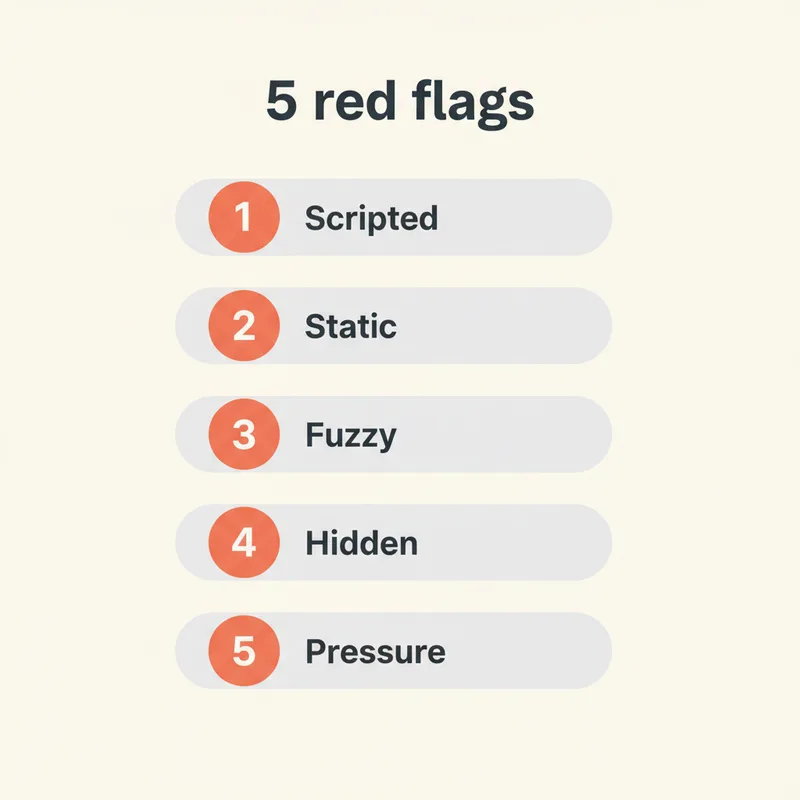
- Only one curated call audio. A real platform has hundreds of recordings across every call type. If they only have one or two polished examples, the platform isn't deployed at scale yet, or the rest of the calls don't sound great.
- Refusal to test live. "We have a video instead" is a dodge. Any production platform can dial out and book an appointment in real time during the demo. If they can't, the system isn't reliable enough to trust with your patients.
- Vague PMS answers. "Yes, we integrate with all major systems" is marketing, not engineering. Strong vendors name the exact PMS, name the integration partner, and explain whether it's read-only or read-write.
- No published pricing. "Pricing depends on your needs" is fine as a starting point. "We can't give you a number until you sign an NDA" is not. Walk away from any vendor who treats their pricing model as proprietary.
- Pressure to sign immediately. Limited-time discount expiring at end of call. Setup slot only available this week. These tactics work on impulse buyers, not careful evaluators. The strongest vendors give you time to think.
Per Dental Economics analysis on dental phone handling, the cost of choosing the wrong communication tool is paid not in the contract but in the patients you lose while you sort it out. Slow down. The vendors that pressure you fastest usually deliver the worst.
What live tests should you run during the demo to stress-test the AI?
Run four live tests during every demo, ideally with the vendor's screen shared so you can see the dashboard react in real time. The booking accuracy test, the mid-call mind-change test, the unknown-question test, and the escalation test. Each takes 60 to 90 seconds. Together they reveal more about the platform than the entire scripted demo flow.
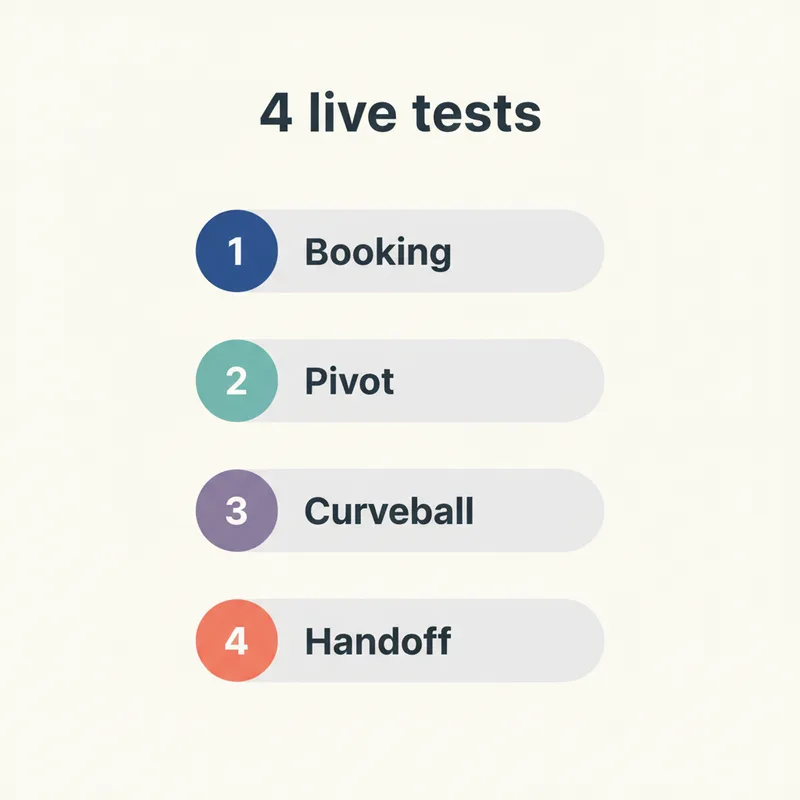
Test 1: Booking accuracy
Ask the AI to book a specific appointment type that requires a specific provider and time block (a 90-minute crown prep with Dr. Smith on Thursday afternoon, for example). Watch the dashboard. Did the AI book the right appointment type? The right provider? The right duration? If any of those three are wrong, the AI doesn't actually understand your appointment rules. It's pattern-matching on phrases.
Test 2: Mid-call mind change
Halfway through the booking, change your mind. "Actually, can you make that Friday morning instead?" or "Wait, do you accept Delta Dental?" A weak AI gets confused and reverts to script. A strong AI updates context smoothly and keeps moving. This single test eliminates roughly half of the demo-only platforms because they can't handle conversational pivots.
Test 3: Unknown question
Ask something the AI couldn't possibly know. "How long has Dr. Smith been at the practice?" or "Does the office have parking?" The platform should either pull from a configured FAQ, escalate gracefully, or take a message with full context. What it should not do: hallucinate an answer, freeze, or end the call. With 80% of voicemail callers never leaving a message according to Forbes data, an AI that drops the call costs you the patient outright. HubSpot research on customer experience shows graceful "I don't know" responses outperform false confidence in customer satisfaction by a significant margin.
Test 4: The escalation
Force an escalation. Say "I really need to speak with the doctor about something urgent." Watch what happens. Did the AI transfer to a human or warm-transfer with full context? Did the patient (you) have to repeat themselves? Did the dashboard show the call summary to the human in real time? A clean handoff here is the single biggest indicator that the platform is production-ready.
Some practices test all four during a single demo call. Others save them for the second demo with finalists. Either approach works as long as you actually run the tests. Skipping them is how owners end up signing contracts based on vibe instead of data. Compare your test results to the framework in our best AI virtual receptionist evaluation guide.
Related: Once you've run the demo and shortlist, structure the next phase carefully → 30/60/90 day pilot playbook for AI receptionists
What marketing language should you ignore in an AI dental receptionist demo?
Ignore four categories of marketing language that consistently fail to predict real-world performance. Vague AI superlatives, ROI guarantees, customer logo walls, and case-study revenue numbers without context. None of these tell you anything about whether the platform will work for your specific practice. Filter them out and focus on the operational details vendors prefer not to discuss.
Vague AI superlatives
"The most advanced AI in dentistry," "powered by next-generation models," "trained on millions of dental conversations." None of these have measurable definitions. Replace each with a specific question. Which model? Trained on what dataset? What's the word error rate? Vendors with technical answers earn credibility. Vendors with marketing answers don't.
ROI guarantees
"3 to 5x ROI in your first year" or "we'll pay for itself in 90 days" appear in nearly every demo. The numbers are real for some practices and impossible for others. ROI depends on your missed-call baseline, your conversion rate, and your average new-patient value. With dental new-patient acquisition costs running $150 to $300 per patient through digital channels per WordStream data, and lifetime value typically reaching $12,000 to $15,000 per general-practice patient per Dental Economics, the math swings widely by practice. A guarantee that ignores those variables is marketing, not math. Run the numbers yourself using our missed-call revenue baseline framework.
Customer logo walls
A wall of dental practice logos on the demo deck proves the vendor has customers. It doesn't prove those customers are happy or that the platform fits your practice profile. Ask for one customer reference at your size, in your specialty, who's been on the platform for 6+ months. That single conversation tells you more than 50 logos.
Case-study revenue numbers
"Practice X recovered $250,000 in their first year" makes for great slides. The same case study rarely shares the practice's call volume, missed-call baseline, or average case value. Without those three numbers, the recovered revenue figure is meaningless. Ask. If the vendor can't share them, the case study is theater. BrightLocal research on how buyers evaluate vendors consistently shows context-rich case studies outperform big-number testimonials.
How should you structure your demo schedule across multiple vendors?
Structure demos in three rounds across two to three weeks. Round one: 30-minute screening calls with five to seven vendors to filter on the seven questions. Round two: 45-minute deep demos with finalists, including all four live tests. Round three: a customer reference call plus a written quote. Sign nothing until round three is complete.
The five-to-seven funnel matters because it forces you to make comparisons rather than fall in love with the first demo. Most owners who only see one demo end up signing with that vendor regardless of fit, which is exactly what vendors are counting on when they push for a fast-track demo. Slow the process down and the math improves automatically.
Inside each demo, take notes against the same seven-question rubric. After the demo, score each vendor immediately while it's fresh. If you wait until you've seen three demos to score the first one, you'll mix them up. Per ADA Health Policy Institute research, structured evaluation processes consistently produce better long-term outcomes for practice technology decisions than gut-feel sign-ups.
Once you've scored the finalists, share the rubric with your front-desk lead and get their read on each platform's dashboard. The team that uses the tool daily catches friction owners miss. Dental Economics research on dental practice miscommunication shows that platform tools chosen without staff input generate 3x more workflow friction during rollout.
What should you do after the demo before signing anything?
Do three things, in order, before you sign any contract. The order matters because each step builds on the previous one. Demos sell potential. Pilots prove production. Don't confuse them. If any of the three steps below reveal a meaningful gap between the demo experience and reality, walk away from that vendor.
- Pull two weeks of your actual call analytics and check them against the platform's promised baseline. Without your real numbers, the vendor's numbers are guesses.
- Run a 30-day pilot with month-to-month terms on a narrow scope (after-hours and recall first). Real performance shows up in week 2, not week 12.
- Talk to one customer reference your size and specialty who's been on the platform 6+ months. Ask about month 3, not month 1. Honeymoon results tell you nothing.
The biggest mistake owners make after a great demo is signing the annual contract immediately because the discount expires. That discount is structured to remove your decision-making time. Counter it by asking for a written 30-day pilot with the same pricing protected. Real vendors agree. Vendors who refuse have something to hide. Our structured 30/60/90 day pilot playbook covers exactly how to set up that pilot phase to protect your office.
The smartest first move after any demo isn't to sign. It's to take 24 hours, score the demo against the rubric, and only then decide whether to advance the vendor to the pilot stage. Most platforms look great in a demo and average in production. The pilot is where the real evaluation happens. For pricing context before you negotiate, see our 2026 dental virtual receptionist cost breakdown, and for the full vendor evaluation framework, our complete 2026 buyer's guide.
Ready to demo a dental AI receptionist that passes all 7 questions?
DentiVoice ships with real-time PMS write-back, transparent pricing, month-to-month pilots, and named integration partners. Book a 20-minute walkthrough.
Book a Free Demo →Want more practice growth resources?
Browse Resources →Sources & References
Frequently Asked Questions
Most demos schedule 20 to 45 minutes. The first screening demo can run 20 to 30 minutes covering the seven core questions. The deep demo for a finalist should run 45 minutes to allow for live testing and dashboard walkthrough. Anything shorter than 20 minutes is a sales pitch, not a demo.
Almost never. NDAs at the demo stage are a red flag. Standard product demos don't require legal protection. Vendors who require NDAs upfront often have something to hide about pricing, integration partners, or customer numbers. Walk away unless the vendor has a clear, narrow reason tied to a specific custom build.
Plan to screen five to seven vendors in 30-minute calls, then run deep 45-minute demos with two or three finalists. Fewer than three deep demos and you don't have enough comparison data. More than four and you'll mix them up. The sweet spot for most practices is three deep demos before pilot.
Yes. The demo should never require live access to your production PMS. Vendors should demonstrate integration on their own test environment first. Production access only happens during the pilot phase, with proper credentialing and a signed BAA. If a vendor wants PMS access during the demo, that's a security red flag.
Use the same seven-question rubric and same four live tests in every demo. Score each vendor 1 to 5 immediately after the call while it's fresh. Don't wait until you've seen all demos to score the first one. Standardized scoring is the only way to avoid letting the most recent or most charismatic demo win.
Ask for the all-in monthly cost at your specific call volume, the per-call or per-minute overage rate, the setup fee, the contract length and cancellation terms, and any features that cost extra. Get the answers in writing before the call ends. Verbal pricing during demos is rarely the price you'll see in the contract.
Yes, at least for the deep demos with finalists. The team that uses the dashboard daily catches friction owners miss. Bring your front desk lead to the second demo with each finalist. Their feedback on the dashboard usability often shifts the decision more than the vendor's call quality.
Was this article helpful?
Written by
DentalBase Team
Expert dental industry content from the DentalBase team. We provide insights on practice management, marketing, compliance, and growth strategies for dental professionals.