Dental Website SEO: Structure That Ranks in 2026
Dental website SEO starts with structure. URL hierarchy, internal linking, and the site architecture decisions that decide what Google ranks.
Share:
Table of contents
Why does site structure matter more for dental website SEO than content?
Site structure controls how Google crawls, understands, and ranks your dental practice's pages. Even strong content underperforms when URLs are inconsistent, internal links bury service pages, or page speed drops below thresholds. Structure is one piece of a larger program, so it helps to know what dental SEO services should deliver overall before you judge any single fix. Structure is the floor. Content sits on top of it. Structure gets the right pages ranking; the specific wording mistakes undermining that same structure are what keep them from converting once a patient arrives.
How Google's crawler reads your site
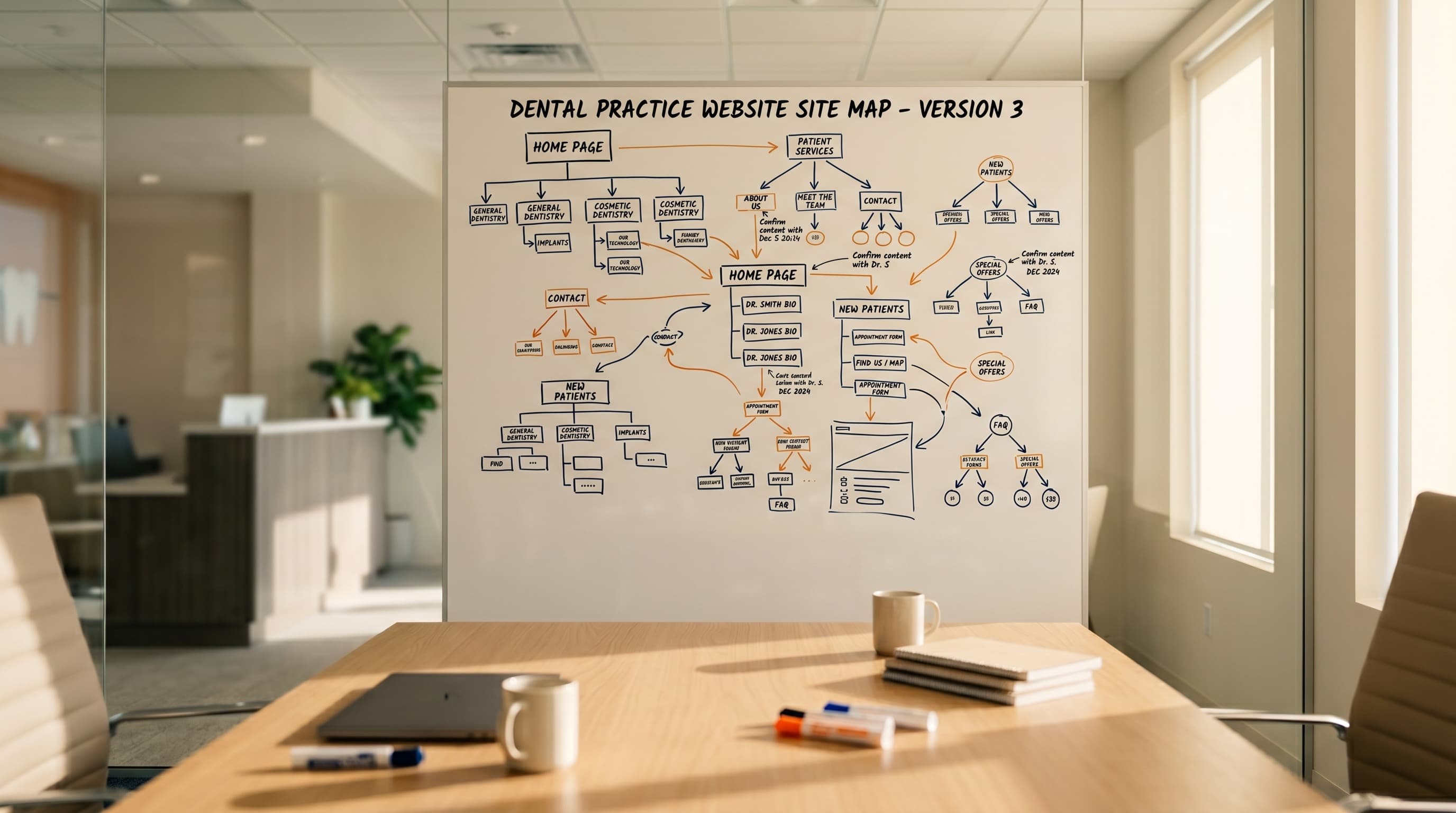
Google's crawler treats your website like a layered map. It starts at the homepage, follows links, and builds a model of which pages matter most based on how often they're linked and how easy they are to reach. A site with a clean three-tier structure (homepage to service category to individual service) gives Google a clear hierarchy. A site with pages buried four clicks deep, or with services scattered across inconsistent URL patterns, sends a confused signal.
That confusion shows up as flat rankings. According to Moz's guide to URL structure, shorter and more hierarchical URLs correlate with stronger rankings because they communicate topical relationships cleanly. Your 2,000-word article on Invisalign can be excellent and still lose to a 600-word competitor page that sits in a cleaner site structure.
Why most practice websites get this wrong
Here's the thing: most dental practice websites were built by designers, not by SEO specialists. Pretty homepage. Beautiful service pages. URL slugs like /our-services/cosmetic-dentistry/teeth/whitening-and-other-services-2/. Inconsistent. Buried. Broken.
If you're rebuilding from scratch or evaluating a new partner, our broader complete guide to dental website design connects every piece (strategy, design, SEO, and conversion) into one framework. Structure is the part that gets ignored. It's also the part that decides whether the site ever ranks.
How should you structure URLs for dental services and locations?
Use a flat, three-tier URL pattern: domain, then service category, then specific service. Keep slugs lowercase, hyphenated, and short. For multi-location practices, build separate location pages with city in the URL, and never nest services under locations. This keeps service pages indexed independently and protects them during expansion.
Single-location URL pattern
The cleanest URL pattern for a single-location dental practice looks like this: yourpractice.com/services/cosmetic-dentistry and yourpractice.com/services/dental-implants. Each service gets its own page. Each page sits one click below the homepage. No category bloat. No date stamps. No query strings.
Willow Family Dentistry runs this pattern in production at /dental-services/[service-name]-wylie-tx. Our example dental practice site analysis breaks down the full structure, including how each blog post links back into the matching service page.
| Element | Hurts rankings | Works for SEO |
|---|---|---|
| Service page | /our-services/teeth-things/whitening-2/ | /services/teeth-whitening |
| Location page | /locations/austin-tx/cosmetic-dentistry/ | /locations/austin-tx |
| Word separator | /dental_implants | /dental-implants |
| Naming style | /smile-makeover-magic | /services/smile-makeover |
| URL length | /dental-implant-services-austin-tx-2024-page | /services/dental-implants |
Multi-location URL pattern
For multi-location groups, the pattern shifts. Create a /locations/ parent and individual pages at /locations/austin-tx and /locations/round-rock-tx. Each location page links out to the same service pages. Resist the temptation to create /locations/austin-tx/cosmetic-dentistry/ or worse, /cosmetic-dentistry/austin-tx/. That duplicates content, dilutes ranking signals, and creates a maintenance problem you'll regret six months later.
DSOs building out this kind of location hierarchy at scale can find more detail in our guide to DSO SEO site architecture, including how to keep the hierarchy shallow and prevent internal link dilution across offices.
Quick rules for clean URLs
A few rules that decide a lot:
- Use hyphens to separate words. Avoid the _ character and spaces
- Keep slugs under five words when you can
- Strip stop words like "and," "for," and "the" unless they change the meaning
- Match the slug to the H1, not to the menu label
- Never change a URL after publication without a 301 redirect in place
The biggest mistake I see is service pages parked at clever-but-meaningless URLs like /smile-makeover-magic. Google rewards descriptive slugs because they correlate with what users actually search for. The slug /services/smile-makeover ranks faster than the cute version and converts at a similar rate, because the URL itself tells the searcher what they'll find.
For a closer look at how URL architecture, navigation, and core elements come together, see our breakdown of dental website design essentials.
Implant service pages are especially vulnerable to weak URL architecture, since a buried or generic URL can cost high-value cases before rankings ever come into play. See our guide to the architecture mistakes losing implant cases for what that looks like in practice.
Audit your URL structure before your next redesign
Most dental sites lose rankings during a relaunch because nobody mapped the old URLs to the new ones. Our SEO team handles migration mapping, schema audits, and Core Web Vitals as part of every project.
Get an SEO Audit →What internal linking pattern wins local rankings?
Internal links pass ranking authority from the homepage outward. Service pages should be one click from the homepage, with descriptive anchor text. Blog content should link down to service pages, not the other way around. Homepage links should match the exact phrases patients use when searching.
Linking from the homepage down
A patient lands on your homepage. From there, they should see (and Google should follow) direct links to every revenue-generating service: implants, Invisalign, cosmetic, emergency, pediatric, sedation. If a service requires two clicks to reach, it's getting less of your homepage's ranking authority. If it takes three clicks, search engines often treat it as a secondary page.
Why anchor text matters
The anchor text matters as much as the link itself. A homepage button that says "Learn More" tells Google nothing. A link that says "dental implants in Austin" tells Google exactly what page is on the other end. Vary your anchor phrasing across pages so it reads naturally (Google penalizes obvious anchor stuffing), but make sure your important service keywords appear as anchor text somewhere on the homepage.
Not sure which terms belong in that anchor text? Our full list of high-value dental keywords worth using as anchor text ranks them by revenue potential.
Using blog content to funnel authority
Blog content is the cheapest source of internal link authority most dental practices have. A blog post about how Invisalign treatment works should include two or three links to your Invisalign service page, not just one buried in the conclusion. Surface them in context, where the reader is already curious. According to HubSpot's research on internal linking, sites with strong internal linking to service pages often outrank competitors even when the competitor has more backlinks.
This pattern matters at the conversion layer too. Once a patient reaches a service page, internal links should funnel them toward booking, not back into the blog. For the mechanics of that conversion path, see our piece on how to turn dental website visitors into appointments.
The flip side worth mentioning: don't link out from service pages back into the blog. Service pages are conversion destinations. Once a patient arrives, you want them to book.
Related: Want to see this applied to a real practice? Dental website design examples that work in production →
Which schema markup does every dental site need?
Every dental site needs Dentist schema (a subtype of LocalBusiness), FAQ schema on service pages, and BreadcrumbList markup for navigation. These tell Google your business type, hours, location, and key questions, so your listing can appear with rich features in local results.
What schema markup actually does
Schema markup is structured data that sits in your HTML but isn't visible to visitors. It's how you tell Google: "I'm a dental practice in Round Rock, Texas, open Monday through Thursday, with these phone numbers and these services." Done well, schema enables rich-result features like the knowledge panel, FAQ accordions, and review stars in search results.
| Schema type | What it tells Google | Rich result feature |
|---|---|---|
| Dentist (LocalBusiness) | Business type, address, hours, phone, payments accepted, languages spoken | Knowledge panel and map-pack listing |
| FAQPage | Common patient questions and answers on service pages | Expandable FAQ accordions under your listing |
| BreadcrumbList | Page hierarchy from homepage to current page | Breadcrumb path instead of raw URL |
| Review + AggregateRating | First-party reviews collected on your site (not aggregated from Google) | Star ratings under the search result |
| MedicalProcedure | Procedure details on individual service pages | Enhanced healthcare result formatting |
The non-negotiable schema types
The non-negotiable schemas for dental website SEO:
- Dentist: a specific subtype of LocalBusiness. Includes name, address, phone, hours, geo coordinates, accepted payment methods, and languages spoken
- FAQPage: marks up your most common patient questions on service pages and is eligible for rich snippets
- BreadcrumbList: shows your URL hierarchy in search results, replacing the raw URL with
Home > Services > Dental Implants - Review and AggregateRating: with caveats. Google requires reviews to be first-party (collected on your site, not aggregated from Google) and not self-serving
According to Google's LocalBusiness structured data documentation, properly implemented schema can directly influence which local results appear in the map pack. Sites without schema aren't disqualified, but they leave most rich-result features on the table.
The most common schema mistake
The trap most dental practice websites fall into is schema that contradicts the visible page. If your schema says you're open until 7 PM but your homepage says you close at 5, Google ignores the markup and may flag the page. The schema must reflect what visitors actually see. Audit it with Google's Rich Results Test after every site change, and fix the warnings before they become invisible ranking losses.
One more note: FAQ schema is the easiest win for dental service pages because patients ask the same five questions about every procedure. Add them as visible FAQ accordions, then mark them up. Done correctly, that single change can pull your listing into the answer block on AI Overviews.
How do Core Web Vitals affect your dental SEO?
Core Web Vitals measure how fast your site loads, how quickly it responds to clicks, and how stable the layout is during loading. Google uses these metrics as direct ranking signals. Dental sites usually fail on speed because of uncompressed before-and-after photos and bloated booking widgets.
The three Core Web Vitals metrics
There are three numbers worth knowing:
- Largest Contentful Paint (LCP): how long it takes for the main content to appear. Target under 2.5 seconds
- Interaction to Next Paint (INP): how quickly the site responds when a patient taps a button. Target under 200 milliseconds
- Cumulative Layout Shift (CLS): how much the page jumps around as it loads. Target under 0.1
Per Google's Core Web Vitals documentation, sites that hit all three thresholds receive a ranking boost in mobile search. Sites that fail one or more get a soft penalty that compounds over time. Google's own consumer research shows users expect websites to load in three seconds or less. Past that point, bounce rates climb fast.
Why dental sites are slow
Dental practice websites struggle with speed for predictable reasons. Before-and-after smile galleries are stuffed with full-resolution photos that should be 200KB but weigh 4MB. Booking widgets from third-party vendors load slowly and shift the layout when they finally render. Stock hero videos auto-play in the background, eating bandwidth on every visit.
How to fix it
The fixes are predictable too: compress every image to WebP, lazy-load anything below the fold, audit third-party scripts, and replace heavy booking embeds with lightweight alternatives. Mobile accounts for 62% of all dental-related searches, according to Google, which means your mobile performance is your performance. Full stop.
For a deeper walkthrough of the specific speed killers and the order to fix them in, see our piece on how to fix a slow dental website.
The single biggest of those speed killers is almost always the homepage hero image. How hero image bloat quietly drags down mobile Core Web Vitals covers the ranking impact in more detail.
Your site is losing patients before they even see it
Slow load times, broken schema, and missing redirects quietly burn 30 to 50% of the traffic you're paying to attract. See how DentalBase fixes the structural issues most agencies skip.
See How DentalBase Fixes This →How do you migrate a dental site without losing rankings?
Migrate by mapping every old URL to a new URL with a 301 redirect, preserving title tags and meta descriptions, and resubmitting the sitemap to Google Search Console after launch. Skip any of these steps and the redesign that was supposed to grow your practice will quietly cost you months of organic traffic.
The redirect mistake that costs the most
The single most expensive mistake in dental website redesigns is the URL change with no redirect. Old URL: /cosmetic-dentistry-veneers.html. New URL: /services/veneers/. Google had the old URL indexed and ranking. The new URL is a clean slate. Unless you tell Google how to connect them, every backlink, every ranking signal, every piece of authority earned over years is lost in a single weekend.
What happens after a dental site redesign
Without a migration plan -30% organic traffic Old URLs return 404s Backlinks point to dead pages Schema markup lost on rebuild Sitemap never resubmitted Rankings plateau at 60-70% of baseline | With a migration plan Rankings preserved Every old URL maps to a 301 redirect Backlinks flow to new pages Schema audited and reapplied Sitemap resubmitted at launch Authority transfers within weeks |
The migration checklist
The migration checklist that protects rankings:
- Crawl the current site with Screaming Frog or a similar tool and export every URL
- Map each old URL to its new equivalent in a spreadsheet
- Configure 301 redirects (not 302, which Google treats as temporary)
- Preserve title tags and meta descriptions on equivalent pages
- Rebuild internal links to point at the new URLs, not at the redirected ones
- Audit and reapply schema markup on every page
- Submit the new sitemap to Google Search Console immediately after launch
- Monitor Search Console for crawl errors weekly for the first month
What happens when practices skip the plan
A 2023 Dental Economics survey found 57% of dental practices are looking to redesign their websites in the next two years. Most won't have a migration plan. The pattern is so consistent it has a shape: rankings drop the week of launch, recover slightly over the next month, then plateau at 60 to 70% of the previous level. The lost 30% is the cost of skipping the redirect map.
Convenience is the top factor for patients choosing a dentist, and ADA Health Policy Institute data shows 72% of patients rank it ahead of price or recommendation. They find that convenience through search. A migration that strips your search visibility makes you invisible to the patients most likely to book.
If your current redesign timeline doesn't include two weeks for migration planning and another two weeks for post-launch monitoring, the timeline is wrong. For a fuller view of what good design choices look like before you commit to a rebuild, see our breakdown of modern dental website design in 2026.
Dentist Website SEO: URL Structure
Dental website SEO treats URL structure as a ranking signal, not a housekeeping task. Flat, keyword-clear paths let Google and AI answer engines match a page to a query before they read the body copy.
URL checklist
Use this as a quick reference. Each rule maps to a common mistake practices make when a site gets rebuilt in a hurry.
- Keep service and location URLs shallow:
/services/veneers, not/services/cosmetic/veneers/details - Put the exact service name in the path. Skip the internal project code or abbreviation
- Hyphens between words. No underscores, no capital letters
- One URL per service-location combination, so each page can rank for its own dental website SEO intent
- Avoid trailing query strings or session IDs on any page meant to rank
Practices that skip this step rarely notice the cost until traffic plateaus. A shallow, consistent path structure is one of the cheapest fixes on this list. It rarely needs a developer to implement. For more on how URL choices interact with layout, see our dental website design guide.
Internal Linking for Dental Websites
Internal linking for dental websites routes authority from high-traffic pages to the service and location pages that need it. It gives Google a map of what matters most, and gives patients a path from a blog post to a booking page in two clicks or fewer.
Linking pattern checklist
At a glance, a linking pattern that supports dental website SEO looks like this:
- Every blog post links to at least one relevant service page
- Service pages link to the location pages that offer that service
- High-traffic pages link down to newer pages, not just sideways to other popular ones
- Anchor text describes the destination page. Never "click here" or "learn more"
Most practice sites over-link the homepage and under-link everything else. That wastes the authority a homepage builds from backlinks and directory citations. Spreading it out through deliberate internal links turns one strong page into a cluster of ranking pages. Our SEO services page covers how this hub-and-spoke pattern gets built and maintained.
Dental Schema Markup Basics
Dental schema markup is structured data added to a page's HTML that tells search engines exactly what the page represents. It uses LocalBusiness, Dentist, and FAQPage types so practice details can surface as rich results instead of a plain blue link.
Schema types at a glance
| Schema type | What it tells Google |
|---|---|
| LocalBusiness / Dentist | Practice name, address, phone, hours |
| Service | What each procedure page actually offers |
| FAQPage | Common patient questions, eligible for rich results |
| Review | Star ratings pulled into the search snippet |
Schema doesn't move rankings by itself. But it changes how a result looks once it ranks. According to Search Engine Land, AI Overviews now appear in more than 60% of all searches. Clearly marked-up pages are easier for those systems to parse and cite. Test new markup before it ships, since one mistyped field can silently invalidate the whole block. Our roundup of dental SEO Chrome extensions covers several free schema validators worth keeping in your toolbar.
Dental website SEO is not a content problem. It's an engineering problem. The practices that rank year after year are the ones whose URLs make sense, whose pages link cleanly to each other, whose schema describes what the site actually offers, and whose speed scores hit Google's thresholds.
Most owners only learn this after a redesign costs them six months of rankings. You don't have to be one of them. Pull up Google Search Console this week, run a site audit, and check your Core Web Vitals scores. If anything is broken, fix it before you commission new content or pay for more ads.
Structure first. Everything else second.
Related: Site structure is one ranking layer. Our complete dental SEO guide.
Plan a relaunch that protects your rankings
Our team handles URL mapping, schema, Core Web Vitals, and migration for dental practices across the US. Book a 20-minute teardown and see exactly what's costing you rankings.
Book a Free Demo →Want more SEO playbooks for dental practices?
Browse Resources →Sources & References
- BrightLocal Local Consumer Review Survey
- Moz: Guide to URL Structure
- HubSpot: How to Use Internal Linking to Improve SEO
- Google Search Central: LocalBusiness Structured Data
- Google Search Central: Core Web Vitals
- ADA Health Policy Institute
Sources & References
Frequently Asked Questions
Dental website SEO is the practice of structuring a dental practice's website so search engines can crawl, understand, and rank its pages. It covers URL architecture, internal linking, schema markup, page speed, and migration mechanics. Content quality matters too, but only on top of solid structure.
Yes. Site structure directly shapes how Google crawls and weighs your pages. Practices with clean URL hierarchies, fast page speed, and proper schema markup often outrank competitors with more content. A broken redesign can erase years of rankings in a single weekend.
Most practices see partial recovery within three months, but full recovery often takes six to twelve months and may never reach the previous baseline. Recovery speed depends on how quickly you reinstate proper 301 redirects and resubmit the corrected sitemap to Google Search Console.
Build a flat pattern with separate location pages at /locations/city-name and shared service pages at /services/service-name. Each location page links to the relevant service pages. Never nest services under locations or you create duplicate content and dilute ranking authority across both pages.
Dentist schema (a subtype of LocalBusiness) is the highest priority because it tells Google your business type, location, hours, and contact details. Pair it with FAQPage schema on service pages and BreadcrumbList for navigation. Together these enable rich-result features in local search.
Aim for Largest Contentful Paint under 2.5 seconds on mobile. Google research shows users expect any website to load in three seconds or less, and bounce rates climb fast past that point. Past four seconds, you lose roughly half the visitors who would have booked.
Basic dental website SEO (writing meta descriptions, adding alt text, checking page speed) is achievable in-house. Structural work like migrations, schema audits, and Core Web Vitals optimization usually requires a developer or specialist agency. The cost of getting it wrong is higher than the agency fee.
Was this article helpful?
Written by
DentalBase Team
Expert dental industry content from the DentalBase team. We provide insights on practice management, marketing, compliance, and growth strategies for dental professionals.


