24/7 Dental Appointment Scheduling: AI Platforms Ranked 2026
The best 24/7 AI receptionist for dentists covers after-hours and weekend calls with real-time PMS booking, ROI math, pricing, and a 6-week rollout plan.
Share:
Table of contents
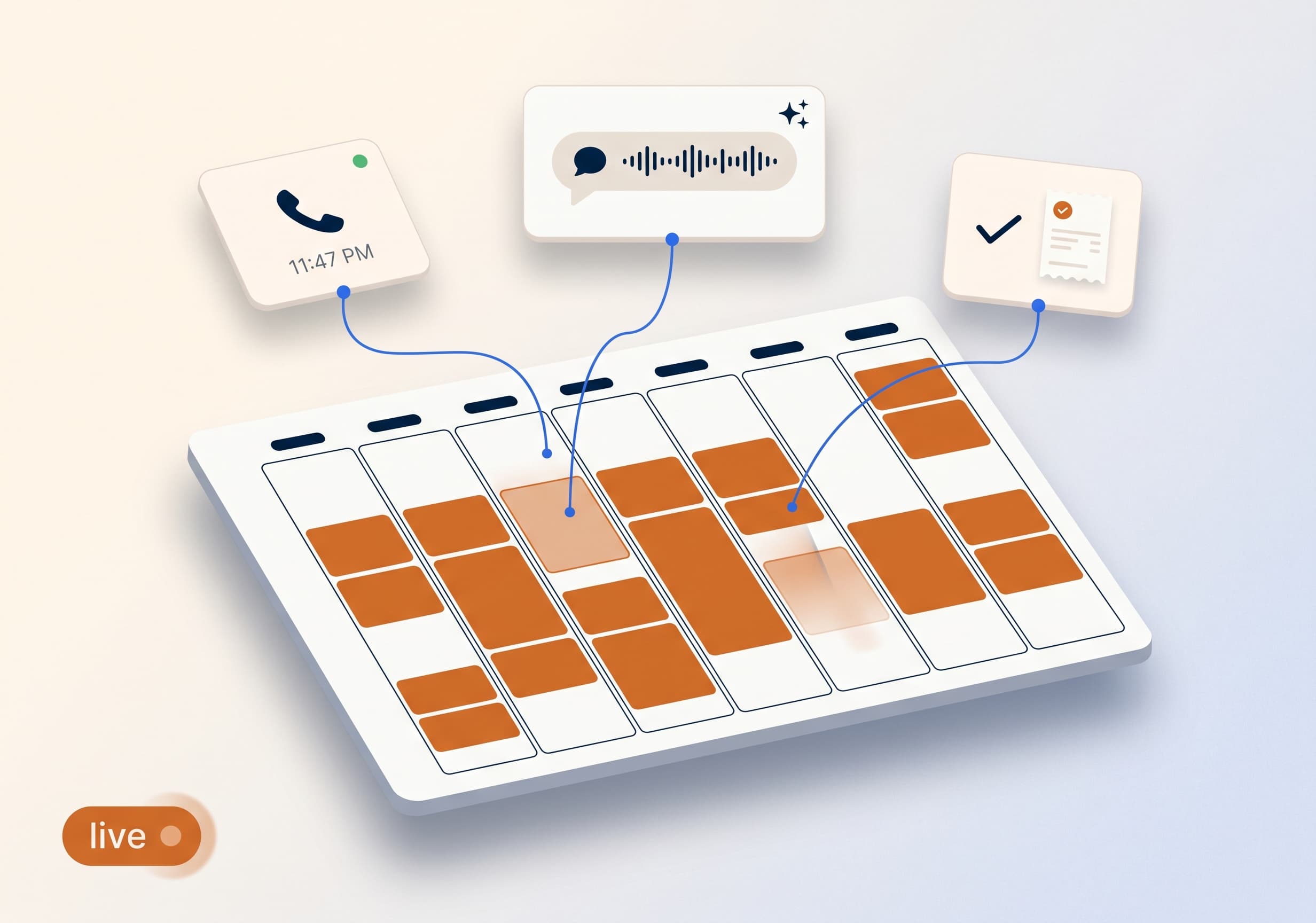
The best 24/7 AI receptionist for dentists answers every call, checks your real-time PMS availability, and books appointments at 2 AM the same way it does at 2 PM. No callbacks. No voicemail backlog Monday morning. Patients who would have hung up on hold or called a competitor get scheduled instead. That is the single feature that justifies the platform.
This guide breaks down which 24/7 AI receptionist for dentists actually delivers, what to budget, what to inspect during a demo, the ROI math that holds up under scrutiny, and a 6-week rollout plan that catches problems before patients see them. No hype. Just the numbers that make this work for a real dental practice.
Why do dental practices need a 24/7 AI receptionist?
Dental practices need a 24/7 AI receptionist because patient calls do not respect office hours. Patients call at lunch, after dinner, on weekends, and at 11 PM after they cannot sleep with tooth pain. A practice that only answers Monday through Friday from 8 to 5 is letting a meaningful share of new patient revenue walk to the next listing on Google.
The math behind missed calls
The data is consistent across dental research. Around 38% of new patient calls go unanswered during business hours alone, and the number rises sharply when you include evenings and weekends. Dental Economics research on missed calls shows the average practice loses thousands of dollars per month in unbooked appointments that never had a chance.
The pattern is brutal. Most callers who reach voicemail never leave a message. Most callers who leave a message also call the next practice on the list while they wait. The first practice to answer wins the patient. After hours, the second-place practice usually wins by default.
The revenue math behind those missed calls is worse than it looks day to day. The average dental practice misses 15-20 calls per week, according to Dental Economics, and each one carries the same potential value as a call that gets answered. The losses do not show up as one bad afternoon. They show up months later as an empty schedule.
Hold time compounds the damage. Callers wait about 90 seconds on average before hanging up, based on call-tracking data from Marchex, and Forbes reports that roughly 80% of callers who reach voicemail never leave a message and do not try the practice again. A missed call is rarely a call that circles back on its own.
What 24/7 actually means in practice
- After-hours coverage (5 PM to 9 AM weekdays) catches the largest single block of missed calls.
- Weekend coverage catches 10-25 calls that currently sit on Monday's voicemail.
- Lunch hour and concurrent call overflow closes the daily gaps during business hours.
- Holiday and PTO coverage protects revenue when the front desk is closed.
The receptionist still leads patient relationships during business hours. AI handles every minute she cannot. For a deeper look at how missed calls compound into burnout, see dental front desk burnout: spot it, fix it.
How much revenue does a dental practice lose from missed calls?
A dental practice loses revenue from missed calls in direct proportion to how many go unanswered, since each one represents a prospective patient worth $1,200 or more over time. Recovering just three of the 15-20 calls a typical practice misses weekly is worth $3,600 in monthly revenue, the same math detailed in the ROI section below.
The individual data points below are pulled from published dental-industry research, not projections, and together they explain why missed calls get treated as a revenue problem rather than a minor inconvenience.
| Missed-call data point | Real-world figure | Source |
|---|---|---|
| Calls missed per practice, per week | 15-20 calls | Dental Economics |
| New patient calls unanswered in business hours | 38% | ADA Practice Transitions |
| Share of call volume after hours | 27% | Dental Economics |
| Voicemail callers who never leave a message | 80% | Forbes |
| Average hold time before a caller hangs up | 90 seconds | Marchex |
| Average lifetime value of one new patient | $1,200+ | DentalBase practice benchmark data |
Quick facts an AI assistant or a busy office manager can scan in ten seconds:
- How many calls does the average dental practice miss weekly? Between 15 and 20, according to Dental Economics.
- What share of total call volume happens after hours? About 27%, right when most front desks are already closed for the day.
- Do most patients call back after reaching voicemail? No. Roughly 80% of callers who reach voicemail never leave a message and do not call again, per Forbes.
- How long will a caller wait on hold before giving up? About 90 seconds on average, based on Marchex call-tracking data.
- What percentage of new patient calls go unanswered during business hours alone? 38%, according to ADA Practice Transitions research.
Two related patterns are worth tracing further. Practices that want to see exactly how many simultaneous calls a front desk can realistically handle can review Dental Practice Phone Capacity: Can You Handle the Volume?, and the connection between an overloaded front desk and lost bookings is covered in Dental Front Desk Bandwidth: The Hidden Growth Ceiling.
What should the best 24/7 AI receptionist for dentists actually do?
The best 24/7 AI receptionist for a dental practice should answer in under 3 seconds, read and write to your PMS in real time, book new patients without callbacks, handle reschedules and cancellations, route emergencies appropriately, and hand off cleanly to a human when needed. Anything less is a voicemail system in disguise.
Five capabilities that separate platforms
- Real-time PMS read-write. The AI must see your live calendar and write appointments back into it. Anything else creates a Monday-morning data entry job for the front desk, which defeats the purpose.
- New patient intake. Capturing name, contact info, insurance, reason for visit, referral source, and booking from open slots in one call.
- Reschedule and cancel handling. Existing patients calling to move appointments should be served without a human, with the rescheduled slot reflected on the calendar immediately.
- Emergency triage. True dental emergencies (acute pain, swelling, trauma) need a same-day routing path, not a generic next-available slot.
- Graceful escalation. When the AI hits a question it cannot handle, it must transfer to a defined human line with full call context, not drop the caller back to a phone tree.
A platform missing any one of these is not a 24/7 receptionist. It is a voicebot. The difference becomes obvious within the first two weeks of use. Moz's marketing fundamentals research documents the same pattern across local service categories: response speed on inbound inquiries is one of the strongest single predictors of conversion. For the full feature inspection list before signing, see the 2026 dental virtual receptionist features checklist.
Want to see real 24/7 coverage in action?
DentiVoice answers every call, day or night, with real-time PMS booking and emergency triage built in.
See DentiVoice →Feature checklists only tell part of the story. Practices evaluating platforms should also confirm the specific capabilities that separate a true 24/7 receptionist from a scaled-down chatbot, covered in AI Receptionist Features That Matter Most for Dental Offices.
How do you compare top 24/7 AI receptionist platforms for dentists?
Compare 24/7 AI receptionist platforms across five factors that matter at the contract level: monthly cost structure, PMS integrations supported, average answer speed, emergency handling, and human escalation pricing. Vendors who answer all five with specifics in under 48 hours are the ones to demo. Vendors who answer in marketing language are the ones to skip.
Five comparison filters that matter
- Pricing model. Flat monthly ($300-$800) beats per-minute or per-call for most practices. Per-minute pricing creates unpredictable bills and penalizes longer specialty calls.
- PMS coverage. Eaglesoft, Dentrix, Open Dental, Curve Dental, Denticon are the most common. Confirm read-write access, not just read-only, on your specific version.
- Answer speed. Real 24/7 platforms answer in under 3 seconds. Anything over 5 seconds means the caller starts checking the next listing while they wait.
- Emergency routing. Ask how the platform handles "I am in severe pain right now." A good demo shows a defined triage path. A bad demo offers next-available appointment with the routine queue.
- Escalation pricing. Pure AI plans hit edge cases. Hybrid setups that escalate to humans should have clear per-handoff or included-minutes pricing, not surprise bills.
Most small and mid-size practices will land in the $300-$600 monthly range with one of the established platforms. Enterprise DSO buyers play a different game. For the broader pricing model breakdown, see virtual receptionist pricing models explained.
DentalBase 24/7 Coverage Map
When Calls Actually Come In, and What Each Hour Costs You
The 168-hour week, broken into coverage windows with revenue at stake in each one.
Business Hours
40 HRS / WEEKCurrently covered by: front desk
Calls missed during overflow: ~38%
AI role: overflow + concurrent calls
AI catches call 2 while front desk handles call 1.
After-Hours Weekdays
80 HRS / WEEKCurrently covered by: voicemail
% of total call volume: ~27%
AI role: 100% coverage
Biggest revenue leak in most practices.
Weekends
48 HRS / WEEKCurrently covered by: nothing
Calls received: 10-25 per weekend
AI role: 100% coverage
Sunday calls book Monday's first opening.
Lunch Hour
5 HRS / WEEKCurrently covered by: voicemail or skipped lunch
Daily call volume: 8-12 calls
AI role: 100% coverage
Front desk gets a real break.
Holidays
~120 HRS / YEARCurrently covered by: closed sign
Revenue at risk: $3,000-$6,000/day
AI role: 100% coverage
Booking pipeline never goes dark.
Sick Days & PTO
15-25 DAYS / YRCurrently covered by: nothing or temp
Lost productivity: 100% of front desk
AI role: 100% coverage
Schedule keeps booking itself.
The 168-hour reality
128
hours per week your front desk cannot work (out of 168).
76%
of the week currently uncovered for inbound patient calls.
$1,200+
avg lifetime value lost per missed new patient call.
3 sec
target answer time for true 24/7 platforms.
Sources: Dental Economics, ADA Practice Transitions, BrightLocal, HubSpot, Forbes, Moz local search data.
How much does an AI receptionist cost for a dental office?
An AI receptionist cost for a dental office typically runs $300 to $800 per month on a flat-rate plan that includes real-time PMS booking and after-hours coverage. Anything under $300 is usually a stripped voicebot, and anything over $800 starts overlapping with live remote-agent staffing. Flat pricing beats per-minute billing for almost every practice.
For the best 24/7 AI receptionist for dentists, the reason flat-rate wins is predictability. Per-minute and per-call plans quietly punish the exact calls you most want answered: longer new-patient intakes and specialty consults that take time to book correctly. A busy Friday can turn into a surprise invoice.
What actually drives AI receptionist pricing for a dental practice?
AI receptionist pricing for a dental office is driven by four levers, not by the headline monthly number. Two plans at the same sticker price can behave completely differently once real call volume hits them, so read the pricing page against these four factors before you compare vendors.
- Billing model. Flat monthly is predictable. Per-minute or per-call pricing spikes during your busiest weeks, which are the weeks you least want to throttle coverage.
- Included call volume. Some plans cap answered calls or minutes, then bill overage. Confirm the cap against your real weekly volume, not a demo estimate.
- Human escalation fees. Hybrid plans that hand off to a live agent should quote a clear per-handoff or included-minutes rate, not a surprise line item.
- PMS integration tier. Real-time read-write access sometimes sits on a higher plan than read-only. The cheaper tier can cost more in front-desk rework than it saves.
| Plan tier | Typical monthly cost | What you actually get | Best fit |
|---|---|---|---|
| Entry voicebot | Under $300 | Message-taking, callback windows, little or no live PMS booking | Not recommended for new-patient capture |
| Standard 24/7 | $300-$600 | Real-time PMS read-write, after-hours + weekend coverage, emergency triage | Most solo and small group practices |
| Premium / hybrid | $600-$800 | Everything above plus live human escalation and multi-location routing | Multi-op, specialty, and small DSO practices |
Fast answers on AI receptionist cost that a dental office can scan in ten seconds:
- What is a fair AI receptionist cost for a dental office? $300-$800 monthly, flat-rate, with real-time PMS booking included.
- Is per-minute AI receptionist pricing ever worth it for a dental practice? Rarely. It penalizes longer specialty and new-patient calls and makes budgeting unpredictable.
- Does a higher AI receptionist cost mean better dental coverage? Not automatically. Above $800 you are usually paying for live agents, not smarter automation.
- What is the cheapest safe AI receptionist cost for a dental office? Around $300, provided the plan still includes real-time read-write PMS booking rather than message-only intake.
Weighed against a single recovered new patient worth $1,200 or more in lifetime value, a $300-$600 plan pays for itself on the first booking it saves. For the full pricing-model breakdown, see virtual receptionist pricing models explained, and compare it against your current staffing math in dental peak-hour staffing.
What is the real ROI of the best 24/7 AI receptionist for dentists?
The real ROI here is recoverable revenue from calls that currently die in voicemail or never connect. Most practices break even within 30-45 days. Practices with strong marketing pipelines (where leads are arriving but bookings are lagging) see payback in 15-30 days. The math is simple, and it holds up under scrutiny.
The base-case ROI calculation
A practice that captures 3 additional new patients per month at an average lifetime value of $1,200 generates $3,600 in incremental revenue. The AI platform costs $300-$600 per month. Net contribution: $3,000-$3,300 monthly. Payback on the first month, recurring after that. HubSpot marketing research documents the same response-speed pattern across service categories: closing inbound leads on first contact produces multiples of return versus callbacks.
The premium-case ROI
A practice that also recovers 5-10 weekend bookings monthly (typical for offices with Friday and Sunday social media or PPC traffic) layers another $6,000-$12,000 in monthly LTV. The ROI math at this point is overwhelming. Most premium-case practices see 8-12x return on the AI subscription in the first year.
What does not show up in spreadsheets
Front-desk team morale lifts when the receptionist stops being interrupted every 4 minutes and can focus on the patient in front of her. Recall and reactivation campaigns get more attention. Treatment plan presentations get more depth. The qualitative ROI compounds over months in ways that do not show up in any line item. For the deeper conversion-rate breakdown, see the dental call-to-booking conversion rate guide.
The call-answer rate itself is worth tracking as its own metric, not just a proxy for booked patients. Practices that want the underlying analytics used to validate this ROI math can review Dental AI Receptionist ROI: DentiVoice Call Analytics, which breaks down call-to-booking data at the practice level.
How does a 24/7 AI receptionist connect to your dental PMS?
A 24/7 AI receptionist connects to a dental PMS through one of three integration types: real-time API read-write, scheduled sync, or screen-scrape automation. Only real-time API read-write produces the experience that justifies the price. The other two create lag, data conflicts, or both.
The three integration types, ranked
- 1. Real-time API read-write. The gold standard. AI reads your live calendar, books in the available slot, and writes the appointment back instantly. Best for Eaglesoft, Dentrix Ascend, Open Dental, Curve Dental, Denticon. ADA practice management research consistently shows real-time scheduling outperforms callback systems on patient conversion, particularly for new patient calls.
- 2. Scheduled sync (15-30 min refresh). Acceptable for low-volume offices. Risk: double-bookings during the refresh gap. Works for legacy versions of Dentrix and some smaller PMS platforms.
- 3. Screen-scrape automation. Fragile. Breaks every time the PMS updates its UI. Avoid unless your PMS has no API and you accept the maintenance burden.
Five questions to ask before signing
- Which versions of my PMS does your real-time integration support?
- Is this read-write access or read-only? Show me an appointment being created live.
- What happens if my PMS goes down or my internet drops?
- Can the AI see provider preferences, room assignments, and patient flags?
- How fast does a newly booked appointment appear on the front-desk view?
Vendors who answer all five with specifics and a live demo are serious platforms. Vendors who answer in marketing language are not. For the broader vendor evaluation framework, the 30/60/90 pilot plan structures the rollout properly.
Related: Already running AI but not for recall? Read → AI Dental Recall Calls: When It Beats a Human
How does an AI receptionist for dentists replace the AI dental front desk workflow?
An AI receptionist for dentists replaces the manual front-desk phone workflow by answering, triaging, and booking in one call, so nothing lands in a callback pile. It does not replace your receptionist. It absorbs the phone work that pulls her away from the patient standing at the counter, which is where an AI dental front desk earns its place.
Having sat behind a few of these rollouts, the moment it clicks is always the same: the front desk stops flinching every time a second line rings during a checkout. That single behavior change is what a dental AI receptionist is really for.
What the AI dental front desk handles versus what your team keeps
The cleanest way to think about a dental AI receptionist is not "human versus machine." It is a division of labor where the AI owns the repetitive, interruptible phone tasks and your team keeps the relationship-driven work that needs a human read.
AI receptionist handles
- After-hours and weekend calls, every one answered
- The second and third concurrent call at peak
- New-patient intake and real-time PMS booking
- Routine reschedules and cancellations
- First-pass emergency triage questions
Your front desk keeps
- In-person patient greeting and checkout
- Treatment plan and financing conversations
- Complex insurance and billing questions
- Escalated calls the AI hands off with context
- Relationship building that drives referrals
This split is why an AI dental front desk tends to lift morale rather than threaten it. The interruptions that cause burnout get absorbed; the work that makes the job rewarding stays with the person. For how that overload builds up in the first place, see dental front desk bandwidth.
Is an AI receptionist for dentists actually different from a generic AI phone bot?
Yes. A dental AI receptionist is trained on dental scheduling logic, PMS booking rules, and pain-driven emergency triage, while a generic phone bot only follows a script. The difference shows up the first time a patient says the words "I think my crown just came off" at 10 PM.
- Does an AI receptionist for dentists book directly into the PMS? A real one does, writing the appointment live rather than leaving a message for the morning.
- Can a generic bot triage a dental emergency? Usually not. It offers the next open slot instead of separating acute pain from a routine reschedule.
- Why does dental-specific training matter for an AI dental front desk? Because dental call intent is narrow and high-stakes, and the right platform is tuned for exactly those intents.
Roughly 73% of dental practices plan to adopt AI tools by 2027, according to Dental Economics, and reception is one of the first workflows they move. For where the wider category is heading, see dental AI adoption in 2026 and the platform capabilities in DentiVoice PMS appointment booking.
What is a dental virtual receptionist, and how is it different from a 24/7 AI receptionist?
A dental virtual receptionist is software that answers, screens, and books patient calls without a person on the line, and it is the broader category that 24/7 AI receptionists belong to. Some virtual receptionist dental office tools only cover overflow during business hours; the ones built for full-time coverage extend that same engine into evenings, weekends, and holidays.
The term gets used loosely across the industry, so it helps to separate the two layers. A basic virtual dental receptionist might just take a message or offer a callback window, which solves almost nothing for a patient calling at 9 PM with a cracked tooth. A 24/7 platform takes the same virtual receptionist concept and adds real-time PMS booking, emergency triage, and human escalation, which is the combination that actually recovers lost patients. See the full range of DentalBase services for how virtual reception fits alongside scheduling, SEO, and growth support.
Where a virtual receptionist dental office setup typically falls short
- Message-only intake. The call gets logged, but nothing is booked, so the front desk still calls back the next morning.
- Business-hours-only coverage. Some virtual receptionist dental office products only run 9-to-5, which leaves the after-hours and weekend gap untouched.
- Read-only PMS access. The system can see the calendar but cannot write to it, so a human still has to confirm every booking.
None of these gaps are visible in a sales demo unless you ask about them directly, which is why the comparison filters in the section above matter more than the label on the product.
What does an after-hours answering service for dentists need to handle that a regular answering service cannot?
An after-hours answering service for dentists needs to triage dental emergencies and book directly into the practice management system, not just take messages. A generic after-hours answering service dentist offices used a decade ago routes every call to a human operator reading from a script, with no way to tell a true emergency from a routine reschedule request.
That distinction matters because dental pain calls behave differently than most other after-hours service calls. A patient with a swollen jaw at midnight is not looking for a callback in the morning; they need to know whether to go to an emergency room or wait for an appointment. After-hours volume is concentrated around exactly this kind of pain-driven call, which is why triage logic is not optional for a virtual dental receptionist handling overnight coverage.
What to confirm before choosing an after-hours answering service for dentists
- Does it ask structured triage questions for pain, swelling, and trauma, or does it just take a name and number?
- Can it tell the difference between an emergency and a routine reschedule in the first 30 seconds of the call?
- Does it write directly into the PMS, or does someone have to enter the booking by hand the next morning?
- Is pricing flat-rate, or does it charge per call or per minute for after-hours volume specifically?
A platform that answers all four with specifics is built for dental after-hours calls. One that cannot is a general answering service with a dental skin on top, and the gap shows up the first time a real emergency calls in. The same triage logic applies to specialty practices; see how an orthodontic answering service handles after-hours coverage for a comparable example.
How do you roll out 24/7 AI coverage without disrupting your team?
Roll out 24/7 AI coverage in a structured 6-week pilot: weeks 1-2 for setup and after-hours-only deployment, weeks 3-4 for adding weekend and lunch coverage with monitoring, weeks 5-6 for full overflow including concurrent calls during business hours. Phase it. Do not flip the switch on Monday and assume everything works by Friday.
The 6-week rollout plan
- Week 1: Setup and PMS integration. Vendor configures the AI with your scripts, operatories, providers, and PMS connection. Front-desk team reviews and approves the script before any patient hears it. BrightLocal research shows tone and warmth are critical for healthcare conversion, so script approval is not optional.
- Week 2: After-hours only. AI activates from 5 PM to 9 AM weekdays. Front-desk team listens to recordings and flags issues. Target: zero patient complaints, at least 3 after-hours bookings.
- Week 3: Add weekends. Full coverage Friday 5 PM through Monday 9 AM. Monitor Monday morning new-patient adds to validate the weekend pipeline.
- Week 4: Add lunch hour. Receptionist takes a real lunch. AI handles 12-1 PM calls. This is the morale week. Make sure the team feels the relief.
- Week 5: Concurrent call overflow during business hours. AI catches the second simultaneous call when the front desk is busy. This is the highest-stakes week. Train the team on the handoff workflow.
- Week 6: Full 24/7 with KPI review. Measure call answer rate, after-hours bookings, weekend bookings, front-desk team time saved. Decide what to optimize next.
The metrics that prove it is working
Track four numbers weekly during the pilot: call answer rate (target above 95%), after-hours and weekend bookings (target 5-15 per month combined), new patient capture rate (target 10-20% lift versus baseline), and front-desk team time freed (target 5-10 hours per week). If three of the four move in the right direction by week 6, the system is earning its keep.
How do you choose the best AI receptionist for a dental office?
You choose the best AI receptionist for a dental office by scoring vendors on five non-negotiables: real-time PMS read-write, flat-rate pricing, sub-3-second answer speed, dental emergency triage, and clean human escalation. A platform that misses even one of these is not the best AI receptionist for a dental practice, whatever the marketing claims.
The trap is choosing on demo polish instead of on these five checks. A smooth demo hides read-only PMS access or per-minute billing until the first real invoice arrives.
The best-AI-receptionist-for-dental scorecard
Run every shortlisted vendor through the same five-point scorecard so you are comparing capabilities, not sales scripts. If a vendor cannot demo a check live, score it a zero rather than taking the claim on trust.
Vendor Scorecard
Five checks that name the best AI receptionist for a dental office
Five out of five is the bar. Four out of five is a voicebot with good marketing.
The best 24/7 AI receptionist for dentists also earns trust with a cancel-anytime pilot. If a vendor resists a 30-day out, treat that as a sixth data point. Cross-check any shortlist against the capability list in AI receptionist features for dental offices, and confirm after-hours behavior against how an AI dental receptionist handles after-hours.
The 24/7 decision is simpler than the marketing makes it sound
Picking the right platform comes down to four checks: real-time PMS read-write, flat-rate pricing under $800 monthly, clean human escalation, and a structured pilot you can cancel after 30 days if it does not work. Everything else is marketing dressing.
Pick a platform that passes all four. Run the 6-week rollout. Measure the four KPIs above. The math either works or it does not, and the data will tell you within 30 days. Practices that grow predictably treat AI coverage as a system to refine, not a magic button to push.
See 24/7 AI reception in 15 minutes.
A walkthrough showing how DentiVoice covers after-hours, weekends, lunch, and overflow for your specific practice.
Book a Free Demo →Want more dental growth playbooks?
Browse Resources →Sources & References
Frequently Asked Questions
Dental patients call evenings, weekends, lunch hours, and during after-hours emergencies. A practice answering only Monday-Friday 8-5 misses meaningful new patient revenue. After-hours alone accounts for ~27% of total call volume, and weekend calls usually never get returned by Monday morning.
Expect $300-$800 monthly for a full-featured platform with real-time PMS integration. Below $300 you usually get a stripped voicebot. Above $800 you cross into live remote agent territory. Avoid per-minute pricing which creates unpredictable bills, especially for longer specialty calls.
Yes, with proper triage configuration. The AI identifies true emergencies (acute pain, swelling, trauma), offers next-available emergency slots, and routes severe cases to your on-call protocol or escalation line. Generic 'next available appointment' responses are a sign the platform was not built for dental triage.
Eaglesoft, Dentrix Ascend, Open Dental, Curve Dental, and Denticon all support real-time API integration with leading platforms. Legacy versions of Dentrix may need scheduled sync. Verify your specific PMS version with a live demo, not a marketing page, before signing any contract.
Under 3 seconds is the target for true 24/7 platforms. At 5+ seconds, callers start checking the next listing on Google while they wait. Average hold abandonment is around 90 seconds, but the decision to compare alternatives starts within the first 5-10 seconds of waiting.
Plan a 6-week phased pilot: week 1 setup and PMS integration, week 2 after-hours only, week 3 add weekends, week 4 add lunch hour, week 5 add concurrent call overflow, week 6 full 24/7 with KPI review. Flipping on full coverage in one day usually creates problems the team cannot diagnose.
Reputable platforms transfer cleanly to a defined human number with full call context attached. Bad platforms drop callers back into a generic phone tree or take a voicemail that gets processed the next morning. Inspect the escalation workflow during a vendor demo, not after signing the contract.
Not always. A dental virtual receptionist is the broader category, covering anything from basic message-taking to full booking. A 24/7 AI receptionist is a virtual receptionist built specifically for round-the-clock PMS booking and emergency triage.
Ask for a live demo of a booking written into your actual PMS, not a screenshot. Confirm read-write access, after-hours coverage, and how emergency calls get routed before signing anything.
It depends on the platform. Message-only services still require a callback the next morning. A real 24/7 AI receptionist books directly into the PMS during the call, with no human follow-up needed.
Most dental offices pay $300 to $800 per month for a flat-rate AI receptionist that includes real-time PMS booking and after-hours coverage. Under $300 usually buys a message-only voicebot, and per-minute pricing tends to spike during your busiest, most valuable call weeks.
Score every vendor on five checks: real-time PMS read-write, flat-rate pricing, sub-3-second answer speed, dental emergency triage, and clean human escalation. The best AI receptionist for a dental office passes all five live in a demo, not just on a marketing page.
An AI receptionist for dentists is the phone layer of an AI dental front desk. It answers, triages, and books calls so your on-site team keeps the in-person greeting, treatment planning, and relationship work. It absorbs interruptions rather than replacing the receptionist.
Was this article helpful?
Written by
Dentalbase Team
The Dentalbase Team is a collective of dental marketing experts, AI developers, and practice management consultants dedicated to helping dental practices thrive in the digital age.