Best AI Dental Receptionist Software for Small Practices
Best AI dental receptionist software for small practices: $200-$500/month, real PMS integration, after-hours coverage, and marketing software for dentists.
Share:
Table of contents
The best AI dental receptionist software for small practices is the one that fills the gaps your single front-desk person physically cannot cover, without adding a second salary. Solo, two-doctor, and 1-5 chair offices have different math than large groups. After-hours calls, lunch hours, busy mornings, and PTO weeks are where calls leak out, and where revenue leaks with them. For more on how this fits a practice's overall front-desk strategy, see our full DentalBase AI receptionist guide.
This guide walks through the operational math for small dental practices: what AI actually handles at this size, when the timing is right, what to budget, what to look for in a vendor, and how to know within 30 days whether the system is working. No DSO-scale jargon. Just the numbers and decisions that fit a 1-5 chair office.
What makes a small dental practice front desk different?
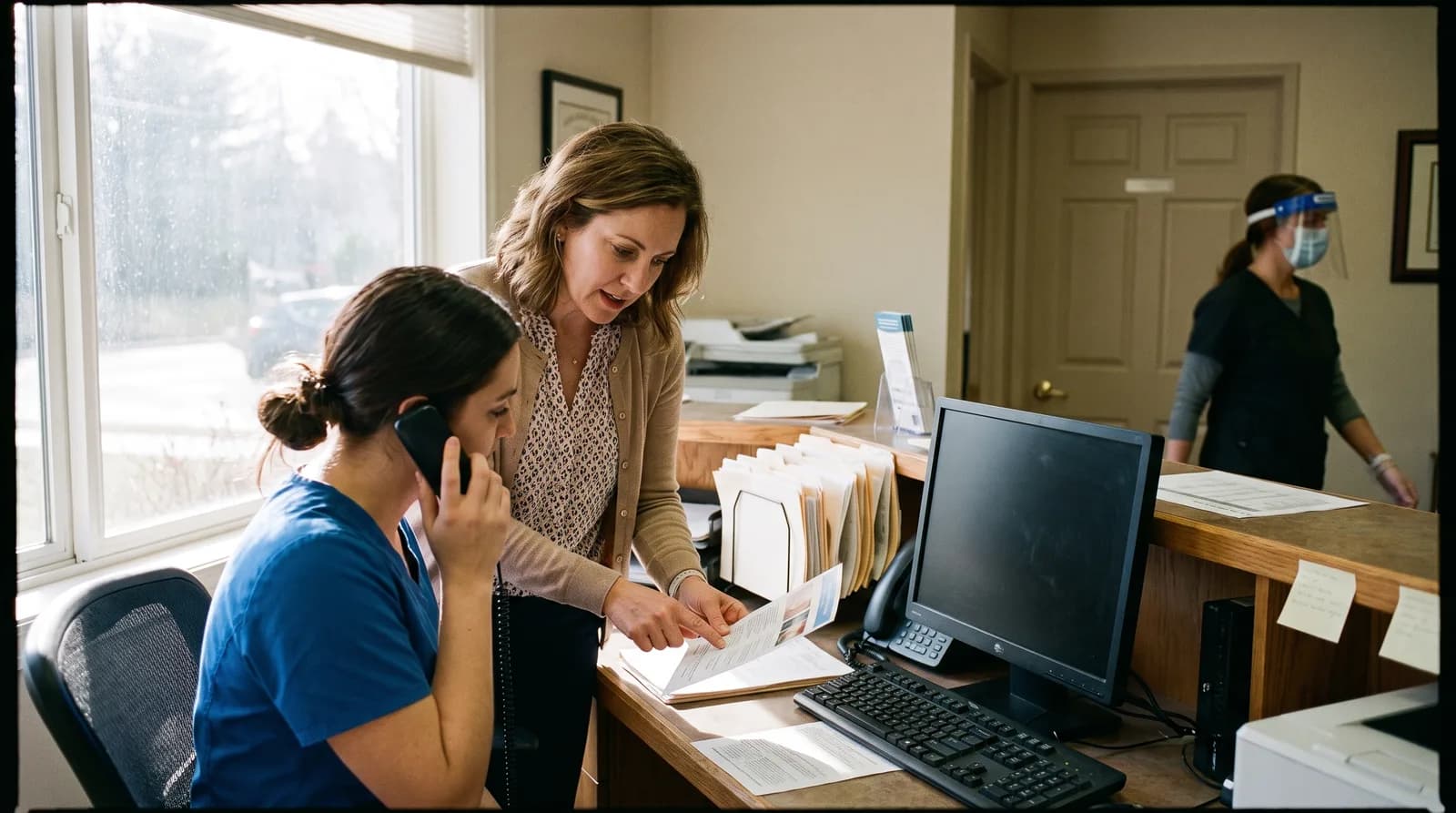
A small dental practice front desk runs on one or two people doing every task: answering phones, checking patients in, verifying insurance, processing payments, scheduling, and following up. Every interruption costs minutes, and every missed call costs revenue. Unlike a group practice, there is no second receptionist to catch the overflow.
The one-person problem
When the only front-desk person is talking to a patient in the lobby, the phone goes to voicemail. When she steps away for lunch, the phone goes to voicemail. When she takes a sick day, the phone often does not get answered at all. BrightLocal research consistently shows that local service businesses lose a meaningful share of new customers when calls are not answered on the first attempt, and dental offices are no exception.
Budget constraints are real
Hiring a second receptionist runs $40,000-$55,000 annually with payroll taxes and benefits. For a 1-3 chair practice producing $400,000-$800,000 annually, that is 5-10% of revenue going to a single hire who is needed mainly for overflow and after-hours. The math rarely works, which is why the AI option matters more for this size practice than for a 10-chair group.
For a deeper look at what dental practices spend on staffing pressure overall, the guide to reducing dental staff turnover covers the broader compensation picture.
When does a solo or small practice actually need AI reception?
A solo or small dental practice needs AI reception when missed calls measurably hurt revenue, when the front desk regularly works through lunch or stays late, or when growth has stalled because there is no one available to book new patients who call. The trigger is operational pain, not technology curiosity.
Five signs it is time
- Voicemail backlog. If the front desk routinely returns 5+ voicemails per day, AI is cheaper than the lost calls that never left a message in the first place. ADA practice management research consistently shows missed calls are one of the biggest hidden revenue leaks in solo offices.
- After-hours patient frustration. Patients calling after 5 PM who reach voicemail typically call the next practice on Google. That is a leak you cannot see.
- The receptionist works through lunch. A team that cannot take a real break is one that burns out or quits within 18 months.
- New patient growth has flattened. If your marketing produces leads but new patient numbers are not moving, the bottleneck is often answering, not lead generation.
- You are considering a second receptionist but the math does not work. AI handles the overflow at a tenth of the cost of a new hire.
If none of these apply, AI reception is a luxury, not a necessity. If two or more apply, every month you wait is a measurable revenue loss. The 38% unanswered calls analysis covers the dollar math behind missed calls.
Want to know what AI reception would cost your practice?
DentiVoice is built for 1-5 chair offices. Transparent monthly pricing, no per-call fees, real-time PMS integration.
See DentiVoice for small practices →Related: Running a single-provider office specifically? See exactly how AI reception works for a solo dental practice, setup and all.
What can AI handle at a 1-5 chair dental office?
AI reception at a small dental office reliably handles after-hours and overflow calls, new patient intake, appointment scheduling and rescheduling, reminder confirmations, basic FAQs, and routing emergencies to the right protocol. It does not replace your front-desk person. It extends her coverage to hours and moments she physically cannot work. A small orthodontic practice feels this most acutely, since one person is juggling multi-phase treatment scheduling and parent-driven calls on top of everything else.
Where AI works well today
- New patient intake. Capturing name, contact info, insurance, reason for visit, and booking an opening from real-time PMS availability.
- Appointment scheduling and rescheduling. Reading the calendar, offering slots, and confirming bookings without human handoff.
- After-hours and lunch coverage. The shifts where most missed-call revenue gets lost.
- FAQ handling. "Do you take my insurance?" "What are your hours?" "Where are you located?" handled in 30 seconds, freeing the receptionist for higher-value conversations.
- Emergency triage and routing. Identifying urgent calls and either booking same-day slots or routing to a human escalation line.
Where AI does not work well yet
- Complex insurance disputes. Multi-party verification calls still need a human.
- Emotional patient situations. Grieving patients, anxious children, or angry complaints belong with a person.
- Treatment plan negotiation. Discussing case acceptance, payment plans, or treatment alternatives is the dentist's or treatment coordinator's job.
The split is roughly 70/30: AI handles the routine 70% so your front-desk person can focus on the high-value 30%. Dental Economics research on missed calls shows the average practice loses thousands per month in unbooked appointments, which is exactly the leak AI is built to close. For the full task breakdown by category, see 100+ dental receptionist tasks AI can handle.
DentalBase Small Practice Coverage Map
Where Calls Actually Leak in a 1-5 Chair Dental Office
The hours and moments a single receptionist cannot cover, and what each gap costs.
After-Hours (5 PM-9 AM)
BIGGEST LEAK% of call volume: ~27%
Voicemail callback rate: under 20%
AI coverage: 100%
Most patients call the next listing.
Lunch Hour
RECURRINGTime blocked: 5 hrs/week
Calls typically missed: 8-12
AI coverage: 100%
Team burnout if receptionist skips lunch.
Morning Rush (8-10 AM)
OVERFLOWConcurrent calls: 2-4
Avg hold abandon: 90 seconds
AI coverage: overflow only
AI catches call 2 while receptionist takes call 1.
In-Lobby Conflict
DAILYFrequency: 10-20 times/day
Caller experience: hold or voicemail
AI coverage: 100%
Receptionist stays with the patient in front of her.
PTO and Sick Days
EPISODICDays/year: 15-25
Revenue at risk: $3,000-$6,000/day
AI coverage: 100%
Practice does not lose a day of new patients.
Weekends
CHRONICCalls received: 10-25/weekend
Currently handled: 0%
AI coverage: 100%
Weekend bookings sit on Monday morning's to-do list otherwise.
The small practice math
15-20
calls per week the average dental practice misses.
80%
of callers who reach voicemail never leave a message.
$1,200+
average LTV lost per missed new patient call.
$200-500
monthly cost of AI reception for small practices.
Sources: ADA Practice Transitions, Dental Economics, Forbes, BrightLocal, BLS labor data.
How do your options compare for a small dental practice?
Small practices weighing front-desk help have four real options: hire a second receptionist, use a live remote receptionist service, deploy AI reception, or do nothing and accept the leak. Each has different cost structures and tradeoffs. The right choice depends on call volume, after-hours need, and budget tolerance.
Related: Want the full vendor-by-vendor breakdown before you decide? Our 2026 dental virtual receptionist buyer’s guide covers pricing, features, and red flags across every major option.
| Option | Monthly cost | Best for |
|---|---|---|
| Second receptionist (full-time) | $3,500-$5,000 (loaded) | 3+ chair practices with steady high call volume |
| Live remote receptionist | $800-$2,500 | Practices needing warmth + after-hours coverage |
| AI reception | $200-$500 | Solo and 1-5 chair offices, overflow + after-hours |
| Do nothing | $0 (but losing $1,500-$3,000/mo in missed bookings) | Practices at full capacity with wait lists |
For most 1-3 chair offices producing under $700,000 annually, AI reception delivers the best math by a wide margin. The full ROI breakdown is in the AI dental receptionist ROI guide, including how to model payback at your specific revenue level. Moz's marketing fundamentals research notes that response speed on inbound inquiries is one of the strongest predictors of conversion across service categories.
Related: Costs broken down by pricing model → Dental Virtual Receptionist Cost Breakdown (2026)
What should you look for in the best AI dental receptionist software for small practices?
Small dental practices should look for five things in an AI receptionist: real-time PMS integration, HIPAA compliance with a signed BAA, easy setup without IT support, transparent flat-rate pricing, and graceful handoff to humans when needed. Skip any platform that fails on more than one of these. The rest is marketing.
Real-time PMS integration
The AI must read your practice management system in real time and write appointments back into it. Without this, you get phone-message handoffs that the front desk has to process the next morning, which defeats the entire purpose. Eaglesoft, Dentrix, Open Dental, Curve Dental, Denticon are the most common integrations. For the questions to ask before signing, see PMS integration questions to ask your vendor.
HIPAA compliance with a signed BAA
Every legitimate vendor signs a Business Associate Agreement before patient data flows. No BAA, no deal. Period. The HIPAA AI receptionist compliance checklist covers the full requirements.
Easy setup without IT support
Small practices do not have IT teams. Setup must be self-service or done by the vendor in under a week. If you are looking at multi-week professional services engagements, the platform is built for enterprise customers, not 1-5 chair offices.
Transparent flat-rate pricing
Per-minute or per-call billing creates unpredictable monthly costs. A small practice needs to know what it will spend each month. Flat-rate pricing in the $200-$500 range is the sweet spot for offices doing under 800 calls monthly.
Graceful handoff to humans
When AI cannot handle a call (emotional patient, complex insurance, clinical question), it must transfer cleanly to a human, ideally to a defined number with context. Cold handoffs that drop the caller back to "press 1 for new patients" defeat the system.
For a full feature deep-dive on what to inspect during a vendor demo, see the AI dental receptionist demo guide.
How much should a small practice spend on AI reception?
A small dental practice should spend between $200 and $500 per month on AI reception, depending on call volume and feature scope. Above $500, the AI plan starts to overlap with live remote receptionist pricing. Below $200, you usually get a stripped-down voicebot, not a full receptionist replacement.
The ROI math for a small practice
Most solo or two-doctor offices break even on AI reception inside 30-45 days. The math is simple: if AI captures 2 new patients per month who would have gone to voicemail, and each new patient is worth $1,200+ in lifetime value, the platform pays for itself many times over. HubSpot's marketing tracking research documents this pattern across service businesses: closing inbound leads on the first attempt produces multiples of return versus callbacks. Practices typically see 5-15 additional new patient bookings per month after deployment, which is meaningful revenue at this size.
What about setup costs?
Reputable vendors include setup, configuration, and PMS integration in the monthly fee or as a small one-time charge under $500. Anyone quoting four-figure implementation fees for a 1-5 chair office is selling enterprise software. The when AI receptionists pay off analysis walks through the payback window math for different practice sizes.
Built for solo and small dental practices.
DentiVoice is purpose-built for 1-5 chair offices. Flat pricing, real PMS integration, no IT setup, and a graceful handoff to your team when needed.
Book a 15-minute demo →How do you know AI reception is working for your practice?
Track four metrics in the first 30 days to know whether AI reception is working: call answer rate, after-hours bookings, new patient capture rate, and front-desk team time freed up. If three of the four move in the right direction within 30 days, the system is earning its keep. If none move, pull the plug.
The four 30-day metrics
- Call answer rate. Baseline what percentage of calls hit voicemail before AI. After AI, measure again. A jump from 70% to 95%+ answered means the system is doing its job.
- After-hours and weekend bookings. These should appear on the schedule by week two. If your calendar shows zero new appointments from the after-hours window, something is misconfigured.
- New patient capture rate. Compare new patients booked in the 30 days before AI to the 30 days after. A 10-20% lift is normal at the small practice size.
- Front-desk team time. Ask the front-desk person if her workload feels lighter. If she still skips lunch and works late, AI is not absorbing enough of the overflow.
For a broader monthly tracking framework, the 12 dental practice KPIs to track monthly covers the operating dashboard most small practices should run.
For a structured rollout that catches problems early, the 30/60/90 pilot plan is worth reading before launch day.
How does marketing software for dentists connect to AI reception?
Marketing software for dentists covers a wide category: SEO platforms, PPC dashboards, email systems, social schedulers, and reputation tools. AI reception sits inside this ecosystem, not outside it. For a small practice, it is often the highest-ROI marketing software investment because it captures patients at the moment they decide to book, rather than hoping they try again after hitting voicemail.
Where AI reception fits in the marketing software stack
A practical marketing software stack for a solo or 1-5 chair office has three layers. Each layer does a different job, and AI reception handles the middle one that most practices leave unaddressed:
- Top-of-funnel visibility: SEO, Google Ads, social media, and local listings bring patients to your phone number or website. This is where most marketing software for dentists is focused, and it matters. But visibility only works if someone answers.
- Conversion at the phone: This is the gap AI reception fills. A patient calls after seeing a Google ad at 8 PM on a Sunday. Without AI reception, they hit voicemail and often call the next practice on the list. With AI reception, they book in real time. No other marketing software for dentists affects conversion at this specific stage.
- Retention and reactivation: Recall systems, email campaigns, and patient communication platforms keep existing patients returning. These tools work best when the practice has a strong new-patient pipeline that AI reception helps close.
For a broader look at how to build the right marketing channel mix for a dental practice, the guide to online marketing for dentists covers the full channel breakdown. For practices ready to explore SEO as a standalone investment, the dental SEO service page explains how it complements a full marketing stack.
What small practices get wrong about marketing software priorities
Small practices often over-invest in visibility tools (SEO, ads) before fixing the conversion gap at the phone. Spending $2,000 per month driving new traffic to a phone line that misses 30-40% of inbound calls is a significant waste. The correct order for most 1-3 chair offices is: fix call capture first with AI reception, then scale visibility spend once the conversion layer is solid.
AI reception is the one piece of marketing software for dentists that pays for itself from the calls you are already receiving, before you spend anything additional on new traffic.
The small practice decision in one sentence
The right AI receptionist platform for a small dental office is the one that covers the specific gaps in your week that are leaking calls today. After-hours and lunch hour for almost every practice. Weekends for practices that get weekend traffic. Sick days and PTO for practices that have ever lost a Monday morning to a missed Friday voicemail.
Pick a platform that integrates with your PMS in real time, signs a BAA, costs under $500 monthly, and offers a clean 30-day pilot. Run the four metrics above. Keep what works. Cancel what does not. That is the entire decision.
See DentiVoice for your small practice.
A custom 15-minute walkthrough showing exactly how AI reception would handle your actual call patterns: after-hours, lunch hour, overflow, and weekends.
Book a Free Demo →Related: For a full side-by-side comparison of all eleven platforms on the market, including enterprise and DSO-focused tools not covered here. See the full 11-platform comparison →
Want more small practice growth playbooks?
Browse Resources →Sources & References
Frequently Asked Questions
Yes for most. The best AI dental receptionist software for small practices captures 2-5 new patients per month that would otherwise hit voicemail. At $1,200+ LTV per patient and a $200-$500 monthly cost, payback typically lands inside 30-45 days. Practices with empty Tuesday afternoons see the biggest lift.
Expect $200-$500 monthly for a full-featured platform that handles after-hours, overflow, and PMS-integrated booking. Below $200 you usually get a stripped voicebot, not a true receptionist. Above $500 you cross into live remote agent territory. Avoid per-minute pricing which creates unpredictable bills.
AI handles basic insurance questions like coverage confirmation and benefit inquiries. Complex disputes, multi-party verification, or non-standard claims still need a human. The best platforms route these cases to a defined escalation line with context, rather than dumping the caller back to a generic phone tree.
Modern voice AI passes for human on most calls. Some patients realize after a few exchanges, most do not. Reputable vendors disclose AI use upfront when asked. For small practices worried about patient experience, run a 30-day pilot and check post-call patient feedback before scaling.
The most common integrations are Eaglesoft, Dentrix, Open Dental, Curve Dental, and Denticon. Verify your specific PMS works in real time with read-write access before signing. Ask the vendor for a live demo using a sandbox of your PMS, not a generic dental demo environment.
Reputable vendors deploy AI reception for 1-5 chair offices in 5-10 business days. Anything quoted as a multi-week professional services engagement is enterprise software that does not fit small practice budgets. Setup, PMS integration, and basic script configuration should be included in the monthly fee.
Good platforms transfer cleanly to a human, ideally a specific number with call context attached. Bad platforms drop the caller back into a generic phone tree or take a message that gets processed the next morning. Ask vendors for their handoff demo before signing. Clean handoff is what separates serious platforms from voicebots.
For most solo and small practices, yes. Marketing software for dentists spans SEO tools, ad platforms, email systems, and social schedulers. AI reception is the only tool in that stack that captures patients at the moment they call, before they try the next practice. Most visibility tools bring traffic to your phone number. AI reception closes that traffic in real time, making it the highest-leverage marketing software investment for practices already receiving calls.
Was this article helpful?
Written by
DentalBase Team
Expert dental industry content from the DentalBase team. We provide insights on practice management, marketing, compliance, and growth strategies for dental professionals.