How to Automate Your Dental Front Desk Without Losing the Personal Touch
How to automate your dental front desk without losing the personal touch. Covers call handling, scheduling, follow-ups, and what to keep human.
Share:
Table of contents
If you want to automate dental front desk operations without losing the personal touch, start by understanding what you're actually losing right now. It's 12:15 PM. Your coordinator just left for lunch. In the next 45 minutes, seven calls come in. Three are new patients. Nobody picks up. By 1 PM, all seven have gone to voicemail. According to Dental Economics, the average dental practice misses 15-20 calls per week, and most of those callers don't leave a message or try again.
But most practice owners hesitate because they think automation means replacing their team with a robot that greets patients with a menu of options. It doesn't. This guide shows you how to automate the dental front desk by targeting repetitive work your team shouldn't be doing manually while keeping them available for the moments where a real human makes all the difference.
Why Can't Staffing Alone Fix the Front Desk Problem?
Hiring more people helps, but it doesn't fix the structural issue. The dental front desk handles too many simultaneous tasks for any team to cover without gaps, regardless of headcount.
Think about a typical Tuesday at 9 AM. Two patients arrive for check-in. The phone rings. An insurance company is on hold from five minutes ago. The schedule just opened a gap because a patient cancelled via text. And a new patient is at the window filling out forms with a question about their coverage. Your coordinator has one set of hands and one phone. Something gets dropped.
Dental Economics reports that after-hours calls represent 27% of total patient call volume. That's over a quarter of all calls arriving when nobody's at the desk, during lunch, after 5 PM, and on weekends. You can't staff your way out of that without adding shifts that don't make economic sense for a small practice.
The real cost isn't the missed call itself. It's what that call was worth. A single missed new patient call represents $1,200 or more in lifetime value, based on Dental Economics estimates. Miss three of those per week and you're leaving $3,600+ on the table, every week, without realizing it.
Related: Those after-hours calls are real revenue your practice is leaving behind. → After-Hours Revenue Your Practice Leaves Behind
What Should You Automate at the Dental Front Desk?
Automate the tasks that are high-volume, pattern-based, and don't require personal judgment. These are the processes that eat up staff hours without needing empathy, flexibility, or relationship context.
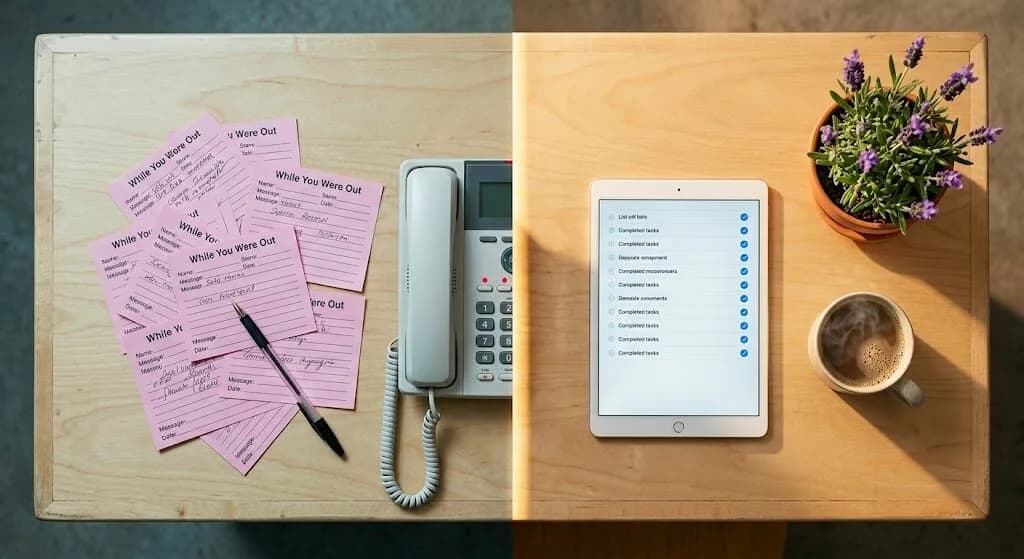
| Task | Current State (Manual) | Automated State | Time Saved/Day |
|---|---|---|---|
| Appointment confirmations | Staff calls each patient manually | SMS sent automatically at 48h and 2h | 45-60 min |
| After-hours calls | Voicemail, most callers hang up | AI receptionist answers and books | Captures 27% of lost calls |
| Recall reminders | Coordinator works through a spreadsheet | PMS triggers messages at due dates | 30-45 min |
| No-show follow-up | Often forgotten or delayed to next day | Text sent 2-4 hours after missed apt | 15-20 min |
| Reactivation outreach | Rarely done, too time-consuming | Automated sequences for 12+ month lapsed | Recovers lost patients passively |
Research in the Journal of Dental Hygiene found that SMS appointment reminders alone can reduce no-show rates by up to 38%. The ADA estimates that 20-30% of patients become inactive within 18 months without structured follow-up. Both of those problems are solvable with automation running quietly in the background.
Looking for an AI receptionist that fits a smaller practice?
Not every office needs enterprise-level features. Here's how to choose based on your team size and call volume.
Best AI Receptionist Software for Small Practices →What Should You Never Automate?
Never automate the moments where empathy, judgment, and personal connection change the outcome. Greetings, anxious patient conversations, treatment plan discussions, and complaint resolution should stay with your team. These are the interactions patients form lasting opinions about, and no technology can replicate them convincingly.
The nervous first-time patient. They walk in ten minutes early, clutching their intake forms. A warm greeting from a real person who makes eye contact and says "Welcome, we're glad you're here" sets the tone for the entire visit. A check-in kiosk can't do that.
The frustrated caller. Their crown fell out on a Saturday morning. They're in pain and stressed. They need someone who listens, acknowledges the urgency, and says "Let me get you in today." An AI receptionist can triage and route the call, but the emotional reassurance should come from your team when possible.
The treatment plan conversation. A patient just learned they need a $4,000 implant. They have questions about insurance, payment plans, alternatives, and whether they really need it. This conversation requires patience, clinical knowledge, and the ability to read the patient's body language. Your coordinator handles this face to face, not over automated text.
The complaint. Something went wrong. A billing error, a long wait, a miscommunication about scheduling. Resolution requires authority, discretion, and the ability to repair a relationship. Automation doesn't apologize sincerely. People do.
The ADA reports that 72% of patients say convenience is a top factor when choosing a provider. But convenience without warmth doesn't build loyalty. Patients want fast responses and easy scheduling, and they also want to feel like their practice knows them. Automation delivers the first part. Your team delivers the second.
The pattern: automate the background tasks. Keep humans in the foreground. Patients don't remember that their reminder came via text. They remember the coordinator who asked about their kids and walked them through their treatment options without rushing.
Related: Weighing your options between a call center and an AI receptionist? → Dental Call Center vs AI Receptionist: Which Saves More?
How Does a Well-Automated Front Desk Actually Run?
A practice that has automated its dental front desk well doesn't feel automated to patients. It feels responsive. Here's what a real day looks like when the split between machine work and human work is set up correctly.
7:00 AM
Before anyone arrives at the office
A patient calls to reschedule. The AI receptionist picks up, pulls up the schedule through your PMS, finds an available slot next Thursday, and confirms the change. When your coordinator sits down at 8 AM, the new appointment is already in the system with a note. No voicemail. No callback needed.
9:15 AM
Morning rush peaks
Three patients are checking in. The phone rings. Your coordinator stays focused on the patient at the window because the AI handles the incoming call: a new patient asking about teeth whitening options. The caller gets answers immediately. The patient in the lobby gets undivided attention. Nobody waited. Nobody got voicemail.
12:30 PM
Lunch break
Your team takes a real lunch. Five calls come in during the break. The AI answers all five: two bookings, one insurance question, one cancellation that triggers the waitlist system to fill the slot, and one caller who just wanted your hours. Five potential losses become five handled interactions.
4:45 PM
End of day
A patient who had a filling this morning gets an automated check-in text: "Hi Maria, how are you feeling? Call us if anything doesn't feel right." Meanwhile, your coordinator is on the phone with a patient who's nervous about an upcoming root canal, walking them through what to expect. The machine handled the routine check-in. The human handled the fear. Both patients felt cared for.
Related: Better prompts produce better AI-generated patient messages. → AI Prompts for Dentists: A Practical Guide
How Do You Keep Automated Messages From Feeling Cold?
Personalize every automated message with the patient's first name, appointment date, provider name, and any relevant details your PMS can supply. The difference between a generic notification and a message that feels personal is about 10 seconds of template setup, but it changes how patients perceive your entire practice.
Most platforms pull merge fields directly from your PMS: first name, appointment date, time, provider name, even procedure type. "Hi Sarah, just a reminder about your cleaning with Dr. Patel tomorrow at 2 PM" lands differently than "You have an upcoming appointment. Please confirm." Both are automated. Only one feels human.
Write your templates the way your front desk actually talks. Use contractions. Keep sentences short. If your team says "See you tomorrow!" at checkout, your text reminders should match that energy. And watch your frequency. Three reminders over a month for recall is reasonable. Six texts in two weeks triggers opt-outs, and once a patient unsubscribes, you've lost the channel entirely.
How Do You Know Automation Is Working?
Track four numbers monthly. If they're moving in the right direction, the system is doing its job. If not, you know exactly where to adjust.
Missed Call Rate
Compare your current missed call count to your pre-automation baseline. If you were missing 15-20 calls per week and now you're under 5, the AI receptionist is catching what your team can't. Every recovered call is a potential patient.
No-Show Rate
Track no-shows before and after implementing automated reminders. A 20-38% reduction is realistic based on published research. Each filled appointment is production that would have been lost to an empty chair.
Reactivation Return Rate
Run automated recall campaigns targeting patients inactive for 12+ months. Even a 10-15% return rate from 200 lapsed patients means 20-30 patients back on the schedule without your team making a single call. Reactivating an existing patient costs far less than acquiring a new one, according to retention research.
Staff Satisfaction
Ask your front desk team: are you spending more time with patients and less time on the phone leaving voicemails? Do you feel less overwhelmed during peak hours? The numbers tell you whether automation is working. Your team tells you whether it's working well.
The ADA notes that 72% of patients say convenience is a top factor when choosing a dental provider. Automation delivers that convenience: faster responses, easier scheduling, timely reminders. Your team delivers the warmth. Together, that's a front desk that patients choose and stay with.
Want to see how all of this connects in one platform?
DentalBase handles AI call answering, follow-up automation, recall, and marketing in one system built for dental teams.
Explore DentalBase Services →Give Your Team the Time to Be Human
The whole point of learning how to automate your dental front desk isn't to remove people from it. It's to remove the tasks that prevent your people from being great at their actual job: making patients feel welcome, heard, and taken care of.
Start with four automations: appointment confirmations, after-hours call answering, recall reminders, and no-show follow-ups. Run them for 30 days. Then look at your missed call rate, your no-show numbers, and how your team feels. The data will tell you what's working. Your coordinators will tell you they finally have time to breathe. That's the real return on automating your dental front desk: not just fewer missed calls and lower no-show rates, but a team that has the bandwidth to be the reason patients choose your practice over the one next door.
Ready to Free Your Front Desk From the Phone?
See how DentalBase handles calls, scheduling, and follow-ups so your team can focus on patients in the room.
Book a Free Demo →Explore More Guides for Dental Practice Growth
Browse Resources →Sources & References
Frequently Asked Questions
Start with appointment confirmations, after-hours call answering, recall reminders, and no-show follow-ups. These are high-volume, repetitive tasks that follow predictable patterns. Automating them frees your team to focus on in-person interactions, complex scheduling, and conversations that need human judgment.
Not if the automation is configured well. Personalize messages with the patient's first name and appointment details. Modern AI receptionists use conversational speech patterns that sound natural. Most patients care about getting help quickly. A fast, helpful automated response beats a voicemail box every time.
Not typically. Automation changes what your staff spends time on, not whether you need them. Instead of spending most of their day on phone calls and confirmations, they spend more time greeting patients, coordinating insurance, and providing in-person service. Most practices keep the same team size.
Basic text reminder tools start around $100-200 per month. Full platforms with AI call answering, recall automation, follow-up sequences, and PMS integration range from $300-800 per month depending on practice size. Compare that to the cost of a missed new patient call, which Dental Economics estimates at $1,200+ in lifetime value.
Yes. AI receptionists that integrate with practice management systems like Dentrix, Open Dental, and Eaglesoft can check availability and book appointments directly into the schedule. The patient gets a confirmed time slot on the call. Your team sees it in the PMS the next morning.
Use merge fields to pull patient first names, appointment times, and provider names from your PMS. Write templates in the same tone your team uses in person. Use contractions. Keep sentences short. If your front desk says 'See you tomorrow!' at checkout, your text reminders should feel the same way.
Monitor four things monthly: missed call rate (should drop significantly), no-show rate (expect a 20-38% reduction with SMS reminders), patient reactivation rate from automated recall campaigns, and qualitative feedback from your staff on whether they feel less overwhelmed. Numbers plus team sentiment gives the full picture.
Was this article helpful?
Written by
DentalBase Team
The DentalBase Team is a collective of dental marketing experts, AI developers, and practice management consultants dedicated to helping dental practices thrive in the digital age.