Dental Review Request Software That Patients Respond To
Most dental review request software sends the same template to every patient. Here's what actually earns 5-star Google reviews in 2026.
Share:
Table of contents
Most practices already use dental review request software. The numbers keep going up, but Google review counts climb slower than expected, and patients seem increasingly numb to the texts. The issue is rarely the volume of requests sent. It's that every patient receives the same generic message at the same generic moment, asking for the same generic favor.
Patients can tell when a review request was written for them and when it was not. The ones that earn responses share a small set of features: they arrive at a specific moment relative to the visit, they reference something the patient actually experienced, and they come from a person whose name the patient recognizes. Templated bulk sends fail on all three counts.
This guide covers what separates dental review request software that earns responses from automated review requests that get ignored, and what to verify before switching tools. For the broader platform decision behind that switch, see our front-office platform evaluation guide.
Why dental review request software fails the same way every time
Most dental review request software fails the same way: it treats review collection as a volume problem. Every patient gets the same template at the same delay after their visit, with no reference to what they came in for and no sender personalization. High send count, low engagement, and reviews that read like they were generated by the front desk.
What a Typical Automated Send Looks Like
A typical setup looks like this. Schedule the appointment, complete the visit, post the procedure code, and 24 hours later the patient receives a text along the lines of: "Hi [Name], thanks for visiting Smile Dental. How was your experience? Tap here to leave a review."
The text is generic in three ways:
- It says nothing about what the patient was there for. A six-month cleaning and a complex implant case receive the same wording.
- It comes from a brand, not a person. Patients who spent 45 minutes with a specific hygienist they liked see no mention of that hygienist anywhere in the message.
- The send timing is identical regardless of the procedure. Cleaning patients and IV-sedation patients get the request at the same point in their day.
Why Patients Stop Opening These Messages
Patients adapt fast. After a few visits, they recognize the template and stop opening it. The link still works, the platform still reports the message as sent, but the response rate collapses without anything appearing broken in the dashboard.
In dentist forums and Facebook groups, owners describe a consistent frustration with these platforms: the issue isn't whether reviews get captured at all. It's the ratio of sends to actual reviews posted, which can run thousands to one in long-tenured practices. The cost-per-review math is one of the reasons practice owners start questioning whether their current front-office tool earns the line item, and it surfaces in the same operational metrics covered in broader dental analytics platform comparisons.
What the Data Shows About Review-Reading Patients
The volume problem above matters because patients are reading reviews before they ever receive a request. 77% of patients use online reviews when researching a dentist, according to Software Advice, and 98% of people read local reviews before choosing any business, according to BrightLocal (Local Consumer Review Survey). A generic review request does not just underperform. It wastes exposure to an audience already primed to act on what it reads. Practices building a broader acquisition plan can pair the response-rate fixes covered here with our dental review generation strategy guide, which focuses on growing review volume rather than fixing response rates.
How Does This Software Compare to Manual Review Requests?
Context-aware dental review request software outperforms manual requests and basic automated templates. It varies timing, sender identity, and message content by visit type instead of treating every patient the same way. Manual requests depend on staff remembering to ask. Generic automation removes that dependency without restoring personalization. If you're tightening the manual side, our guide covers checkout wording and timing for Google review requests.
| Approach | Who Sends It | Personalization | Typical Bottleneck |
|---|---|---|---|
| Manual, front-desk ask | Staff member, inconsistently | High when it happens, but it rarely happens during a busy shift | Depends entirely on staff remembering to ask |
| Basic automated software | Practice brand, identical to every patient | None; same template regardless of visit type | Patients disengage once they recognize the template |
| Context-aware review software | Named provider, pulled from the PMS | Timing, procedure reference, and sender vary by visit type | Requires PMS integration deep enough to read appointment data |
The gap between rows two and three above is the real argument for switching platforms. It matters more than editing templates inside the current one. For a broader reputation strategy that goes beyond the request itself, see our dental reputation management guide. The provider-communication layer that makes this level of personalization possible without added front-desk effort is covered in our patient communication automation guide.
What makes a patient actually click the review link?
Three factors drive whether a patient clicks a review request: timing relative to the visit, specificity about the appointment, and sender identity. Requests that hit all three convert better than templated sends, even when sent to the same patient list. Each factor works on its own, but they compound when applied together.
Timing. The window where a patient remembers specific details about a visit closes faster than most software assumes. By the next morning, the cleaning that felt thorough yesterday is just "fine." Sending within one to two hours catches the patient while the experience is still vivid. Research on consumer review behavior compiled in BrightLocal's annual Local Consumer Review Survey consistently shows that the freshness of an experience strongly influences whether a customer writes about it.
Specificity. "How was your visit?" gets ignored. "How was your cleaning with Maria today?" gets a response, because it shows the message wasn't sent to everyone. The detail can be small (procedure type, hygienist name, time of day), but it has to actually be specific to that patient's visit.
Sender identity. Texts that appear to come from "Dr. Patel" outperform texts from "Smile Dental." The patient knows Dr. Patel. They have no relationship with a brand SMS, and treat it the same way they treat any other automated marketing message.
A side-by-side example shows the gap.
Generic version (typical platform default):
Hi Sarah, thanks for visiting Smile Dental. How was your experience? Please leave us a review: [link]
Specific version (timing, specificity, and sender applied):
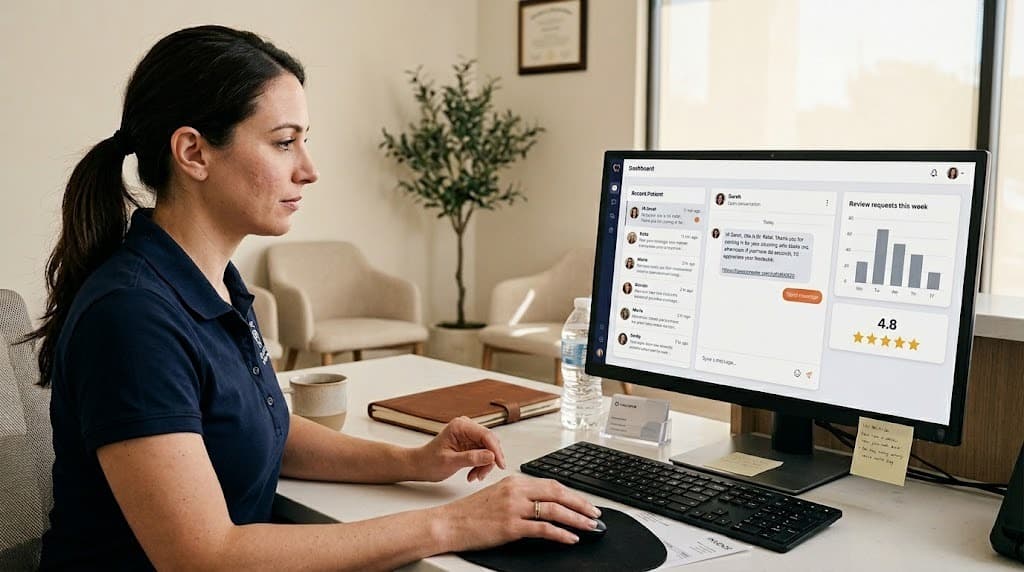
Hi Sarah, this is Dr. Patel. Thank you for coming in for your cleaning with Maria this afternoon. If you have 30 seconds, I'd appreciate your feedback: [link]
The second version isn't longer or more clever. It answers the patient's silent question (why am I getting this text right now?) before they have to ask it.
When should dental review request software send the message?
Dental review request software should send within one to two hours of a routine visit and around 24 hours after procedures involving discomfort or numbness. Send during business hours only, never weekends or late evenings, and adjust the window based on procedure type pulled directly from the practice management system.
Generic guidance ("send within 24 hours") is too coarse for a clinical practice. Different visit types have different review windows, and getting the window right is often the single largest contributor to response rate.
| Visit type | Optimal send window | Reasoning |
|---|---|---|
| Cleaning or hygiene recall | 1 to 2 hours post-visit, same day | Patient is alert, experience is fresh, no recovery period to wait through |
| New patient exam | 2 to 4 hours post-visit | Long visit; the patient needs a short buffer before reflecting |
| Routine restorative (filling, crown) | Next morning, around 24 hours later | Numbness has worn off and the patient can evaluate the outcome fairly |
| Extraction or surgical procedure | 3 to 5 days post-visit, after follow-up | Initial discomfort passes; the patient can separate procedure quality from recovery experience |
| Implant or IV sedation | 1 to 2 weeks, post-recovery | Too close to the procedure and the review reflects sedation grogginess, not the actual work |
| Emergency visit | 24 to 48 hours post-resolution | Pain relief is recent enough to remember, distant enough to evaluate |
The time-of-day window matters separately. Outside roughly 9 AM to 7 PM local time, response rates drop sharply. Weekends are mixed: Saturday afternoon works for some practices, Sunday rarely does. Most dental review request software allows time-of-day rules, but few practices configure them past the platform defaults.
Two Operational Notes Before You Automate Send Timing
Two operational notes. First, the visit type has to be pulled from the practice management system, not selected manually. If the front desk has to tag each appointment to trigger the right window, the workflow falls apart within a month. Second, holidays and patient birthdays should suppress sends entirely. A review request on a patient's birthday is the fastest way to flatten an otherwise good response rate.
For broader context on send-time and response-rate dynamics in automated messaging, HubSpot's marketing blog publishes ongoing research that translates well to patient communications even though most of it is written for B2B audiences.
How should review requests be personalized without slowing the front desk?
Effective personalization comes from the practice management system, not from the front desk. Software that integrates with the PMS can pull procedure type, provider name, and appointment context automatically, then apply conditional templates without requiring any manual tagging or copy editing at checkout.
The reason most practices give up on personalized review requests is staff time. If the front desk has to write or edit each message, the workflow lasts about two weeks before it gets quietly dropped. Personalized review requests are one of the front desk tasks AI can take off the team's plate entirely when the integration is set up correctly.
The fix is conditional templates driven by PMS data. The software reads the appointment record and inserts the relevant variables before sending. A working setup typically pulls:
- Procedure code or appointment type from the schedule. This determines which template fires.
- Provider name from the appointment record. Hygienist for cleanings, dentist for procedures.
- Time of visit for natural language ("this morning," "this afternoon").
- Visit notes when available, for practices that want second-mention specificity. Optional, but it increases relevance further.
The templates themselves should be conditional, not a single master template with variables jammed inside. A new patient exam template reads differently from a recall cleaning template, because the patient's relationship with the practice is different at each stage.
Modern AI front-office platforms that handle this read the appointment record at checkout and select the appropriate template automatically, with the provider's name pulled from the schedule. The front desk never touches the message.
One nuance worth flagging. Some practices try to personalize by having the dentist send the message from their personal mobile number. This works in tiny practices but breaks at scale, because replies route to the dentist's phone and don't get logged anywhere the team can see. Software that lets messages display "From Dr. Patel" while routing replies through a tracked inbox solves this without burning the dentist's personal number.
Local search documentation in Moz's local SEO learning material describes how review signals (recency, frequency, and content of reviews) factor into Google's local ranking algorithm, which makes consistent volume from this kind of automation an SEO concern, not just a marketing one.
What should dental review request software include to actually move the needle?
Effective dental review request software has six capabilities: deep PMS integration, conditional templates by procedure type, sender personalization, smart channel fallback, reply handling for non-five-star sentiment, and a HIPAA-compliant messaging channel. Anything missing means the front desk fills the gap manually, which it eventually stops doing.
When evaluating dental review request software, vendor marketing pages look identical at first read. The features that separate the platforms only become visible during a structured demo.
Here's what to verify before signing:
- PMS integration depth. Does the platform read appointment type and provider name from your specific PMS (Dentrix, Eaglesoft, Open Dental, Curve, Denticon), or does it only read patient name and phone number? Shallow integrations force manual tagging at the front desk.
- Conditional templates by procedure type. Can templates differ for cleanings, restorative work, surgical procedures, and emergencies, and can those rules be edited without vendor intervention every time?
- Sender personalization. Can the message display "From Dr. [Name]" while still routing replies to a shared practice inbox?
- Channel fallback. If SMS bounces or the patient hasn't responded in 48 hours, does the system fall back to email, or does the request die silently?
- Reply handling for negative feedback. When a patient replies with anything other than a positive sentiment, does the system route that conversation to a private inbox before any review platform link is sent? This is the most underweighted feature in this category.
- HIPAA-compliant messaging channel. Confirm that the SMS provider has a signed Business Associate Agreement in place, and that protected health information never appears in message bodies. Compliance considerations around patient communications are covered in ADA practice management resources.
Why Reply Handling Deserves Extra Scrutiny
The reply-handling point is worth expanding. The math of online reputation favors intercepting unhappy patients before they post publicly. Software that detects negative sentiment in a reply and routes that conversation to the practice manager, rather than auto-sending a Google review link, does more for star ratings than any number of templated requests. A patient who feels heard privately rarely posts a one-star review publicly.
For practices on an incumbent front-office platform, switching usually involves a 30-day migration. Most modern platforms allow parallel operation during cutover so the team can verify response rates before the old system is retired.
For the reviews that still come in negative despite the filtering layer, the response template matters as much as the request template. Our guide on responding to negative dental reviews covers structured templates for the most common situations.
More evaluation material for the front-office platform decision.
The DentalBase resources library has comparison guides, migration timelines, and buyer checklists for practices moving off incumbent front-office tools.
Browse the resources library →Does Dental Review Request Software Integrate With Dentrix, Eaglesoft, and Open Dental?
Integration with Dentrix, Eaglesoft, and Open Dental varies widely across review request platforms. That depth determines whether personalization happens automatically. Shallow setups fall back on manual front-desk tagging instead. Shallow integrations read only patient name and phone number; deep integrations read appointment type, provider, and visit history.
What Shallow Integration Looks Like
A shallow integration syncs contact information only. The review request software knows who to text and when the appointment closed. It knows nothing about what the visit was for. Someone on staff has to manually flag surgical cases or VIP patients. That flagging stops happening within a few weeks once the novelty wears off.
What Deep Integration Looks Like
A deep integration reads the procedure code, provider of record, and appointment type directly from the PMS at checkout. It then selects the send window, sender name, and template automatically. This is the difference between software that requires ongoing staff maintenance and software that runs unattended.
| PMS | Common Integration Pattern | What to Verify Before Signing |
|---|---|---|
| Dentrix | Often exposes appointment type and provider through an API partnership | Confirm the vendor reads procedure code, not just name and phone number |
| Eaglesoft | Integration depth varies by vendor partnership tier | Ask for a live demo showing one specific procedure triggering one specific template |
| Open Dental | Open API allows deeper integration, but it requires vendor engineering investment | Verify the vendor has already built this, not that it is on their roadmap |
For a structured way to compare vendors on integration depth before signing, see our dental software evaluation framework. Already on a platform and weighing a switch? Our guide to switching dental software covers the questions to answer first.
Is Dental Review Request Software HIPAA Compliant?
Yes, this type of software can be HIPAA compliant. It requires the SMS or email provider to sign a Business Associate Agreement, and the message content must never include protected health information. Compliance depends on the messaging channel configuration, not the review platform's marketing claims.
What a Signed BAA Must Cover
A Business Associate Agreement establishes that the messaging vendor is contractually bound to the same HIPAA safeguards as the practice itself. Without one in place, routing patient communication through a general-purpose texting tool creates liability regardless of how the messages read.
What Should Never Appear in the Message Text
Procedure details, diagnosis language, and anything that identifies why a patient was seen should stay out of the message body. A review request needs only a name, a general visit reference, and a link. It does not need clinical detail to be effective. Adding it introduces unnecessary exposure instead.
Our patient recall software guide covers how PMS-integrated messaging handles similar PHI boundaries across reminders, recall, and review requests, not just this one workflow.
Dealbreaker Checklist Before You Sign
Check the items your current shortlist can actually demonstrate, not just claim in a sales deck.
A platform missing two or more of these is asking your front desk to fill the gap manually.
Should review requests come from the dentist, hygienist, or the practice?
The optimal sender depends on the appointment type. Hygienist-named requests work best for cleanings and recall visits. Dentist-named requests work best for restorative and surgical procedures. Practice-branded sends work only for transactional touchpoints like missed appointment recovery, not for post-visit reviews.
Sender identity is a setting most platforms either don't expose or default to the practice name. Both choices reduce response rate compared to what's available with proper configuration.
The reasoning: patients build trust with people, not with a practice brand. A hygienist who saw a patient every six months for three years has more relational weight than the practice itself. A dentist who completed a specific procedure has the strongest pull during the window where that procedure is fresh in the patient's mind.
Sender Mapping by Visit Type
A simple mapping:
| Visit type | Optimal sender | Why |
|---|---|---|
| Hygiene recall | Hygienist by name | Hygienist had the most face time and built the relationship across visits |
| New patient exam | Dentist by name | Dentist is the trust anchor for the patient relationship going forward |
| Restorative procedure | Dentist who performed the work | Patient associates the result directly with that dentist |
| Surgical or implant case | Dentist (plus surgical assistant when separate) | Major procedures earn the highest-trust signals; the surgeon's name carries that weight |
| Emergency visit | Dentist who treated | Patient remembers who relieved their pain, not the front desk who checked them in |
| Front-desk-only contact | Practice brand | No clinical relationship to attribute |
The practical implication is that dental review request software needs to handle multiple "from" identities, not just one. Platforms with a single sender slot force the practice to either lose the personalization or rotate it manually, which defeats the automation entirely. Where the review widget surfaces on the practice website also matters; our coverage of modern dental website design walks through how reviews and request CTAs should integrate with the broader site.
One reply-routing note worth repeating. When the dentist's name appears as sender, replies should still land in a shared inbox monitored by the practice manager or front desk lead, not the dentist's personal phone. This is what makes the personalized sender practical at scale. Industry coverage of patient communication design appears regularly in Dental Economics practice management coverage.
Putting it together
The shift from generic to specific dental review request software isn't about adding features. It's about changing what gets automated. Most platforms automate the act of sending. The platforms that actually grow review counts automate the context: the timing window, the procedure type, the sender, the conditional template, so that personalization happens at scale without front-desk effort.
For practices weighing whether to stay on their current platform or move to a newer one, review-request quality is one of the clearer differentiators, and it sits inside the broader front-office platform alternatives comparison alongside scheduling, reminders, and call handling. If patient response rates have been flat despite high send volume, the cause is almost always one of the three factors covered here (timing, specificity, sender), and the fix usually requires changing tools rather than tweaking templates inside the same one.
Review automation is one of five front-desk functions one practice owner handed off after switching his phones. His owner's automation guide for dentists covers the sequence, what worked, and which two functions he kept human on purpose.
Related: Review requests are one piece of a larger patient communication system that also covers recall and reactivation. See the complete guide to AI-driven patient reactivation →
See how DentiVoice handles review requests with PMS-driven personalization.
Book a free demo to see how appointment-specific review requests fire automatically from your practice management data, with no front-desk effort and no template tagging.
Book a Free DemoRelated reading
- For the bigger picture, see the fundamentals of managing your practice's online reputation, from monitoring to HIPAA-safe responses.
- Once requests are dialed in, most practices layer on a system for generating 25+ Google reviews a month on autopilot.
- Software is only one piece, pair it with a full patient review collection system that runs itself.
Sources & References
Frequently Asked Questions
Compliance depends on the vendor, not the category. Verify two things: a signed Business Associate Agreement with the SMS or email provider, and that no protected health information appears in the message body. Patient name and a review link are acceptable. Procedure details are not.
Send a request to every post-visit patient who has not been asked in the last 90 days, gated by procedure type. For most general practices, that produces 30 to 80 requests per week. Volume matters less than timing, specificity, and sender identity per request.
Automated review requests fire on a single trigger (visit completion) with personalization pulled from the appointment record. Bulk campaigns send identical messages to a patient list at once. Bulk campaigns produce spikes that look unnatural to Google and risk filtering. Automated, visit-triggered requests do not.
Yes, by linking the request to your Google Business Profile review URL. Most dental review request software supports a primary review destination plus fallback options. Always check Google's review guidelines before configuring incentives or filters, since gating reviews based on sentiment can violate platform policy.
SMS produces higher open rates and faster response within the visit-fresh window. Email is useful as a fallback when SMS bounces or the patient hasn't responded after 48 hours. Modern dental review request software should support both channels with automatic fallback rules.
Yes. Bulk sends that create unnatural review velocity, gated requests that filter out negative reviewers, or messages that incentivize positive reviews can trigger Google's review filtering or violate platform policies. Stick to single-trigger, post-visit automation with no sentiment gating to stay clean.
Usually yes, because manual handling depends on staff remembering during busy shifts, and that consistency breaks down over time. Dental review request software removes the memory dependency and applies visit-specific timing and sender personalization on every appointment, not just the ones staff catch.
Yes, when the platform pulls visit-specific details, such as procedure type, provider name, and time of day, directly from the practice management system. A message referencing an actual detail reads as personal, even though the send itself runs on full automation.
Yes, and sender personalization often matters more in small practices, since patients already know the one or two providers by name. Confirm the pricing tier fits a smaller monthly patient volume before signing, since some platforms price for multi-provider groups.
Software that reads only patient name and phone number, without procedure type or provider name from the PMS, should be a dealbreaker. That shallow integration forces the front desk to manually tag every visit, and manual tagging stops happening within a few weeks.
Was this article helpful?
Written by
DentalBase Team
Expert dental industry content from the DentalBase team. We provide insights on practice management, marketing, compliance, and growth strategies for dental professionals.