How to Script a Dental Testimonial Video That Feels Authentic
Dental testimonial video script: 5 guided questions, filming setup, HIPAA consent, editing tips, and where to deploy for maximum new patient conversion.
Share:
Table of contents
A dental testimonial video script isn't a script at all. It's a set of guided questions that prompt real patients to share genuine experiences in their own words. The moment a patient reads from a script, the testimonial feels fake, and prospective patients can detect rehearsed language immediately. The practices producing the most effective testimonial videos don't write scripts. They create a comfortable 5-minute conversation framework that naturally produces 60-90 seconds of authentic footage that converts viewers into patients at 3-5x the rate of text-only reviews.
This guide covers the complete dental testimonial video script framework: the five questions that produce the best footage, the filming setup that makes patients comfortable, HIPAA consent requirements, editing approach, and the specific deployment locations where testimonials drive the most bookings. According to BrightLocal, 98% of consumers read reviews before choosing a local business. Video testimonials are reviews in their most persuasive format because they combine the social proof of a review with the emotional authenticity of seeing a real person speak. According to the ADA, dental anxiety affects 36% of patients. Hearing another anxious patient describe their positive experience is the most effective anxiety reducer available. For the broader video strategy, see our dental videos trust guide.
What Five Questions Produce the Best Testimonial Footage?
The dental testimonial video script framework uses five questions in a specific order designed to build emotional narrative: concern, decision, experience, result, and recommendation.
| Question | What It Produces | Why It Works |
|---|---|---|
| 1. "What was your biggest concern before coming in?" | Relatable fear or anxiety | Viewers identify with the concern |
| 2. "What made you choose this practice?" | Decision factors (reviews, referral, website) | Validates the viewer's research process |
| 3. "What was the experience actually like?" | Specific details about visit quality | Previews what the viewer will experience |
| 4. "How do you feel about the results?" | Emotional outcome and satisfaction | Emotional payoff drives action |
| 5. "What would you say to someone considering this?" | Direct peer recommendation | Peer advice converts more than provider claims |
- Question 1 creates identification: "I was terrified of the dentist" or "I hadn't been in 5 years and was embarrassed" mirrors what prospective patients feel. When a viewer hears their own fear spoken by someone who looks like them, they lean in. This question must come first because it establishes the emotional baseline that makes the resolution (questions 3-5) meaningful.
- Question 2 validates the research: "I read the Google reviews" or "My coworker recommended them" tells prospective patients that smart people made the same choice. This is especially powerful when the patient mentions the same channel the viewer is currently using (watching this video on the website after finding it through a Google search).
- Question 3 provides the preview: "They explained everything before they started" or "I barely felt anything" is the specific detail that reduces anxiety. Generic praise ("they were great!") doesn't convert. Specific details ("the hygienist showed me the X-ray and walked through exactly what she was doing") convert because they preview the experience concretely.
- Question 4 delivers the emotional payoff: "I can finally smile without covering my mouth" or "I wish I hadn't waited so long" creates the emotional response that moves viewers from consideration to action. This question is where cosmetic cases and anxiety-overcoming stories produce the most compelling footage.
- Question 5 creates the peer recommendation: "Just go. Stop putting it off" or "I tell everyone about this place" is more credible than any marketing message because it comes from a peer, not the practice. This answer becomes the testimonial's closing shot and the call to action.
Turn testimonial viewers into booked patients
DentalBase ensures that patients who watch your testimonials and call are answered instantly by AI reception, booked into your PMS, and attributed to the video that produced them.
Book a Free Demo →How Do You Set Up the Filming for Maximum Comfort and Quality?
Patient comfort determines whether the testimonial feels authentic or awkward. The filming setup should make the patient forget they're on camera within 30 seconds.
- Location: provider's office or quiet operatory, not a studio. Film where the patient had their experience. The familiar environment keeps them relaxed. Avoid the waiting room (too public, other patients walking through) and avoid artificial backdrops that feel staged. The provider's personal office with diplomas and family photos in the background adds credibility and warmth.
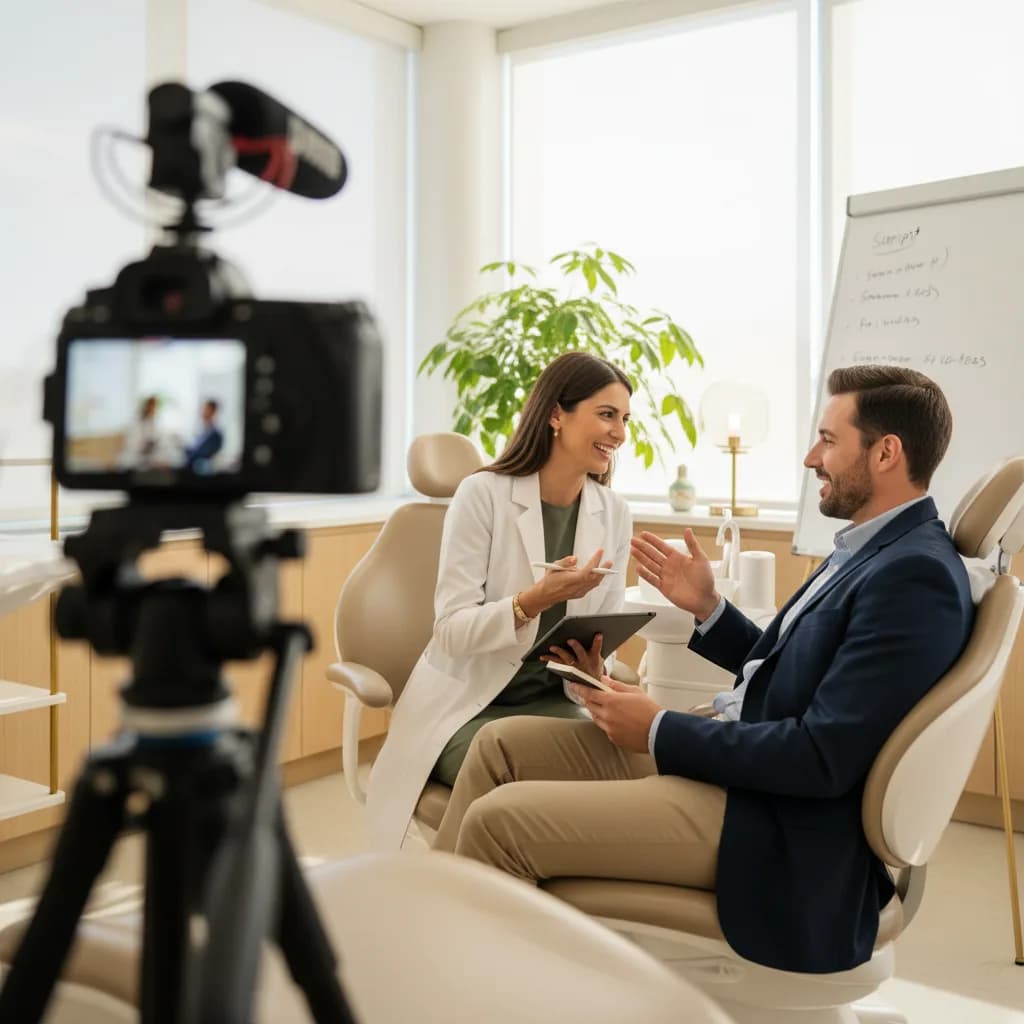
- Equipment: smartphone on tripod + lavalier mic + ring light. Position the phone at eye level on a small tripod. Clip the $20 lavalier mic to the patient's collar (eliminates room echo that makes video feel amateur). Place the ring light behind the camera to produce soft, even lighting that flatters every skin tone and eliminates the harsh shadows from overhead fluorescent lights. Total equipment cost: $50-100.
- Interviewer position: behind the camera, not beside it. The interviewer (staff member or provider) sits directly behind the phone so the patient naturally looks into the lens when answering. This creates the eye-contact effect that makes viewers feel personally addressed. If the interviewer sits to the side, the patient looks off-camera, which creates a detached feeling. Never have the patient read from notes or a teleprompter.
- Warm-up conversation: 2-3 minutes before recording. Chat casually about their visit, their family, or their plans for the weekend before pressing record. This relaxes the patient and gets them talking naturally. When you start recording and ask the first question, they're already in conversational mode rather than performance mode. The warm-up is the difference between a natural testimonial and a nervous one.
What HIPAA Compliance Does Patient Video Require?
Every dental testimonial video script workflow must include HIPAA compliance steps. Filming a patient without proper authorization violates federal privacy regulations regardless of how positive the testimonial is.
- Written HIPAA authorization before filming: The patient signs a specific authorization form (separate from the general treatment consent) that clearly states: what will be recorded (video and audio), how it will be used (website, social media, advertising, Google Business Profile), that participation is voluntary and won't affect their care, and that they can revoke consent at any time. Use a dental-specific video release form, not a generic consent.
- No protected health information in the video: The patient can share their own experience in their own words but the video should not show identifiable treatment records, X-rays with patient names visible, insurance information, or specific diagnosis details beyond what the patient voluntarily shares. If the patient says "I had a root canal," that's their voluntary disclosure. If you display their treatment plan on screen, that's a HIPAA violation.
- Revocation process: Document a clear process for patients to request removal of their video. If a patient revokes consent, remove the video from all platforms within 30 days and confirm removal in writing. Store the revocation record alongside the original consent. Most patients never revoke, but having the process documented protects the practice.
- Minor patient protections: For testimonials involving children's dental care, both parents/guardians must authorize the recording. The minor should not be identifiable by name, and parental consent must explicitly cover each platform where the video will appear. Consider using only audio or hands/smile footage for minors rather than full-face video.
Related: See how automated review collection complements video testimonials. → How to Collect Positive Patient Reviews Consistently
How Do You Edit Testimonials for Maximum Impact?
Editing transforms a 5-minute conversation into a 60-90 second testimonial that holds attention and drives action.
- Cut the questions, keep the answers: Remove the interviewer's voice entirely. The final video should be the patient speaking continuously as if sharing a story with a friend. Edit answer segments to flow naturally from concern ("I was terrified") to experience ("they were so gentle") to recommendation ("just do it"). The five-question framework produces footage that edits into a natural narrative arc without the questions visible.
- 60-90 seconds maximum: Attention drops sharply after 90 seconds for social media and website testimonials. Use the strongest 15-20 seconds from each question's answer. The opening (concern) and closing (recommendation) are the most important. The middle (decision, experience, result) can be trimmed to the single most compelling sentence from each answer.
- Add simple text overlays: Name and procedure type at the bottom of the screen ("Sarah M. | Dental Implants"). No other text needed. Avoid adding background music that's louder than the patient's voice. Subtle background music at 10-15% volume is acceptable. Loud music over a quiet speaker makes the testimonial feel like a commercial rather than a genuine share.
- Create multiple versions from one interview: The full 60-90 second version goes on your website and YouTube. A 30-second version (strongest opening + recommendation) goes on Instagram Reels and TikTok. A 15-second version (just the recommendation quote) becomes a social media ad. One filming session produces 3+ deployable assets. According to Moz, video testimonials on Google Business Profile increase engagement 35-50% over text-only profiles.
Where Do You Deploy Testimonials and How Do You Track Results?
Deployment location determines whether your dental testimonial video script investment produces bookings or just views.
- Google Business Profile (highest priority): Upload testimonials to your GBP. Video thumbnails in Map Pack results differentiate your listing from text-only competitors. Patients watching testimonials on GBP are in active decision-making mode (searching "dentist near me"), making this the highest-conversion deployment. Track GBP video views and correlate with "call" button clicks using GA4.
- Website service pages (procedure-matched): Embed the implant patient's testimonial on the implants page. The Invisalign patient's testimonial on the orthodontics page. Matching testimonial to service page ensures the social proof is relevant to what the visitor is researching. Patients who watch a procedure-specific testimonial on the corresponding service page call at 20-30% higher rates than pages with generic testimonials or no video. See our Google Ads ROI guide for tracking video-to-call attribution.
- Google Ads landing pages: A testimonial video at the top of a PPC landing page provides immediate social proof. Patients clicking an ad want validation that this practice is legitimate. A 30-second testimonial provides that validation faster than scrolling through text. Landing pages with video testimonials convert 20-30% better than identical pages without video.
- Social media and email: 30-second versions perform well as Facebook and Instagram organic posts and paid ads. Testimonial videos in email campaigns increase click-through 25-35% versus text-only emails. Pre-appointment emails including a testimonial ("Here's what one of our patients said about their first visit") reduce new patient anxiety and no-show rates. See our reminders guide.
For practices where 38% of calls go unanswered, testimonial-generated calls waste the production investment on voicemail. AI reception ensures every call converts. Track which testimonials produce the most calls through per-page call tracking. Connect to your ROI tracking, spend breakdown, marketing strategy, and advertising strategy.
Turn authentic patient stories into booked appointments
DentalBase answers every testimonial-generated call with AI reception, tracks which videos produce patients, and books appointments in real time.
Book a Free Demo →Explore more guides and tools for dental practice growth.
Browse Resources →Sources & References
Frequently Asked Questions
No. A written script makes testimonials feel fake and patients sound rehearsed. Use five guided questions instead: concern, decision, experience, result, recommendation. Patients answer in their own words. The questions create a natural narrative arc without scripting the language.
Five questions in order: 'What was your biggest concern?' (creates identification), 'What made you choose us?' (validates research), 'What was the experience like?' (previews the visit), 'How do you feel about results?' (emotional payoff), 'What would you tell someone?' (peer recommendation).
Smartphone on tripod, $20 clip-on lavalier microphone (eliminates echo), and $30 ring light (eliminates harsh shadows). Total: $50-100. Modern smartphones shoot 4K video sufficient for web and social. Authentic smartphone footage outperforms polished studio production for trust.
60-90 seconds for website and YouTube. 30 seconds for Instagram Reels and TikTok. 15 seconds for ads. Cut from a 5-minute conversation using the strongest 15-20 seconds from each question's answer. One filming session produces 3+ deployable versions.
Written authorization before filming (separate from treatment consent), stating how video will be used across each platform. No PHI visible on screen. Documented revocation process within 30 days. Dual-guardian consent for minors. Patient may voluntarily share experiences but practice cannot display records.
Priority order: Google Business Profile (highest conversion, 35-50% engagement boost), website service pages matched to procedure (20-30% call increase), Google Ads landing pages (20-30% conversion lift), social media (organic and paid), and email campaigns (25-35% higher click-through).
Ask immediately post-visit when satisfaction is highest: 'Would you mind sharing a 30-second video about your experience?' Provide a simple prompt rather than a script. Most patients agree when asked in person. The checkout moment captures genuine emotion that a scheduled return visit can't replicate.
Per-page call tracking on pages with embedded videos attributes calls to specific testimonials. Track GBP video views correlated with call button clicks. A/B test landing pages with vs without video. New patient intake surveys asking which content influenced their decision.
Was this article helpful?
Written by
DentalBase Team
Expert dental industry content from the DentalBase team. We provide insights on practice management, marketing, compliance, and growth strategies for dental professionals.