Email Marketing for Dentists: The Complete Guide 2026
Email marketing for dentists: $36-44 ROI per dollar. Full guide to automation workflows, HIPAA rules, segmentation, software costs, and recall campaigns.
Share:
Table of contents
Email marketing for dentists returns $36-42 for every dollar spent, which makes it the single highest-ROI channel for keeping patients active, compliant with recall schedules, and coming back after they've gone quiet. Not a theoretical number. It's what practices with automated email systems consistently produce when campaigns trigger off PMS events instead of relying on someone at the front desk to "send that email when you get a chance."
Yet most practices either skip dental email marketing entirely or run it so inconsistently that patients stop opening. The gap between a practice generating 40+ email-attributed appointments per month and one generating zero isn't the platform. It's the system behind it: which emails fire, what triggers them, how they segment by patient status, and whether the call-to-action leads to a booked chair or a voicemail box.
This dental email marketing guide covers the full framework: list building, automation workflows, software and pricing, HIPAA compliance, segmentation, newsletter topics, and the five metrics that prove it's working.
Is Email Marketing Still Effective for Dental Practices in 2026?
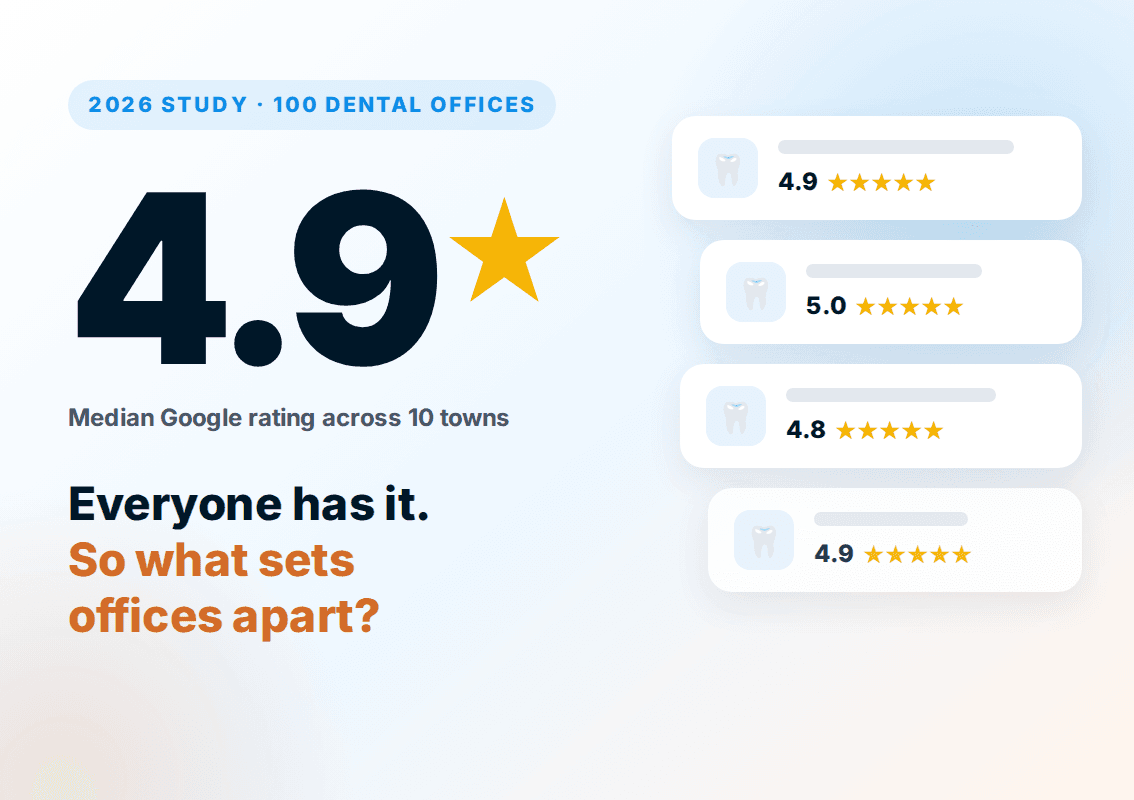
Yes. Despite predictions that social media and text messaging would replace it, email marketing for dentists remains one of the most reliable channels for keeping patients engaged and treatment plans moving forward. Three independent data sources point the same direction: platform benchmarking from Mailchimp, marketing-channel research from HubSpot, and a Semrush survey linking channel usage to business performance.
- Dental and healthcare emails already outperform most industries on opens. Aggregated open-rate benchmarking built on Mailchimp's platform data places the medical, dental, and healthcare category among the highest-opening verticals of any industry, well above the cross-industry average, because patients treat appointment and treatment communication as something worth reading rather than promotional noise.
- Successful companies use email more than struggling ones. According to a Semrush survey of marketing teams, 52% of high-performing companies use email as part of their content and marketing distribution, compared with 43.5% of minimally successful or unsuccessful companies. Channel usage alone doesn't cause success, but the pattern lines up with what practices running automated recall and reactivation emails report: fewer empty chairs.
- Email still ranks among the highest-ROI channels for marketers overall. HubSpot's benchmarking places email among the highest-return digital channels, and separate email marketing ROI research shows programs consistently returning $10 to $50 for every dollar spent, a range wide enough to keep even an underperforming dental email program comfortably above break-even.
Why email still earns its place in a dental marketing budget
34%+
Average open rate for medical/dental emails, among the highest of any industry (Mailchimp benchmark data)
52%
Of high-performing companies use email marketing, vs. 43.5% of low performers (Semrush survey)
$10-$50
Return per $1 spent on email marketing across industries (HubSpot / industry benchmarking)
What does this mean for a single-location dental practice? It means the channel isn't a legacy habit still running on inertia; it's doing real, measurable work, and the practices getting the most from it treat it as a system rather than an occasional newsletter. Dr. Muhammad Rahim, founder of DentalBase, makes this point directly in his breakdown of how he chooses the best follow-up channel for dental patients: email isn't competing with phone and text, it's doing a specific job inside a larger follow-up system, and the practices that win are the ones matching the channel to the moment instead of picking one channel and using it for everything.
Where does email fit if a practice is also investing in phone recall and text reminders? Use email as the always-on layer that carries detail, links, and proof, while phone and text carry urgency. For the numbers behind that decision, our breakdown of the ROI of dental patient follow-up walks through what a missed recall or reactivation touch actually costs a practice in lost production.
How Do You Build a Patient Email List That Actually Converts?
A clean, permission-based email list is the foundation of every campaign you'll run. Two thousand engaged patients who open and click will outproduce a list of 10,000 stale addresses every time, because deliverability scores reward engagement and penalize bounces.
Email Capture Scorecard
Rate your practice on each collection method.
Quarterly list cleaning: remove addresses with 0 opens in 6+ months.
Collection starts at intake. Add an email field with a marketing consent checkbox to every new patient registration form, both digital and paper. Target a 90%+ capture rate here because these patients just chose your practice and are most likely to engage. Simple, but effective. At checkout, have staff confirm the address on file: "Can I verify the email we have for you?" That single question fills gaps from patients who skipped the intake field or changed addresses since their last visit. Worth the five seconds.
Your website is the second pipeline. Place email capture forms on your homepage, service pages, and scheduling confirmation page. Offer a value exchange: "Get our dental care tips" or "Receive appointment reminders." According to BrightLocal, 98% of consumers research businesses online before choosing them. Email keeps your practice visible between those research moments.
Clean the list quarterly. Remove addresses that haven't opened in six months. A smaller, engaged list produces better inbox placement, higher open rates, and more booked appointments than a bloated list full of dead addresses. And never purchase email lists. Purchased lists violate CAN-SPAM, destroy your sender reputation so that legitimate emails start hitting spam folders, and produce near-zero conversion because those recipients have no relationship with your practice.
Build your email list automatically from PMS data
DentalBase syncs with your practice management system to capture patient emails, manage consent, and trigger campaigns without manual list building.
Book a Free Demo →What Five Email Campaigns Should Every Dental Practice Automate?
Email marketing for dentists works when campaigns trigger automatically from PMS events rather than depending on staff memory. Five campaign types cover the full patient lifecycle, from first booking through reactivation, and the first four run without ongoing effort after initial setup.
| Campaign Type | PMS Trigger | Open Rate | Key Outcome |
|---|---|---|---|
| Welcome sequence | New patient books first appointment | 50-60% | Reduces no-shows 25-30%, captures early reviews |
| Recall reminders | Recall date is 30/14/3 days away | 30-40% | Maintains 65-80% hygiene compliance rate |
| Reactivation | No visit in 6+ months | 20-30% | Recovers 15-25% of lapsed patients |
| Post-treatment follow-up | Treatment code completed | 40-50% | Drives reviews, reduces post-op calls |
| Monthly newsletter | Calendar-based (1st Tuesday, etc.) | 20-25% | Keeps practice top of mind between visits |
Welcome emails alone achieve open rates near 82%, according to HubSpot. That's 3-4x the average marketing email. The reason is timing: the patient just took an action and expects to hear from you. Recall reminders achieve 10-15% booking conversion when they include a direct scheduling link. But recall emails work even better as part of a multi-channel system. Practices that combine email with SMS and AI phone recall hit 65-80% compliance versus the 40-55% industry average. For ready-to-use scripts for reactivation outreach, see our patient reactivation calls guide.
The monthly newsletter is the only campaign that needs regular content creation. The other four are set-and-forget once connected to your PMS. That's the power of email automation: it runs around the clock without adding to your front desk workload.
How Does an Automated Dental Email Workflow Actually Run?
Automation means your PMS event triggers a timed email sequence without anyone pressing send. Here's what that looks like in practice for two of the highest-impact campaigns, broken into the exact steps the system executes.
Welcome Sequence Workflow
Welcome Sequence: 3 Emails Over 10 Days
Trigger: New patient books first appointment in PMS
Immediately sends Email 1: "Welcome to [Practice Name]" with office tour details, parking info, what to bring, and a direct link to complete intake forms online.
Day 1 post-visit: Email 2 fires after the appointment status changes to "completed"
Thanks them for visiting, links to leave a Google review, and includes post-care instructions relevant to the treatment code performed.
Day 10: Email 3 sends if no follow-up appointment is scheduled
Highlights treatment plan recommendations from the visit with a one-click scheduling link. Skips automatically if the patient already booked.
Recall Reminder Workflow
Recall Sequence: 3 Touches Over 30 Days
30 days before recall date: Email 1 sends a friendly reminder
"Your 6-month cleaning is coming up" with the patient's provider name, a one-click booking link, and available time slots for the next two weeks.
14 days before: Email 2 fires only if no appointment is booked
Adds urgency: "We're holding your preferred time slot" plus insurance benefit reminder ("Your cleaning is covered at 100% under most plans").
3 days before: Final email + SMS if still unbooked
Short, direct message: "Last chance to book before your recall date passes." If patient doesn't respond within 7 days, triggers the reactivation workflow.
The key detail in both workflows is the conditional logic. Emails only fire when the patient hasn't already taken the desired action. That prevents the "I already booked, why are you emailing me?" frustration that kills engagement. The ADA reports that 20-30% of patients become inactive within 18 months without structured follow-up. Industry benchmarks show automated trigger-based emails outperform batch sends by 8x on click-through rates. Automated workflows close that gap without adding staff hours. No reminders on sticky notes. No spreadsheets.
For practices where recall gaps persist even with email, adding SMS and outbound calls as parallel channels raises the compliance ceiling. The comparison matters: email covers patients who check their inbox, while calls reach the ones who don't. The Bureau of Labor Statistics projects 4% dental employment growth through 2032, which means more practices competing for the same patient pool. Email automation gives you a retention edge without adding headcount.
What HIPAA and CAN-SPAM Rules Apply to Email Marketing for Dentists?
Email marketing for dentists sits at the intersection of two regulatory frameworks: HIPAA for patient health data protection and CAN-SPAM for commercial email requirements. Getting either wrong means fines, lawsuits, or destroyed patient trust.
HIPAA (Patient Data)
Applies to: Any email referencing treatments, diagnoses, or health info
Requires: Written patient authorization + BAA with email platform
Penalty: Up to $50,000 per violation
CAN-SPAM (Commercial Email)
Applies to: Every marketing email you send, no healthcare exception
Requires: Physical address, unsubscribe link, honest subject lines
Deadline: Process opt-outs within 10 business days
- HIPAA marketing authorization: Emails that reference specific treatments, diagnoses, or health information require written patient authorization. General reminders ("your cleaning is due") and educational content don't require individual authorization, but they must be sent through a HIPAA-covered platform. Fines reach $50,000 per violation. Your email platform must sign a Business Associate Agreement (BAA) if it stores or transmits any protected health information. Platforms without BAA capability, like basic Mailchimp free plans or generic Gmail marketing, can't legally handle patient-specific communications.
- CAN-SPAM requirements: Every marketing email must include your practice's physical address, a clear unsubscribe mechanism, honest subject lines, and accurate "From" identification. Process unsubscribe requests within 10 business days. There's no exception for healthcare. None.
- Consent documentation: Maintain records of how and when each patient opted in to marketing emails. Separate marketing consent from treatment consent on intake forms. The ADA's practice management guidance recommends clear consent documentation to protect practices in the event of patient complaints or regulatory audits.
Build compliance into the system from the start rather than retrofitting later. Use a platform with BAA, separate marketing and transactional email streams, log consent timestamps, and review your compliance setup annually. For a deeper look at HIPAA requirements for patient communication tools, see our HIPAA compliance guide for virtual receptionists.
Related: Pair email campaigns with AI reception so patients who click booking links can schedule 24/7, even after hours. → DentiVoice AI Receptionist
How Should You Segment Your Dental Patient Email List?
Segmentation is what separates email programs that produce appointments from ones that produce unsubscribes. Sending the same message to every patient on your list ignores the fact that a patient overdue for a cleaning and a patient recovering from an implant need completely different communications.
The four segments that matter most for dental practices map directly to PMS data you already have:
| Segment | PMS Filter | Email Types to Send | Expected Result |
|---|---|---|---|
| New patients (0-90 days) | First visit within last 90 days | Welcome sequence, review request, treatment plan follow-up | 60-70% retention to second visit |
| Active patients (visited within 6 months) | Last visit < 6 months ago | Recall reminders, newsletters, seasonal promotions | 65-80% recall compliance |
| At-risk patients (6-12 months inactive) | Last visit 6-12 months ago, no future appointment | Reactivation sequence (3 emails + offer) | 15-25% return rate |
| Lapsed patients (12+ months inactive) | Last visit > 12 months ago | "We miss you" campaign, special offer, then archive | 5-10% return rate |
Beyond lifecycle stage, consider segmenting by treatment history. Patients with incomplete treatment plans should receive different emails than patients who are fully treatment-complete and only need hygiene maintenance. A patient with a $3,000 recommended crown who hasn't scheduled gets a "still thinking about your treatment plan?" email with financing options. Different patient, different message. A hygiene-only patient gets seasonal tips and recall reminders. That level of relevance is what drives open rates above 30% instead of below 20%.
Insurance status is another high-value segment. Patients with remaining annual benefits get a "use it before you lose it" email in October or November. Dental Economics reports the average patient lifetime value for a general dentist runs $12,000-$15,000. Segmentation helps you protect that value by sending the right message at the right moment instead of blasting a generic newsletter that most patients ignore. Reactivating an existing patient costs 5-7x less than acquiring a new one, according to HubSpot's marketing research. That makes your lapsed and at-risk segments the highest-ROI targets in your database. According to Moz, engaged email subscribers who book and leave reviews also strengthen your local SEO signals.
Automate segmentation from your PMS data
DentalBase connects to Dentrix, Eaglesoft, Open Dental, and cloud PMS platforms to segment patients automatically by visit history, treatment status, and insurance. No manual list building required.
Book a Free Demo →How Do You Measure Email Marketing ROI for Your Practice?
Track five metrics monthly per campaign type to prove ROI and identify what needs fixing. Email marketing for dentists is only as valuable as the appointments it produces, so conversion metrics matter more than vanity numbers like total emails sent.
Monthly Email Dashboard: Target Benchmarks
30-40%
Recall Open Rate
5-15%
Click-Through Rate
40-80
Monthly Appointments
<0.5%
Unsubscribe Rate
Track per campaign type. Test one variable per cycle: subject line, CTA, or send time.
- Open rate (benchmarks: welcome 50-60%, recall 30-40%, reactivation 20-30%, newsletter 20-25%): Measures subject line effectiveness and list quality. Below benchmark? Test subject lines or run a list cleaning pass.
- Click-through rate (target: 5-15% for automated campaigns, 3-5% for newsletters): Shows whether your content and CTAs are working. Test button placement, copy, and design quarterly. A recall email with "Book Your Cleaning" as a button converts 2-3x higher than one with a text link buried in a paragraph.
- Appointments booked per campaign: The number that pays the bills. Track using UTM parameters in every email link (source=email, medium=recall_reminder). A recall campaign generating 30 bookings per month at $200 average hygiene production creates $6,000 in monthly revenue from a single automated sequence. Zero staff hours to maintain.
- Revenue per email sent (target: $0.50-2.00): Total attributed revenue divided by emails delivered. Normalizes performance across list sizes. A well-tuned program produces 40-80 attributable appointments monthly for practices with 1,500+ active patients.
- Unsubscribe rate (target: under 0.5% per send): Above 1% signals content or frequency problems. Each unsubscribe permanently removes a patient from your most cost-effective channel. Unlike social media, an email unsubscribe is final.
Optimize monthly with single-variable testing. Change one subject line, one CTA, or one send time per cycle. After three to four months of disciplined testing, you'll know exactly what your patient base responds to. Here's the thing: Dental Economics reports only 26% of practices currently offer online scheduling. That means most email-driven patients end up on the phone. If that phone goes to voicemail, the email did its job but the call-to-booking conversion failed. Connect your email strategy to your content marketing plan and call handling for a complete loop.
Build the system once. Test it monthly. Let it run.
What Does Email Marketing Software for Dentists Cost?
Dental email marketing software ranges from $0 on basic free tiers to $300+ per month for HIPAA-covered, PMS-integrated platforms. Dental email marketing software pricing depends on three things. The first is whether the vendor signs a Business Associate Agreement. The second is whether it connects to your practice management system. The third is whether automation triggers are included or sold as an add-on.
Generic email tools like Mailchimp or Constant Contact start free but rarely sign a BAA on entry plans, which makes them legally unfit for patient-specific messaging. Dental-specific platforms cost more because the BAA, PMS sync, and recall logic are built in. Our breakdown of how to compare dental email platforms feature by feature shows where that premium is earned and where it isn't. The real comparison isn't sticker price. It's cost per booked appointment. A $200/month platform that produces 40 attributable appointments costs $5 per booking, far cheaper than the staff hours a manual system burns.
| Tier | Typical Monthly Cost | What You Get | HIPAA / BAA |
|---|---|---|---|
| Generic free tier | $0-30 | Basic newsletters, manual lists, no PMS sync | Rarely available |
| Generic paid plan | $50-150 | Automation builder, segmentation, no dental triggers | Add-on, higher tiers only |
| Dental-specific platform | $150-300+ | PMS sync, recall/reactivation logic, multi-channel | Included |
When you price tools, weigh four features that decide whether the software actually fills chairs. First, a signed BAA so patient data stays compliant. Second, native sync with your PMS (Dentrix, Eaglesoft, Open Dental, or a cloud system) so lists build themselves. Third, trigger-based automation tied to recall and treatment events. Fourth, revenue tracking through UTM parameters. Skip any one of those and you're paying for a newsletter tool, not a retention engine. Dental Economics reports the average general-practice patient is worth $12,000-$15,000 in lifetime value, so a platform that recovers even a handful of lapsed patients each month pays for itself many times over.
Are AI Email Marketing Tools With Automated Appointment Reminders Worth It for Dental Practices?
In dental email marketing, AI tools with automated appointment reminders are worth it when they cut no-shows and recall gaps without adding front-desk work. The value isn't the AI label. It's whether the system sends the right reminder at the right time, suppresses emails to patients who already booked, and routes the ones who don't respond into a follow-up channel.
The best dental email tools with automated appointment reminders share a common pattern. Reminders fire on a 30/14/3-day schedule before the recall date. Each email carries a one-click booking link. The sequence stops the moment a patient schedules. AI adds value on top of that in three ways. It personalizes send times to when each patient historically opens. It drafts subject-line variants for testing. And it predicts which lapsed patients are most likely to return, so your offers go where they convert. Practices that layer email reminders with SMS and AI phone recall push compliance to 65-80%, well above the 40-55% email-only average.
One caution: an automated reminder is only as good as the booking path it points to. If the email lands but the patient calls a line that goes to voicemail, the AI did its job and the practice still lost the appointment. That's why reminder automation and round-the-clock answering work best as one connected system rather than two disconnected tools. The ADA reports that 20-30% of patients become inactive within 18 months without structured follow-up, so the practices that win are the ones that close every gap between the email click and the booked chair.
Related: See how AI reception captures the patients your reminder emails send to the phone, even after hours. → DentiVoice AI Receptionist
What Are the Best Dental Newsletter Topics That Patients Actually Open?
The best dental email marketing newsletter topics are useful, seasonal, and tied to a clear next step. Skip generic "oral health tips." A newsletter earns its 20-25% open rate when each edition gives patients a reason to read and a reason to book. Close every edition with a one-click scheduling link.
Rotate topics so the newsletter never feels repetitive. A simple monthly calendar keeps content fresh and gives staff a publishing rhythm instead of a blank page every month:
12 Dental Newsletter Topics That Convert
Pair each edition with one patient story or review and a single, obvious call to action.
The highest-performing recurring themes share three traits. They answer a real question patients ask ("is this covered by insurance?", "how often should my kids see a dentist?"). They tie to a calendar moment that creates urgency. And they feature your practice's people, so the email feels personal rather than corporate. Educational topics keep you out of HIPAA marketing-authorization territory because they don't reference an individual patient's diagnosis or treatment. Keep editions short, lead with one idea, and treat the newsletter as the connective tissue of your dental email marketing and broader content marketing plan rather than a standalone broadcast.
How Does Dentist Email Marketing Compare to Other Patient Communication Channels?
Dentist email marketing consistently outperforms paid ads and social media for patient retention because it reaches a list that already knows your practice. Every dollar spent on new patient acquisition through paid search costs $150, $300 (WordStream), while a recall email to an existing patient costs fractions of a cent to send and triggers the same appointment booking cycle.
The comparison matters because most practices treat channels as competitors. In practice, they serve different jobs:
| Channel | Primary Job | Avg. ROI | Best Use Case |
|---|---|---|---|
| Email (dentist marketing) | Retention & recall | $36-44 per $1 | Existing patients, lifecycle follow-up |
| Paid Search (PPC) | New patient acquisition | Variable; ~2% conversion | High-intent new movers, emergency searches |
| Social Media | Brand awareness | Indirect; hard to attribute | Trust-building, cosmetic procedure interest |
| AI Phone Outreach | Recall & reactivation | Highest booking rate of any channel | Patients who don't open emails |
| SEO / Organic Search | New patient discovery | 3.5% organic conversion (WordStream) | Long-term visibility; slow to start |
The takeaway: dentist email marketing and phone recall work the same existing-patient pool and complement each other. Email reaches patients who scan their inbox; AI phone outreach captures those who delete without opening. Practices running both together see hygiene compliance rates reach 65-80%, compared to 30-40% for email alone, according to Dental Economics benchmarks. That gap is large enough to justify investing in both rather than choosing one.
Where email wins outright is cost per appointment. A PPC click in a competitive dental market runs $6, $8 (Google Ads benchmarks), and with a 2% conversion rate you're spending $300, $400 in click costs for each new patient booked. A recall email to an existing patient costs under $0.01 to deliver and converts at 10-15%. That math is why dentist email marketing should be the first channel a practice funds, not the last.
Where email fits in a multi-channel patient system
Use email for scheduled lifecycle touchpoints (recall, reactivation, newsletters). Pair it with AI phone outreach for patients who go 90+ days without responding to email. Let PPC and SEO handle new patient acquisition. The channels work in sequence, not competition.
What Are the Most Common Dental Email Marketing Mistakes That Kill Open Rates?
Dental email marketing fails in predictable ways. Most practices make the same four or five mistakes, and fixing them, rather than starting from scratch, is usually enough to double open rates within 90 days. According to HubSpot marketing benchmarks, the average email open rate across industries sits at 21.5%; dental practices with engaged, segmented lists consistently achieve 28-35%.
Sending to a Stale List Without Suppression
A list that hasn't been cleaned in 12+ months is full of addresses that bounce, trap messages in spam folders, and drag your sender reputation below the threshold where inbox providers stop delivering reliably. The fix is straightforward: suppress anyone who hasn't opened in 18 months, re-confirm addresses that bounce twice, and remove hard bounces permanently. Mailing tools that integrate with your PMS can auto-suppress discharged patients and update email addresses when patients update their records at checkout.
Using a Generic "Info@" or "Noreply@" Sender Address
Patients open emails from names they recognize. "Dr. Sarah Chen" gets opened; "noreply@dentaloffice.com" gets deleted. Set your from-name to the dentist's name or the practice name your patients know, and use a real reply-to address. Allowing patients to reply also improves your domain reputation because inboxes treat replies as positive engagement signals.
Writing Subject Lines That Read Like Marketing Copy
Dental email marketing subject lines that start with "REMINDER:" or "Special Offer Inside!" train patients to ignore them. High-performing subject lines read like a direct message: "Your next cleaning is overdue, here's a link to book," or "It's been 7 months, [First Name]." Specificity, not urgency, drives opens.
Missing a Mobile-Optimized Layout
According to HubSpot, over 46% of all emails are opened on mobile devices. A single-column layout with 16px+ body text, a tappable CTA button at least 44px tall, and preview text under 90 characters covers the mobile basics. Platforms like Dentrix Ascend, Weave, and Lighthouse 360 all offer responsive templates, use them rather than custom HTML that only looks right on desktop.
No Clear Single Call-to-Action
Recall emails that include a booking link, a phone number, a newsletter opt-in, and a Google Review request produce fewer appointments than a recall email with one button that says "Book Your Cleaning." Every dental email should ask for exactly one action. If patients are not yet ready to book, a secondary soft CTA ("Call us with questions") is fine, but the primary button must come first, above the fold, before any additional copy.
Quick diagnostic: 5 fixes that lift open rates
Deeper Reads: Build Out Your Email and Retention System
Email marketing for dentists works best as one layer of a connected retention system. These guides go deeper on the channels, scripts, and compliance details that make automated email campaigns convert, organized by the part of the patient lifecycle they support.
Recall & Reactivation
When AI phone recall beats human calls
Compliance & Strategy
Retention Strategy & Metrics
Email marketing that runs itself and fills chairs
DentalBase automates welcome, recall, reactivation, and newsletter campaigns with PMS integration, HIPAA compliance, and revenue tracking built in.
Book a Free Demo →Explore more guides and tools for dental practice growth.
Browse Resources →Sources & References
Frequently Asked Questions
Most dental email platforms cost $50-300 per month depending on list size and features. The investment is minimal compared to the $36-42 return per dollar spent. Factor in a HIPAA-compliant platform with BAA, PMS integration, and automation capabilities.
Welcome emails average 50-60% open rates, recall reminders hit 30-40%, reactivation campaigns reach 20-30%, and newsletters average 20-25%. If your rates fall below these benchmarks, test subject lines and clean your list of inactive addresses.
Mailchimp's free plans don't sign Business Associate Agreements, making them non-compliant for patient-specific emails containing protected health information. Some paid tiers may offer BAA options, but verify directly before sending any patient data through the platform.
Automated campaigns (welcome, recall, reactivation) trigger based on patient events, not a fixed schedule. For newsletters, once per month is the standard frequency. Sending more than twice monthly increases unsubscribe rates without proportional appointment gains.
Technically yes, but manually. Without PMS integration, every email requires manual list segmentation, which either consumes hours of staff time or simply doesn't happen. PMS integration makes the difference between an email program that runs automatically and one that stalls after month two.
A strong welcome email includes office location and parking details, what to bring to the first visit, a link to complete intake forms online, and your practice's scheduling phone number or online booking link. Send it immediately after the patient books.
Strong topics tie to the calendar and a clear next step: use-it-or-lose-it insurance reminders in October-November, Children's Dental Health Month in February, whitening before events, and team or technology spotlights. Educational, non-individualized topics also stay clear of HIPAA marketing-authorization rules.
Yes, when they cut no-shows and recall gaps without adding front-desk work. The best tools fire reminders on a 30/14/3-day schedule, include one-click booking, and suppress emails once a patient schedules. Pairing email reminders with SMS and AI phone recall lifts compliance to 65-80%.
Dentist email marketing ties directly to clinical events: your last visit date, treatment plan status, and recall due date trigger campaigns automatically. General email marketing is broadcast-based. The clinical trigger model is what makes dental emails feel relevant rather than promotional, and it's why dental practices see 28-35% open rates versus the 21% industry average when their PMS is properly integrated.
Mailing a stale list without suppression rules. Addresses that bounce repeatedly damage your sender domain reputation, which causes future emails to land in spam, even for active patients. The second most common mistake is using a 'noreply@' sender address instead of the dentist's name. Patients open emails from people they recognize, not from system-generated addresses.
Yes, email marketing is still effective and has not been replaced. Aggregated Mailchimp benchmark data shows the medical, dental, and healthcare category has one of the highest average open rates of any industry, and a Semrush survey found 52% of high-performing companies use email marketing versus 43.5% of low performers. HubSpot benchmarking places email among the highest-ROI digital channels, with programs typically returning $10-$50 per $1 spent. Text and social media add reach; they do not replace what email does for lifecycle follow-up.
Was this article helpful?
Written by
Dentalbase Team
The Dentalbase Team is a collective of dental marketing experts, AI developers, and practice management consultants dedicated to helping dental practices thrive in the digital age.