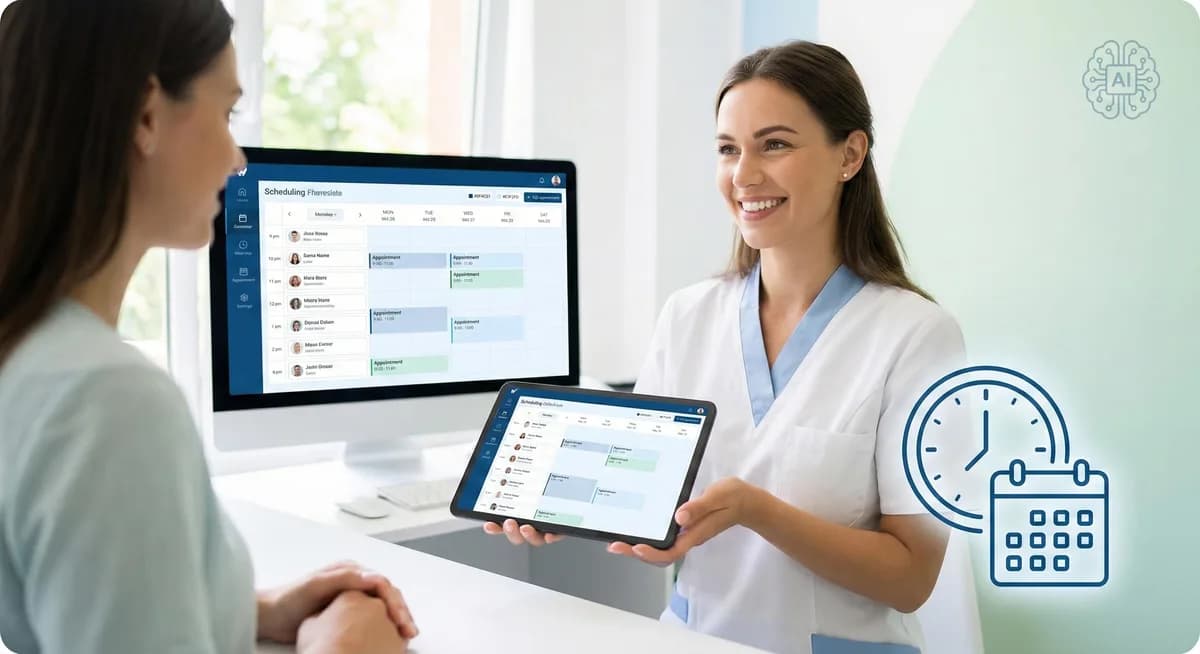
How Smart Scheduling Reduces No-Shows and Fills Your Dental Calendar
Modern scheduling cuts no-shows, ends phone tag, and fills your dental calendar with automation, reminders, and AI-powered booking for practice growth.
Share:
Table of contents
Every dental practice runs on its calendar. When slots go unfilled, production drops. When no-shows pile up, the damage compounds — lost chair time, idle staff, and revenue that can't be recovered. And when scheduling still depends on phone calls during business hours, a large portion of patients never book at all.
Smart scheduling solves this from multiple angles: patients book online anytime, automated reminders reduce no-shows, waitlists fill cancelled slots, and AI handles the calls your front desk can't get to. This guide covers how it works, what to look for, how to implement it, and what to measure.
Why Scheduling Problems Cost More Than You Think
Scheduling inefficiencies hit dental practices in three places at once:
No-shows and late cancellations leave holes in your production day that are nearly impossible to fill on short notice. The average dental practice loses 5–10% of daily production to no-shows alone.
Phone-dependent booking means patients can only schedule during business hours, when your front desk is already juggling check-ins, insurance, and in-office patient care. Industry data shows dental offices miss 20–40% of incoming calls — and many of those are patients trying to book.
Manual scheduling creates bottlenecks. When every appointment requires a phone call, a hold queue, and a staff member toggling between the PMS and the patient, booking takes 5–8 minutes per appointment. Multiply that across 30–50 daily calls and your front desk is spending half the day on the phone.
Quick Cost Formula
No-Show Cost = Average production per visit × No-shows per month
Simple Example:
- $250 average production per visit
- 20 no-shows per month
- = $5,000/month or $60,000/year in lost production
- Reducing no-shows by 30% = $18,000/year recovered
What Smart Scheduling Actually Does
A modern dental scheduling system goes far beyond a digital calendar. It's an automated workflow that handles booking, confirmations, reminders, waitlists, and data — with minimal staff involvement.
Core capabilities include:
- Online self-scheduling — patients book anytime from your website or patient portal, seeing real-time availability pulled from your PMS
- Automated reminders — multi-channel sequences (text, email, voice) sent at 48 hours, 24 hours, and 2 hours before appointments, customizable by appointment type
- Waitlist management — when a patient cancels, the system automatically notifies waitlisted patients and fills the slot
- Two-way PMS integration — appointments sync with Dentrix, Eaglesoft, Open Dental, or your platform of choice, eliminating double-booking and manual entry
- Intelligent scheduling rules — different appointment types get appropriate time blocks, buffer periods, and provider assignments automatically
- Pre-visit automation — the system sends intake forms, insurance verification requests, and pre-appointment instructions without staff involvement
Ready to Grow Your Practice?
Schedule a free consultation to see how we can help you attract more patients and grow your dental practice.
How It Reduces No-Shows
No-shows aren't random — they follow patterns. Patients forget, their schedule changes, they feel anxious about a procedure, or they simply couldn't reach anyone to reschedule. Smart scheduling addresses each of these:
Multi-channel reminders reach patients where they actually respond. Text messages have a 95%+ open rate compared to email's 20–30%. Sending reminders across multiple channels at staggered intervals catches patients who miss one message. Practices using automated multi-channel reminders consistently report 25–35% reductions in no-shows.
Easy rescheduling matters as much as reminding. When a reminder includes a one-tap link to reschedule, patients who can't make their appointment move it instead of just not showing up. This converts a no-show into a rescheduled visit — protecting your relationship and your calendar.
Two-way confirmations let patients confirm with a simple text reply. Unconfirmed appointments get flagged so your team can follow up proactively, or the system can automatically open the slot to waitlisted patients.
Waitlist automation is the safety net. When a confirmed patient cancels, the system immediately contacts patients who wanted an earlier appointment. The slot fills without staff making a single phone call. For a deeper dive on this, see our guide on how to fill dental cancellations fast.
How It Fills Your Calendar
Reducing no-shows protects existing production. But smart scheduling also captures new production your current process is missing:
After-hours booking is where most practices leave money on the table. Patients research and book during evenings and weekends. Without online scheduling or AI reception, those patients either call a competitor who answers or abandon the attempt entirely.
Faster booking conversion matters for new patients especially. When a prospective patient can see availability and book in 60 seconds online, conversion is dramatically higher than when they have to call during business hours, wait on hold, and coordinate with a scheduler. Removing friction from booking directly increases new patient acquisition.
Schedule optimization uses data to improve how you fill your day. Smart systems identify patterns — which appointment types cluster, where gaps tend to form, which providers have underutilized slots — and help you adjust templates and availability to maximize chair time.
What to Look For When Choosing a Platform
Not all scheduling tools are built for dental. Generic platforms like Calendly or Acuity work for simple appointment booking but lack dental-specific features like procedure-based time blocks, PMS integration, insurance verification, and HIPAA compliance. Here's what matters:
| Feature | Why It Matters for Dental |
|---|---|
| PMS Integration | Syncs with Dentrix, Eaglesoft, Open Dental — eliminates double-booking and manual entry |
| Procedure-Based Scheduling | Different time blocks for cleanings, crowns, consultations, emergencies |
| Multi-Channel Reminders | Text, email, and voice reminders reduce no-shows across all patient demographics |
| Waitlist Automation | Fills cancelled slots without staff effort |
| Two-Way Confirmations | Patients confirm via text reply; unconfirmed slots get flagged or released |
| Online Self-Scheduling | Patients book 24/7 from your website or portal |
| HIPAA Compliance | Encryption, access controls, audit trails, and a signed BAA |
| Multi-Provider Support | Handles multiple dentists and hygienists with independent schedules |
| Multi-Location Support | Unified scheduling across offices if you have more than one location |
| Reporting & Analytics | No-show rates, booking patterns, peak times, provider utilization |
Ready to Grow Your Practice?
Schedule a free consultation to see how we can help you attract more patients and grow your dental practice.
From Manual Scheduling to a Self-Filling Calendar
The difference between a practice that's always chasing patients to fill slots and one that runs at capacity isn't more marketing — it's fewer leaks. Every missed call, forgotten reminder, unfilled cancellation, and clunky booking process is a leak. Smart scheduling plugs them all at once. Practices that combine online self-scheduling, automated reminders, waitlist fills, and AI-powered call handling typically see the compounding effect within the first 60 days: fewer no-shows mean fewer gaps, fewer gaps mean less scrambling, less scrambling means a front desk team that's finally focused on the patients in the room — not the ones who didn't show up. That operational shift is where the real ROI lives, not just in recovered revenue but in a practice that runs the way you designed it to.
Common Mistakes to Avoid
Overcomplicating booking rules. Too many appointment types, restrictions, and conditions make online booking confusing for patients. Start simple — cleanings, exams, consultations, emergencies — and add complexity later.
Setting reminders and forgetting them. Patient communication preferences change. Review reminder timing, channels, and messaging quarterly. What worked at launch may need adjusting as your patient mix evolves.
Not using waitlist automation. Many practices pay for this feature and never turn it on. Waitlist fills are the fastest way to recover cancelled production — activate it from day one.
Ignoring the analytics. Scheduling platforms generate data on no-show patterns, peak booking times, and provider utilization. Practices that review this monthly make better decisions about templates, staffing, and marketing. Practices that don't miss half the value.
Skipping the BAA. If your scheduling platform handles any patient information, a Business Associate Agreement is legally required under HIPAA. Don't assume the vendor is compliant — ask for documentation and a signed BAA before going live.
What to Measure After Launch
| Metric | What It Tells You |
|---|---|
| No-Show Rate | Is your reminder system actually reducing missed appointments? |
| Online vs. Phone Booking Ratio | Are patients adopting self-scheduling? |
| Average Time to Book | Has scheduling become faster for both staff and patients? |
| Waitlist Fill Rate | How many cancelled slots are being recovered? |
| Cancellation Lead Time | Are patients cancelling earlier (giving you time to fill)? |
| New Patient Booking Source | Where are new patients finding and booking you? |
| Daily Production vs. Capacity | Is your calendar more fully utilized? |
Establish baselines during the first two weeks. Review monthly for the first six months, then quarterly. The most valuable insight often comes from tracking no-show rate by reminder channel — you may find that text reminders outperform email 3:1, which lets you reallocate effort accordingly.
The AI Advantage
Traditional scheduling systems automate reminders and online booking — but patients still hit voicemail when they call. AI reception closes that gap by answering every call instantly, understanding what the patient needs, and scheduling appointments conversationally without staff involvement.
When AI reception works alongside smart scheduling, the result is a fully automated booking loop: patients book online, get reminded automatically, confirm by text, and any calls that come in are handled by AI — during business hours, after hours, weekends, and holidays. Your front desk focuses entirely on the patients in the office.
Real Practice Results
"We were missing nearly a third of our calls during peak hours — my front desk was overwhelmed. Within 8 weeks of switching to AI-powered call handling, our missed call rate dropped to almost zero. The financial impact was immediate, but the biggest win was operational — my team finally had time to focus on the patients actually in the office instead of being glued to the phone."
— Dr. Rahim, Practice Owner Peterborough Family Dental & Implant Center
DentalBase's AI Receptionist combines smart scheduling with conversational AI that handles patient calls, books appointments, and manages your calendar around the clock.
Final Thoughts
A full dental calendar isn't about getting more patients to call — it's about making sure every patient who wants to book actually can, and every patient who books actually shows up. Smart scheduling tackles both sides: online booking and AI reception capture every opportunity, while automated reminders and waitlist fills protect your production.
The practices getting the best results start with the biggest pain point — usually no-shows or missed calls — solve it, measure the impact, and build from there.
Ready to fill your calendar?
Book a free demo with DentalBase and see how AI-powered scheduling works for your practice.
Free Resources:
- Dental AI Receptionist ROI Calculator — Estimate your no-show recovery and revenue impact
- Dental AI & Automation Integration Checklist — Step-by-step roadmap for implementation
- The AI-Driven Dental Office (Free eBook) — Full guide with case studies and ROI data
- Watch: AI Receptionist Handles After-Hours Calls (Live Demo)
Frequently Asked Questions
The best appointment scheduling system depends on your specific needs, but top-rated options include Acuity Scheduling for flexibility, SimplePractice for healthcare providers, and Calendly for general use. Look for features like automated reminders, calendar integrations, HIPAA compliance for healthcare, and customizable booking pages. The ideal system should reduce no-shows, streamline operations, and integrate seamlessly with your existing workflows.
Google doesn't offer a standalone appointment scheduling tool, but Google Calendar includes basic scheduling features through appointment slots and shared calendars. For more robust scheduling needs, many businesses use third-party tools that integrate with Google Calendar, such as Calendly or Acuity Scheduling, which sync appointments directly to your Google Calendar while providing advanced features like automated reminders and payment processing.
Appointy offers multiple pricing tiers starting with a free plan for basic scheduling needs. Their paid plans typically range from $19.95 to $59.95 per month, depending on features and user limits. Premium plans include advanced features like multiple staff calendars, custom branding, payment processing, and enhanced reporting. Healthcare-specific features and compliance tools may require higher-tier subscriptions with additional monthly fees.
Several excellent free online booking systems are available, including Calendly's basic plan, Acuity Scheduling's free tier, and Google Calendar's appointment slots. Square Appointments also offers a free version with basic features. The best choice depends on your needs - Calendly excels in simplicity, while Acuity provides more customization options. Consider factors like booking limits, branding options, and integration capabilities when selecting a free solution.
A HIPAA-compliant scheduling service must implement specific technical safeguards like end-to-end encryption, role-based access controls, and audit trails to protect patient data. Crucially, the software vendor must be willing to sign a Business Associate Agreement (BAA), a legal contract that outlines their responsibility for safeguarding Protected Health Information (PHI) according to HIPAA standards. Simply using the software is not enough; the healthcare practice must also ensure its own processes and the software's configuration meet compliance requirements.
Was this article helpful?
Written by
DentalBase Team
The DentalBase Team is a collective of dental marketing experts, AI developers, and practice management consultants dedicated to helping dental practices thrive in the digital age.