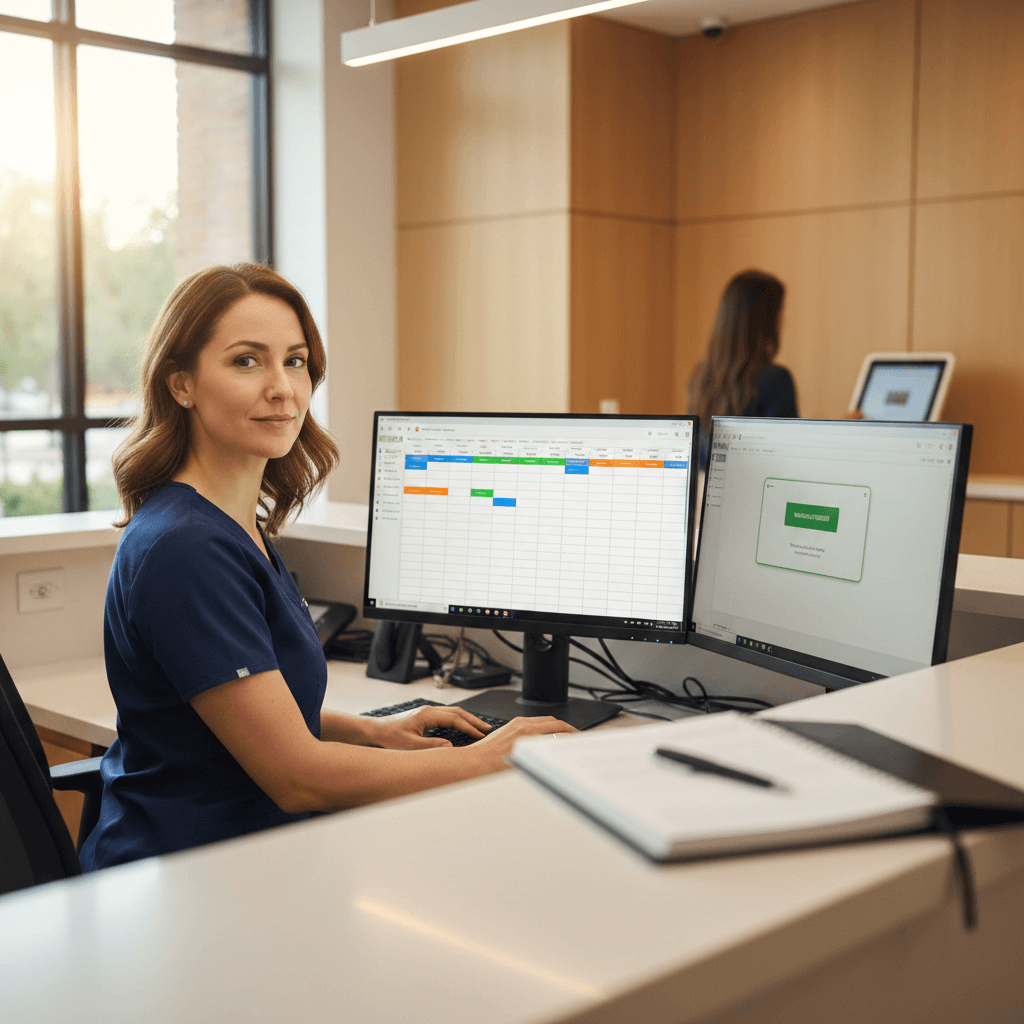
Dental Appointment Scheduling Systems: 2026 Buyer Guide
Compare dental appointment scheduling systems in 2026, learn must-have features, HIPAA considerations, and a scoring rubric to choose the right platform.
Share:
Table of contents
Introduction
Dental appointment scheduling System is no longer just a digital calendar. For practice owners and administrators, it is the operational system that protects production, keeps chairs filled, and reduces the daily load on the front desk.
When scheduling breaks down, the cost shows up fast: missed calls, double booking, late arrivals, frustrated teams, and open chair time that is difficult to recover later in the day.
This guide explains what dental appointment scheduling System is, which features matter most in 2026, how scheduling layers integrate with a PMS, what HIPAA and security questions you must ask, and how to compare leading platforms with a rubric and side-by-side table.
What is dental appointment scheduling System?
Dental appointment scheduling System is the set of tools a dental practice uses to create, modify, and manage appointments across providers, operatories, and procedure types. The best systems do more than store appointments. They enforce scheduling rules, automate confirmations and reminders, and keep schedule data aligned with the practice management system (PMS).
Dentistry adds complexity that generic calendar tools do not handle well. Appointment length varies by procedure, multiple team members can be involved, some visits require specific rooms or equipment, and hygiene and doctor scheduling behave differently. A dental-specific system helps your team place the right appointment in the right slot with fewer manual steps and fewer downstream errors.
In most practices, scheduling problems are not caused by a lack of appointment slots. They are caused by friction: patients cannot reach the office, staff spend too long on back-and-forth reschedules, and confirmations happen too late to save the day. Modern systems address that friction with online booking, automated outreach, and clearer ownership of exceptions.
What features should dental appointment scheduling System include?
A scheduling tool should be evaluated by what it prevents, not only what it enables. The goal is to reduce avoidable work for your team while protecting production.
Real-time schedule controls and visibility matter first. Look for multi-provider and multi-operatory views, permission levels by role, and guardrails that prevent double booking. Advanced controls include provider templates, procedure-based time blocks, and scheduling rules that prevent mismatched appointment types from landing in the wrong columns.
Online booking needs dental logic. An online dental booking system cannot be a generic slot picker. It needs appointment-type rules, buffers, and eligibility logic so you do not end up with a new patient exam booked into a 15-minute hygiene slot. You should be able to decide which appointment types are bookable online, how far out patients can book, and whether specific appointment types require staff review before they are finalized.
Reminders and confirmations should be two-way. One-way reminders reduce some no-shows, but practices usually see the biggest operational benefit when the system can confirm, reschedule, or route exceptions back to staff with clear ownership. For higher production visits, you want escalation rules, for example, notifying the team when an appointment is not confirmed by a set deadline.
Waitlist automation should fill gaps, not create more work. A good waitlist identifies eligible patients for a newly opened slot, contacts them in priority order, and stops outreach as soon as the slot is taken. If direct booking is offered, ask how the system prevents race conditions and double booking when staff are also filling the schedule.
Analytics should answer operational questions. Dental calendar System is only as good as the decisions it enables: which appointment types cancel most often, which providers have unfilled gaps, what gets booked after hours, and which communication channels actually convert into booked visits.
How does dental appointment scheduling System integrate with your PMS?
Most practices already run a PMS for patient records, billing, and insurance workflows. If scheduling sits outside the PMS without reliable synchronization, your team ends up reconciling two systems, and automation becomes fragile.
Two integration depths matter in real life. A read-only connection can view schedule availability and patient demographics but cannot reliably write changes back to the PMS. This may be fine for basic reminders, but it creates friction when patients request changes online or by phone and your staff must re-enter appointments manually.
A two-way sync with write-back can create, reschedule, or cancel appointments and write those updates back to the PMS, ideally in near real time. For scheduling System for dentists, this is often the difference between automation that saves time and automation that creates cleanup work.
In a healthy workflow, the PMS remains the system of record. The scheduling layer reads availability and scheduling rules, then books or modifies appointments through a controlled write-back pathway. Confirmations and reminders are logged, and staff can see context when a patient calls.
In demos, ask vendors to demonstrate three edge cases: a same-day cancellation with waitlist fill, a reschedule that changes providers, and an appointment type that requires a specific operatory or time block. Then ask how the system behaves when two people try to book the same slot, one online and one at the front desk.
How should dental appointment scheduling System handle HIPAA and compliance?
Scheduling and communications tools routinely touch ePHI. That means your evaluation has to include security controls and legal readiness, not just features.
Encryption in transit and at rest: confirm the platform encrypts data in transit and at rest, and ask how encryption keys are managed. If a third party processes messages or voice content, clarify what content is transmitted and how it is protected.
Access controls and least privilege: role-based permissions should limit what each staff role can view and change. You should be able to remove access quickly, enforce strong authentication, and audit who did what.
Business Associate Agreement: if a vendor creates, receives, maintains, or transmits PHI on your behalf, expect a Business Associate Agreement (BAA). Ask for the BAA early, before implementation.
Audit logs and monitoring: you need audit trails for access and schedule changes, plus monitoring and alerting for unusual activity.
Backup and recovery: ask how backups work, how often they run, recovery time expectations after an outage, and what happens to your data if you leave the vendor.
SOC 2 and HITRUST: these are not required by HIPAA, but they can indicate stronger operational controls. If a vendor claims certifications, ask for the most recent report or attestation and the scope.
Staff training and shared responsibility: ensure your team is trained on secure messaging policies and verification workflows.
For compliance guidance specific to your practice, consult a healthcare attorney or HIPAA compliance specialist. You May Need To Read This.
Want to Know More? Book a Free Demo
How do you choose dental appointment scheduling System for your practice?
Start with workflow, not features. Map how scheduling happens today: inbound calls, web requests, reschedules, confirmations, cancellations, and the handoff into billing and clinical ops. Then score platforms against that real workflow.
Integration depth with your PMS: ask which PMS platforms are supported and whether scheduling changes write back.
Booking experience and controls: confirm appointment-type logic, buffers, provider templates, and approval workflows.
Automation coverage: evaluate reminders, confirmations, waitlist rules, and after-hours handling.
Implementation and support: ask about onboarding, training, and how long it typically takes to reach stable performance.
How to Score and Compare Dental Appointment Scheduling System
Use the rubric below to compare platforms consistently. Score each criterion from 1 to 5 based on what you see in demos and what the vendor documents publicly.
| Criteria | What to Evaluate | Score (1–5) |
|---|---|---|
| PMS Integration Depth | Two-way sync, write-back, reliability, edge cases, conflict handling | __/5 |
| Online Booking UX | Dental logic, appointment types, buffers, approvals, mobile flow | __/5 |
| Reminders and Confirmations | Two-way confirmation, reschedule flows, escalation rules | __/5 |
| Waitlist Automation | Eligibility logic, auto-stop when filled, direct booking safety | __/5 |
| Analytics and Reporting | Dashboards, attribution, gap analysis, exports | __/5 |
| Security and HIPAA Compliance | BAA, encryption, access controls, audit logs, backups | __/5 |
| Support and Onboarding | Implementation plan, training, response times | __/5 |
Use this rubric alongside live demos and reference checks, not as a replacement for them.
Best Dental Appointment Scheduling System: Platform-by-Platform Comparison
Scores reflect publicly documented features and user feedback. Confirm HIPAA configuration, BAA availability, and integrations directly with each vendor.
Disclosure: This guide is published by DentalBase, which is included in the comparison below. All platforms were assessed using the same published criteria. Practices should conduct independent evaluation, including live demos and reference checks, before purchasing any platform.
How we scored: Based on published documentation, integrations pages, and user reviews on G2 and Capterra as of February 19, 2026.
| Platform | Best For | Key Strengths | Limits | PMS Integrations | Quick Verdict |
|---|---|---|---|---|---|
| DentalBase | All-in-one scheduling plus AI receptionist workflow | Online scheduling with PMS write-back; DentiVoice AI handles calls and booking; analytics dashboards; HIPAA-focused trust signals; US-based support; reported outcomes include a 35% new patient increase and 4 hours daily time savings. | Confirm BAA terms, access controls, and PMS compatibility for your workflow. | Confirm your PMS during demo. | Strong fit when calls, scheduling, and follow-up need one owned workflow. |
| NexHealth | Online booking and waitlist automation | Scheduling and waitlist features; Synchronizer-based PMS syncing. | Integration depth varies by PMS and configuration; some users report usability issues. | Confirm PMS and write-back behavior. | Good fit for online booking plus waitlist workflows. |
| Solutionreach | Patient communications at scale | Claims 400+ native integrations; communication automation and engagement workflows. | Some users report workflow disruption from updates; confirm reporting needs. | Confirm dental PMS details. | Good fit when communication automation is primary. |
| Weave | Phone and texting stack with scheduling tools | Phone plus messaging; waitlist and direct booking described in help resources. | Bundles vary; some users report downtime; confirm exact package and PMS behavior. | Confirm PMS and modules. | Good fit if communications are your core need. |
| Doctible | Reminders, messaging, and digital waitlist add-ons | EasyFill waitlist feature; integration statements for dental use cases. | Confirm PMS write-back and scheduling depth; some users report reporting gaps. | Confirm PMS and scheduling behavior. | Good fit for engagement workflows layered on the PMS schedule. |
Questions to Ask Every Dental Scheduling Vendor
Bring this list to every demo.
Integration and Compatibility
- Which PMS platforms do you support, and is the integration true write-back for create, reschedule, and cancel?
- How do you handle conflicts when a slot changes while a patient is booking online or while staff are booking by phone?
- What edge cases do you support, such as multi-provider visits and operatory requirements?
Security and Compliance
- Will you sign a BAA, and does it cover subcontractors involved in hosting, messaging, or voice?
- What encryption is used in transit and at rest, and how are keys managed and rotated?
- What audit logs are available to the practice, and how long are they retained?
- What backup and disaster recovery commitments are in the contract?
Features and Automation
- How do confirmations and reschedules work end-to-end, including two-way replies and staff escalation rules?
- How does your waitlist decide eligibility and stop outreach once a slot is filled?
- If AI or call handling is included, how are exceptions routed to staff and audited?
Implementation and Support
- What does onboarding look like week by week, and what time should our team plan for during go-live?
- What training is provided, and is it recorded for new hires?
- What response times do you commit to, and do we get a success contact?
- How do you measure success after go-live, and what metrics should improve first?
Pricing and Contracts
- What fees are variable (texts, calls, integrations), and what does a realistic monthly total look like for our volume?
- What are renewal and cancellation terms, and are there data export fees if we leave?
Ready to modernize scheduling without adding front desk load?
If your goal is to reduce missed calls, improve booking consistency, and keep your schedule full, validate fit in a live demo using your PMS and appointment types.
Related Articles
Frequently Asked Questions
Dentists commonly use specialized dental practice management software that includes scheduling features, such as Dentrix, Eaglesoft, Open Dental, and Practice-Web. These platforms offer appointment booking, patient management, treatment planning, and billing integration. Cloud-based solutions like Weave, Curve Dental, and Tab32 are increasingly popular for their accessibility and real-time synchronization across devices.
The best dental appointment scheduling software depends on practice size and needs. Top-rated options include Dentrix for comprehensive practice management, Weave for patient communication integration, Open Dental for customization, and Practice-Web for cloud-based accessibility. Key factors to consider include ease of use, patient portal features, integration capabilities, HIPAA compliance, and pricing structure.
The 80/20 rule in dentistry states that 80% of a practice's revenue typically comes from 20% of its patients. This principle helps dentists focus on high-value patients and treatments. In scheduling context, it means prioritizing appointment slots for procedures that generate the most revenue while maintaining efficient time management and patient satisfaction.
Dentrix is considered the most widely used dental practice management software in the United States, holding a significant market share. Other popular platforms include Eaglesoft, Open Dental, and SoftDent. The choice often depends on practice size, with larger practices favoring comprehensive solutions like Dentrix, while smaller practices may prefer more affordable options like Open Dental.
Yes, most modern dental appointment scheduling software includes a patient portal or online booking feature. This allows patients to view available time slots and schedule their own appointments 24/7 without calling the office. Practices can typically customize which appointment types, providers, and times are available for online booking to maintain control over their schedule.
Was this article helpful?
Written by
DentalBase Team
The DentalBase Team is a collective of dental marketing experts, AI developers, and practice management consultants dedicated to helping dental practices thrive in the digital age.