Dental Call Handling System: 2026 Complete How-To Guide
Dental call handling systems cut missed calls by 25-30%. See how they work, what they cost, HIPAA requirements, and step-by-step implementation advice.
Share:
Table of contents
Introduction to Dental Call Handling Systems
The average dental office receives 50–100 calls daily, ranging from appointment requests to emergency consultations. Staff juggles patient care responsibilities while answering phones, leading to missed calls, scheduling errors, and frustrated patients. Studies from the American Dental Association indicate practices lose approximately 15–20% of potential appointments due to inadequate phone handling. During peak hours, calls often go to voicemail, pushing patients toward competitors.
A dental call handling system replaces traditional phone management with structured workflows that ensure no patient inquiry goes unanswered. This guide covers how these systems operate, what features to look for, how to implement them, what mistakes to avoid, and how AI is shaping the future of dental call handling.
By mid-2026, cloud-based call handling has become the default for new installations, and AI-assisted routing is no longer a premium add-on. Practices that adopted these tools in 2024-2025 are now reporting measurable gains in both new patient conversion and staff retention. The guidance below reflects those real-world results alongside updated compliance expectations from CMS and HHS enforcement trends through Q2 2026.
What Is a Dental Call Handling System?
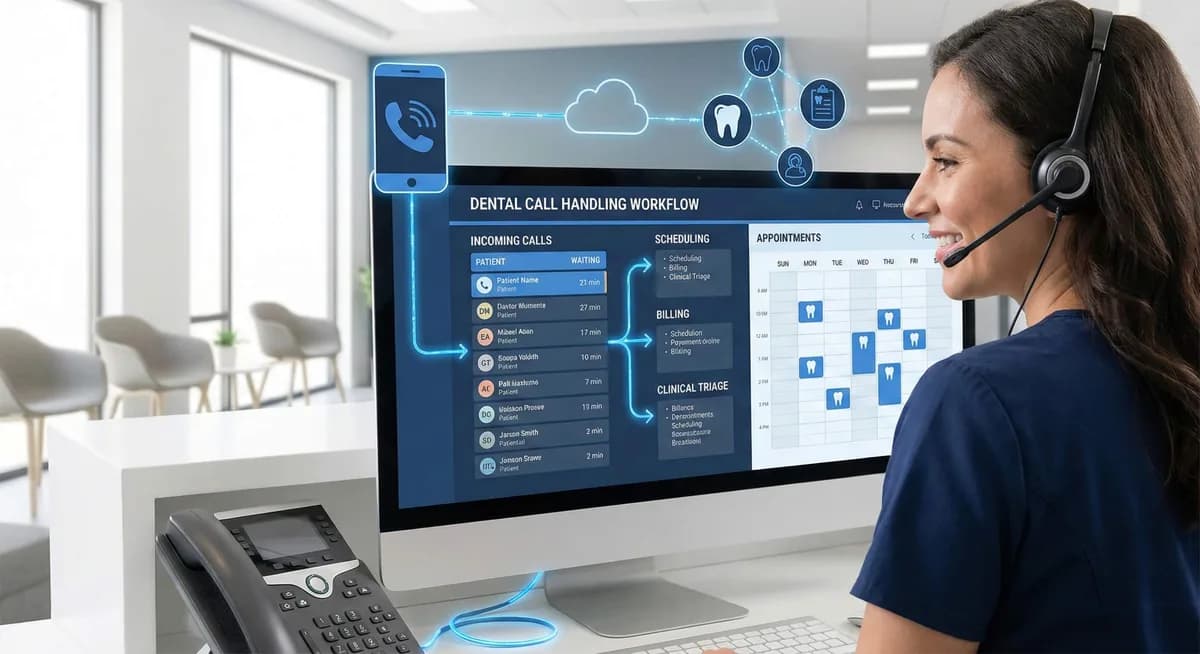
A dental call handling system is a telecommunications solution designed specifically for dental practice workflows. Unlike standard business phone systems that treat all calls equally, these solutions route calls based on urgency, patient status, and appointment type. A call about severe tooth pain reaches clinical staff immediately, while insurance verification can be queued during busy periods.
These systems integrate directly with practice management software, accessing patient records, appointment calendars, and treatment histories during calls. When a patient calls, the system displays their information instantly, enabling personalized service without manual record searches.
Advanced systems include automated scheduling through interactive voice responses and online portals, HIPAA-compliant call recording, secure message delivery, and audit trails supporting regulatory requirements.
Core Features and Components of a Dental Call Handling System
Call Routing, Queues, and Voicemail
Intelligent call routing forms the foundation of effective dental call handling. Emergency calls are identified through keyword detection or direct emergency lines and routed immediately to clinical staff. Routine appointment requests flow to scheduling coordinators, and billing inquiries reach administrative staff.
Queue management provides patients with estimated wait times, queue position updates, and callback options so they can maintain their position without staying on hold. Voicemail systems integrate with practice management software, automatically creating follow-up tasks so no inquiry is forgotten.
Integration With Dental Practice Software
Modern systems integrate seamlessly with platforms like Dentrix, Eaglesoft, and Open Dental. Patient information displays automatically based on caller ID, providing staff immediate access to appointment history, treatment plans, and account status. Staff can view real-time calendar availability, book appointments during calls, and send confirmation messages automatically.
Treatment coordinators can access treatment plans during calls without switching between platforms, aligned with treatment planning best practices.
See How Smarter Call Handling Works
Find out how DentalBase helps practices capture every call, automate scheduling, and reduce front desk workload.
Book a Free Demo →How a Dental Call Handling System Works
Step-by-Step Call Flow
When a patient calls a practice using a dental call handling system, the process begins with automatic caller identification. The system queries the practice database, matching phone numbers to patient records and displaying relevant information before staff answer.
Incoming Call Flow: 6 Steps From Ring to Resolution
Caller ID Match
Phone number is matched against the patient database. Name, appointment history, and account status appear before staff pick up.
New vs. Existing Patient Flag
Unrecognized numbers are flagged for new patient intake. Existing patients get a personalized greeting path.
Purpose Detection & Urgency Scoring
Keywords like "pain," "broken," or "emergency" trigger immediate clinical routing. Routine requests follow standard queues.
Staff Availability Check
The system checks which team members are available and routes to the right person. If all lines are busy, patients get estimated wait times and callback options.
Action Taken (Schedule, Triage, or Transfer)
Staff resolve the inquiry: book an appointment, answer a billing question, or escalate to clinical decision-makers with full context attached.
Auto-Log & Follow-Up
Every call is logged with outcome, duration, and notes. Confirmation texts or follow-up tasks are generated automatically.
If the caller is a new patient, the system flags them for appropriate intake procedures. This immediate identification enables personalized greetings and informed responses from the first moment of contact.
The system then applies routing rules based on call purpose and current office status. Emergency calls bypass standard queues, connecting directly to clinical staff or triggering after-hours protocols.
Appointment requests route to scheduling coordinators with access to real-time calendar information. The system monitors staff availability, automatically redistributing calls when specific team members become unavailable or overwhelmed with their current call volume.
Call Flow Examples by Appointment Type
Routine cleanings and checkups follow streamlined scheduling workflows. The system identifies available hygienist appointments, confirms insurance coverage, and books the appointment while generating automated confirmation messages. For specialty procedures requiring pre-treatment consultations, the system routes calls to treatment coordinators who can discuss procedures, provide cost estimates, and schedule multiple appointments in sequence.
Emergency calls activate specialized protocols within thedental call handling system. Pain-related calls connect immediately to clinical staff who can assess severity and provide immediate guidance.
After-hours emergencies trigger automated protocols that contact on-call dentists or direct patients to appropriate emergency services. The system logs all emergency interactions for continuity of care and regulatory compliance informed by oral health guidelines. Complex treatment calls involving multiple procedures route to senior staff members who can coordinate comprehensive treatment planning and discuss financial arrangements with patients.
Questions to Ask Before Choosing a Call Handling System
Selecting the right system requires targeted questions for every vendor conversation. Use this checklist during evaluations:
| Evaluation Area | Key Question |
|---|---|
| PMS Integration | Does it integrate natively with our specific practice management software? |
| Emergency Routing | Can emergency calls bypass all queues and reach clinical staff immediately? |
| After-Hours Handling | Does it support customizable after-hours protocols with on-call notifications? |
| Language Support | What languages does the system support for IVR and live interactions? |
| Patient Self-Service | Can patients schedule, confirm, and cancel appointments without staff assistance? |
| Reminder Channels | Does it send reminders via voice, SMS, and email with customizable timing? |
| Analytics | What call performance reports and dashboards are included? |
| HIPAA Compliance | Is call recording storage HIPAA-compliant, and where is data hosted? |
| Implementation Timeline | What is the typical timeline from contract to full operation? |
| Failover Procedures | What happens during system downtime — is there automatic failover? |
| Scalability | Can the system support additional locations without a full rebuild? |
Related: Planning to compare virtual receptionist options alongside traditional systems? → Dental Virtual Receptionist Features: The 2026 Checklist
Operational and Patient Communication Benefits
Implementing a dental call handling system typically reduces administrative workload by 25–30%. Scheduling coordinators work more efficiently with integrated calendar access, reducing booking time from an average of 8 minutes to 3 minutes per call. Call analytics reveal peak call times, handling duration, and common inquiry types, supporting smarter staffing decisions.
Patients experience reduced wait times and more personalized service. Automated appointment reminders reduce no-show rates by up to 40%. Multiple communication channels, voice, text, and online portals let patients choose their preferred method. After-hours capabilities ensure urgent needs receive attention even when the office is closed. Multilingual support expands accessibility to diverse patient populations, supporting practice growth goals.
Key Metrics to Track After Implementation
| Metric | What It Tells You |
|---|---|
| Missed Call Rate | Is the system capturing every patient inquiry? |
| Average Hold Time | Is routing working efficiently, or are patients waiting too long? |
| First-Call Resolution Rate | Are patients getting answers without requiring callbacks? |
| Appointment Booking Time | Has scheduling speed improved with PMS integration? |
| No-Show Rate | Are automated reminders reducing missed appointments? |
| New Patient Conversion Rate | Are new inquiries becoming booked appointments? |
| After-Hours Call Volume | Do off-hours protocols need adjustment? |
| Call Abandonment Rate | Are callers dropping off during IVR navigation or hold queues? |
Establish baselines during the first two weeks, then review monthly for six months and quarterly thereafter. The most actionable insights come from correlating metrics together — for example, a low missed call rate combined with a high abandonment rate suggests calls are answered, but patients drop off during navigation.
Implementing a Dental Call Handling System
Successful implementation begins with documenting current call handling processes, identifying pain points, peak call times, and staff responsibilities. Technical preparation involves assessing infrastructure and integration requirements. Most systems require high-speed internet and compatible practice management software. Staff training typically requires 2–3 weeks for full proficiency.
Typical Implementation Timeline
Week 1-2: Discovery & Setup
Document current call workflows, map pain points, configure routing rules, and connect PMS integration.
Week 2-3: Staff Training
Hands-on sessions covering new call flows, system navigation, emergency protocols, and after-hours procedures.
Week 3-4: Parallel Testing
Run the new system alongside existing processes. Catch configuration gaps while risk is still low.
Week 5+: Full Cutover & Optimization
Go live, establish baselines for all metrics, review weekly for the first month, then monthly thereafter.
Staff resistance often emerges during transitions. Address it through hands-on training that demonstrates how the system simplifies their work. Some practices benefit from phased implementation, starting with basic features and gradually adding advanced capabilities. Update website information and patient communications to explain any changes in phone procedures, aligned with dental industry trends.
Ready to Replace Missed Calls With Booked Appointments?
See the exact call handling setup that helped a single-location practice recover 25 new patients in 3 months.
Book a Free Demo →Common Mistakes to Avoid
Too many IVR layers. Systems that force patients through four or five menu selections before reaching a human create frustration. Limit menus to two levels at most, with a clear option to reach a live person at every stage.
Stale routing rules. When staff roles change, routing logic must be updated immediately. Assign one team member as the system administrator responsible for routing configurations and on-call schedules.
Ignoring analytics. The system generates valuable data about call patterns and handling times. Practices that stop reviewing this data after the first few weeks lose one of the system's most valuable benefits. Review monthly.
Skipping parallel testing. Run the new system alongside existing processes for one to two weeks before full cutover. This catches configuration issues while they're still low-risk to fix.
Assuming the system replaces phone skills. Automated routing improves efficiency, but empathy, active listening, and professional tone still determine whether inquiries become booked appointments. The system handles logistics. Staff handle relationships.
Forgetting holiday schedules. Program all closures, holidays, and reduced-hours days into the system at the start of each year and review quarterly.
Cost Considerations
Most systems use subscription-based pricing, monthly or annually per provider, location, or phone line. Setup and onboarding fees cover configuration, PMS integration, and staff training. Watch for hidden costs: call recording storage overages, after-hours routing surcharges, additional user seats, and premium analytics packages.
To build the business case, calculate your current monthly missed call volume, estimate average revenue per new patient appointment, and project the recovery rate. If your practice loses 15–20% of appointments to missed calls, even recovering a fraction generates significant revenue. The Phoenix practice example below gained $45,000 in additional revenue within three months of implementation.
Quick Cost Formula
Cost per Missed Call = (Average production per visit × Visits lost) + Admin labor to follow up − (Recovered appointments)
Simple Recovery Example:
- $250 average production per visit
- 20 missed calls converting to lost appointments per month
- 30% recovery with a call handling system = 6 recovered visits
- = $1,500/month (or $18,000 per year) — without adding staff, space, or marketing.
And that's a conservative estimate. Calculate your exact ROI →
Related: Need exact pricing ranges for virtual and AI receptionist solutions? → Dental Virtual Receptionist Cost in 2026: Full Breakdown
Compliance, Privacy, and Security Considerations
HIPAA compliance is non-negotiable. The system must encrypt all patient communications during transmission and storage. Call recordings require secure storage with access controls and audit trails. Patients must consent to recording, and the system should announce when recording occurs.
Role-based permissions limit what different staff members can access. Scheduling staff might see appointment information but not treatment notes. Multi-factor authentication, automatic session timeouts, and regular access reviews are essential. Staff departure procedures must include immediate access revocation.
| Compliance Feature | HIPAA Requirement | System Implementation |
|---|---|---|
| Call Recording Consent | Patient Authorization | Automated disclosure announcements |
| Data Encryption | Protected Health Information | End-to-end encryption protocols |
| Access Logging | Audit Trail Requirements | Comprehensive activity logs |
| User Authentication | Authorized Access Only | Multi-factor authentication systems |
| Data Retention | Minimum Necessary Standard | Configurable retention policies |
Real-World Scenarios in Dental Practices
Small Practice: Suburban Phoenix
A single-dentist practice missed 30% of calls during peak treatment times, losing approximately 15 new patients monthly. After implementing a dental call handling system with automated scheduling and intelligent routing, missed calls dropped to less than 5%. New patient inquiries route to the treatment coordinator; emergency calls alert the dentist via mobile notifications. The practice gained 25 new patients in three months, generating $45,000 in additional revenue. Staff reported significantly reduced stress levels.
Multi-Location Practice: Denver
A four-location dental group struggled with inconsistent patient experiences and redundant administrative tasks across sites. A centralized system enables patients to call one number for all locations with intelligent routing based on patient records and preferences. The result: 40% improvement in scheduling efficiency, 50% reduction in administrative overhead, and 30% increase in patient satisfaction scores.
Your Practice Could Be Next
The Phoenix and Denver practices above started with a 30-minute demo. See what AI call handling looks like for your setup.
Book a Free Demo →Related: Weighing whether to hire another front desk person or go with AI? → Dental Front Desk vs AI: Hire or Automate?
AI and the Future of Dental Call Handling
The systems described in this guide represent a major advance over traditional phone management, but the technology continues evolving. AI-powered dental call handling systems understand natural language, allowing patients to speak conversationally rather than navigate rigid touch-tone menus. A patient can say "I chipped my tooth and I'm in pain" and the system recognizes the urgency, classifies the call, and routes it accordingly.
AI systems go beyond routing to handle complete interactions: scheduling appointments by matching procedure types with provider availability, verifying insurance in real time, answering FAQs about office hours and accepted plans, and conducting post-treatment follow-up calls. These capabilities operate around the clock, giving after-hours callers the same quality of interaction as business-hours patients. For an honest breakdown of exactly where AI excels and where human staff remain essential, see our guide on what a dental AI receptionist can and can't do.
The shift accelerated through early 2026. Practices that ran AI call handling as a pilot in late 2025 are now reporting 6-month data showing sustained reductions in missed calls and measurable improvements in new patient conversion rates. Multi-location groups in particular found that centralizing call handling through AI reduced per-location staffing costs while keeping patient satisfaction scores stable or improved.
AI integrates with the same practice management platforms discussed in this guide — Dentrix, Eaglesoft, Open Dental — but uses patient records, treatment histories, and scheduling data to conduct interactions autonomously. Staff attention shifts from routine, repetitive phone tasks toward higher-value interactions requiring human judgment and empathy.
DentalBase's AI Receptionist combines the structured workflows and compliance standards described in this guide with conversational AI that handles patient calls naturally and intelligently.
Real Practice Results
"We were missing nearly a third of our calls during peak hours — my front desk was overwhelmed. Within 8 weeks of switching to AI-powered call handling, our missed call rate dropped to almost zero. The financial impact was immediate, but the biggest win was operational — my team finally had time to focus on the patients actually in the office instead of being glued to the phone."
— Dr. Rahim, Practice Owner Peterborough Family Dental & Implant Center
Conclusion
A dental call handling system addresses one of the most persistent operational challenges in dental practice management: ensuring every patient call receives timely, informed, professional attention. The right system reduces missed calls, improves scheduling efficiency, maintains HIPAA compliance, and frees staff to focus on in-office patient care.
The practices that get the most value from these systems are the ones that treat implementation as an ongoing process, not a one-time project. That means choosing a system with the right integrations from day one, training staff thoroughly, tracking performance metrics monthly, and refining routing rules as the practice evolves. The evaluation checklist and metrics framework in this guide give you a concrete starting point for both the vendor selection process and the post-launch optimization that separates good implementations from great ones.
The technology is also moving fast. AI-powered call handling is no longer a future concept; practices are already using it to eliminate missed calls, automate scheduling, and give patients a seamless experience around the clock. The practices that adopt these tools early gain a compounding advantage: more captured appointments, lower administrative costs, and a patient experience that builds loyalty and referrals over time.
Whether you operate a single location or multiple offices, the frameworks and strategies outlined here provide a practical foundation for transforming your practice's phone communication. Start with your biggest pain point — whether that's missed calls, after-hours coverage, or scheduling bottlenecks — solve it, measure the impact, and build from there.
Ready to see how AI call handling works in practice?Book a free demo with DentalBase and see the difference firsthand.
All statistics represent general industry benchmarks and may vary based on practice characteristics, patient demographics, and system configurations.
Sources & References
Frequently Asked Questions
A dental call handling system is a phone management solution built for dental practices. It routes calls based on urgency, integrates with your PMS to display patient records during calls, and automates scheduling, reminders, and after-hours coverage while maintaining HIPAA compliance.
Incoming calls are matched to patient records via caller ID, then routed based on purpose and urgency. Emergency calls reach clinical staff immediately. Routine requests go to scheduling coordinators with real-time calendar access. The system logs every interaction and generates follow-up tasks automatically.
Reputable systems are designed for HIPAA compliance with encrypted communications, secure call recording storage, role-based access controls, and audit trails. Confirm your vendor offers a Business Associate Agreement and verify where patient data is hosted before signing.
Most charge a monthly subscription per provider or location, plus one-time setup fees. Watch for hidden costs like recording storage overages and after-hours surcharges. Use the ROI formula in this guide to estimate whether recovered missed calls justify the expense for your practice.
Most modern systems integrate with Dentrix, Eaglesoft, Open Dental, and other major platforms. Integration depth varies from basic calendar syncing to full two-way data exchange. Ask vendors specifically about your PMS and whether it requires middleware.
The system detects urgent keywords or caller input, then follows your defined protocols: connecting to an on-call dentist, providing automated triage guidance, or directing patients to emergency services. All after-hours interactions are logged for next-day follow-up.
Yes. Well-designed systems include a clear path to live staff at every stage. Automation handles routine inquiries, and patients who need human help connect to a team member at any point in the call flow.
Was this article helpful?
Written by
DentalBase Team
The DentalBase Team is a collective of dental marketing experts, AI developers, and practice management consultants dedicated to helping dental practices thrive in the digital age.