
Dental Practice Management Software: The Complete Guide
Dental practice management software now spans scheduling, billing, imaging, and more. See how the full practice tech stack fits together.
Share:
Table of contents
Dental practice management software has grown well past a single scheduling program into a full stack of connected tools. A three-provider practice can easily run six or seven different platforms at once: one for the calendar, another for insurance claims, another for patient texting. That adds up fast. Most practices never planned this stack on purpose. It grew one urgent problem at a time.
This guide breaks the practice tech stack into plain categories: scheduling, patient communication, imaging, billing, reputation, and intake. The DentalBase platform is one example of how several of these pieces connect, but the categories below apply no matter which vendor you use. Dental employment is projected to grow 4% from 2022 to 2032, according to the Bureau of Labor Statistics, and busier practices lean harder on software to keep pace without adding headcount.
You'll get a plain look at what each category actually does, how cloud and on-premise options differ, and what to check before adding one more tool to an already crowded system.
What Counts as Dental Practice Management Software Today?
Dental practice management software refers to any digital tool that runs the business and clinical side of a practice, not just the appointment book. That includes scheduling, billing, imaging, patient messaging, reputation tracking, and digital intake forms. Most practices now run several of these as separate, connected systems rather than one program.
From One Program to a Stack
Ten years ago, "practice management software" usually meant one desktop program handling charting, scheduling, and billing in a single window. That's changed. A modern practice tech stack often includes a core practice management system plus separate tools for text messaging, online reviews, and digital forms, each connected through integrations rather than built into one platform.
Buying by Category, Not All at Once
Why does that matter? Because buying decisions now happen category by category, not all at once. A practice might keep an existing core system for charting and billing, then add a dedicated communication tool on top of it. Understanding the categories first keeps you from paying twice for the same function under two different names. If you're evaluating a core system specifically, a detailed walkthrough of that decision lives in our guide to choosing dental practice management software. The categories below cover everything that typically sits around that core system.
What Are the Core Categories of Dental Practice Tools?
The dental practice tech stack breaks down into six core categories: scheduling and recall, patient communication, imaging and charting, billing and insurance, reputation management, and patient intake. Each category solves a different operational problem, and most practices need at least one tool in every category.
The Six Core Categories
| Category | Primary Function | Example Workflow |
|---|---|---|
| Scheduling and recall | Booking, reminders, waitlists | Patient reschedules online, system fills the gap |
| Patient communication | Texting, calls, follow-up | Automated recall text goes out at the six-month mark |
| Imaging and charting | X-rays, perio charting, notes | Digital X-ray syncs directly into the patient chart |
| Billing and insurance | Claims, eligibility, payments | Eligibility check runs automatically before the visit |
| Reputation management | Review requests, responses | Post-visit text invites a Google review |
| Patient intake | Digital forms, e-signatures | New patient fills history forms before arriving |
How Much to Consolidate
Not every practice needs a separate tool for each row. Smaller practices often combine two or three categories into one platform, while larger, multi-location groups tend to run dedicated systems for each. Either approach works. What matters is knowing which category a gap actually belongs to before you shop for a fix.
Mapping your own tech stack?
Browse practical guides on scheduling, billing, and patient communication tools built specifically for dental practices.
Browse Resources →How Does Scheduling and Recall Software Work?
Scheduling and recall software manages the calendar, sends automated reminders, and fills gaps left by cancellations. Most systems combine online booking with a rules-based recall engine that flags patients due for a cleaning or follow-up. The goal is fewer empty chairs and less manual phone work for the front desk.

Why the Gap Costs More Than It Looks
Practices with online scheduling see roughly 24% fewer no-shows compared to phone-only booking, according to Dental Economics. That gap matters more than it sounds. A three-provider practice running 100 weekly appointments can lose real production to a handful of empty slots every week, and recall software is often the cheapest fix available for that specific problem.
What to Look For
Look for three things when evaluating this category:
- Two-way texting, not just one-way reminder blasts
- Automatic waitlist fill when a cancellation opens a slot
- Recall rules that adjust by procedure type, not a flat six-month cycle for everyone
Our complete guide to appointment reminder systems and patient recall system guide both go deeper into setting these rules up correctly for a real schedule, not a generic template.
What Should Practices Know About Patient Communication Tools?
Patient communication tools handle texting, voice calls, and automated follow-up outside of the core scheduling calendar. Yes, these often overlap with recall software, but the best ones add two-way conversation, not just outbound blasts. Many now include an AI answering layer for after-hours and overflow calls.
Comparing the Channels
| Channel | Best For | Limitation |
|---|---|---|
| SMS texting | Reminders, quick confirmations | Not ideal for complex questions |
| AI phone answering | After-hours calls, overflow | Needs a clear escalation path to staff |
| Longer follow-up, statements | Lower open rates than text |
Where AI Answering Fits
Take DentiVoice as one example of the after-hours category: an AI receptionist answers calls the front desk can't get to, then hands off anything complex to a human. Tools in this category increasingly rely on structured business data, the same kind Google documents in its local business guidelines, to keep hours and booking links accurate across search and maps.
The practical test isn't which channel looks the most modern. It's whether a message actually reaches a patient who then acts on it, and whether your team can see every channel in one inbox instead of four separate logins.
How Do Imaging and Charting Systems Fit Into the Stack?
Imaging and charting systems store digital X-rays, intraoral photos, and clinical notes inside a patient's record. Most integrate directly with the core practice management system so an image taken chairside appears in the chart within seconds. Storage, not capture, is usually where practices run into trouble first.
Sensors, Cameras, and Where Files Land
Here's the thing about imaging software specifically: the sensor or camera brand matters less than where the files end up. A digital X-ray sensor that can't write directly into your charting software just creates a second folder nobody checks during a busy day. Look for DICOM-compatible imaging that plugs into your existing chart, not a standalone viewer.
Data Storage and Compliance
Every image and chart note is protected health information, which means storage decisions are also compliance decisions. Our HIPAA compliance checklist walks through what to verify with any imaging or charting vendor before signing a contract, including where backups live and who can access them.
- Confirm a signed business associate agreement is in place
- Check whether images sync automatically or require manual export
- Ask how long backups are retained and where they're stored
Curious how these pieces fit together for your practice?
See a live walkthrough of scheduling, communication, and reputation tools working from one dashboard.
Book a Free Demo →What Does Billing and Insurance Software Handle?
Billing and insurance software handles claims submission, eligibility verification, and patient payment collection. Most practices run this as a distinct category because it touches revenue directly, and errors here cost real money fast. A single denied claim can take a front desk staffer twenty minutes to fix by hand.
Automated Eligibility Verification
Automated eligibility verification is the highest-leverage piece of this category for most practices. Instead of a staffer calling an insurer or checking a portal before every visit, the software pulls coverage details automatically and flags anything unusual, like a lapsed plan or a waiting period. That single change removes a chunk of manual work from every single day, not just the busy ones. Reactivating an existing patient typically costs far less than acquiring a new one, and automated recall systems have been shown to increase patient return rates by 25 to 40%, according to Dental Economics.
What This Software Should Handle
- Verify eligibility automatically before the appointment, not the morning of
- Submit claims electronically with built-in coding checks
- Send patient statements and collect payments through one interface
Our complete guide to automated insurance verification covers how to set this up without disrupting a schedule that's already running.
Why Does Reputation Management Software Matter?
Reputation management software matters because most patients choose a dentist based on reviews before they ever call the office. It automates review requests after appointments, tracks ratings across Google and other platforms, and flags negative feedback so staff can respond quickly. Left unmanaged, reviews accumulate slowly and unevenly.

Why Convenience Drives the Decision
Convenience drives more of this decision than practices expect. Roughly 72% of patients say convenience is a top factor when choosing a dental provider, according to the American Dental Association, and reviews are often the fastest signal of convenience a stranger can find: hours, wait times, how the front desk handles scheduling.
What Reputation Software Automates
Nearly all consumers now read local reviews before choosing a business, according to BrightLocal's annual consumer survey. Software in this category typically automates three things:
- A review request texted or emailed shortly after checkout
- A single dashboard pulling in ratings from Google, Facebook, and other sites
- An alert when a new review, especially a negative one, needs a response
Responding matters almost as much as collecting reviews in the first place. Practices that never reply to negative feedback tend to look worse over time than practices with the same rating who do.
How Do Patient Intake and Forms Tools Reduce Front-Desk Work?
Patient intake and forms tools replace the clipboard with digital forms patients complete before they arrive. Medical history, consent forms, and insurance details sync directly into the patient record, so front desk staff aren't re-typing handwriting between patients. The main benefit is time saved at check-in, not just convenience.
The New Patient Paperwork Problem
A new patient visit involves a surprising amount of paperwork: medical history, HIPAA acknowledgment, insurance assignment of benefits, sometimes a treatment consent form. Doing all of that on paper at check-in creates a bottleneck right when a practice most wants a smooth first impression. Digital intake moves that work earlier, usually a day or two before the appointment.
Not All Intake Tools Are Equal
Not every intake tool is equal, though. Some just replicate a paper form on a tablet, which barely helps. The better ones sync fields directly into the chart and flag missing information before the patient even arrives, so front desk staff spend check-in confirming details instead of typing them from scratch.
A related pattern shows up in new patient acquisition too. Our new patient bookings case study breaks down how one practice doubled bookings partly by removing friction at exactly this step, before a single ad dollar changed.
Front desk still buried in paperwork?
Explore more guides on reducing manual front-desk work across scheduling, intake, and billing.
Browse Resources →Cloud-Based vs. On-Premise: What's the Difference?
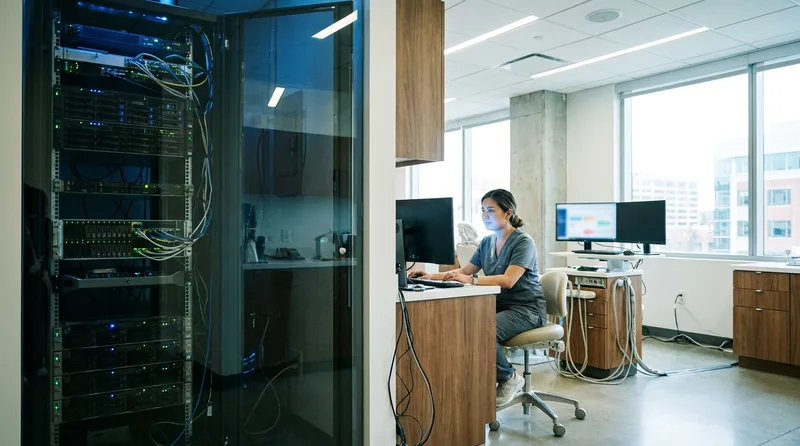
Cloud-based software runs through a browser and stores data on the vendor's servers, while on-premise software runs on a local server the practice owns and maintains. Cloud systems update automatically and work from any device. On-premise systems give the practice direct control over where its data physically lives.
Comparing the Two Models
| Factor | Cloud-Based | On-Premise |
|---|---|---|
| Upfront cost | Lower, subscription-based | Higher, server hardware required |
| Updates | Automatic, handled by vendor | Manual, scheduled by the practice |
| Remote access | Built in from any device | Usually requires a VPN setup |
| Data control | Data lives with the vendor | Data stays on practice-owned hardware |
Which One Fits Your Practice
Neither model is inherently better. A single-location practice that values simplicity tends to lean cloud. A multi-location group with strict internal IT policies sometimes prefers keeping servers in-house. The right answer depends on staff, budget, and how much internal IT support actually exists.
Budget alone shouldn't decide this. A cheaper on-premise system that nobody updates on schedule can end up costing more in downtime than a pricier cloud subscription ever would. More deployment-specific breakdowns live in our practice management category.
How Do These Practice Tools Integrate With Each Other?
These practice tools integrate through APIs that let separate systems share data automatically, like a scheduling platform pushing a new appointment straight into the core charting system. Integration quality varies a lot between vendors. Some connections sync in real time; others only update once or twice a day.
The Core System as the Hub
Core practice management systems like Open Dental or Dentrix typically serve as the hub, with scheduling, communication, and billing tools connecting into them rather than the other way around. That workflow matters when you're adding a new tool: check what it integrates with before you check what it costs.
Not always. Sometimes a newer platform becomes the hub instead, with the traditional core system handling only charting in the background. That shift is still uncommon, but it's worth asking a vendor directly which role their tool expects to play. Our comparison of PMS integration approaches looks at exactly this question in more detail.
When the Sync Only Goes One Way
A one-way sync (data flows in but nothing flows back out) is usually a warning sign. It works fine on day one, then quietly creates duplicate records six months later when two systems disagree about which one holds the correct patient phone number.
What Should a Practice Consider Before Adding New Software?
Before adding new software, confirm it integrates with your existing core system, check who owns the migrated data if you switch later, and budget for training time, not just the subscription fee. Skipping any of these three steps is the most common reason a new tool gets abandoned within a year.
A tool that solves one problem perfectly but ignores everything else in the stack tends to underperform its own sales pitch. Before signing, it helps to walk through the same short list every time, regardless of which category the new software falls into.
The Four-Point Check
- Confirm the integration with your core system, in writing, not just verbally
- Ask what happens to your data if you cancel: is it exportable, and in what format
- Budget real staff hours for training, not just a single onboarding call
- Check contract length and cancellation terms before the trial period ends
Test Before You Commit
Big difference: a two-week free trial rarely surfaces integration problems that only show up during a busy Monday three months in. Ask the vendor for a reference practice of similar size, and actually call them.
The real risk with dental practice management software isn't picking the wrong vendor in any single category. It's letting the categories pile up without ever checking whether they talk to each other. A scheduling tool, a texting platform, and a billing system that don't share data create three separate sources of truth, and somebody on staff ends up reconciling them by hand.
Start with whichever category causes the most daily friction right now, not the one with the flashiest demo. Map how it connects to what you already run, confirm the data ownership terms, and only then compare pricing.
See how these tools can connect for your practice
Get a live walkthrough of scheduling, communication, and reputation tools working together on one platform.
Book a Free Demo →Want more practice management guides like this one?
Browse the Resource Library →Sources & References
Frequently Asked Questions
Dental practice management software is any digital tool that runs the business or clinical side of a practice, including scheduling, billing, imaging, communication, and reputation tools. Most practices run several connected systems rather than one program.
No, not always. Smaller practices often combine two or three categories into one platform, while larger or multi-location groups tend to run dedicated systems for each category instead, since the volume of scheduling and billing work justifies the added cost.
Cloud-based software runs through a browser with data stored on the vendor's servers and updates automatically. On-premise software runs on a local server the practice owns, giving direct control over where data lives.
Cost varies widely by category and deployment model, with cloud subscriptions usually charging monthly per provider and on-premise systems requiring higher upfront hardware costs. Ask vendors for a full quote covering training and support, not just the license.
Confirm how the new system integrates with your existing tools, what happens to your data if you cancel, and how much staff training time the switch will require. Skipping these steps is a common reason new software gets abandoned.
Yes, many practices connect an AI answering tool like DentiVoice to their core scheduling system so after-hours or overflow calls can book directly into the calendar without any manual re-entry by front desk staff.
Was this article helpful?
Written by
DentalBase Team
Expert dental industry content from the DentalBase team. We provide insights on practice management, marketing, compliance, and growth strategies for dental professionals.