Dental Appointment Reminder Systems: A Complete Guide
Compare dental appointment reminder systems features, types, and compliance. A complete guide to choosing the right reminder solution for your practice.
Share:
Table of contents
Why Appointment Reminder Systems Matter for Dental Practices
Dental appointment reminder systems have become essential tools for modern dental practices. They address one of the industry's most persistent challenges. Those challenges include patient no-shows and last-minute cancellations. These automated communication platforms help practices maintain consistent patient flow. They also reduce administrative burden on staff, a key aspect of the broader practice growth and marketing services many offices now rely on.
Research from the American Dental Association indicates a 15-20% no-show rate. This translates to significant revenue loss and operational inefficiency, adding to the cost of missed patient calls many practices already absorb. These systems address the challenge by automatically contacting patients. They use multiple communication channels, including text messages, emails, phone calls, and app notifications. These messages are sent at predetermined intervals before scheduled appointments. A CDC review of reminder and recall interventions across a range of healthcare settings found they reliably improved patient attendance compared with sending no reminder at all.
This comprehensive guide examines the various types of reminder systems available. It compares key features and core functionalities across systems available. And provides practical insights for selecting the most appropriate solution for your practice. We'll explore compliance considerations and real-world implementation examples in detail. We'll examine the operational impact these systems have on practice efficiency and patient satisfaction. Understanding these systems' capabilities and limitations enables informed decision-making for practices. It helps practice owners and managers align decisions with operational needs and patient demographics.
What Is a Dental Appointment Reminder System?
A dental appointment reminder system is a software platform. It automates patient communications related to scheduled appointments. These systems integrate with practice management software or electronic health records. They access appointment data and trigger communications based on predefined rules and timing parameters.
The fundamental operation involves data synchronization. The system regularly pulls appointment information from the practice's scheduling software. This data includes patient contact details and appointment dates and times. It also includes provider information and any special instructions or requirements. The system then processes this information through automated workflows. These workflows determine when and how to contact each patient.
Core Components of Reminder Systems
Modern reminder systems consist of several interconnected components that work together to deliver seamless communication. The scheduling interface connects to existing practice management systems through APIs or direct database integration. The communication engine manages multiple channels simultaneously, ensuring messages reach patients through their preferred method. The patient response system captures confirmations, rescheduling requests, and cancellations. These updates automatically synchronize with the practice's scheduling system.
Reporting modules track communication success rates, patient response patterns, and system performance metrics. These analytics help practices optimize their reminder strategies. They also identify areas for improvement in patient communication.
In practice, most platforms move through the same basic cycle for every scheduled visit:
- Sync the appointment record from the practice management system, including patient contact details and provider information.
- Determine the patient's preferred channel and the timing rule for that appointment type.
- Send the reminder message at each scheduled interval before the visit.
- Log the patient's response and update the schedule or trigger a follow-up if needed.
Common Communication Channels
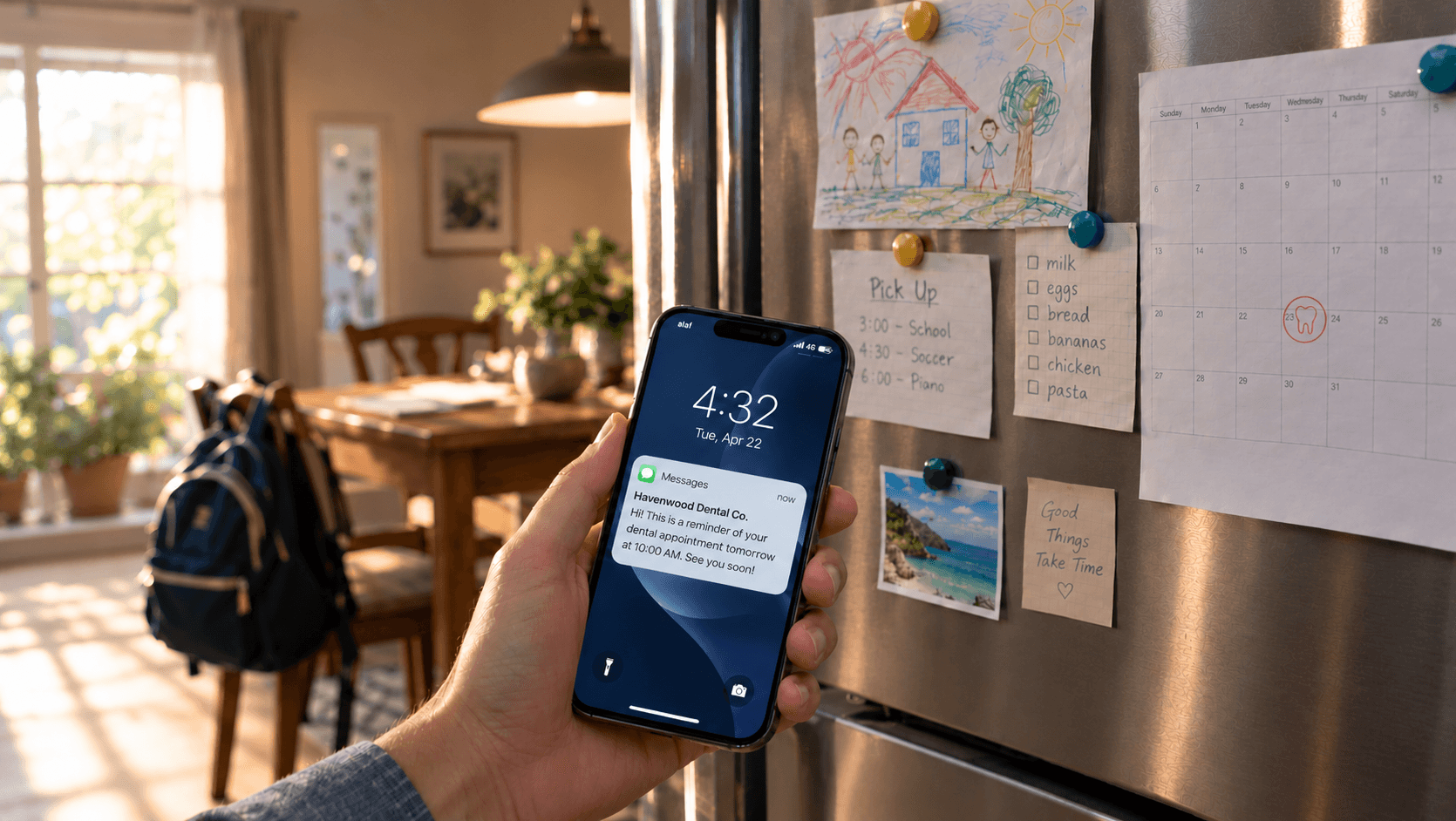
These platforms utilize various communication methods to reach patients effectively. SMS text messaging has become the most popular channel. This is due to high open rates and immediate delivery. Email reminders provide detailed appointment information and can include practice policies, directions, and pre-appointment instructions. Automated voice calls offer a personal touch. They can be particularly effective for older patient demographics. These patients may prefer traditional communication methods. If you need the actual wording, our appointment reminder email templates for dental practices cover the pre-visit and post-visit messages in this sequence.
Some advanced systems incorporate push notifications through mobile apps. They also include two-way chat capabilities and integration with patient portals. This supports comprehensive communication management.
The most common channels in use today include:
- SMS text messages
- Email reminders
- Automated voice calls
- Push notifications and in-app messages
What Types of Reminder Systems Are Available for Dental Practices?
Dental reminder platforms fall into four main types: standalone communication services, reminder features built into practice management software, cloud-based systems, and on-premise systems. Each type suits a different mix of practice size, budget, and technical setup, and understanding the differences helps practices evaluate their options against operational structure and patient volume.
Standalone reminder services operate independently of practice management software systems. They often require manual data entry or file uploads to function. These systems typically offer robust communication features for practices using them. But they may lack seamless integration with existing practice workflows. Integrated solutions embed reminder functionality directly into practice management platforms. This provides streamlined data flow but may limit customization options.
Cloud-based systems offer scalability and remote access capabilities. This makes them attractive for multi-location practices or those requiring flexible staff access. On-premise solutions provide greater data control. They may be necessary for practices with specific security requirements or limited internet connectivity.
Manual vs Automated Reminder Systems
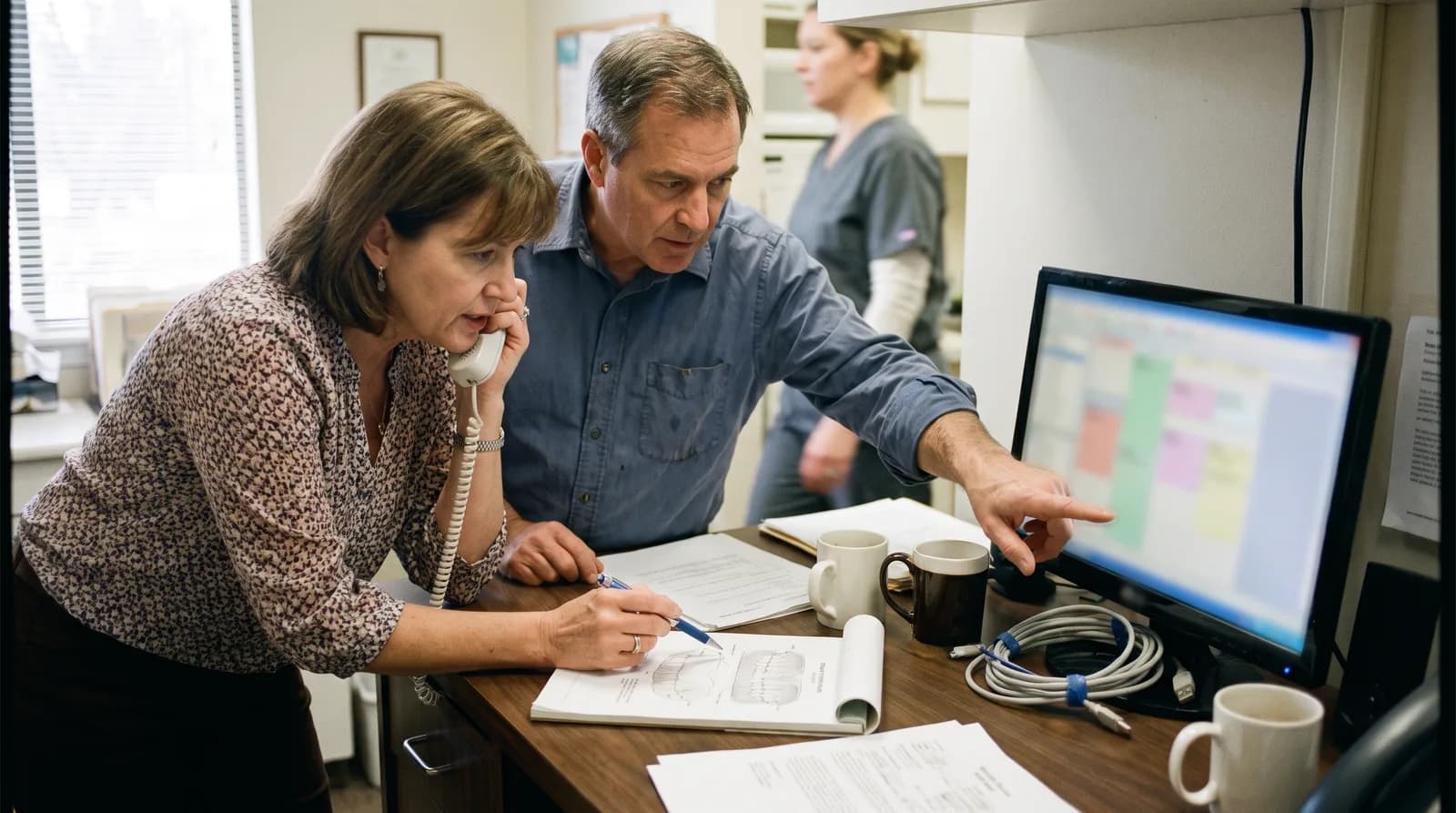
Manual reminder processes rely on staff members to contact patients individually. Contact typically occurs through phone calls or personal messages directly. This approach allows personalized communication and supports immediate problem resolution. However, it consumes significant staff time and remains prone to human error. Manual systems work well for smaller practices with limited patient volume. They become impractical as appointment schedules grow.
Automated reminder platforms eliminate manual intervention through effective automation. They trigger communications based on predetermined rules and schedules consistently. These systems can handle thousands of patients simultaneously with ease. They ensure consistent communication timing and reduce staff workload significantly. However, automated systems may lack the personal touch some patients prefer. They also require careful setup to avoid potential communication errors.
Standalone Tools vs Practice Management Software
Standalone reminder tools offer specialized functionality focused exclusively on patient communication. These systems often provide advanced features like A/B testing for message content. They also offer detailed analytics and sophisticated scheduling options. Companies like Solutionreach and RevenueWell have built comprehensive communication platforms. These platforms serve practices across multiple specialties.
Practice management software with integrated reminder functionality streamlines operations by eliminating the need for separate systems. Popular platforms like Dentrix, Eaglesoft, and Open Dental include basic reminder capabilities that sync automatically with appointment schedules. While these integrated solutions may lack some advanced features, they offer seamless workflow integration and simplified staff training requirements.
What Features Should You Evaluate in a Reminder System?
The features that matter most are message customization, multi-channel delivery, two-way confirmation, and reporting analytics. Practices that weigh these four areas typically end up with solutions matched to their specific communication needs and workflow requirements, as highlighted in research on no-show rates and production.
Message customization options allow practices to tailor communications to their brand voice and patient preferences. Advanced systems enable personalization beyond basic appointment details, incorporating patient names, provider information, and practice-specific messaging. Some platforms offer template libraries with pre-written messages for different appointment types, while others provide complete customization freedom.
Multi-channel communication ensures patients receive reminders through their preferred contact method. The most effective systems automatically attempt multiple channels if initial contacts fail, following predetermined escalation sequences to maximize patient reach.
Customization and Timing Options
These systems differ significantly in their scheduling flexibility and timing options. Basic systems may offer only standard reminder intervals, such as 24 and 48 hours before appointments. More sophisticated platforms allow practices to create complex reminder sequences, sending multiple messages at different intervals with varying content and urgency levels.
Some systems enable appointment-type-specific timing, recognizing that routine cleanings may require different reminder strategies than complex procedures or consultations. Advanced platforms can adjust timing based on patient behavior patterns, sending earlier reminders to patients with histories of last-minute cancellations.
Message personalization capabilities range from simple name insertion to complex conditional logic that adapts content based on patient demographics, appointment history, or treatment plans. The most advanced systems can incorporate practice policies, preparation instructions, and even weather-related messages for patient convenience.
Two-Way Communication and Confirmations
Modern patients expect interactive communication options that allow them to respond directly to reminder messages. Two-way SMS capabilities enable patients to confirm, reschedule, or cancel appointments through simple text responses. These interactions automatically update practice schedules, reducing staff workload and improving accuracy.
Some dental appointment reminder systems include intelligent response processing that can handle complex patient requests, such as specific time preferences or provider requests. Advanced systems integrate with online scheduling tools, allowing patients to reschedule appointments independently through an AI receptionist without staff intervention.
Reporting and Analytics
Comprehensive reporting capabilities help practices measure communication effectiveness and optimize reminder strategies. Key metrics include delivery rates, patient response rates, no-show reduction percentages, and appointment confirmation rates. Advanced systems provide demographic analysis, showing which communication channels work best for different patient segments.
Real-time dashboards enable staff to monitor system performance and identify communication issues quickly. Some platforms offer predictive analytics that identify patients at high risk for no-shows, enabling proactive intervention strategies. Practices that pair reminders with a broader patient recall system extend this same automation to overdue hygiene and follow-up visits.
How Are Dental Practices Using Reminder Systems in Real Life?
Dental practices tend to use reminder systems in one of two patterns: solo and small offices running a simple, fixed touch sequence, and multi-location groups running centralized, location-specific campaigns. The two case studies below show what each pattern looks like in practice.
Small private practices often prioritize simplicity and cost-effectiveness, while larger dental groups may require advanced features like multi-location management and complex reporting capabilities. Understanding these real-world applications helps practices identify solutions that align with their operational scale and patient demographics.
Small Private Dental Practice Example
Dr. Sarah Johnson operates a single-location family dental practice with approximately 1,200 active patients and two hygienists. Before implementing a reminder system, her practice experienced a 22% no-show rate, particularly for routine cleaning appointments scheduled weeks in advance.
After implementing a cloud-based reminder platform, Dr. Johnson's practice established a three-touch reminder sequence: an initial email sent one week before appointments with preparation instructions, an SMS reminder 48 hours prior requesting confirmation, and a final automated phone call 24 hours before the appointment.
The system automatically processes patient responses, with confirmations updating the schedule and reschedule requests routing to front desk staff during business hours. Cancellation responses trigger automated waitlist notifications, helping fill opened appointment slots quickly.
After six months, the practice reduced no-shows to 8% and increased same-day appointment fills by 35%. Staff time previously spent making reminder calls decreased by approximately 10 hours per week, allowing more focus on patient care and practice growth activities. That reclaimed time is significant given how front-desk and administrative roles are staffed industry-wide, according to the U.S. Bureau of Labor Statistics.
Multi-Location Dental Group Example
Smile Dental Group operates five locations across metropolitan areas, managing over 15,000 active patients with varying demographic profiles and communication preferences. Their reminder-system requirements included centralized management capabilities, location-specific messaging, and detailed analytics for performance tracking across sites.
The group implemented an enterprise-level system that integrates with their practice management software across all locations. The system enables location managers to customize messages while maintaining brand consistency through approved templates and messaging guidelines.
Advanced features include patient segmentation based on appointment history, preferred communication channels, and demographic factors. High-value patients receive personalized phone calls, while routine appointments trigger automated SMS reminders. The system tracks performance metrics by location, provider, and appointment type, enabling data-driven optimization strategies.
Results include a 40% reduction in no-shows system-wide, with individual locations seeing improvements ranging from 25% to 55%. The centralized approach reduced administrative overhead while improving patient satisfaction scores related to communication effectiveness.
Related: The numbers behind a four-touch sequence are worked out in full elsewhere. Read the dental no-show reduction case study on automated reminders →
What Compliance and Privacy Rules Apply to Reminder Systems?
Dental appointment reminder systems must comply with HIPAA safeguards, business associate agreements, and, in some states, specific rules on automated texts and calls, all while maintaining effective patient communication. Understanding these compliance obligations helps practices select systems that protect patient privacy while achieving operational goals. The stakes extend beyond a single practice's revenue: NIDCR research on oral health in America links delayed or skipped dental visits to broader downstream health and economic costs. For a deeper dive, consider our guide on HIPAA compliance for dental practices.
HIPAA regulations significantly impact how dental practices can communicate with patients through automated systems. Protected health information (PHI) transmitted through reminder messages must be properly secured, and practices must ensure their chosen systems include appropriate safeguards and business associate agreements.
Patient consent requirements vary depending on communication channels and message content. While appointment reminders generally fall under treatment communications permitted without explicit consent, practices should establish clear policies regarding patient preferences and opt-out procedures.
HIPAA and Patient Data Protection
HIPAA compliance for these platforms requires careful attention to data transmission, storage, and access controls. Systems must encrypt communications during transmission and storage, implement user authentication controls, and maintain audit trails of all patient communications.
Business associate agreements (BAAs) are required when third-party vendors process or store patient health information. These agreements outline specific responsibilities for protecting PHI and establish liability frameworks in case of data breaches. Practices should verify that their reminder system providers offer comprehensive BAAs and demonstrate ongoing compliance monitoring.
Data minimization principles suggest that reminder messages should contain only necessary information. Basic reminders typically include appointment date, time, and provider name, while avoiding specific treatment details or sensitive health information. Some systems offer "blind" reminder options that reference appointment confirmations without including specific details in the message content.
Consent and Communication Preferences
Patient communication preferences must be documented and respected throughout all reminder activities. While federal regulations generally permit treatment-related communications, some states have specific requirements for automated communications, particularly text messaging and robocalls.
Effective reminder platforms include preference management features that allow patients to specify their preferred communication channels, timing preferences, and opt-out options. These systems should automatically suppress communications to patients who have requested no contact and provide easy methods for updating preferences.
Consent documentation becomes particularly important for marketing messages that may accompany appointment reminders. Promotional content, special offers, or educational materials require explicit patient consent under various federal and state regulations.
System Comparison: Features and Capabilities Overview
Comparing dental appointment reminder systems requires evaluation across multiple dimensions including functionality, integration capabilities, pricing models, and support services. The following comparison examines key system categories and their typical characteristics.
| System Type | Integration Level | Customization | Cost Range | Ideal Practice Size |
|---|---|---|---|---|
| Basic PMS Integration | Native | Limited | $50-200/month | Small practices (1-2 providers) |
| Standalone Cloud | API/Import | High | $150-500/month | Medium practices (3-10 providers) |
| Enterprise Platform | Full Integration | Very High | $500-2000/month | Large groups (10+ providers) |
| Custom Development | Complete | Maximum | $5000-50000+ | Specialized/Complex requirements |
Basic practice management system integrations offer fundamental reminder functionality with minimal setup requirements. These systems typically provide standard reminder timing options and basic message templates. While customization may be limited, the seamless integration with existing workflows makes them attractive for practices seeking simple solutions.
Standalone cloud platforms offer more sophisticated features including advanced scheduling options, detailed analytics, and extensive customization capabilities. These systems require more setup time but provide greater flexibility in communication strategies and patient management.
Enterprise platforms serve large dental groups with complex requirements including multi-location management, advanced reporting, and integration with multiple practice management systems. These solutions often include dedicated support teams and custom implementation services.
Pricing models vary significantly among these platforms. Per-provider monthly fees are common for smaller practices, while large groups often negotiate volume pricing based on patient counts or communication volumes. Some systems charge based on message volumes, which can be cost-effective for practices with lower communication needs but expensive for high-volume practices.
Implementation timelines range from immediate activation for basic systems to several months for enterprise solutions. Practices should consider staff training requirements, data migration needs, and testing periods when evaluating implementation schedules.
Support services differ substantially among providers. Basic systems may offer only email support and online documentation, while enterprise solutions include dedicated account managers, implementation consultants, and 24/7 technical support. Training resources, including webinars, documentation, and certification programs, should be evaluated based on practice needs and staff technical capabilities.
Conclusion: Choosing the Right Reminder System
Selecting the appropriate reminder system requires careful consideration of practice-specific factors including patient demographics, operational workflows, compliance requirements, and growth objectives. The most effective implementations align system capabilities with actual practice needs rather than pursuing maximum features regardless of utility.
Successful system selection begins with clear identification of communication goals and operational pain points. Practices experiencing high no-show rates may prioritize aggressive reminder sequences and two-way communication capabilities. Those focused on patient satisfaction might emphasize customization options and multiple communication channels. Large practices often require advanced reporting and multi-location management features that smaller practices may find unnecessary.
Integration capabilities significantly impact long-term system effectiveness and staff efficiency. Reminder platforms that seamlessly connect with existing practice management software reduce data entry requirements and minimize training needs. However, practices should evaluate whether integrated solutions provide sufficient functionality or if standalone systems offer superior communication capabilities.
Compliance considerations cannot be overlooked when evaluating reminder systems. HIPAA requirements, state regulations, and patient consent management must be addressed through appropriate system features and vendor agreements. Practices should verify that their chosen systems include necessary security measures and compliance documentation.
Cost-effectiveness extends beyond initial pricing to include implementation costs, staff training time, and ongoing operational efficiency gains. The most expensive system may provide better long-term value if it significantly reduces staff time or improves patient retention rates.
Implementation success depends on proper system configuration, staff training, and patient education about new communication processes. Practices should plan for testing periods and gradual rollouts to ensure smooth transitions and identify any operational issues before full deployment.
Regular system evaluation helps practices optimize their communication strategies and identify opportunities for improvement. These platforms generate substantial data about patient communication patterns that can inform broader practice management decisions and patient satisfaction initiatives. By systematically analyzing system performance and patient feedback, practices can continuously refine their approach to maximize both operational efficiency and patient satisfaction. Practices weighing their options can schedule a demo to see how an integrated reminder workflow fits alongside their existing systems before committing.
Sources & References
- Study Reveals How Automated Patient Appointment Reminders Affect Dental Practice No-Show Rates and Production
- ADA Health Policy Institute: Dental Practice Research
- CDC MMWR: Use of Reminder and Recall by Vaccination Providers
- NIDCR: Oral Health in America Report
- U.S. Bureau of Labor Statistics: Occupational Outlook Handbook, Receptionists
Frequently Asked Questions
A dental appointment reminder system is an automated communication tool that sends patients timely notifications about upcoming appointments through SMS, email, or phone calls. These systems integrate with practice management software to automatically send reminders 24-48 hours before scheduled visits, helping reduce no-shows and improve patient attendance rates.
Dental reminder systems reduce no-shows by providing multiple touchpoints with patients before their appointments. Research shows automated reminders can decrease no-shows by up to 23% by giving patients advance notice to reschedule conflicts, confirm attendance, or address any concerns. The consistent communication helps keep appointments top-of-mind for busy patients.
Yes, reputable dental appointment reminder systems are designed to be HIPAA compliant when properly configured. They use encrypted communications, secure data storage, and allow practices to control what information is included in reminders. However, practices must ensure their chosen system meets HIPAA requirements and properly train staff on compliant usage.
The cost of dental appointment reminder systems varies based on features and practice size. Basic systems integrated with practice management software can range from $50 to $200 per month. Standalone cloud-based systems with more features typically cost between $150 and $500 per month, while comprehensive enterprise platforms for large dental groups can exceed $500 per month.
While systems use multiple channels, SMS text messaging is generally the most effective channel for dental appointment reminders. This is due to its high open rates (often exceeding 90%), immediate delivery, and the convenience it offers patients for quick, one-word confirmations or rescheduling requests directly from their mobile devices.
Was this article helpful?
Written by
Dentalbase Team
The Dentalbase Team is a collective of dental marketing experts, AI developers, and practice management consultants dedicated to helping dental practices thrive in the digital age.