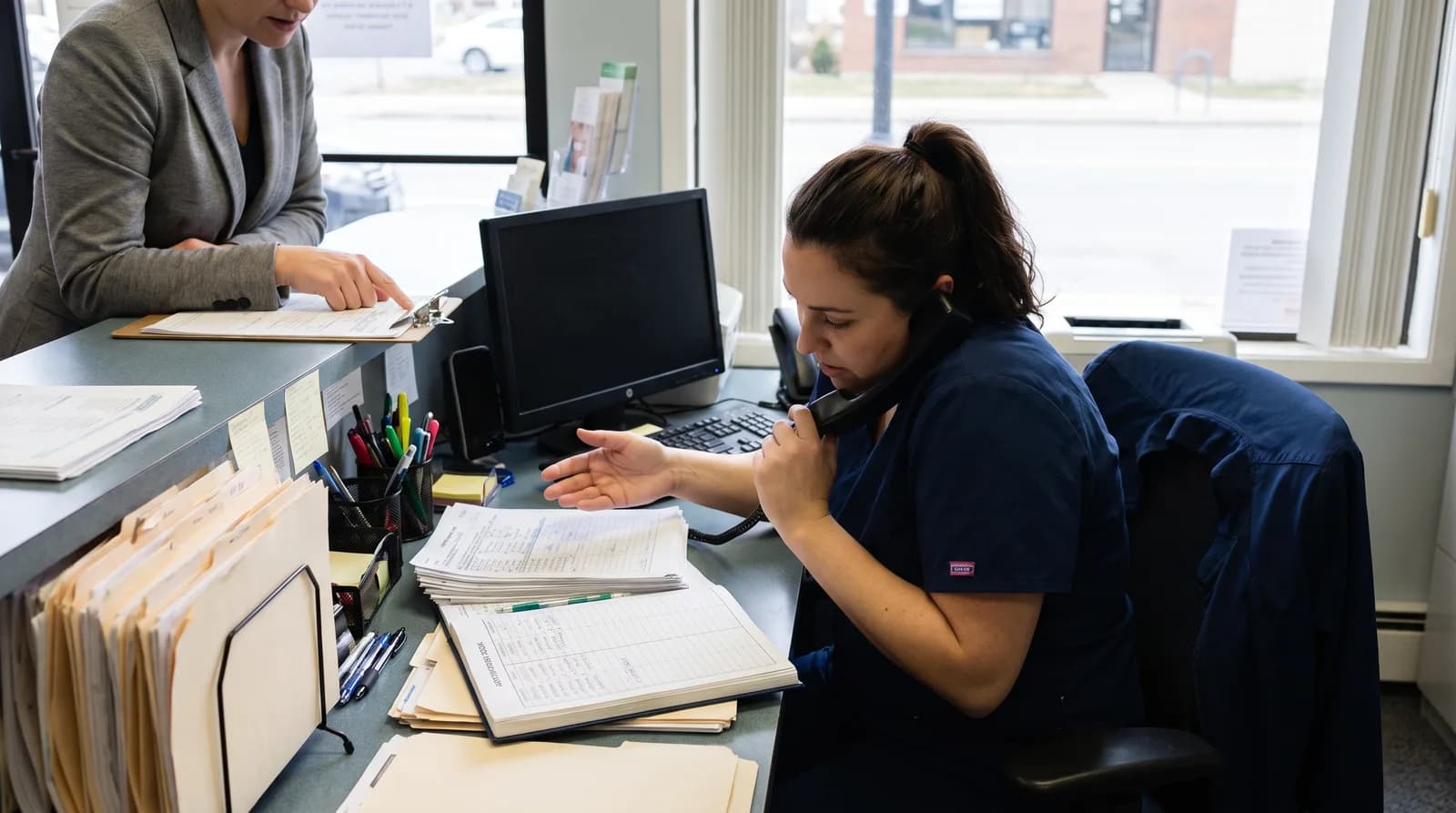
Dental Front Desk Bandwidth: The Hidden Growth Ceiling
Dental front desk bandwidth is the real ceiling on practice growth. Learn to measure it, find your tipping point, and know when to automate versus hire.
Share:
Table of contents
I want to ask you something before we get into the data. If your new patient calls double next month, what would break first? Not the chairs. Not the clinical side. The front desk. And the thing that would break first within the front desk is not what you can see. It is dental front desk bandwidth, the gap between the tasks arriving and the hours available to complete them. That gap is the real growth ceiling. Not the marketing budget. Not the number of operatories.
I have been running a dental practice in Peterborough long enough to know that this ceiling hits owners before they have a name for it. The desk feels slammed. Production is flat. Someone suggests hiring. And the hire helps for exactly one marketing push, until the next one. That is bandwidth failure. And it costs you patients you already paid to acquire. According to Dental Economics, the average practice misses 15 to 20 calls a week. Each one is a bandwidth failure with a price tag.
This article is one piece of a larger diagnostic I built to stress-test practice systems before you scale them. You can run the full stress test in the practice capacity planning guide, then start here because the front desk is usually the first system to break.
What is dental front desk bandwidth and why does it matter?
Dental front desk bandwidth is the volume of administrative tasks your desk can complete per hour against the hours actually available. When new patient work outpaces that rate, tasks do not queue up visibly. They get dropped, starting with the ones nobody will notice today: follow-up, recall, callbacks, treatment plan handoffs. Those are exactly the tasks that drive revenue tomorrow.
Think of it the same way you think of chair time. A chair has a fixed number of usable hours in a day. More demand does not create more capacity. It creates a waitlist you can see. The front desk works the same way, except the waitlist is invisible. A patient who was supposed to get a treatment plan callback just never gets one. You do not find out until your unscheduled treatment report looks wrong.
The reason most owners miss this is that bandwidth failure is quiet. Burnout announces itself. Turnover announces itself. A saturated desk just gets slower, and slower, and slower, until something stops happening entirely. By the time it shows in your numbers, you have already lost patients. If burnout is already visible on your team, these ten front desk burnout fixes are a good place to start. The systems that actually support practice growth are the ones you can see coming before they break.
How is a bandwidth problem different from a staffing shortage?
A staffing shortage means you do not have enough people. A bandwidth problem means the people you have cannot complete the required tasks in the time they have, even when every seat is filled. The distinction matters because the fixes cost completely different amounts of money.
Confusing the two is one of the more expensive mistakes I see practice owners make. Here is the trap I fell into myself. You see a struggling front desk. You assume it is understaffing. You hire. The new person helps for a month. Then volume grows again, and now two people are slammed instead of one. The root cause was never headcount. It was the volume of low-value repeatable tasks that each new patient generates.
The U.S. Bureau of Labor Statistics classifies much of front desk work as rules-based administrative support: verification, reminders, confirmations, recall. That work scales directly with patient volume. It also scales linearly with headcount if you keep it manual. That is exactly why adding a person is not the same as solving the problem.
Related: For two years I spent on ads while my front desk dropped new patient calls. The leads were there. The schedule stayed flat. Here is the full diagnosis. The Dental Front Desk Bottleneck That Capped My Growth →
What are the five signals that tell you bandwidth is already the problem?
The front desk does not fail loudly. It fails through small delays that each look forgivable in isolation but compound into lost production. I have watched this happen at enough practices, including mine, to know the pattern. These five signals show up well before anything visible.
- Response times stretch. Voicemails that got returned same-day now take two. Web form leads sit until tomorrow. Speed is the first casualty of a saturated desk.
- Handoffs get dropped. A treatment plan leaves the operatory and never gets scheduled, because the person who was supposed to follow up ran out of afternoon.
- Follow-up stops entirely. Recall and unscheduled treatment are the easiest tasks to postpone. So they are the first to vanish. If you want to track where this leaks in revenue, the four follow-up metrics that actually matter show you exactly what to watch.
- New patients hang up on hold. Hold times rise. New patients, who have the least patience and the most alternatives, quietly call the practice down the street. You do not get a complaint. You just never hear from them again.
- The desk goes purely reactive. Your team only does what is directly in front of them right now. Nothing proactive. That is bandwidth at its limit.
Four out of five of those failures are follow-up and communication breakdowns. That is not a coincidence. When hours run short, the desk protects the patient standing at the counter and sacrifices the patient on the phone or in the callback queue. Rational choice. Wrong outcome.
How much work does a single new patient actually create for the front desk?
One new patient is not one task. From first call to booked, confirmed, and followed up, a single new patient can generate 45 to 75 minutes of desk work spread across a week. Most of it never appears on any schedule. Owners who have never timed this consistently underestimate how fast that load adds up.
I built the table below from the time estimates I have seen across practices of different sizes. Use it as a starting point, then measure your own team's actual timings. The per-task numbers will vary. The total range holds.
The Administrative Load of One New Patient
Illustrative time estimates. Plug in your own timings. The shape holds across the practices I have seen.
| Task | Time estimate | What gets dropped first |
|---|---|---|
| Inbound call + booking | 8-12 min | Rarely. It is the first visible task |
| Insurance verification | 10-20 min | Rushed but not dropped. Errors show up later |
| Forms + chart setup | 8-15 min | Incomplete forms get ignored until day-of |
| Reminders + confirmation | 5-10 min | Skipped when running behind |
| Post-visit follow-up | 8-18 min | First to go. Every single time. |
| Total per new patient | 45-75 min | Most of it invisible on any schedule |
Run that math against your current new patient volume. If you are seeing 15 new patients a week and have one coordinator, you are looking at 11 to 19 hours of new patient work alone, before a single existing patient task. That is the number that tells you whether your desk has headroom or is already over capacity.
At what volume does your team mathematically run out of hours?
Your team runs out of hours at the point where new patient load plus recurring daily work exceeds available desk hours. That tipping point is calculable, and it is the most clarifying number an owner can run before spending on marketing the front desk cannot absorb. Calculate it first.
The formula
The calculation is straightforward. Take total front desk hours per week. Subtract the fixed recurring load: check-ins, active-patient calls, billing, the general churn of the day. What remains is discretionary capacity for new patient work. Divide that by your per-patient load.
A worked example
A worked example, illustrative assumptions only
One coordinator, 40-hour week. Recurring daily work takes 28 hours. That leaves 12 hours (720 minutes) for new patient work. At 60 minutes of load per new patient, the ceiling is 12 new patients a week before something starts slipping.
Run a Google Ads campaign that lands 18 new patient inquiries in week one. You are 6 patients over capacity. Every week. The overflow comes directly out of follow-up. And follow-up is where the revenue lives.
The specific number is less important than the direction it points. Are you running at 60% of capacity or 130%? Those two practices need opposite decisions. One can grow into its headroom. The other is already losing patients it paid to acquire. Understanding where patient wait time actually comes from is part of the same diagnostic. Overloaded bandwidth shows up there too.
How do you actually measure your current front desk bandwidth?
You measure dental front desk bandwidth with a short time audit, not a gut feeling. Most owners skip this because it feels like extra work and they already know the desk is slammed. But "slammed" is not a number. You cannot make a decision from a feeling. You need the arithmetic.
Run the 20-minute audit
Run this with your team, not at them. The goal is data, not blame. It takes about 20 minutes.
- List the recurring tasks that happen every day regardless of new patient volume. Estimate the minutes each takes. Be conservative.
- Log one new patient end to end. Start from the first call. Time every touch through confirmed appointment. That is your per-patient load.
- Multiply last month's new patients by that load. That is your monthly new patient hours. Compare it to available hours and you have a utilization percentage.
- Pull your unscheduled treatment callback list. How many are more than 48 hours old? A growing backlog there is bandwidth failure showing up in your revenue. The guide to structuring a dental patient follow-up system shows you exactly how to manage that backlog once you know the size of it.
Anything consistently over 90% utilization means follow-up is already being sacrificed. That is not a team problem. That is a math problem. And math problems have solutions.
Self-diagnostic: is bandwidth already your ceiling?
Front Desk Bandwidth Diagnostic
Check every item that is true for your practice right now. Be honest.
Warning signs
Confirmation signals
1-2 checks: watch the trend. 3-4: bandwidth is already the ceiling. 5+: you are losing patients you paid to acquire right now.
Which tasks should you automate first to get the most headroom back?
Automate the high-volume, rules-based tasks first. Not because they are easiest, but because they eat the most bandwidth and require the least judgment. Moving them off the desk creates real headroom without touching the work that genuinely needs a human. The sequencing is the point.
Most owners think about automation as replacing people. That is the wrong frame. Think about it as separating the judgment work from the rules-based work and routing each to the right place. A coordinator's real job is relationship and judgment. It is not data entry and chasing confirmations. When you give them back those hours, the work that actually moves a patient forward gets done.
The sequencing decision
What to Automate First and What to Keep Human
Sequence by volume-to-judgment ratio. High volume, low judgment goes first.
| Automate first | Why it wins bandwidth | Keep human |
|---|---|---|
| Routine inbound calls | Highest volume, rules-based, no judgment needed | Consoling an anxious patient |
| Appointment reminders + confirmations | Repetitive, time-sensitive, easily forgotten under load | Complex financial conversations |
| Recall + reactivation outreach | First task dropped, highest revenue impact | Treatment plan discussions |
| After-hours call capture | 27% of call volume, currently a total write-off | Resolving a billing dispute |
Automating calls first tends to give the biggest single bandwidth return, because a missed call is a lost new patient in real time. Each one costs more than 1,200 dollars in lifetime value, according to Dental Economics, and that is a conservative number when you factor referrals. If you have questions about how patients respond to AI handling calls, the honest answers to the most common AI receptionist objections are worth reading before you decide.
The same logic applies to insurance verification and new-patient paperwork, the other two line items eating hours from the earlier table. For a full comparison of platforms that shift that work onto the patient before they arrive, see this guide to the best intake software to reduce front desk workload.
Even the tasks worth keeping human, like a treatment plan conversation or a tense billing call, go faster with a starting draft instead of a blank screen. Our prompt library for dental front desk teams gives a coordinator a base script for the price-shopper and difficult-caller conversations that stay on this side of the table.
Related: Recall is usually the first task to slip once bandwidth gets tight, which is exactly the gap worth closing first. See how DentiVoice turns overdue patients into booked visits →
Create headroom before you add headcount
DentiVoice handles the routine call, reminder, and recall load that eats front desk bandwidth first, so your team keeps the work that needs a human. See how it fits your desk.
Explore the AI Receptionist →Is this a bandwidth problem or a hiring problem?
It is a hiring problem only if the dropped work genuinely requires human judgment. If the overflow is verification, reminders, and callbacks, that is a bandwidth problem. Automation solves it faster, cheaper, and without adding a salary and benefits that scale with time, not with volume. Diagnose before you spend.
One question tells you which problem you have. Of the tasks currently getting dropped, how many require a human being? If most are rules-based, hiring adds a person to do work that should not need a person. If most need judgment, hire. And hire with confidence, because that is the right call. But only after you have confirmed the answer.
If you do decide to hire, check the total number against our dental practice staffing ratio benchmarks first, so the new hire actually closes a real gap instead of adding payroll to a utilization problem.
The ownership question
The ownership question is part of the same diagnostic. When bandwidth is tight, follow-up becomes everyone's job, which means it belongs to no one. Deciding who actually owns follow-up in your practice is a bandwidth decision as much as a management one. Free up the hours first. Then assign the work clearly.
The math runs out before you notice. Measure it first
The most useful thing you can do this week is calculate your per-patient load and your utilization percentage. Not because the number will be exact, but because it converts a vague sense that the desk is slammed into a decision you can actually make.
Related: Staffing ratios are one piece of a complete dental front desk staffing plan. See staffing ratios and workload benchmarks in the complete guide →
Growth is not a marketing problem waiting for a bigger budget. It is a systems problem. The front desk is the system that fails quietest. Measure the ceiling before you push volume into it. Then decide. With arithmetic, not anxiety, whether your next move is to automate the routine load or hire for the judgment work that genuinely needs a human.
Either way, you need to know the number. Run the full practice capacity diagnostic to stress-test every system that breaks under growth, not just this one.
See where your front desk hours actually go
Book a short walkthrough and we will show you how DentalBase and DentiVoice absorb the routine load that caps front desk bandwidth, so growth stops breaking your desk.
Book a Free Demo →Sources & References
Frequently Asked Questions
It is the number of admin tasks your desk can complete per hour against available hours. When arriving work outpaces that rate, tasks get dropped - starting with follow-up and callbacks.
Watch for five signals: slower response times, dropped treatment plan handoffs, follow-up stopping, callers hanging up on hold, and the desk going purely reactive. These show up before visible burnout.
It is a hiring problem only if the dropped work needs human judgment. If the overflow is verification, reminders, and callbacks, automation solves it faster and cheaper than a second hire.
Automate by volume-to-judgment ratio. Start with routine inbound calls, then appointment reminders, then recall outreach. These eat the most bandwidth and need the least judgment.
From first call to post-visit follow-up, a single new patient can generate 45 to 75 minutes of desk work across a week. Most of it never shows on any schedule.
Was this article helpful?

Written by
Dr. Muhammad Abdel-rahim DMD
Muhammad Abdel-rahim, DMD, is a dentist and implantologist at Peterborough Family Dental & Implant Center with a passion for blending clinical excellence, leadership, and innovation. He believes dentistry extends beyond restoring smiles to building trust, confidence, and sustainable systems that help patients and teams thrive. With experience leading and scaling dental practices, Dr. Abdel-rahim brings a strategic mindset to patient care and practice growth. He is particularly interested in communication, critical thinking, and the thoughtful application of artificial intelligence to improve clinical outcomes, workflows, and the overall patient experience.