New Patient Follow-Up System: First 48 Hours (2026)
A new patient follow-up system that runs in the first 48 hours after the visit: hour 2 call, day 1 note, day 2 plan call, with the exact 2026 scripts.
Share:
Table of contents
A new patient follow-up system is the difference between a practice that books from marketing and a practice that retains from medicine. It's the structured sequence of calls, notes, and texts you run in the first 48 hours after a first visit, before the new patient has decided whether you're the dentist they trust.
Most practices don't have one. They have a wish, a sticky note, and a hygienist who "checks in when she has time." This guide gives you the three-touch sequence I run in my own practice (hour 2, day 1, day 2), the named owner for each touch, the PMS triggers that make sure no patient gets dropped, and the measurement that keeps the whole thing alive past month three. No guessing. No improvising. Just the system.
This 48-hour system picks up right where the very first conversation with a new patient leaves off. See what actually happens on a new patient's first call and why it matters before the sequence below even begins.
Why do the first 48 hours after a new patient visit matter so much?
The first 48 hours decide whether a new patient commits to your practice. Clinical impressions are still fresh, the treatment plan hasn't gone stale, and the patient is actively deciding if you're the office they want to trust. Go silent in that window and you start competing with every doubt that creeps in on day three.
The Decision Window
How a new patient's return probability falls without follow-up
Visit ends
Clinical impressions are fresh and the patient is actively evaluating the practice. The hour 2 check-in call happens inside this window.
Window closes
The day 1 note and day 2 plan call have landed. The patient has decided whether you're "their" dentist.
Reactivation territory
Outreach from here is reactivation work, not retention, and it costs 5 to 7 times more than the original acquisition.
The math is punishing. ADA Health Policy Institute research shows that 20 to 30 percent of patients become inactive within 18 months when no structured follow-up exists. Dental Economics benchmarks the average patient lifetime value at $12,000 to $15,000 for a general practice, and puts new patient acquisition cost at $150 to $300 through digital channels. Do that math once. Every new patient you lose in the 48 hour window is a lifetime value bleeding out to cover an acquisition cost you already paid.
Most owners know this in theory. The problem is that nothing in the first visit visually tells you a patient is about to ghost. They smile, they book, they leave. Two months later you notice they never came back for the hygiene appointment and the treatment plan went cold. Worth noting: by then the window has closed. The same trust signal you build on the first phone call, covered in our new patient phone call script breakdown, is the one you protect or lose in the 48 hours after the visit.
Here's the thing. The first 48 hours isn't about selling harder. It's about giving the patient a reason to believe you remembered them when they walk out. That belief is what you're building. See how a front office is set up to protect that signal.
What a missed 48-hour window actually costs
The cost of going silent in this window is not abstract. A single missed new-patient call already costs a practice $1,200 or more in lifetime value, according to Dental Economics, and the same math applies once the patient has already sat in the chair. The acquisition cost is already spent, so 48 hours of silence turns a paid-for patient into a write-off. Practices that run a structured follow-up program retain 15 percent more patients annually than those that don't, per PatientPop research. That gap compounds every month the window stays unmanaged.
A new patient follow-up system doesn't require new headcount to run. Most practices already own the pieces; DentalBase's practice growth services exist for the specific gap between having the pieces and having a working system, with a named owner and a report behind each one.
What goes into a new patient follow-up system?
A new patient follow-up system is a fixed sequence of contacts in the first 48 hours after a visit, each with a named owner, a script, and a trigger in the practice management software. In my practice it's three touches: hour two, day one, day two. Short enough to run every time. Specific enough nothing gets dropped.
This first-48-hours sequence is one piece of a larger system. Our complete guide to automated patient follow-up covers recall, no-show recovery, and reactivation as well.
The three named owners, and why the roles don't overlap
The three touches each do different work. The hour 2 call is clinical reassurance, owned by the assistant who was chairside. Day 1 is a personal note and a review invitation, owned by the provider. Day 2 is the treatment plan conversation, owned by the treatment coordinator. Three people, three roles, three documented scripts. Nothing is improvised on the fly.
What this system deliberately is not
What the system is not: a single marketing email blast on day three, a generic thank-you text from the front desk, or the hygienist "checking in when she has a minute." Those approaches fail for the same reason. Nobody owns the outcome, so nobody measures whether it happened.
Map ownership and triggers before you automate anything
Before you build the workflow, map two things: which person owns each contact, and which PMS trigger fires it. Without both, the sequence depends on memory. Memory is not a system. For the automation side of the sequence, this guide on automating dental follow-up calls walks through the trigger logic in detail.
Tired of follow-up calls that never get made?
DentiVoice handles the reminder and confirmation layer of your follow-up sequence so your team can focus on the human touches that actually move return rates.
See How AI Follow-Up Works →Does a solo or two-provider practice need all three touches?
Yes, but one person often covers two roles instead of three people covering three. In a solo practice, the dentist makes the hour 2 call between patients and writes the day 1 note that evening; the office manager steps in as coordinator for the day 2 plan call. The sequence consolidates onto fewer people, it doesn't disappear. Naming one owner per touch matters more, not less, in a small practice, since there's no second person to catch a task that gets dropped.
What happens in hour 2? The clinical check-in call
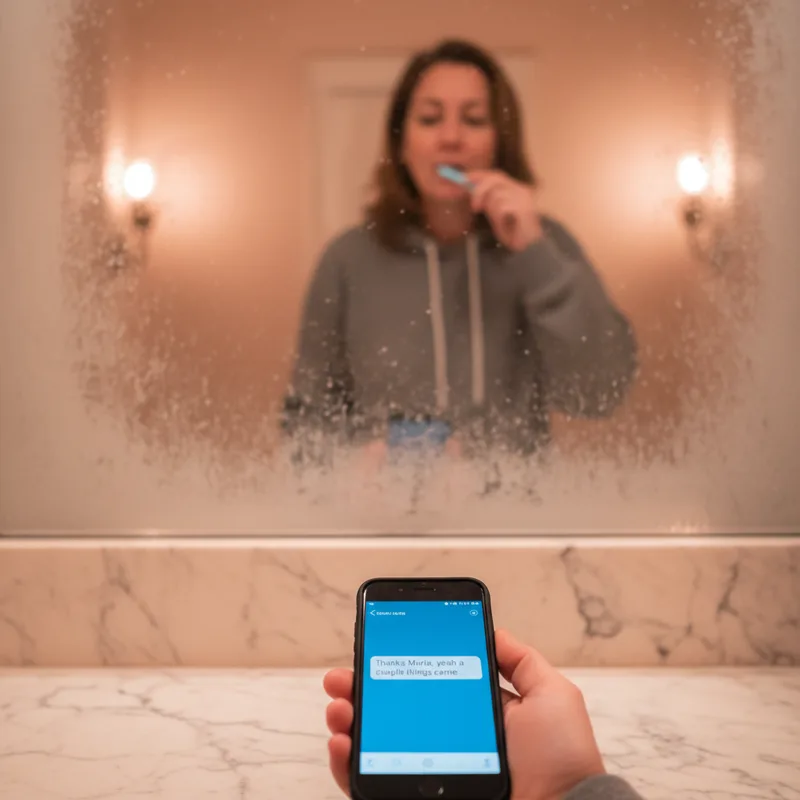
The hour 2 call is made by the clinical assistant who was chairside during the visit, not the front desk. It's a 60 to 90 second call that asks how they're feeling, confirms the home care instructions stuck, and opens the door for any question that surfaced on the drive home. That's it. No scheduling. No selling.
The Hour 2 Call
Four things a 60-second script accomplishes
- 1.Identifies the caller as a familiar face. The assistant was chairside, so the call feels clinical, not transactional.
- 2.Normalizes post-visit questions. Most concerns surface after the patient leaves the chair, not during the visit itself.
- 3.Opens a return channel without pressure. Gives explicit permission to call back without feeling like a nuisance.
- 4.Ends with an invite, not a sale. Zero scheduling talk. The absence of pressure is what patients remember for weeks.
Here's the script I use, almost word for word: "Hi Sarah, it's Maria from Dr. Rahim's office. I was with you during your cleaning this morning. I wanted to check in because sometimes things come to mind after you leave. Any soreness, any question about what we talked through? Good. If anything pops up tonight, call the main line and they'll find me."
Four things that script does. It identifies the caller as someone the patient actually met. It acknowledges that post-visit questions are normal. It gives permission to call back without the patient feeling like a nuisance. It ends without pressure. Patients remember that call for weeks.
Why the assistant, not the front desk
The assistant carries chairside context the front desk can't fake. They remember what was cleaned, what was discussed, what the patient seemed worried about. That context is what makes the call feel human instead of transactional. It also keeps the front desk free for inbound traffic, which is where your next new patient is calling from.
Log the call in the patient chart with a short note on what came up. That log is what lets you measure whether the contact actually happened, not just whether someone remembers doing it.
What if there's no dedicated chairside assistant?
Combine the role with whoever was clinically present, not with the front desk. In a one-hygienist practice, the hygienist makes the call from her own phone during a gap between patients. The requirement is chairside context, not a specific job title. A front desk team member who wasn't in the room can't reference what was actually discussed, and that missing detail is what turns a personal call into a generic one.
How do you run day 1 and day 2 without feeling pushy?
Day 1 is a personal note and a review invitation, both from the provider. Day 2 is the treatment plan conversation, initiated by the coordinator. Neither contact sells. Both reference specific details from the visit so the patient knows a person wrote them, not a template. That specificity is the whole difference.

The day 1 note is a short handwritten card, dropped in the mail by end of business. Three sentences. Name the concern they came in with, name one thing you noticed about them personally, thank them for choosing the practice. The review invitation is separate, sent by SMS in the late afternoon when they're off work. Keep the ask simple and give them the Google link directly.
Review timing matters more than people realize. BrightLocal consumer research shows that 98 percent of people read local reviews before choosing a business, and 88 percent are more likely to use a business that responds to all reviews. Getting the ask in on day 1 catches the patient at peak satisfaction. Day 7 is already a different emotional moment. Pairing the review request with a brief patient survey at this same touchpoint captures the specific, actionable feedback that a public review alone won't give you, from scheduling ease to billing clarity.
Day 2: the treatment plan conversation
Day 2 is when the treatment coordinator calls about the plan. Not to sell. To ask if anything was unclear and whether the timing works. Most unscheduled plans stall on three things: cost, timing, or one unanswered clinical question. All three are solvable if the coordinator actually asks. None of them get solved if the patient walks out with a printout and no follow-up.
I tell my coordinator to open every day 2 call the same way: "I wanted to check what questions came up after yesterday, before we talk about scheduling." That sequence, question first, scheduling second, is what separates a pushy call from a professional one.
Related: The same playbook applies to patients who fell out of recall → AI dental patient reactivation: complete guide
Which channel fits each touch, and why
Channel choice is not interchangeable across the three touches. Voice carries context and reassurance that text cannot; handwritten mail signals effort that a text cannot fake; SMS reaches patients at the exact moment they're free to act. Matching the wrong channel to a touch is why some practices run all three steps and still see no lift in return rates.
| Touch | Best Channel | Why It Works |
|---|---|---|
| Hour 2 check-in | Phone call | Voice carries chairside context and reassurance that a text can't replicate |
| Day 1 personal note | Handwritten mail | Physical and slightly delayed, which signals it wasn't automated |
| Day 1 review ask | SMS | Reaches patients at peak satisfaction with a one-tap link |
| Day 2 treatment plan | Phone call | Unscheduled plans stall on unanswered questions, which need a conversation, not a text thread |
SMS reminders reduce no-show rates by 38 percent, according to the Journal of Dental Hygiene, which is why day 7 and later reminders belong on text while the first two touches stay on the phone. Matching every follow-up job to the right channel extends this same logic across recall, no-show recovery, and reactivation.
How do you build a new patient follow-up system that doesn't die in the operatory?
A new patient follow-up system survives only when the work doesn't depend on anyone remembering it. Every contact needs a trigger inside the practice management software, a named owner, and a measurable outcome. If you can't pull a report showing who got which touch last week, the system is already dying, you just don't know it yet.
Build it in this order. First, create the three appointment-based triggers in your PMS so the tasks auto-create when the new patient visit completes. Most modern systems (Open Dental, Dentrix, Eaglesoft, Curve) handle this natively. Second, assign each task to a named role, not a department. "Clinical assistant on shift that day" is a role. "The front desk" is not. Third, set a weekly report that shows completion rate by task. Anything under 85 percent means the system is broken.
- Create the three PMS triggers so hour 2, day 1, and day 2 tasks auto-create when the new patient visit is marked complete.
- Assign each task to a named role, never a department, so a dropped task always has one person accountable.
- Set a weekly completion-rate report by task. Anything under 85 percent means the system is broken, even if return rate still looks fine.
What if your PMS doesn't support native triggers?
Not every practice management system fires appointment-based triggers the way Open Dental, Dentrix, Eaglesoft, and Curve do out of the box. When that's the case, the trigger has to live somewhere else: a shared task board, a recurring calendar block, or an AI booking layer that writes directly into the PMS instead of running around it. The AI receptionist features that actually matter for this job are native PMS integration and live scheduling, not a chatbot bolted on top of a system it can't talk to.
The tradeoff most owners miss is manual versus assisted versus automated. The hour 2 call should stay human every time. The day 1 note should stay human for new patients. Everything else (reminders, confirmations, review follow-ups, scheduling nudges) is a good candidate for automation, because it scales without costing warmth. HubSpot marketing benchmarks peg welcome email open rates above 80 percent, far higher than standard campaigns, because the contact is expected. Expected automation works. Surprising automation feels cold. The key is making those automated emails feel personal enough that patients don't register them as mass sends, and AI-powered patient email tools have gotten remarkably good at that balance.
Automated recall systems increase patient return rates by 25 to 40 percent, according to Dental Economics, but only when the automation targets reminders and confirmations rather than replacing the three human touches. Automating the wrong layer erases the return-rate gain instead of adding to it.
What manual, assisted, and automated actually look like
| Touch | Manual | Assisted (PMS triggers) | AI-handled |
|---|---|---|---|
| Hour 2 call | Assistant remembers | Task auto-creates in PMS; assistant calls | Not recommended; keep human |
| Day 1 note | Provider writes by hand | Template plus handwritten sign-off | Not recommended for new patients |
| Day 1 review ask | Front desk texts | Automated SMS with personal signature | Fine; works well |
| Day 2 plan call | Coordinator calls | Task auto-creates; coordinator calls | Keep human for first-time plans |
| Day 7 reminder | Often skipped | Automated SMS | AI reception handles at scale |
The lesson from that table: automate reminders, protect the human touches, and build the assisted layer in between. This automation roadmap maps which layers to tackle in order if you're starting from scratch.
Solo practice vs. multi-provider practice: how the sequence adapts
The three touches stay the same across practice sizes. What changes is who holds each role and how the weekly report gets read. A solo practice tracks one simple checklist; a multi-provider practice needs the same numbers broken out per provider so a gap doesn't hide behind a good average.
| Aspect | Solo / Small Practice | Multi-Provider Practice |
|---|---|---|
| Hour 2 call owner | Dentist or hygienist on shift | Dedicated clinical assistant per provider |
| Day 1 note | Dentist writes it personally | Each provider writes for their own patients |
| Day 2 plan call | Office manager doubles as coordinator | Dedicated treatment coordinator |
| Weekly report | Simple task checklist | Per-provider completion dashboard |
See the system running on your PMS
A live demo walks through how DentalBase wires the three touches into Open Dental, Dentrix, Eaglesoft, or Curve, with real trigger logic and completion reporting.
Book a Free Demo →What mistakes kill follow-up before it starts?
The common failure is treating follow-up as the front desk's bonus task instead of a protected workflow. Other killers: waiting a week to reach out, sending generic scripts, assigning the work to whoever picks up the phone, and never measuring whether contacts actually happened.
Getting the first 48 hours right also pays off later: see how strong early follow-up feeds into your dental patient retention rate over time.
The capacity side of this is real, and it's the same dynamic we covered in our piece on front desk burnout. Follow-up dies first when the front desk is drowning, because nothing about it is urgent enough to interrupt the next inbound call.
Common Failure Modes
What kills follow-up before it starts
- ✗Front desk owns it on top of inbound calls. Work with no protected time gets dropped every busy day.
- ✗Outreach waits 5 to 7 days. By then the patient has decided. Waiting to feel less pushy makes the patient feel less important.
- ✗"The team" is the owner. Any task without a named owner has no owner at all.
- ✗No weekly completion report. Without measurement, "follow-up happened" drifts from fact to hope inside three months.
Why "my front desk is already great" isn't the same as having a system
A skilled front desk and a follow-up system solve different problems. Skill handles the calls that happen to get made. A system guarantees every call gets made, on schedule, with a report proving it happened. The best front desk in the practice still misses touches during a busy week without a trigger, a named owner, and a completion number attached to the task. Front desk bandwidth is a real ceiling, and follow-up is usually the first task to slip when that ceiling gets hit.
The most expensive mistake I see is the wait. Day 5 or day 7 outreach feels safer, less intrusive, more "professional." The trouble is that by then the patient has already decided. ADA patient-intake guidance treats the post-visit window as a continuation of intake, not a separate phase, because perceived care continuity is built in the immediate aftermath of a visit, not days later. Waiting to feel less pushy is a form of making the patient feel less important.
Second biggest mistake: letting ownership drift. "The team" doesn't own follow-up. A named person owns each touch or nobody does. When the assistant calls in sick, someone else is assigned, not the task skipped. Put the ownership on the schedule the same way you schedule the visit itself. For the related problem of missed appointments, the no-show reduction playbook uses the same ownership logic.
Third: no measurement. If your follow-up system doesn't produce a weekly report with a completion percentage, you don't have a system. You have a wish. Moz local SEO research keeps showing that response behavior (to reviews, to outreach) correlates with patient trust more than almost any other practice signal. Measurement is what keeps the behavior alive past month three. We covered the same principle for the inbound side in our breakdown of dental call-to-booking conversion rate: front desks that are watched improve, ones that aren't drift.
The numbers worth tracking, and what they're worth
Three numbers separate a follow-up habit from a follow-up system: hour 2 completion rate, day 1 note/mail completion rate, and day 2 call completion rate. The four follow-up metrics worth tracking breaks down what good looks like for each one. Once the system is running, the ROI math on structured follow-up uses lifetime value, not a single visit, to show what the weekly time investment is actually worth.
The gap between your first visit and your second visit is where practice growth lives or dies. A new patient follow-up system doesn't need to be complicated to work. It needs to be fast, personal, measurable, and owned.
If you haven't built anything yet, start with the hour 2 call tomorrow. Pick your clinical assistant, hand her the script, add the task trigger in your PMS, and run it for two weeks. That single change alone will move your numbers enough to justify building the rest. The day 1 note and the day 2 plan call come next, in that order.
Follow-up isn't the reward for doing the visit well. It's part of doing the visit well. Treat it that way and first-visit return rates stop being a lagging indicator and start being something you actually control.
Is Your Follow-Up System Actually Working?
Check each item your practice can currently prove, not just assume.
Fewer than 4 checks means the gaps in this article are the ones to fix first.
Ready to wire this into your practice?
DentalBase builds the full follow-up stack, from PMS triggers to AI reminders to completion reporting, so the system runs whether your team remembers it or not.
Book a Free Demo →Related Reading
- This 48-hour window is one piece of a larger automated follow-up strategy: the complete guide to automated patient follow-up for dental practices →
- New patient follow-up is one part of the broader patient care experience: the complete guide to dental patient care →
- Once a new patient becomes an existing one, the outreach cadence shifts toward recall and reactivation: the script and schedule used for lapsed patient reactivation calls →
Want more practice operations playbooks?
Browse Resources →Sources & References
Frequently Asked Questions
The core window is 48 hours, but the full sequence extends through the first 30 days. The first two days carry most of the return-rate impact. The longer tail (recall reminder, treatment plan nudge, anniversary message) maintains it once the patient has decided to stay.
The clinical assistant who was chairside during the visit. They carry the context the front desk can't fake. Front desk should stay free for inbound traffic, which is where your next new patient is calling from.
Day 1, in the late afternoon by SMS. 98 percent of people read local reviews before choosing a business, and asking at peak satisfaction is the difference between a 4-star average and a 4.8. Day 7 is already a different emotional moment.
Don't sell. Don't schedule. Don't send a generic blast that could apply to anyone. The hour 2 call should ask one clinical question. The day 1 note should reference one specific thing from the visit. Both should reference a person, not the practice.
Reminders and confirmations should be automated. The hour 2 call and the day 1 personal note should stay human. The day 2 treatment plan call should stay human for first-time plans. Everything else (recall nudges, review follow-ups, anniversary messages) is fair game for automation.
Pull a weekly completion-rate report by task. Hour 2 calls completed: target 95 percent. Day 1 notes mailed: target 95 percent. Day 2 plan calls completed: target 90 percent. Anything under 85 percent on any task means the system is broken, even if return rate looks fine.
Waiting. Day 5 or day 7 outreach feels safer and less pushy, but by then the patient has already decided. Waiting to feel less intrusive is a form of making the patient feel less important. The window closes whether you contact them or not.
No. The three touches run through PMS triggers inside your existing system, whether that's Open Dental, Dentrix, Eaglesoft, or Curve. The trigger only needs to fire when a new patient visit is marked complete. Native appointment-booking integrations exist for practices that want the assisted layer built in without custom development.
Only if the automated parts are doing a human job. Reminders and confirmations are expected automation, and welcome-style automated messages already open above 80 percent because patients expect them. The hour 2 call, the day 1 note, and the day 2 plan call are the parts that must stay human; automating those is what makes a system feel robotic.
Yes, and arguably more so. A solo or two-provider practice has fewer people to catch a dropped task, so named ownership matters even more. The three touches consolidate onto fewer team members rather than disappearing; a solo dentist can make the hour 2 call and write the day 1 note personally.
A strong front desk and a follow-up system solve different problems. Skill handles the calls that get made; a system guarantees every call gets made, on schedule, with a report proving it. The best front desk still misses touches during a busy week without a trigger and a named owner protecting the task.
Was this article helpful?
Written by
Dr. Muhammad Abdel-rahim DMD
Muhammad Abdel-rahim, DMD, is a dentist and implantologist at Peterborough Family Dental & Implant Center with a passion for blending clinical excellence, leadership, and innovation. He believes dentistry extends beyond restoring smiles to building trust, confidence, and sustainable systems that help patients and teams thrive. With experience leading and scaling dental practices, Dr. Abdel-rahim brings a strategic mindset to patient care and practice growth. He is particularly interested in communication, critical thinking, and the thoughtful application of artificial intelligence to improve clinical outcomes, workflows, and the overall patient experience.