How to Automate Dental Follow-Up Calls: Complete Guide
Learn how to automate dental follow-up calls, plus call tracking, insurance follow-ups, and phone automation that keep patients supported.
Share:
Table of contents
Why Dental Practices Are Moving to Automated Post-Visit Calls
Dental practices across the United States are finding a real operational win: the ability to automate dental follow-up calls. These calls do a lot of quiet work. They confirm a patient is comfortable, catch concerns early, book the next appointment, and keep the relationship warm.
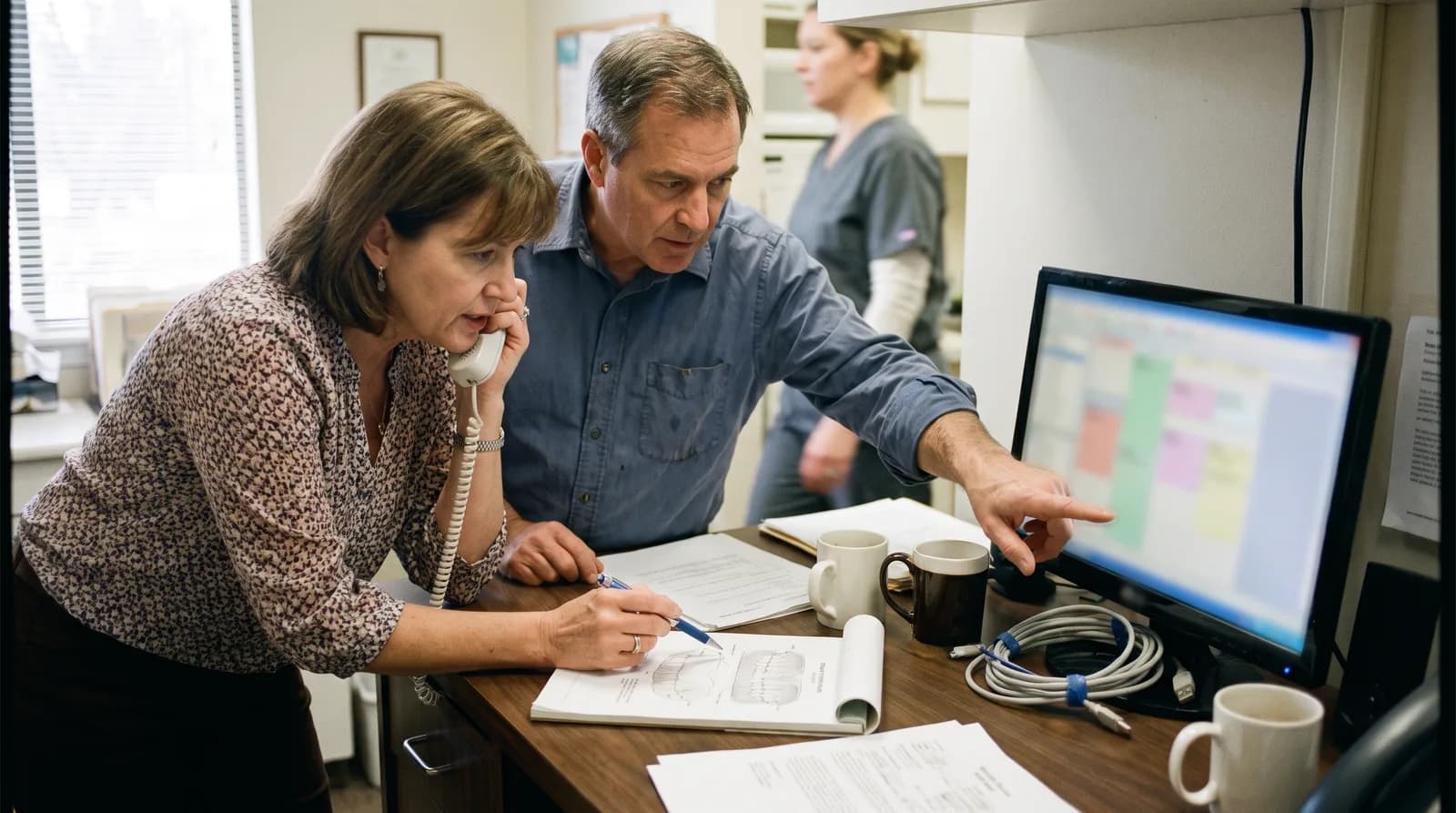
For years, the job fell on the front desk. Staff manually called patients within 24 to 48 hours, especially after surgery or complex restorative work. The intent was good. The execution was uneven.
Schedules slip. Priorities compete. People forget. Some patients got their call on time. Others were missed entirely. Those gaps hurt continuity of care, and they push practices to automate dental follow-up calls instead of leaving them to a busy front desk.
Automation changes the math. It delivers precise timing, consistent messaging, and full coverage of every eligible patient. This guide walks the complete process, from first plan to ongoing tuning, plus the compliance rules for U.S. healthcare communication.
What Are Dental Follow-Up Calls and Why They Matter
Dental follow-up calls are structured check-ins after treatment that confirm a patient is recovering well and handle immediate questions. They usually happen within 24 to 48 hours and serve both clinical and operational goals.
Clinically, they catch complications early, reassure patients, and repeat the post-op instructions people half-hear in the chair. The CDC notes that follow-through on oral care guidance is a recurring gap in outcomes.
Operationally, they show a practice cares, lifting satisfaction and referrals. According to the American Dental Association, loyalty is built through consistent, proactive contact, not one-off outreach.
Here's the problem with doing it by hand. Staff have to remember who to call, track who was reached, and chase the people who didn't pick up. During busy or short-staffed weeks, follow-ups are the first thing to slide. That inconsistency is what pushes practices to automate dental follow-up calls.
What Are the Common Types of Dental Follow-Up Calls?
Different procedures need different conversations. Most automated programs sort follow-ups into three buckets:
- Post-surgical follow-ups after extractions, implants, or periodontal work, focused on pain, swelling, and post-op instructions.
- Routine procedure follow-ups after fillings, cleanings, or preventive care, reinforcing hygiene advice and checking for sensitivity.
- Scheduling follow-ups for patients who still need to book recommended treatment, like a crown completion or orthodontic consult.
What Are the Benefits of Automated Post-Visit Outreach?
Automating follow-up calls delivers measurable gains in efficiency, consistency, and growth. The biggest immediate win is time: automation removes the manual work of calling patients one by one, freeing the front desk for higher-value tasks.
Run the numbers. A practice making 20 to 30 follow-up calls a week reclaims 3 to 4 staff hours for chairside care. And Dental Economics reports automated recall systems lift return rates by 25 to 40 percent.
Consistency is the second win. Every eligible patient gets the same professional message, on time, regardless of who's working. Scalability is the third: automation handles higher call volume without adding labor, ideal for growing and multi-location practices.
Operational and Staffing Benefits
Take routine calls off the team's plate and the benefits ripple out:
- Staff focus. The team handles complex interactions and treatment planning instead of dialing.
- Lower labor cost. Fewer hours go to outreach, while quality improves.
- Cleaner documentation. Every call attempt, response, and action is logged automatically.
With Bureau of Labor Statistics data showing steady demand for dental staff, a practice that compares manual follow-ups with AI outreach usually finds the math tips toward automation fast.
Patient Communication Improvements
Patients feel the difference, and it often leads to reviews: BrightLocal research finds nearly all consumers read local reviews before choosing a business. Automated systems can also try more than once, across phone, text, and email, with response tracking flagging patients who need a human callback.
Want follow-ups done consistently, without adding staff workload?
Schedule a free consultation to map which procedures need follow-up, set timing rules (24 hrs / 48 hrs), and launch a compliant workflow that improves patient experience automatically.
How Does Automated Patient Outreach Work?
Automated follow-up calls work by syncing with your practice management software, triggering on a completed appointment, then calling patients on set timing rules using recorded messages or AI conversations. No manual data entry. No one has to remember.
The logic adapts to the patient. Treatment complexity, age, medical history, and prior preferences shape the workflow, adjusting call timing, content, and frequency.
Integration makes it scale. The system pulls appointment data, treatment records, and contact preferences from your existing platform, so follow-ups fire automatically, the same backbone behind automated reactivation campaigns.
What Are the Core Components of an Automation System?
Four parts do the work:
- Trigger mechanisms start a sequence based on appointment completion, treatment codes, or provider protocols.
- Message libraries hold pre-recorded or text-to-speech content tailored to each procedure and patient group.
- Contact management validates phone numbers, tracks attempts, and enforces preferences.
- Response capture records replies, callback requests, and escalations for staff review.
Typical Workflow From Appointment to Follow-Up
A full cycle runs like this:
- The sequence starts when an appointment is marked complete in the practice management system.
- Treatment codes and provider notes trigger the right protocol, setting call timing and content.
- The system queues the patient and places the call using a recorded message or AI conversation.
- Responses are captured and sorted: urgent concerns flag for staff right away, routine confirmations are logged.
What Tools and Software Automate Dental Follow-Up Calls?
Several platform categories can automate dental follow-up calls, each trading off price, flexibility, and setup. Practice management systems with built-in automation integrate cleanly but offer limited customization. Standalone communication platforms give you more control, but require integration work.
AI-powered receptionist services are the newest category, pairing automation with real conversation so patients get useful answers while urgent issues escalate to staff. Cloud-based platforms launch faster and need less upkeep than on-premise tools, though you should vet their security certifications closely.
| Platform Type | Integration Complexity | Customization Level | Typical Cost Range |
|---|---|---|---|
| Built-in PMS Automation | Low | Limited | $30-100/month |
| Standalone Communication | Medium | High | $200-500/month |
| AI Receptionist Services | Medium | High | $300-800/month |
| Custom Development | High | Complete | $2,000-10,000 setup |
Key Features to Look For
When comparing platforms, weigh four capabilities:
- Multi-channel reach. Phone, text, and email in one workflow, so you connect however patients respond best.
- Compliance management. Built-in HIPAA safeguards and consent handling.
- Analytics and reporting. Clear data on effectiveness, response rates, and where staff stepped in.
- Integration APIs. Clean data exchange with your practice management system, so nothing is keyed twice.
If reliable delivery is non-negotiable, read up on dental VoIP reliability before you commit. Dropped calls undo the whole point.
How Do You Automate Dental Insurance Follow-Ups?
You automate dental insurance follow-ups by linking your verification workflow to triggers that prompt patients about coverage, missing information, or balances on a set schedule. The same engine that runs post-op calls chases insurance details, with different scripts and timing.
Insurance follow-up is where front desks quietly lose hours. Verifying benefits, re-checking eligibility, and chasing updated cards eats time that should go to patients in the building, and patients get frustrated by insurance phone calls too.
Automation handles the repetitive parts: confirming coverage before a visit, requesting a missing insurance card, and reminding patients about balances after a claim processes. Anything ambiguous, like a denied claim, routes to a human. The trade-offs are covered in this look at an AI receptionist for dental insurance calls, and a clear insurance verification workflow gives the front desk hours back each week.
Automating New Patient Intake and Phone Answering
Follow-up is only half the phone story. The other half is what happens before someone becomes a patient. If you're automating phone operations, new patient intake and inbound answering belong in the same plan as post-visit calls.
The stakes are high. Dental Economics reports the average practice misses 15 to 20 calls a week, and a single missed new patient call can cost more than $1,200 in lifetime value. Most people who hit voicemail just dial the next office.
How Do You Automate New Patient Intake?
You automate new patient intake by capturing caller details, qualifying the reason for the visit, and booking or routing the appointment without staff keying anything in. Done well, it collects the basics, name, contact info, insurance, chief complaint, then drops a structured record into your schedule.
The goal isn't a robotic gatekeeper. It's a system that answers on the first ring, gathers what you need, and hands warm details to the team, linking intake and the new patient follow-up system for the first 48 hours.
What Does Automated Phone Answering Look Like?
Automated phone answering means an AI or virtual system that picks up inbound calls, answers common questions, and books appointments around the clock. It covers gaps a human front desk can't: lunch rushes, after-hours, and the third caller stacking up while two lines are busy.
A good system doesn't just deflect calls. It answers them. Patients can ask about hours, location, or whether you take their plan, while anything clinical routes to staff. See how automated call handling helps dentists never miss a call, and this dental practice automation roadmap covers the bigger shift.
Call Tracking for Dentists: Measuring Follow-Up Performance
Call tracking for dentists means recording, attributing, and analyzing every inbound and outbound call to see what's working. Without it, follow-up automation is a black box, and you can't fix what you can't measure.
Dental call tracking answers the questions that matter. How many follow-up calls connected? How many patients booked? Which referral sources drive real appointments, not just rings? This guide to dental call tracking breaks down how to measure every patient call.
For follow-up programs, track three metrics:
- Connection rate. The share of attempts that actually reach a patient, by phone, text, or email.
- Conversion rate. How many follow-ups lead to a booked appointment or a resolved concern.
- Escalation rate. How often a call routes to staff, which shows where automation needs tuning.
Scoring individual calls adds another layer. When you score dental patient calls, you spot weak scripts and missed bookings, then refine the messages that aren't landing. Tracking turns a follow-up system from set-and-forget into something that keeps improving.
How to Automate Patient Calls Without Losing Quality
You automate patient calls without losing quality by keeping a human in the loop, scripting in a warm voice, and routing anything sensitive to staff. The fear that automation feels cold is fair, but avoidable.
Practices that get this right follow a few principles:
- Lead with the patient's name and procedure. A generic blast feels like spam. A call that references the crown they just had feels like care.
- Give an easy exit to a human. Every automated call should offer a fast path to a real person for anything urgent. That one option preserves trust.
- Match the channel to the patient. Older patients often prefer a call; younger ones may want a text. Respect those preferences.
- Keep clinical judgment human. Let automation handle reminders and routine check-ins. Leave anything involving symptoms or pain for staff.
The best framing isn't automation versus the personal touch. It's automation protecting that touch by freeing your team for conversations that need a human. This piece on how to automate the front desk without losing the personal touch goes deeper.
How Much Does Automated Follow-Up for Dentists Cost?
Automated follow up for dentists is priced three main ways: per message, per seat, or a flat monthly fee tied to call volume and locations. Your real cost depends on patient volume, the channels you use, and how many of your follow-ups the system handles from start to finish.
There is no single sticker price, because two practices with the same chair count can have very different follow-up loads. A high-acuity practice doing implants and oral surgery makes longer, more frequent post-op calls than a general office running routine recall. Map your monthly follow-up volume first, then read any quote against that number.
What Pricing Models Do Vendors Use?
Most vendors land on one of three structures. Each rewards a different usage pattern, so the cheapest headline rate is not always the cheapest for your practice.
| Pricing model | How it bills | Best fit |
|---|---|---|
| Per message or per call | You pay for each call or text the system sends or completes. | Smaller offices with low, predictable follow-up volume. |
| Per seat | A fixed fee per front desk user or line, regardless of volume. | Teams that want a flat, headcount-based budget line. |
| Flat monthly or usage tier | One monthly fee that covers a set call volume, with overage tiers above it. | Busy or multi-location practices that want a capped, forecastable cost. |
Watch for add-ons that sit outside the headline rate: setup or onboarding fees, charges for extra locations, premium support, and per-integration costs to connect your practice management system. Ask for a sample invoice at your real volume before you sign, not the marketing price.
How Do You Estimate the Return on Automated Follow-Up?
Return on automated follow up for dentists comes from two places: hours your team stops spending on the phone, and revenue you stop losing to no-shows and lapsed patients. Put a rough dollar value on both, then compare that to the monthly fee.
Start with staff time. Add up the hours your front desk spends each week on post-visit calls, recall reminders, and unanswered voicemails, then multiply by a loaded hourly wage. Much of that time is recoverable once a system handles the routine outreach, which is the same pattern practices see when they look at where the front desk loses hours on billing tasks. For a closer breakdown of that hidden time cost, see where front desks lose hours to manual billing work.
Then add the revenue side. A recovered no-show, a confirmed post-op check, or a reactivated patient who books a cleaning all carry real value. You do not need precise figures to make the call. If the time you reclaim plus a handful of saved appointments each month clears the subscription cost, the system pays for itself, and most of the upside after that is margin.
How Does Automated Follow-Up Connect to Your Dental Software?
Automated follow up connects to your dental software through an integration with your practice management system, so the tool reads appointments and treatment notes and writes call outcomes back to the patient record. Strong integrations work with Dentrix, Open Dental, Eaglesoft, and Curve Dental without manual data entry.
This connection is what separates a real automation tool from a glorified auto-dialer. When the system knows who had a filling yesterday and who missed a recall six months ago, it can send the right message to the right patient at the right time, and your team never copies a list into a separate app.
Which Practice Management Systems Sync With Automation Tools?
The four systems you will see most often in United States practices are Dentrix, Open Dental, Eaglesoft, and Curve Dental. Each exposes patient and schedule data differently, so integration depth varies by vendor and by which system you run.
Before you commit, confirm three things with the vendor: that they support your exact platform and version, whether the sync is two-way or read-only, and how often data refreshes. A read-only connection can still trigger outreach, but only a two-way sync writes call results and opt-outs back so your records stay accurate. If you are weighing a platform change at the same time, the questions in our guide to switching dental software the right way apply here too.
What Patient Data Should Flow Automatically?
The integration should move appointment status, treatment type, and contact preferences into the follow-up tool, and push call outcomes, confirmations, and opt-out flags back into the patient record. That two-way flow is what keeps automated outreach accurate and compliant over time.
Pay special attention to opt-out and consent flags. If a patient asks to stop receiving calls or texts, that preference has to sync both ways instantly, or you risk contacting someone who has already opted out. Treatment type matters too, because a post-op surgical call should read differently from a six-month recall nudge, and the system can only personalize that message if the data reaches it.
See how the integration works in your office
Connect automated follow-up to the practice management system you already run, with two-way sync that keeps every patient record accurate.
Explore the AI receptionist →Compliance and Privacy Considerations in the United States
Practices that automate dental follow-up calls work inside strict rules on patient communication. Two federal laws set the boundaries, and several states add more.
HIPAA comes first. The Health Insurance Portability and Accountability Act sets the standard for protecting patient health information, requiring safeguards against unauthorized access and the minimum necessary standard for disclosure.
The TCPA adds its own rules. The Telephone Consumer Protection Act governs automated calling, especially consent and opt-out. Get proper consent before placing calls and give patients a clear way to stop them.
State law can layer on more, from specific consent language to limits on calling times. Know your local obligations before you launch. If your website also collects patient data, this HIPAA dental website compliance guide is a useful companion.
HIPAA and Patient Communication Rules
Five HIPAA-driven requirements apply to almost every automated calling setup:
- Business Associate Agreements. Sign a BAA with any vendor that touches protected health information. The U.S. Department of Health and Human Services (HHS) spells out what that covers.
- Minimal information in messages. Automated calls should avoid specific treatment details or sensitive conditions.
- Access controls. Limit who can configure or monitor the system, and log their access.
- Audit logging. Keep records of who did what, and when.
- Encryption. Protect patient information in transit.
Consent and Opt-Out Requirements
Consent isn't a one-time checkbox. Build it into new patient intake, explain your automated communication clearly, and get written authorization. Opt-out has to be just as easy: patients should be able to stop calls through more than one channel, effective immediately. Document both consent and opt-out requests so you can show compliance if audited.
Real-World Examples of Automated Dental Follow-Up Calls
Implementation differs by practice size, patient mix, and specialty. The two scenarios below show how real practices automate dental follow-up calls while staying compliant.
The pattern holds across both: better response rates, lighter workload, and a stronger reputation, as long as the system is configured and monitored. Success comes down to content, timing, and staff training on escalations.
Small Practice Scenario
A two-provider family practice with 800 active patients turned to automation to survive its busiest weeks. The setup called patients within 12 hours of restorative work and within 4 hours of surgery, with personalized messages and an easy option to reach staff.
After six months, the results were clear. Follow-up consistency rose 45 percent, the team reclaimed 8 hours a week for chairside care, and post-treatment satisfaction scores climbed 15 percent.
Multi-Location Practice Scenario
A four-location group used centralized automation to standardize follow-up across every site. The system reads treatment codes and provider preferences to flag who needs a call, with custom message libraries per procedure and Spanish-language options.
Daily reports showed completion rates across all locations, so leadership could tune protocols. The payoff: a 60 percent drop in missed follow-ups and a consistent experience group-wide. Pairing this with proven patient retention strategies compounds the gains.
Real Practice Results
"Following up with patients after visits was something we always intended to do, but between phone calls, check-ins, and scheduling, it often got pushed aside.
Within 8 weeks of automating our follow-up calls, every patient received timely outreach after their visit. Patients appreciated the extra care, and many used the calls to schedule their next appointment right away. Our schedule became more consistent, and the front desk had fewer outbound calls to manage.
The biggest difference was in patient satisfaction. People felt heard and supported, while our team gained time to focus on the patients in the office."
, Dr. Rahim, Practice Owner, Peterborough Family Dental & Implant Center
How Do You Get Started With Automated Patient Outreach?
Getting started takes systematic planning, not a rushed rollout. Document your current process, identify which patients benefit most, and set the metrics you'll judge success by.
Choose your platform around integration and compliance first. A system that won't talk to your practice management software creates more work than it saves. Pilot with a small group before going practice-wide.
Then train your team. Staff need clear protocols for escalated concerns, contact preferences, and performance monitoring. Automation runs the routine; people handle the exceptions.
Step-by-Step Implementation Checklist
Planning phase:
- Identify target groups: surgical, routine procedure, and missed-appointment patients.
- Document your current process and the staff time it consumes.
- Set success metrics: response rates, satisfaction scores, and time saved.
- Research the compliance requirements in your state.
System setup:
- Select a platform based on integration, compliance, and scalability.
- Configure the practice-management integration and test data syncing.
- Build message libraries for each procedure type and scenario.
- Set call timing rules by procedure complexity and patient preference.
- Stand up reporting and analytics to monitor performance.
Launch and optimization:
- Start with a pilot group to surface issues early.
- Train staff on system management, response protocols, and compliance.
- Watch patient feedback and adjust content or timing.
- Review performance weekly at first, then scale to your full base once the pilot succeeds.
DentiVoice AI Receptionist for Dental Follow-Up Automation
DentiVoice AI is built for practices that want to automate dental follow-up calls with real conversation, not just recorded messages. It answers patient questions about post-treatment care, medication, and recovery, and holds the line on HIPAA compliance throughout.
The platform connects to major practice management systems to flag who needs a follow-up, then responds to patient concerns and escalates urgent issues to staff. It adapts its tone, gathers what routine follow-ups need, and logs every interaction for compliance records.
Customization runs deep. Practices configure protocols by procedure, patient group, and provider, with Spanish-language support and scheduling integration that books the next visit on the same call. Implementation includes staff training, compliance guidance, and ongoing tuning, with dashboards that show what's working.
Conclusion: Key Takeaways on Automating Dental Follow-Up Calls
The decision to automate dental follow-up calls pays off in two ways: efficiency and patient experience. The time savings, consistency, and scalability matter most for growing practices and teams stretched thin.
Compliance stays front and center. Pick platforms with real security, build consent into intake, and keep documentation that proves you're following HIPAA and the TCPA. Compliant systems protect the practice while improving communication.
Planning is the difference-maker. Practices that set clear metrics, train their teams, and tune their workflows outperform the ones that flip a switch and hope. Start with a pilot, measure with call tracking, and scale what works. The technology is proven; the win comes from a rollout that protects both efficiency and the care patients feel.
Ready to deliver better post-visit care for every patient?
Book a free demo with DentalBase to automate your follow-up calls, reduce callbacks, and keep patients supported after treatment, without pulling your team off the front desk.
Sources & References
Frequently Asked Questions
They are pre-recorded or AI-generated calls that contact patients after appointments with no manual staff effort. They check recovery, reinforce post-treatment instructions, schedule future visits, and collect feedback at set intervals.
Yes, when proper safeguards are in place. That means encrypted channels, patient consent, minimal information in messages, and vendors who sign business associate agreements covering protected health information.
Offices link calling software to their practice management system, import patient data, build call templates, and set schedules by appointment type. Many use AI that holds natural conversations; others use recorded messages with callback options.
Link your verification workflow to triggers that prompt patients about coverage, missing cards, or balances on a schedule. The system handles routine checks and routes anything ambiguous, like a denied claim, to staff.
Call tracking records, attributes, and analyzes every inbound and outbound call. For follow-up programs it measures connection rate, conversion rate, and escalation rate, showing which scripts and sources actually drive booked appointments.
Keep a human in the loop, personalize with the patient's name and procedure, offer an easy path to a real person, and reserve clinical judgment for staff. Automation handles routine contact while protecting the personal touch.
Built-in PMS automation runs $30 to $100 per month. Standalone platforms range $200 to $500. AI receptionist services cost $300 to $800 per month, while custom builds carry a $2,000 to $10,000 setup with lower ongoing fees.
Was this article helpful?
Written by
Dentalbase Team
The Dentalbase Team is a collective of dental marketing experts, AI developers, and practice management consultants dedicated to helping dental practices thrive in the digital age.