AI Receptionist Features Dental Offices Actually Use Daily
Which AI receptionist features dental offices use daily: native PMS integration, live scheduling, after-hours coverage, and which ones go unused.
Share:
Table of contents
The AI receptionist features that matter most for dental offices have little to do with how human the voice sounds. Most practices shopping for one ask "does it sound human?" when they should ask "does it actually do the job?" A natural voice is table stakes. What separates a system that pays for itself from one that becomes another abandoned tool is a specific set of AI receptionist capabilities working together underneath that voice. For the complete picture of how the DentalBase AI receptionist works across a practice, see our complete guide to the DentalBase AI receptionist.
According to ADA Practice Transitions, 38% of new patient calls go unanswered during business hours. That gap is exactly what a well-built system is supposed to close, and a poorly built one won't. This guide walks through the features that determine which category yours falls into, from scheduling logic to escalation rules, so you can evaluate a DentalBase product or any competitor with a clear checklist instead of a demo script.
What Makes AI Receptionist Features Actually Useful for a Dental Office?
An AI receptionist is useful when it resolves calls the way a trained front desk employee would, not when it merely answers them. That means booking real appointments in your actual calendar, capturing accurate patient information, and knowing when to hand a call to a human. Anything short of that is a glorified voicemail with better manners.
The average dental practice misses 15-20 calls per week, according to Dental Economics. Multiply that by the weeks in a year and the scale of the problem becomes obvious. That pressure isn't easing either: dental employment is projected to grow 4% from 2022 to 2032, per the Bureau of Labor Statistics, which means more patients and more calls without a proportional jump in front desk headcount. That's the specific bottleneck explored in our front desk bandwidth breakdown.
What actually separates a useful system from a gimmick
So when you're comparing tools, don't start with the voice quality demo. Patients already scrutinize a practice before they ever call. 98% read local reviews before choosing a business, according to BrightLocal, and a call that goes unanswered undoes that trust instantly. Start with the feature list below, and score each vendor against your actual call volume and your actual PMS.
- Books a real appointment in the live calendar, not just a callback promise
- Captures accurate patient information on the first pass
- Knows exactly when to hand the call to a human
Can It Handle Real-Time Scheduling Without Double-Booking?
Yes, if it's built correctly. A dental AI receptionist should read and write directly to your live calendar, not a cached copy that syncs every few minutes. Real-time access is what prevents two patients from being booked into the same 2:00 p.m. slot on a Tuesday.
Live calendar sync vs. batch updates
Some tools "sync" on a delay, pulling availability every 15 or 30 minutes. That works fine at low volume and fails badly during a busy Monday morning when five calls come in within ten minutes of each other. Ask any vendor directly: is the calendar read live, or on an interval? The answer changes everything about how the system performs under real load. This is also the standard behind real-time booking APIs like Google's Maps Booking infrastructure, which requires live inventory checks for exactly this reason.
Handling cancellations and rescheduling mid-call
A patient calling to cancel should be offered a new slot on the same call, not told "someone will call you back." That single design choice recovers chairs that would otherwise sit empty. It's a small feature on paper. In practice, it's the difference between a canceled slot and a rebooked one.
Does It Integrate With Your Practice Management Software?
It should, and not through a workaround. Native integration with your practice management system, not a manual export/import process, is what lets an AI receptionist book, reschedule, and pull patient records without a staff member double-checking every entry afterward. Of all the AI receptionist features covered here, this is the one vendors most often get wrong. The stakes are highest for specialty practices with complex scheduling: an orthodontic office needs the AI to read a dozen distinct appointment types and treatment-phase data straight from the PMS, not just find an open slot, as this breakdown of orthodontic PMS integration shows.
Native support for Dentrix, Open Dental, Eaglesoft, Curve, and Denticon
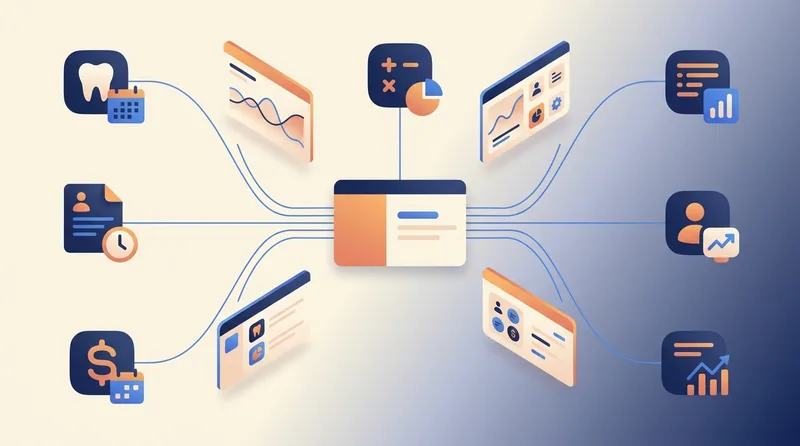
These five systems cover most of the market, and native support means the AI reads your actual schedule and writes appointments back into it directly. No spreadsheet in the middle. No end-of-day reconciliation where your office manager cross-checks bookings by hand.
- Dentrix and Open Dental: the two most common PMS platforms in general dentistry, both requiring real API-level access rather than screen scraping
- Eaglesoft and Curve: increasingly common in multi-location groups, where sync reliability matters even more
- Denticon: cloud-native, which simplifies integration but still demands proper permission scoping
What breaks when integration is bolted-on instead of native
Bolted-on integrations tend to fail quietly. A booking goes through on the AI's side but never lands in the PMS, and nobody notices until a patient shows up to an empty chair or gets turned away from a full one. Ask for references from practices using your exact PMS, not a generic case study.
For the specifics of what a real integration checks and syncs on every call, see does DentiVoice sync with your practice management software.
See which features your current setup is missing
Compare your practice's phone workflow against the checklist above with a walkthrough of DentiVoice.
See DentiVoice Features →Can It Collect Insurance Information and Verify Coverage on the Call?
Yes, a capable system captures carrier name, member ID, and group number during the initial booking call, and the strongest tools run a real-time eligibility check while the patient is still on the line. That single step removes one of the most common reasons front desk staff call new patients back before their appointment.
72% of patients say convenience is a top factor in choosing a provider, according to the ADA. Asking a new patient to call back with their insurance card in hand, or to fill out a separate portal form, adds friction at exactly the moment you want the least of it. 67% of patients would travel further to receive their preferred care, according to the ADA Health Policy Institute, which means friction at intake is often the deciding factor, not distance. Capturing the fields correctly on the first call keeps that friction out of the funnel entirely.
What fields it should capture during the call
| Field | Why It Matters |
|---|---|
| Carrier name | Determines which eligibility API or clearinghouse to query |
| Member ID | Required for any real-time verification lookup |
| Group number | Confirms the specific plan tier and coverage details |
| Subscriber relationship | Flags dependent coverage that needs separate verification |
Not every system runs live eligibility checks. Some only capture the fields and leave verification to your team. Ask specifically which one you're buying, because the gap between the two is hours of staff time per week.
An AI receptionist captures these fields during the booking call, but a dedicated intake platform can go further with document upload and e-signatures before the visit. This comparison of the best intake software to reduce front desk workload is worth a look if forms and signatures matter as much as the initial data capture.
How Does It Handle Overflow and After-Hours Calls?
A properly built system answers every call it receives, whether that's the sixth line ringing during a Monday rush or a call at 9 p.m. on a Saturday. After-hours calls represent 27% of total patient call volume, according to Dental Economics, which means any tool that only covers business hours is ignoring more than a quarter of demand.
Peak-hour overflow when every line is busy
Overflow handling means the AI picks up the calls your front desk physically can't get to, not just the ones that come in when the office is empty. That's a different technical requirement, and it's worth asking vendors to demonstrate specifically.
Nights, weekends, and holiday coverage
Our after-hours coverage rollout found that patients calling outside business hours are often the most urgent: a knocked-out tooth on a Friday night, a child in pain over the weekend. 80% of callers who reach voicemail hang up without leaving a message, according to RingCentral. Those callers don't wait until Monday. They call the next practice on the list.
Curious how your PMS fits in?
DentiVoice connects natively with Dentrix, Open Dental, Eaglesoft, Curve, and Denticon.
Book a Free Demo →Does It Support Bilingual Patients?
The better systems do, and they detect the patient's language automatically rather than making them press a number or ask for Spanish outright. That single detail avoids an awkward moment before the call even starts, and it works without a transfer or hold, as covered in our bilingual AI receptionist update.
Why automatic language detection matters
If your patient base includes a meaningful Spanish-speaking population, this isn't a nice-to-have. It's a feature that directly affects how many of those calls convert into booked appointments, and it's worth testing on a real call before you buy, not just reading about in a spec sheet.
- No transfer, hold, or awkward "press 2 for Spanish" moment before the call even starts
- Detection happens automatically based on how the patient speaks
- Directly affects how many Spanish-speaking calls convert into booked appointments
What Happens When a Call Needs a Human?
A well-designed system escalates the call immediately, using clear triggers instead of trying to handle everything itself. No AI receptionist, however capable, should attempt to manage a clinical emergency, a billing dispute, or an angry patient without looping in staff. Knowing when to step back is as important as knowing when to take over.
Triggers that should force an escalation
- Any mention of severe pain, trauma, or a dental emergency
- Explicit requests to speak with a specific staff member or the dentist
- Billing disputes or complaints about a prior visit
- Repeated confusion where the caller isn't getting what they need from the AI
Specialty practices need their own trigger list on top of this one. A broken bracket or a poking wire isn't a general dental emergency script, and our guide to orthodontic answering service options and costs covers the escalation patterns an ortho-specific system needs to recognize.
Warm transfer vs. dropping to voicemail
A warm transfer, where the AI connects the caller to a live person with context already passed along, is a fundamentally different experience than a system that simply drops a frustrated caller into voicemail. Customers who get bounced between channels without resolution are measurably more likely to disengage, according to HubSpot's customer service research. If a vendor can't describe their escalation logic in specific terms, that's a warning sign worth taking seriously.
How natural that whole exchange feels comes down to voice quality and response speed, the two factors our guide to the AI receptionist patient experience and whether callers can tell found matter most for a call sounding human.
Is It Secure Enough for Patient Data?
It needs to be, since every call involves protected health information the moment a patient gives their name and reason for calling. A dental AI receptionist should operate under a signed Business Associate Agreement, encrypt data in transit and at rest, and log access the same way any other system touching patient records is expected to.
HIPAA compliance basics for AI call handling
This is one of the most common concerns practices raise before adopting the technology, and it's addressed directly in our objections and fears breakdown. The short version: compliance isn't automatic just because a vendor calls their product "HIPAA-friendly." Ask for the BAA in writing before you sign anything else.
Call recording, storage, and access controls
Recorded calls containing patient information need the same retention and access rules as any other record in your practice. Ask who can access recordings, how long they're stored, and whether that storage lives inside a system your compliance officer has actually reviewed.
Must-Have vs. Nice-to-Have: A Feature Comparison
The AI receptionist features covered so far don't all carry the same weight. Some are the difference between a system that works and one that quietly fails; others are genuine conveniences that matter less if budget is tight. Use this table to separate the two before you sit through another sales demo.
Quick reference: must-have vs. nice-to-have
| Feature | Must-Have | Nice-to-Have |
|---|---|---|
| Live PMS write-back | Yes | - |
| After-hours coverage | Yes | - |
| Human escalation logic | Yes | - |
| Bilingual support | - | Depends on patient base |
| Live insurance verification | - | High-value, not universal |
| Custom voice branding | - | Cosmetic, not functional |
Can You Actually Measure Whether It's Working?
Yes, and you should insist on it before you sign a contract. A dental AI receptionist worth paying for gives you call-level analytics: how many calls came in, how many booked, how many escalated, and how many were missed entirely. Without that data, you're taking the vendor's word for it. See what your call data reveals once DentiVoice is running for a look at what this call-level analytics reporting actually includes.
Call analytics worth tracking
A single missed new patient call costs a practice $1,200 or more in lifetime value, according to Dental Economics. That number alone justifies tracking booked-call rate as closely as you track production per chair. Our call analytics deep dive breaks down exactly which metrics matter and how to read them weekly, not quarterly.
Connecting answered calls to booked revenue
The tools worth keeping tie call outcomes directly to your schedule and, ideally, your production numbers. SMS reminders alone reduce no-show rates by 38%, per research from Imperial College London, and an AI receptionist that also handles reminder follow-up compounds that effect further. Ask for a weekly report, not a dashboard you have to remember to check.
Related: Recall and reactivation outreach is one of the highest-leverage features on this list, not just a nice-to-have add-on. See how DentiVoice turns overdue patients into booked visits →
The AI receptionist features that matter most all share one trait: they hold up under real call volume, not just a quiet demo. Live PMS integration, after-hours coverage, clear escalation rules, and real measurement are what separate a tool that pays for itself from one that becomes another subscription nobody uses.
Before you sign with any vendor, ask them to walk through each feature in this guide against your specific PMS and your specific call patterns. If they can't answer in detail, that's the answer.
See These Features in Action
Book a free demo and walk through exactly how DentiVoice handles scheduling, insurance capture, and escalation on real calls.
Book a Free Demo →Want more guides like this one?
Browse Resources →Sources & References
Frequently Asked Questions
A dental AI receptionist should have live PMS integration, real-time scheduling, insurance data capture, after-hours coverage, and clear escalation rules for calls that need a human. These features determine whether the system books correctly under real call volume.
Yes, native integrations with Dentrix, Open Dental, Eaglesoft, Curve, and Denticon let the AI read and write directly to your schedule. Without native support, bookings can silently fail to sync with your actual calendar.
Some systems can run real-time eligibility checks during the call, while others only capture the carrier, member ID, and group number for staff to verify later. Ask vendors specifically which capability you're getting.
A well-built system recognizes emergency language, such as severe pain or trauma, and escalates immediately through a warm transfer to a live staff member. It should never attempt to manage a clinical emergency on its own.
Compliance depends on the vendor, not the category of product. Look for a signed Business Associate Agreement, encrypted data in transit and at rest, and clear access controls on any recorded calls.
Yes, DentiVoice detects a caller's language automatically and continues the conversation in Spanish without a transfer or hold. This removes an extra step that can otherwise cause bilingual callers to hang up.
Track call-level analytics: total calls, booked-call rate, escalations, and missed calls. Compare that against production revenue weekly, since a single missed new patient call can cost over $1,200 in lifetime value.
Was this article helpful?
Written by
DentalBase Team
Expert dental industry content from the DentalBase team. We provide insights on practice management, marketing, compliance, and growth strategies for dental professionals.