Google Maps Ads for Dentists: How to Show Up First
Google maps ads dentists use to appear above the Map Pack. LSA setup, review-based ranking, budget strategy, and call conversion systems.
Share:
Table of contents
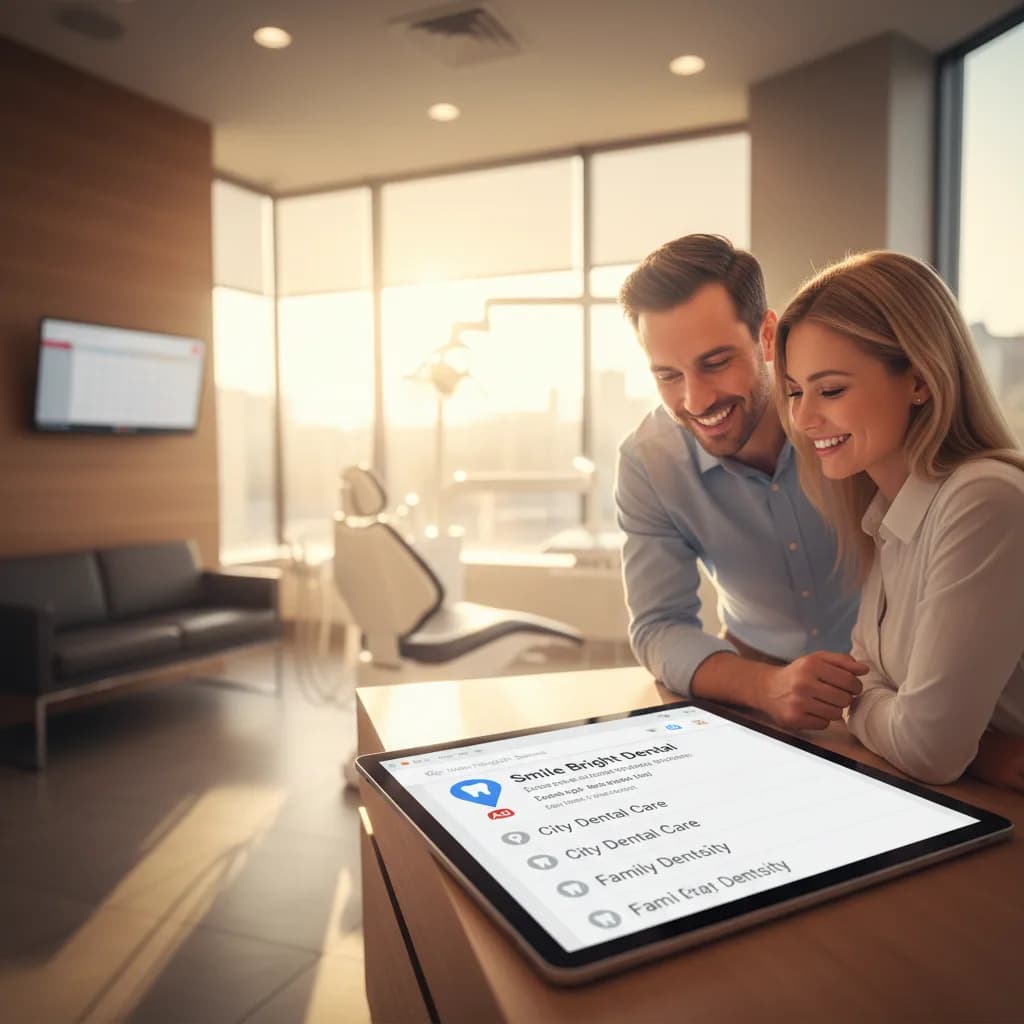
Google maps ads dentists pay for appear above the organic Map Pack, putting your practice name, rating, phone number, and "Google Guaranteed" badge in the #1 position for local searches like "dentist near me" and "emergency dentist [city]." These are Local Services Ads (LSAs), and they're the highest-converting paid placement in dental marketing because they combine Google's trust badge with the patient's highest-intent moment: actively searching for a dentist to call right now. LSA patients convert at 15-25% versus 8-15% for standard search ads because the format is designed for immediate phone calls, not website visits.
This guide covers the complete google maps ads dentists setup: how LSAs work, the qualification process, bidding and budget strategy, the review requirements that determine ad placement, and the call conversion system that turns map clicks into booked appointments. According to BrightLocal, 98% of consumers search online before choosing a local business and the Map Pack is the first thing they see. Moz confirms that GBP signals and review signals are the dominant factors in local placement. LSAs let you pay to appear above the organic Map Pack while organic SEO builds your permanent position. For the organic strategy, see our local SEO benefits guide.
How Do Google Local Services Ads Work for Dental Practices?
LSAs (the google maps ads dentists see at the top of local results) operate fundamentally differently from standard Google Ads. Understanding these differences prevents wasting budget on the wrong optimization.
| Feature | Standard Google Ads | Local Services Ads (LSAs) |
|---|---|---|
| Payment model | Pay per click ($5-50) | Pay per lead ($6-30) |
| What you pay for | Website visit (may not call) | Phone call or message (direct contact) |
| Position | Below Map Pack | Above Map Pack (top of page) |
| Trust signal | None (standard ad label) | Google Guaranteed badge |
| Ranking factors | Bid amount, Quality Score, ad copy | Reviews, responsiveness, proximity |
| Landing destination | Your website/landing page | Google-hosted profile with call button |
| Typical CPA | $50-300 | $30-120 |
The pay-per-lead model is the critical difference. Standard ads charge for clicks whether the patient calls or not. LSAs charge only when a patient calls or messages through the ad. This eliminates wasted spend on clicks that don't convert and typically produces 40-60% lower CPA than standard search ads for the same local dental searches. See our Google Ads ROI guide for standard campaign tracking.
Appear first on Google Maps and convert every call
DentalBase manages LSA campaigns alongside AI reception that answers every map-generated call 24/7, with attribution showing cost per patient from Maps ads specifically.
Book a Free Demo →What Does the LSA Qualification and Setup Process Look Like?
Google requires verification before running LSAs because the "Google Guaranteed" badge carries Google's reputation. The qualification process takes 2-4 weeks.
- Business verification: Confirm your practice name, address, phone, website, and service area. Google verifies this against your Google Business Profile and public records. Inconsistencies between your LSA application and GBP listing delay approval. Ensure NAP matches exactly across all platforms before applying.
- License and insurance verification: Submit your dental license (state-issued), business insurance certificate, and any required specialty certifications. Google verifies these with your state dental board. According to the ADA, all practicing dentists hold valid state licenses, so this step is typically straightforward. Keep documents current because expired licenses pause your ads immediately.
- Background check: Google conducts background checks on the business owner. This protects consumers and maintains the trust of the Google Guaranteed badge. The check typically completes within 1-2 weeks and only flags serious issues.
- Service category selection: Choose which dental services to advertise (general dentistry, cosmetic dentistry, emergency dentistry, orthodontics, pediatric dentistry). Each category may have different lead costs. Start with general and emergency (highest volume, lowest cost per lead) and add cosmetic once you've optimized your call conversion.
- Budget and bid configuration: Set a weekly budget cap. Google distributes leads throughout the week up to your cap. You can adjust the max cost per lead (Google suggests a range based on your market). Starting budget recommendation: $300-800/week ($1,200-3,200/month). You can dispute irrelevant leads (wrong service, out of area, spam) and receive credits.
How Do Reviews Determine Your LSA Ranking and Ad Position?
Unlike standard Google Ads where bid amount dominates ranking, google maps ads dentists compete for primarily through reviews and responsiveness. This means practices with better patient relationships outrank practices with bigger budgets.
- Review count and rating: LSA ranking weighs your Google review profile heavily. A practice with 200 reviews at 4.8 stars pays less per lead and ranks higher than a practice with 30 reviews at 4.9 because the volume signals established patient trust. Target 100+ total reviews with 20-30 new reviews monthly. See our review collection workflow.
- Review recency: Recent reviews carry more weight than old ones. A practice gaining 25 reviews/month outranks a practice with more total reviews but only 3 per month. Google interprets velocity as ongoing quality. This makes automated post-visit review requests essential for LSA performance, not optional.
- Responsiveness score: Google tracks how quickly you respond to LSA leads (calls and messages). Practices that answer calls within seconds and respond to messages within minutes rank higher and pay less than practices that let calls go to voicemail. This is where AI reception becomes a direct LSA ranking factor: answering every call instantly improves your responsiveness score, which improves your ad position, which reduces your cost per lead.
- Dispute rate: If you dispute a high percentage of leads as irrelevant, Google may lower your ranking or increase costs. Only dispute genuinely irrelevant leads (wrong service area, spam calls). A dispute rate under 10% is healthy. Above 20% signals to Google that your targeting needs adjustment.
Related: See how reviews strengthen both organic and paid local rankings. → The Role of Google Reviews in Local Dental SEO
How Do You Convert LSA Calls into Booked Patients?
LSA leads are the highest-intent paid leads in dental marketing. The patient searched, saw your practice with a Google Guaranteed badge, and tapped "Call." Converting this call into a booked appointment is where the ROI is won or lost.
- Answer every call (non-negotiable): LSAs generate phone calls from patients ready to book. 38% of dental calls go unanswered. Every unanswered LSA call wastes $6-30 in lead cost and sends a ready-to-book patient to the next LSA advertiser. AI reception answers every LSA call within 2 rings, 24/7 including evenings and weekends when 40-50% of local searches happen. See our call handling guide.
- Book during the first call: LSA patients have the shortest decision window in dental marketing. They searched, they called, they want an appointment. The AI or staff member who answers should offer specific appointment times within the first 60 seconds: "We have availability tomorrow at 10am or Thursday at 2pm. Which works for you?" Practices that book during the first call convert 70-80% of LSA leads versus 30-40% for practices that say "someone will call you back."
- Verify insurance during the call: When AI collects insurance information and verifies coverage in real time, the patient books with financial confidence. "Your insurance covers your cleaning at 100%. Your first visit has no out-of-pocket cost." This eliminates the cost uncertainty that prevents 15-25% of patients from booking. See our verification guide.
- Respond to messages within 5 minutes: LSA messages (patients who tap "Message" instead of "Call") require fast response. 50% of message leads go cold after 30 minutes. AI can auto-respond to messages within seconds and initiate a phone call to convert the message into a booking conversation.
The conversion rate on LSA leads directly affects your profitability. At $20/lead and 50% conversion, your CPA is $40. At $20/lead and 80% conversion (AI answering, first-call booking, insurance verification), your CPA drops to $25. The lead cost is the same. The conversion infrastructure determines the CPA.
What Budget Should You Set and How Do You Optimize Monthly?
LSA budget optimization for google maps ads dentists involves controlling lead volume, monitoring lead quality, and connecting leads to patient revenue.
- Starting budget: $300-800/week ($1,200-3,200/month). This produces 40-100+ leads monthly depending on market competition and service categories. Start conservative, measure conversion rate for 30 days, then scale based on CPA and patient capacity. A practice converting 60% of LSA leads at $20/lead produces patients at $33 CPA, which is the lowest in dental advertising.
- Lead quality monitoring: Review leads weekly. Categorize as booked (converted), qualified but not booked (follow up), and irrelevant (dispute). If irrelevant leads exceed 15%, tighten service categories or adjust service area. If qualified-but-not-booked exceeds 30%, the conversion issue is phone/booking process, not lead quality.
- Dispute management: Dispute genuinely irrelevant leads within 30 days for credits. Wrong service area, spam calls, solicitors, and wrong dental service requests qualify for disputes. Don't dispute leads who called and didn't book because of scheduling. Keep dispute rate under 10%.
- Revenue attribution: Track LSA-generated patients through to treatment production. A practice spending $2,000/month on LSAs producing 50 leads, converting 35 into patients at $300 average first-visit production generates $10,500/month from a $2,000 investment (5.25x ROAS). Track with GA4 and call tracking. See our ROI tracking guide.
Compliance with HIPAA applies to patient data collected through LSA calls and messages. Connect LSAs to your marketing strategy, SEO strategy (organic Map Pack complements paid LSAs), advertising strategy, social media, and email marketing for patient nurturing.
Show up first on Google Maps and book every caller
DentalBase manages LSA campaigns with AI reception that answers every map-generated call, verifies insurance in real time, and books patients during the first conversation.
Book a Free Demo →Explore more guides and tools for dental practice growth.
Browse Resources →Sources & References
Frequently Asked Questions
Local Services Ads (LSAs) that appear above the organic Map Pack in Google search results. They show your practice name, rating, Google Guaranteed badge, and call button. You pay per lead ($6-30) not per click, and leads are phone calls or messages from patients ready to book.
$6-30 per lead depending on market and service category. Monthly budget: $1,200-3,200 for 40-100+ leads. CPA: $30-120 depending on conversion rate. At 70% conversion and $20/lead, CPA is $29 per patient, the lowest in dental advertising.
Four steps taking 2-4 weeks: business verification (name, address, phone matching GBP), license and insurance verification with state dental board, background check on business owner, and service category/budget configuration. Keep all documents current.
Review count and velocity (most important), responsiveness score (how fast you answer calls/messages), proximity to the searcher, and dispute rate. Unlike standard ads, bid amount is not the primary ranking factor. Better reviews beat bigger budgets.
Reviews are the #1 LSA ranking factor. 200 reviews at 4.8 outranks 30 reviews at 4.9. Velocity matters more than total: 25 reviews/month outranks higher totals at 3/month. Automated post-visit review requests are essential for LSA performance.
Four elements: answer every call instantly (AI reception), book during the first call with specific times within 60 seconds (70-80% conversion), verify insurance during the call (15-25% booking increase), and respond to messages within 5 minutes.
AI reception improves the responsiveness score (direct ranking factor), answers the 38% of calls that otherwise go to voicemail, books during the first call at 70-80% conversion, and verifies insurance in real time. Combined effect: 40-60% CPA reduction.
Yes. LSAs provide immediate top-of-page visibility while organic SEO builds permanent Map Pack placement over 6-12 months. Practices running both capture paid and organic positions simultaneously, dominating local search results for dental queries.
Was this article helpful?
Written by
DentalBase Team
The DentalBase Team is a collective of dental marketing experts, AI developers, and practice management consultants dedicated to helping dental practices thrive in the digital age.