
How to Ask for Google Reviews: Dental Front Desk Scripts
Learn how to ask for Google reviews at your dental practice. Get front desk scripts, timing tips, and automation options that follow Google's rules.
Share:
Table of contents
The short answer on how to ask for Google reviews at your dental practice: ask every patient the same way, right after a good visit, with a one-tap link. It still feels awkward, and nobody wants to beg for feedback after a cleaning. But BrightLocal reports that 98% of people read local reviews before choosing a business. If your practice has 12 reviews from 2023 while the office down the street has 180 recent ones, you're losing patients before they ever pick up the phone. DentalBase's dental marketing services can take part of that workload off your team.
This guide covers how to ask for Google reviews at your dental office, including when to ask, what to say, and which tools make the process automatic. No pressure tactics. No gimmicks. Just a repeatable system your team can run without feeling uncomfortable.
Why Do Google Reviews Matter So Much for Dental Practices?
Google reviews directly influence whether new patients find and choose your practice. They affect your visibility in local search results, shape first impressions, and often determine who gets the call before anyone reads your website.
How Reviews Affect Local Search Rankings
According to Moz's Local Search Ranking Factors study, review signals (quantity, velocity, and diversity) are among the top factors Google uses to rank businesses in the local map pack. That's the three-listing box that appears when someone searches "dentist near me." Volume and recency matter, so 150 recent reviews at 4.8 stars usually looks more credible to a patient than 20 reviews at a perfect 5.0. Reviews now feed AI-generated answers too, which we break down in how AI tools use reviews and local signals to recommend dentists.
Why Patients Trust Reviews Before They Call
There's also the trust factor. A Software Advice survey found that 77% of patients use online reviews as their first step in finding a new dentist. That's not a vague preference. It means three out of four prospective patients are reading your reviews before they look at your website, your services, or your team page. And 88% of consumers say they're more likely to choose a business where the owner responds to all reviews, according to BrightLocal.
Reviews are one piece of the local picture. Google's SEO Starter Guide covers how search listings get built, and HubSpot's local SEO guide shows where reviews fit alongside your profile and citations.
Related: Want the ranking side in more depth? This guide breaks down how reviews influence local dental SEO. Google Reviews for Dentists: SEO Impact Explained →
What's the Right Time to Ask a Patient for a Review?
The best moment to ask for a Google review is right after a positive experience, while the patient is still in your office or within 1-2 hours of leaving. Waiting a day or more makes the request feel disconnected from the visit.

Why Timing Matters to the Patient
Think about the timing from the patient's perspective. They just had a painless filling, the hygienist was great, and checkout was quick. That's the window. Their satisfaction is at its peak, and leaving a review feels like a small, easy favor. Ask them two days later? The memory has faded, and the request feels random.
How to Ask in Person at Checkout
The checkout moment works well for in-person asks. Your front desk coordinator hands them their receipt, confirms their next appointment, and says something like: "We'd really appreciate it if you could leave us a quick Google review. I can text you the link right now." Short. Direct. No pressure. If they say no or seem hesitant, your team moves on. That's it.
When to Send the Follow-Up Text
For a second touchpoint, a follow-up text 1-2 hours after the appointment tends to work best, because patients read texts quickly and can tap the link right away. Include your direct Google review link and keep the message under 30 words.
How Do the Three Request Channels Compare?
Here's how the three request channels compare:
| Channel | Best timing | Format | Watch out for |
|---|---|---|---|
| In person | At checkout | One sentence and an offer to text the link | Staff forgetting to ask every time |
| Text message | 1-2 hours after the visit | Under 30 words with the direct link | Patient consent and opt-out language |
| The next morning | Two sentences and a button | Lower response than text |
Timing Scenarios That Work
- After a cosmetic procedure: Patients who just finished whitening or veneers are usually excited about results. Ask before they leave.
- After a pain-free visit: Nervous patients who had a better experience than expected are often willing to share that relief publicly.
- After a compliment: If a patient says "that was the easiest cleaning I've ever had," that's your cue. Acknowledge it and ask.
Want your reviews to help you show up in local search?
Reviews are one signal in the local map pack. See how DentalBase builds the rest of your local SEO.
Explore Dental SEO →How to Ask for Google Reviews at Your Dental Office: Wording That Works
Keep your review request to one or two conversational sentences that thank the patient and offer a direct link. The goal is to make it feel like a natural part of the visit, not a sales pitch or an obligation.
What Should the Front Desk Actually Say?
Most practices overthink the wording. You don't need a script that sounds like it was written by a marketing team. Patients respond to authenticity. Here's what works at the front desk:
"We're glad your visit went well today. If you have a minute, a quick Google review really helps us out. I can text you the link." That's 26 words. No explanation needed about why reviews matter or how they help the practice grow. Patients don't need the backstory.
Here's the front desk ask in four steps:
- Thank the patient and confirm the visit went well.
- Make one short request, without explaining why reviews matter.
- Offer to text the direct Google review link on the spot.
- Send it before they leave the desk, then let it go.
What About Email and Text Scripts?
For text messages, shorter is better. Something like: "Hi [first name], thanks for visiting [Practice Name] today! If you have a moment, we'd love a quick review: [link]." Keep it under 160 characters if possible so it doesn't split into two messages.
Email works too, but expect lower response rates. A subject line like "How was your visit today?" usually feels less like a request than "Please leave us a review." Inside the email, one sentence of thanks, one sentence asking, and a button linking to your Google review page. That's the entire email.
What Should You Never Tell Patients to Write?
One thing to avoid: don't tell patients what to write. Phrases like "please mention our friendly staff" or "we'd love a 5-star review" cross the line from asking to coaching. Google's guidelines are clear that businesses shouldn't influence review content, and patients can sense when they're being directed. Let them say what they want.
Related: Want more scripts you can hand to your team? This companion guide has more examples. How to Ask Dental Patients for Reviews (Without Sounding Pushy) →
Can You Automate the Google Review Request Process?
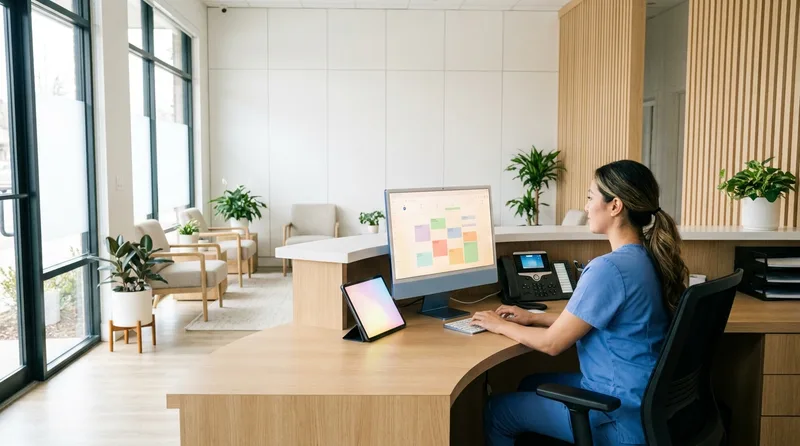
Yes, automation is worth setting up. Manual requests depend on your team remembering to ask every time, and that rarely happens consistently. An automated text after checkout fills the gap without replacing the personal touch of an in-person ask.
How Does an Automated Review Text Work?
The simplest approach is a text-based follow-up triggered by appointment completion in your practice management system. Tools like Dentrix, Open Dental, and Eaglesoft can integrate with communication platforms that send an automated text 1-2 hours after checkout. For a full look at your tech stack options, see our dental practice automation guide. The text includes your Google review link and a brief thank-you message.
Do You Need Patient Consent for Automated Texts?
Before you turn on automated texts, confirm your patients have agreed to receive them. The Telephone Consumer Protection Act (TCPA) governs automated texting, so capture consent on your intake forms and add opt-out language like "Reply STOP" to every message. This is general education, not legal advice, so ask your compliance advisor or attorney to review your setup.
What Can Reputation Management Platforms Add?
Some reputation management platforms go further. They let you monitor reviews across Google, Facebook, and Healthgrades from a single dashboard, send automated requests based on appointment type, and alert you when a new review comes in so you can respond quickly. Say your practice sees 30 patients a day. Even a 5% response rate is about 1-2 new reviews every day, a pace that manual asking rarely holds. For a fuller playbook, see our guide to generating 25+ Google reviews a month on autopilot.
Why Keep In-Person Asks Alongside Automation?
That said, automation shouldn't replace in-person asks entirely. The combination works because each channel catches different patients. Some will respond to the front desk request. Others will respond to the text later that evening while scrolling their phone. A few might click through an email the next morning. The point is to create multiple low-pressure touchpoints, not to bombard patients.
Looking for AI tools that handle patient follow-ups and more?
From review requests to recall reminders, the right platform can automate what your front desk can't always get to.
Explore DentiVoice Follow-Up →What Are Google's Rules for Asking for Reviews?
Google's review policies allow businesses to ask customers for reviews, but they set clear boundaries on how you can do it. Crossing those lines can lead to review removal, profile warnings, or worse.
What Does Google Explicitly Prohibit?
Here's what Google explicitly prohibits:
- Incentivized reviews: You can't offer discounts, free services, gift cards, or any other reward in exchange for a review. Not even a small one. This includes contest entries tied to leaving reviews.
- Review gating: You can't screen patients first by asking "how was your visit?" and then only sending the Google review link to those who respond positively. Google considers this manipulation of review content.
- Fake or solicited bulk reviews: Buying reviews, asking employees to post reviews, or paying third parties to generate reviews violates Google's terms and can trigger a review purge on your profile.
- Discouraging negative reviews: You can't tell patients to contact you directly instead of leaving a negative review, or use language designed to prevent honest feedback.
What Is the Safest Way to Ask?
The safe approach is simple. Ask every patient the same way, regardless of how you think their visit went. Send them to Google directly. Don't filter, don't incentivize, don't coach. If you get a negative review, respond professionally and move on. Over time, the volume of genuine positive reviews will reflect the quality of care you actually provide.
How Should You Handle Negative Reviews on Google?
Respond to every negative review within 24-48 hours with a calm, professional reply. Don't argue, don't get defensive, and never share any patient health information, even if the reviewer shares their own.

Negative reviews happen to every practice. A one-star review about wait times or billing confusion isn't a crisis. It's how you respond that matters to the hundreds of prospective patients who'll read it later. BrightLocal data shows that 88% of consumers are more likely to use a business that responds to all reviews, including negative ones.
What Should a Negative Review Reply Include?
Your response template should follow a simple structure:
- Thank the reviewer for their feedback (even if it's harsh).
- Acknowledge their concern without admitting fault or sharing details.
- Invite them to contact your office directly to resolve the issue.
Something like: "Thank you for sharing your experience. We take all feedback seriously and would like the opportunity to address your concerns. Please call our office at [number] so we can discuss this further." That's it. No excuses. No lengthy explanations. Prospective patients reading your response are evaluating your professionalism, not the complaint itself.
How Does HIPAA Affect Your Replies?
One important note: HIPAA applies to review responses. You can't confirm or deny that someone is a patient, reference treatment details, or share appointment information, even if the reviewer has already disclosed their own details publicly. Keep your replies general. The ADA's practice management resources are a reasonable starting point for compliance basics.
Related: Want ready-to-use reply templates? This guide covers them in detail. How to Respond to Negative Dental Reviews (+ Templates) →
How Do You Build a Google Review Routine That Lasts?
Build a lasting routine by asking every patient the same way, making the link easy to use, and replying to every review. Once you know how to ask for Google reviews at your dental practice, the rest is repetition.
What Do the Numbers Look Like Over a Year?
If your practice sees 25 patients a day and even 10% leave a review after being asked, that's roughly 12-13 new reviews per five-day week, or about 50 per month. Over a year, that adds up to several hundred fresh reviews. More reviews can improve local rankings, which brings more visibility, more new patients, and more reviews. For the full picture, our complete guide to Google reviews for dentists covers strategy beyond the ask.
What Should You Do This Week?
Start this week. Set up a shortened Google review link, train your front desk on a simple ask, and schedule an automated text follow-up after appointments. Those three steps will get you further than any complicated reputation management strategy.
Ready to Grow Your Practice with Smarter Marketing?
See how DentalBase helps dental practices attract more patients, manage reputation, and automate follow-ups.
Book a Free Demo →Explore More Guides for Dental Practice Growth
Browse Resources →Sources & References
Frequently Asked Questions
Yes, asking patients for Google reviews is allowed and encouraged. Google's guidelines permit businesses to ask for reviews as long as they don't offer incentives, gate reviews by satisfaction level, or post fake reviews. A polite, direct request after a good appointment is the standard approach.
Open your Google Business Profile, find the option to ask for reviews, and copy the short link it gives you. You can also search your practice name on Google Maps and copy the link from the 'Write a review' button. Use this link in texts and emails.
There's no official minimum, and Google doesn't publish a target. Steady, recent growth matters more than a specific total. Even 2-3 new reviews per week adds up to well over 100 in a year, which keeps your profile active and credible to prospective patients.
Always respond to negative reviews. A calm, professional reply shows prospective patients that you take feedback seriously. Avoid sharing patient details due to HIPAA, and invite the reviewer to contact your office directly. A good response can reduce the impact of a negative review.
No. Google's policies prohibit offering incentives for reviews, including discounts, free services, or gifts. Violating this rule can result in review removal, profile penalties, or suspension. The safest approach is to simply ask and make the process easy.
The best time is right after a positive interaction, ideally at checkout or within 1-2 hours by text. Patients are most likely to follow through while the experience is fresh. The longer you wait, the more the request feels disconnected from the visit, so don't let it slide past a day.
Google says review quantity and rating factor into local ranking, alongside distance and relevance. Practices with more recent positive reviews tend to look stronger to both Google and patients. Reviews also give prospective patients a reason to choose your listing over the next one.
In most cases, yes. The TCPA requires consent before you send automated texts, so capture opt-in on your intake forms and include opt-out language like 'Reply STOP' in every message. Have your compliance advisor or attorney review your setup before you automate.
Was this article helpful?
Written by
Dentalbase Team
The Dentalbase Team is a collective of dental marketing experts, AI developers, and practice management consultants dedicated to helping dental practices thrive in the digital age.