Smartphone Dental Video Tips: Shoot Professional Content on Your Phone
Smartphone dental video tips: lighting, audio, framing, editing, and the under-100-dollar setup that produces professional content for GBP and social media.
Share:
Table of contents
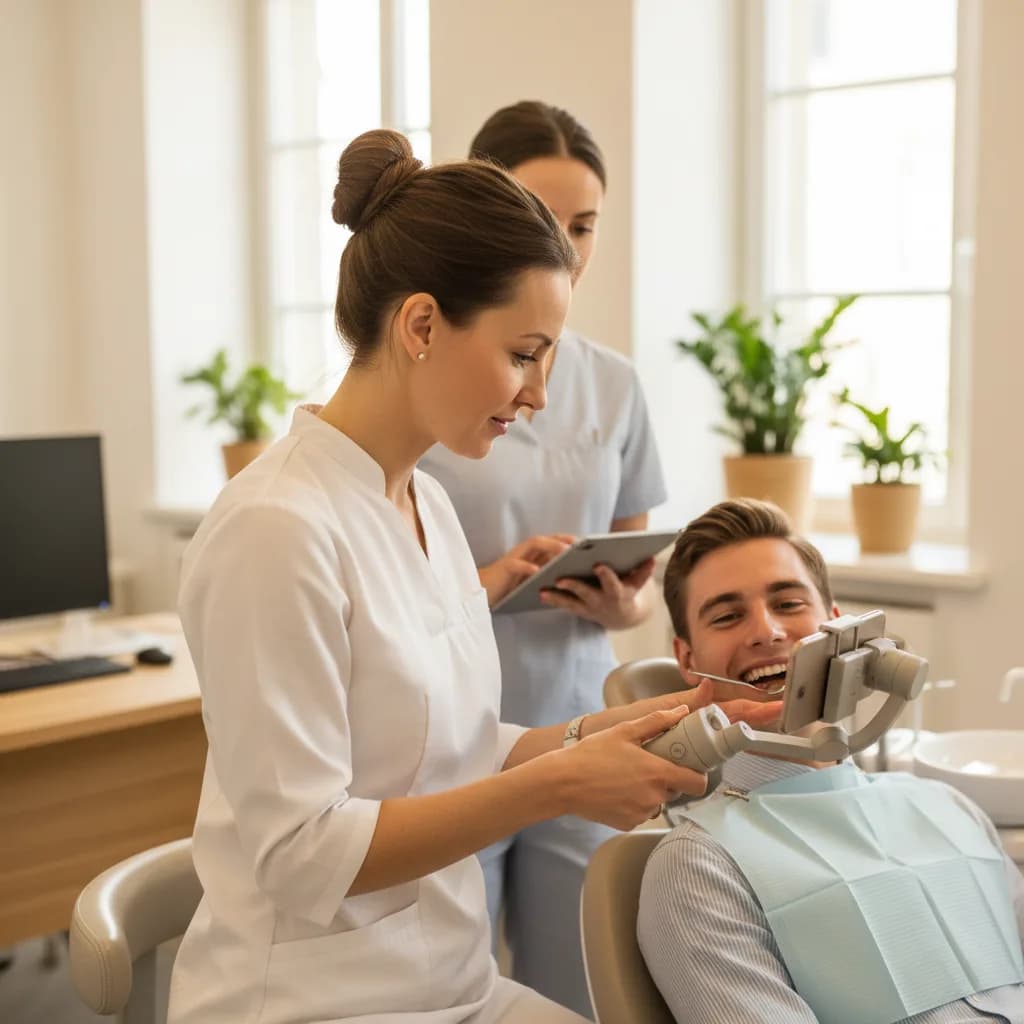
These smartphone dental video tips exist because the #1 reason dental practices don't produce video content isn't budget or time. It's the belief that professional video requires a professional crew. It doesn't. A modern smartphone shoots 4K video with image stabilization, autofocus, and low-light capability that exceeds what a $5,000 camera produced 10 years ago. The difference between an amateur-looking dental video and a professional-looking one isn't the camera. It's three things: lighting, audio, and framing. Fix those three elements with $100 in accessories and your smartphone produces video that patients trust and platforms promote.
This guide covers the complete smartphone dental video tips toolkit: the exact equipment list, lighting setup for dental office environments, audio solutions that eliminate the echoey room sound, framing techniques for each video type, editing workflow on your phone, and the common mistakes that make dental videos look amateur. According to BrightLocal, 98% of consumers research businesses online. Video is the format that converts the most researchers into patients because it previews the experience text can't convey. According to the ADA, dental practices with video content generate 30-50% more engagement than those without. For the broader video strategy, see our dental videos trust guide.
What Equipment Do You Actually Need (and What's Unnecessary)?
The complete smartphone dental video tips equipment list costs under $100 and fits in a desk drawer. Everything else is optional.
| Item | Cost | What It Fixes | Essential? |
|---|---|---|---|
| Lavalier clip-on microphone | $15-25 | Echo, background noise, muffled audio | Yes (highest impact) |
| Ring light (10-12 inch) | $20-35 | Harsh shadows, unflattering fluorescents | Yes |
| Phone tripod/stand | $15-30 | Shaky footage, wrong angles | Yes for stationary shots |
| Wireless lavalier (2-pack) | $30-50 | Cord visibility, movement freedom | Nice-to-have |
| Professional camera/crew | $500-2,000/session | Nothing a smartphone can't do | Not needed |
The lavalier microphone is the single most important purchase because bad audio is the #1 reason viewers stop watching. Patients will watch slightly imperfect video. They won't listen to echoey, muffled, or noisy audio. A $20 clip-on mic eliminates room echo (dental offices are tile-and-hard-surface environments that amplify sound) and isolates the speaker's voice from operatory noise, suction, and air systems. This matters most when the person talking is a patient rather than a team member, which is why filming a patient testimonial on a phone starts with the microphone, not the camera.
Turn smartphone video viewers into booked patients
DentalBase ensures every call generated by your video content is answered by AI reception, tracked to the video source, and converted to a booked appointment in real time.
Book a Free Demo →How Do You Fix Lighting in a Dental Office Environment?
Dental offices are lighting nightmares for video because overhead fluorescents create harsh shadows under eyes, green color casts on skin, and unflattering brightness from clinical ceiling fixtures. Three lighting fixes transform the look.
- Ring light as primary source: Position the ring light directly behind your smartphone (most ring lights have a phone mount in the center). The circular light produces soft, even illumination that fills shadows under eyes and chin. Set to warm white (3200-4000K) rather than daylight (5600K) because warm tones feel welcoming while cool tones feel clinical. Place 2-3 feet from the subject for natural-looking light.
- Turn off overhead fluorescents: Overhead lights create the "interrogation room" look with harsh downward shadows and unflattering color temperature. Turn them off and rely on the ring light as your primary source. If the room is too dark with fluorescents off, use the ring light on maximum brightness and add a desk lamp with a warm bulb as fill light from the side opposite the ring light.
- Use window light when available: Natural window light produces the most flattering video. Position the subject facing a window with the smartphone between the subject and the window. The window becomes a massive soft light source. Morning and late afternoon produce the warmest light. Midday window light is harsher but still better than overhead fluorescents. Avoid backlit shots (subject in front of window) because the smartphone exposes for the bright window and the subject becomes a silhouette.
- Consistent lighting across videos: Choose one location in the office with the best lighting and film every provider introduction, testimonial, and FAQ video there. Consistent visual appearance across all your videos creates a professional library look rather than a random collection of clips filmed in different rooms with different lighting. The provider's office or a specific operatory works well. See our social media guide.
How Do You Get Professional Audio in a Noisy Dental Office?
Audio quality separates professional-looking smartphone video from amateur footage. These smartphone dental video tips for audio apply to every video type you'll produce.
- Lavalier placement: Clip the microphone 6-8 inches below the speaker's chin on their collar or lapel. Too low (belt level) picks up body movement sounds. Too high (near the mouth) picks up breathing and plosives. The 6-8 inch sweet spot captures clear voice while rejecting ambient noise. For staff in scrubs without collars, clip to the neckline or use a wireless lavalier clipped to the scrub top.
- Film during quiet hours: The best audio comes from filming before patients arrive (7-7:30am) or after closing (5:30-6pm). No suction sounds, no drill noise, no patient conversations in adjacent rooms, and no front desk phone ringing. Weekend mornings when the office is empty are ideal for batch filming multiple videos. Scheduling a monthly 90-minute filming session at these times produces enough content for the month.
- Close operatory doors: Even during quiet hours, hallway noise (HVAC systems, equipment) travels. Close all doors between the filming room and any noise source. A closed door reduces ambient noise by 10-15 decibels, which is the difference between clean audio and background hum that viewers perceive as "unprofessional" without knowing why.
- Always do a 10-second audio test: Before filming the actual content, record 10 seconds of the speaker talking at normal volume. Play it back with headphones (not phone speakers). Listen for echo, background hum, or volume issues. Fix before filming the content. Re-recording after a full testimonial because the audio is bad wastes the patient's goodwill and your time. The 10-second test prevents this every time.
Related: See the complete testimonial video production guide. → How to Script a Dental Testimonial Video That Feels Authentic
What Framing Techniques Work for Each Dental Video Type?
Framing (how you position the camera relative to the subject) changes depending on the video type. Each type has an optimal framing approach.
- Provider introductions (medium shot, eye level): Frame from mid-chest up. Place the phone on a tripod at the provider's seated eye level. The provider looks directly into the lens (interviewer sits behind the camera). This framing creates the eye-contact intimacy that makes patients feel personally addressed. Too tight (face only) feels invasive. Too wide (full body) feels impersonal. The mid-chest frame is the conversation distance that feels natural.
- Office tours (wide shot, walking): Hold the phone at chest height and walk slowly through the office. Use the rear camera (higher quality than selfie camera). Keep the phone horizontal (landscape) for website embedding or vertical (portrait) for TikTok, YouTube Shorts, and Reels. Enable image stabilization in camera settings. Walk at half your normal pace because movement on screen appears faster than it feels. Narrate as you walk: describe each space naturally. According to Moz, office tour videos on Google Business Profile increase engagement 35-50%.
- Patient testimonials (medium shot, slight angle): Position the camera slightly above eye level (phone on tripod raised 2-3 inches above seated height). This subtle angle is more flattering for most face shapes and avoids the "looking up" angle that makes subjects look uncomfortable. Frame from mid-chest up with the provider's office or a clean operatory in the background. The background adds context without distracting. Require HIPAA consent before filming any patient.
- Procedure explainers (close-up + medium alternating): Start with a medium shot of the provider explaining the procedure, then cut to close-up shots of relevant items (model teeth, the technology being described, a diagram on a screen). The alternating framing keeps visual interest during longer educational videos (2-3 minutes). Never show identifiable patient mouths or treatment in progress without explicit written consent. Use dental models and diagrams instead.
How Do You Edit and Deploy Smartphone Dental Videos?
Editing and deployment follow these smartphone dental video tips to maximize both quality and reach from the content you've filmed.
- Edit on your phone (CapCut, InShot, or iMovie): Free mobile editing apps handle everything dental videos need: trimming clips, adding text overlays, adjusting audio levels, adding subtle background music, and exporting in the correct format per platform. CapCut (free, cross-platform) is the most popular for short-form dental content because it includes auto-captions, trending effects, and direct TikTok export. Edit time per video: 10-20 minutes once you learn the app.
- Add captions to every video: 85% of social media video is watched without sound. Auto-caption features in CapCut and Instagram add text overlays of the spoken words. Review auto-captions for accuracy (dental terminology often gets garbled). Correcting captions adds 5 minutes but ensures "Invisalign" doesn't display as "invisible line." Captions also improve accessibility and SEO because platforms index caption text.
- Export and deploy to multiple platforms: One video becomes 4+ assets. Export in 9:16 vertical for TikTok, YouTube Shorts, Instagram Reels, and Facebook Reels. Export in 16:9 horizontal for YouTube long-form and website embedding. Upload to Google Business Profile for local search visibility. Embed on your website's relevant service page. Include in email campaigns as thumbnail links. One filming session's content deploys across 6-8 channels.
- Post consistently (schedule beats perfection): 3 short videos weekly on TikTok/Reels and 1 long-form monthly on YouTube produces results within 90 days. Inconsistent posting (3 videos one week, nothing for a month) resets algorithmic distribution on every platform. Schedule filming monthly, edit weekly, post on a fixed schedule. The 90-day consistency mark is where most practices see meaningful audience growth and patient attribution.
For practices where 38% of calls go unanswered, video investment generates calls that reach voicemail without AI reception. Every video-generated call answered is an ROI multiplier on the production investment. See our call handling guide. Track through GA4 and per-page call tracking. Connect to your ROI tracking, spend breakdown, marketing strategy, and advertising.
Professional dental video from your phone. Every call answered.
DentalBase ensures every call your videos generate is answered by AI reception, tracked to the video source, and booked in real time.
Book a Free Demo →Related Reading
Explore more guides and tools for dental practice growth.
Browse Resources →Sources & References
Frequently Asked Questions
Three items under $100: lavalier clip-on microphone ($15-25), ring light ($20-35), and phone tripod ($15-30). The lavalier mic is highest priority because bad audio is the #1 reason viewers stop watching. Professional cameras and crews are unnecessary.
Three fixes: ring light as primary source at warm white (3200-4000K) positioned 2-3 feet from subject, turn off overhead fluorescents (they create unflattering shadows and green cast), and use window light when available with subject facing the window.
Lavalier mic clipped 6-8 inches below the chin, film during quiet hours (before patients or after closing), close operatory doors to block HVAC noise, and always do a 10-second audio test before filming content. A closed door reduces ambient noise 10-15 decibels.
Provider intros: mid-chest up at eye level for intimacy. Office tours: chest-height walking at half speed. Testimonials: mid-chest slightly above eye level for flattering angle. Procedure explainers: alternate medium and close-up shots of models and diagrams.
CapCut (free, cross-platform) is most popular for dental content: auto-captions, trending effects, and direct TikTok export. Also: InShot and iMovie. Edit time: 10-20 minutes per video once learned. Add captions to every video since 85% of social video is watched without sound.
3 short videos weekly on TikTok/Reels and 1 long-form monthly on YouTube. Consistency is more important than production quality. Posting 3 times one week then nothing for a month resets algorithms. 90-day consistent posting produces meaningful audience growth.
Six-plus channels from one filming session: TikTok, YouTube Shorts, Instagram Reels, YouTube long-form, Google Business Profile, website service pages, and email campaigns. Export vertical (9:16) for social and horizontal (16:9) for YouTube/website.
Before patients arrive (7-7:30am) or after closing (5:30-6pm). No suction sounds, drill noise, patient conversations, or phone ringing. Weekend mornings are ideal for batch filming. Monthly 90-minute filming sessions during quiet hours produce a full month of content.
Was this article helpful?
Written by
DentalBase Team
Expert dental industry content from the DentalBase team. We provide insights on practice management, marketing, compliance, and growth strategies for dental professionals.