How to Fill Dental Cancellations Fast: A Complete Guide
Learn how to fill dental cancellations fast with a same-day workflow: waitlist priority, call and text scripts, and texting consent basics.
Share:
Table of contents
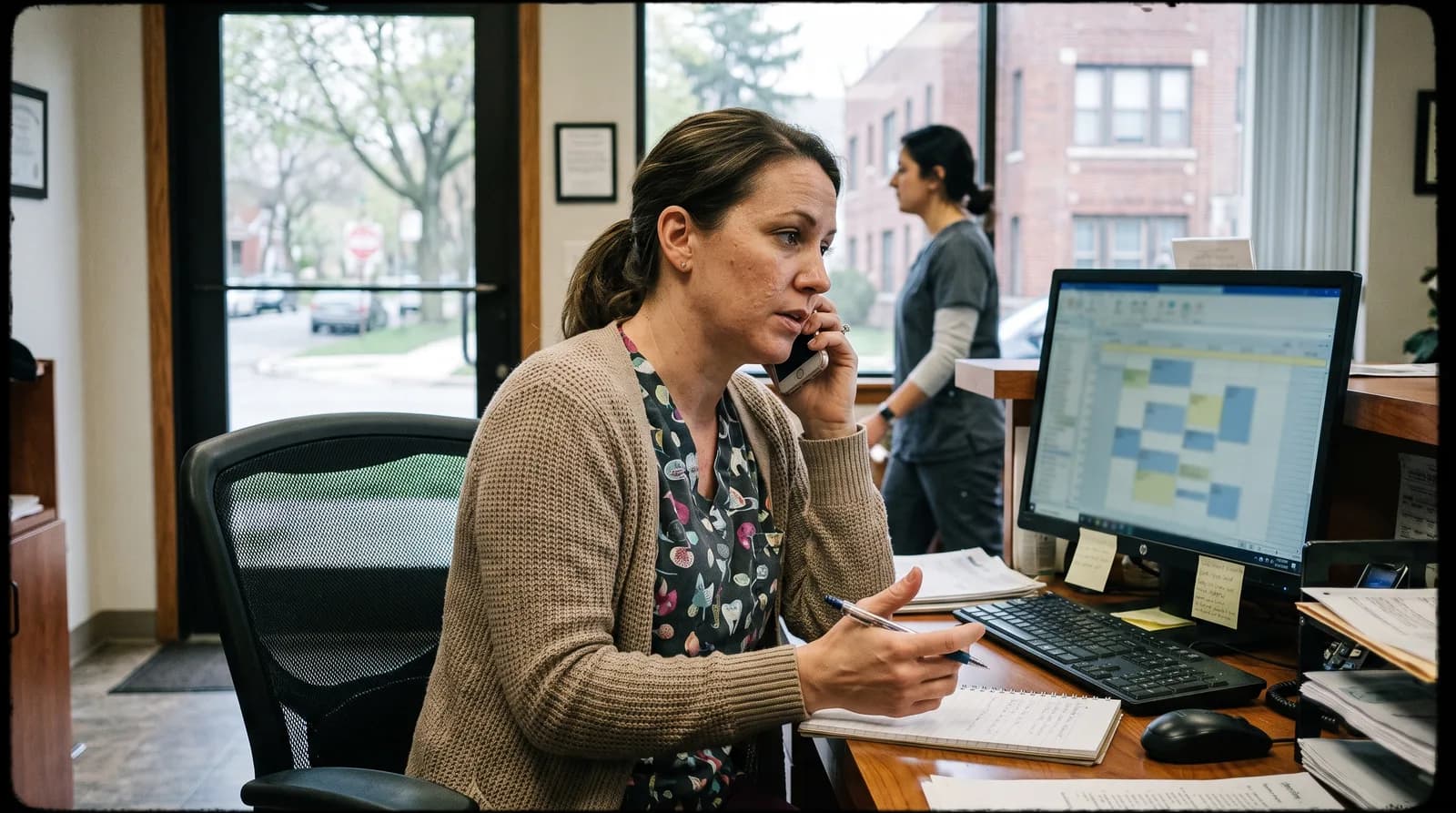
It's 8:15 AM, and a patient texts that she can't make her 10:00 crown appointment. Your doctor now has a 90-minute hole, and you have a short window to fill dental cancellations fast before the day moves on.
This guide is a same-day playbook for that exact moment. You'll get a timed sequence for the first two hours, call and text scripts you can copy, and a plain-English look at texting consent. Whether you run a paper list or practice management software, the steps work the same way.
Building the waitlist itself is a bigger project, so we cover it separately in our 2026 waitlist playbook. Here, the focus is speed.
What Should Your Team Do in the First Two Hours After a Cancellation?
Follow a fixed sequence: confirm the opening, contact your short-notice waitlist within 15 minutes, and make one specific offer at a time. Speed matters because patients who can rearrange their day usually decide within minutes, so a quick, concrete message beats a polished one sent late.
Here's a sequence most front desks can run without extra software:
- Minutes 0-5: Confirm the exact opening, including provider, chair, start time, and length.
- Minutes 5-15: Pull every waitlist patient whose procedure fits that time.
- Minutes 15-30: Text the top three matches the same specific offer. First reply wins.
- Minutes 30-60: Call anyone who hasn't answered, starting with patients who need detail.
- Hours 1-2: Widen the search to patients with later visits this week, or shorter visits you can combine.
- Close the loop: Tell the other patients the slot is filled, update the schedule, and note who responded.
What Does a Same-Day Save Look Like?
Here's an illustrative scenario, not a case study. A 90-minute crown appointment cancels at 8:30 AM. The coordinator checks the waitlist and finds a patient who needs a cleaning and can arrive by 10:00. She also finds a second patient due for a short consult. Together, those two visits fit the open chair time.
The lesson is flexibility. A cancelled long procedure rarely gets replaced by the same procedure. But two shorter visits often will, if your team can split the slot without waiting for permission.
Who Needs the Authority to Say Yes?
Give your front desk written rules: which visits can be combined, which incentives are allowed, and when to pull in the doctor. Front desk roles overlap with the Bureau of Labor Statistics occupation group for medical secretaries and administrative assistants, and they're juggling phones and check-ins at the same moment. A written rule beats a judgment call made under pressure.
What If Nobody on the Waitlist Answers?
It happens. Move to patients with later visits this week, since some will take an earlier slot, and consider a shorter visit that still produces useful chair time. If nothing fills by early afternoon, use the gap for work that always waits, like treatment plan follow-ups. Then add a few names to the waitlist tomorrow.
Who Should You Call or Text First From the Waitlist?
Start with patients whose procedure fits the open time, then move to those with the most schedule flexibility. A good match saves you a second round of calls. Rank your list by fit first, flexibility second, and how long the patient has been waiting third.
This table shows how to match the opening to the person:
| Cancelled slot | Offer it first to | Contact first by |
|---|---|---|
| Long restorative visit (crown, filling) | Patients with a pending restorative treatment plan | Phone call |
| Hygiene visit | Patients on the hygiene waitlist or overdue for recall | Text |
| New patient exam | Recent new patient inquiries | Phone call |
| Short consult or check | Patients whose visit can be moved up | Text |
| Any slot two or more hours away | Flexible patients with later visits this week | Text, then call |
Why text first for simple visits? A hygiene or recall appointment is easy to accept in one line. A crown or a new patient exam needs a conversation, so pick up the phone.
Your team can only fill dental cancellations fast if each waitlist entry carries enough detail to act on. Keep these notes on every patient:
- Preferred contact method and the hours they're easiest to reach
- Procedure types they'd accept on short notice
- How long it takes them to get to your office
- Whether they can leave work for an urgent visit
- The last time they accepted or declined an offer
Patients who decline every offer can move to the bottom of the list. That's not harsh. It keeps your first calls going to people who'll say yes.
Related: Missed calls cost practices real revenue. Here's a step-by-step recovery plan. How to Recover Missed Dental Calls: Complete Guide →
What Should You Say When You Offer a Last-Minute Appointment?
Lead with the patient's benefit and one specific time. Say "an earlier appointment opened up" rather than "we had a cancellation," and tell the patient exactly what to do next. A good offer answers four questions: what, when, why it helps, and how to confirm.

These scripts are starting points. Read each one out loud before you use it, and adjust the tone to match your practice. Dental Economics has more on scripting as a communication tool if you want to train the whole team.
Phone Script
"Hi Mrs. Johnson, this is Sarah from Dr. Smith's office. An opening came up today at 2:00 PM for your cleaning. Could you come in this afternoon instead of waiting until next month?"
Text Message Script
"Hi Lisa, it's Jennifer at Riverside Dental. We have an opening tomorrow at 9:00 AM for your cleaning, earlier than your current visit. Want it? Reply YES and we'll hold it for 15 minutes."
Voicemail Script
"Hello Mr. Davis, this is Maria at Riverside Dental. A same-day opening just came up at 11:00 AM. If you'd like to be seen sooner, call us back at this number in the next 20 minutes and we'll hold it for you."
Notice what every script includes. Each one names a time, states the benefit, and gives a single next step. Answer those four questions up front and you can fill dental cancellations fast, without the back-and-forth that eats your window.
- What: the type of visit being offered
- When: one exact time, not a range
- Why it helps: earlier care or a better time of day
- How to confirm: a single reply or callback
Never Miss Another Cancellation Call
DentiVoice answers calls 24/7, checks your waitlist, and helps fill open slots before your team has to step in.
See How DentiVoice Works →Can You Text Waitlist Patients Without Breaking the Rules?
Yes, if patients have agreed to receive texts and you handle their information carefully. Document consent, honor opt-outs right away, and keep treatment details out of the message. Rules vary, so confirm your approach with your compliance officer or attorney before you start.
Texting is the fastest way to fill an open chair, which is exactly why it's worth getting right. Federal rules on automated messages (the TCPA) and patient privacy (HIPAA) can both apply. Treat this section as general education, not legal advice.
- Add a texting consent line to your new patient forms and record it in the chart.
- Honor STOP replies immediately and mark the opt-out on the waitlist.
- Keep messages short: practice name, a time, and a reply option. Skip diagnoses and treatment details.
- Send from a business messaging tool, not a personal phone.
- Review any vendor's HIPAA terms before you connect automation to patient data.
Decide in advance who watches the replies. A text offer that sits unread for an hour defeats the purpose of texting. Assign one person per shift to monitor the inbox, and set an after-hours auto-reply that points patients to your phone line.
The ADA's practice management resources are a sensible place to start your compliance reading. Your state dental board may add its own requirements, so check there too.
How Does Automation Help You Fill Dental Cancellations Fast?
Automation shortens the gap between a cancellation and the first offer. Software can text your waitlist the moment a slot opens, and an AI receptionist can answer calls after hours. Pair that speed with a person who confirms the details.
Part of the case is about missed calls. According to ADA Practice Transitions, 38% of new patient calls go unanswered during business hours. Dental Economics reports that after-hours calls make up 27% of total patient call volume. Forbes reports that 80% of callers who reach voicemail don't leave a message, and Dental Economics puts the lifetime value of a single missed new patient call at $1,200+. Cancellation and reschedule requests arrive in that same stream, so a missed call can leave a slot empty.
Where Does Automation Fit Into the Workflow?
It suits routine visits like hygiene and follow-ups. Systems also add consistency: according to Dental Economics, automated recall systems increase patient return rates by 25-40%. Complex procedures still benefit from a personal call. A hybrid setup, with automated first contact and a human confirmation, keeps the speed and the relationship. DentiVoice, the AI receptionist from DentalBase, is one option, and this post explains how DentiVoice handles cancellations and reschedules.
What Should You Look For in a Tool?
- Real-time waitlist matching by procedure type and appointment length
- Text, email, and phone notifications in one place
- Two-way sync with your practice management system
- Consent tracking and automatic opt-out handling
- A clear handoff to a human when a patient has questions
HubSpot keeps a running roundup of marketing and automation statistics if you need benchmarks for the business case. Start small. Automate one routine appointment type first, then expand as your team and patients get comfortable.
How Can You Reduce Cancellations So Fewer Slots Need Filling?
Reduce them with three habits: send reminders, make rescheduling easy, and put a clear policy in writing. Each one cuts last-minute gaps before they open. Recovery still matters, but prevention means fewer emergencies for your front desk to solve each morning.
The numbers support it. According to Dental Economics, practices with online scheduling see 24% fewer no-shows. The Journal of Dental Hygiene reports that SMS appointment reminders reduce no-show rates by 38%. Dental Economics also covers ways to cut no-shows, and our guides on reducing cancellations and no-show reduction go deeper.
Timing matters too. Send one reminder about 48 hours out and another the morning of the visit, each with an easy way to reschedule. A patient who can't make it should have a better option than silence, because a rescheduled visit is a gap you can plan around.
What Should a Cancellation Policy Include?
Policies and fee amounts vary by practice and state, so set yours with your team. Spell out the notice you need, how patients can reschedule, and when you'll waive a fee. Then repeat it at booking, in reminders, and on your website.
A graduated approach feels fair to most patients:
- First late cancellation: a friendly reminder of the policy.
- Second: a reduced fee, or a note in the chart.
- Repeated short-notice cancellations: the full fee, with exceptions for documented emergencies.
Positive framing helps. Tell patients the policy keeps appointments open for people who need care, not that it punishes them.
What Should You Set Up Before the Next Cancellation Lands?
Set up three things now: a short-notice waitlist, a written same-day sequence, and approved message templates. With those in place, you can fill dental cancellations fast without improvising each time. Start with one provider's schedule, then expand once the routine feels easy for your team.
Then track two numbers for a month: how many cancellations you had, and how many you refilled. That ratio tells you whether the workflow is working. If one script gets few replies, rewrite it and test again.
Here's a simple first step. Before tomorrow morning, write down your top five waitlist patients on one sheet and paste the three scripts above into your messaging tool. That's enough to run your first same-day sequence the next time a chair opens.
Stop Losing Revenue to Last-Minute Cancellations
See how DentiVoice AI Receptionist helps fill open slots around the clock, so your team can focus on patients, not phones.
Book a Free Demo →Sources & References
Frequently Asked Questions
Start within 15 minutes. The sooner you make a specific offer, the more likely a patient can rearrange their day. Treat the first hour as your main window, then keep working the list through the afternoon, since flexible patients still say yes to later offers.
Text works well for simple visits like cleanings because patients can reply in seconds. Call for crowns, exams, and anything that needs explanation. Many offices text first, then phone anyone who hasn't answered within 30 minutes.
Generally yes, if patients have agreed to receive texts. Record consent, honor opt-outs immediately, and keep treatment details out of the message. Rules vary, so confirm your process with your compliance officer or attorney before you send.
Lead with convenience and an earlier visit, not a discount. If you do offer an incentive, keep it consistent, such as priority scheduling, so patients don't learn to wait for deals. Set the rules in writing so your front desk can act quickly.
Keep a short written waitlist, ready-made text and phone scripts, and one person responsible for each cancellation. Add automation for the first contact so your team only handles confirmations. A simple routine beats a complicated system nobody follows.
An AI receptionist answers calls 24/7, so reschedule and cancellation requests don't go unanswered. Depending on the setup, it can also check your waitlist and offer open slots. Staff should still handle complex cases and final confirmations.
Was this article helpful?
Written by
Dentalbase Team
The Dentalbase Team is a collective of dental marketing experts, AI developers, and practice management consultants dedicated to helping dental practices thrive in the digital age.