Dental Phone Tree: Pros, Cons, and How to Set One Up
A dental phone tree routes callers by menu choice. See how it works, its pros and cons, and how to set one up without losing patients.
Share:
Table of contents
A dental phone tree is an automated menu that routes callers to the right person or department before a human answers. Some practices use one to manage call volume. Others find it sends frustrated callers to a competitor.
This guide explains how a phone tree works, weighs the pros and cons, and covers setup, common mistakes, and alternatives such as a DentiVoice AI receptionist.
Phone handling is one piece of the patient acquisition system that DentalBase's dental marketing services cover, and it's where ad spend turns into appointments, or doesn't.
What Is a Dental Phone Tree?
A dental phone tree is an automated menu, often called an IVR, that greets callers and routes them by keypad or voice choice. It sends calls to scheduling, billing, or insurance lines without a staff member answering first.
Menus usually offer a handful of options, with a fallback to the front desk:
- New patient appointments.
- Existing patient scheduling.
- Billing and insurance questions.
- Speak to someone at the front desk.
Phone trees became common in larger businesses because they cut the number of calls a front desk handles directly. In a dental office the trade-off differs, since many callers are new patients who haven't heard your options before. According to ADA Practice Transitions, 38% of new patient calls go unanswered during business hours, which is why practices look for ways to handle volume.
Local listings send many of those callers to your main number. HubSpot's guide to local SEO covers how listings work, and your phone tree is the first thing those callers meet.
How Does a Phone Tree Work in a Dental Office?
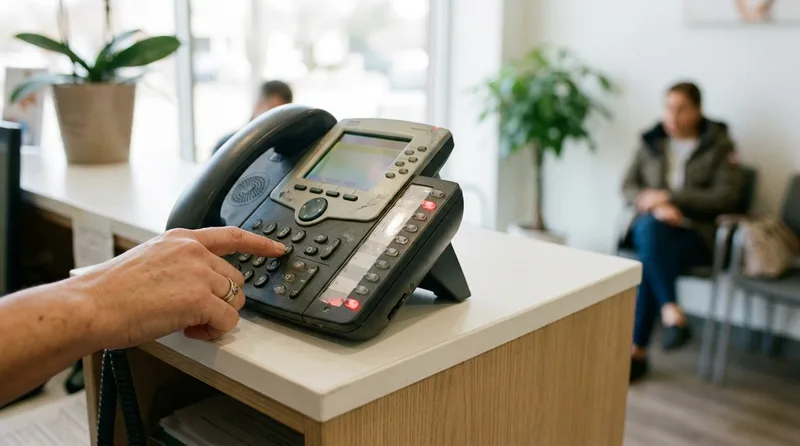
A caller hears a greeting, picks an option by pressing a number or speaking, and the system routes the call to a line, extension, or voicemail. Most systems also include a fallback that rings the front desk if the caller makes no selection.
The sequence follows the same steps in most systems:
- The system answers and plays a short greeting.
- The caller hears the menu options.
- The caller presses a number or speaks a choice.
- The system routes the call to a person, a queue, or voicemail.
- If the caller makes no choice, the call falls back to the front desk.
Some systems accept spoken choices instead of keypad presses. Speech menus can feel easier, but they depend on recognizing what callers say, including procedure names and different accents, so test them with real callers before relying on them.
Routing rules can change by time of day, so after-hours callers can hear a different menu than daytime callers. That makes the after-hours version worth planning as carefully as the main one.
For a wider view of how phone systems fit together, see 7 questions dental owners ask about phone systems.
What Are the Pros and Cons of a Phone Tree?
A phone tree can route calls without staff and keep volume manageable, but it adds a step before callers reach a person. For a practice with many new patient calls, that extra step can cost bookings.
| Pros | Cons |
|---|---|
| Routes calls to the right person or department | Adds a step before a person answers |
| Helps manage volume at peak times | Callers may hang up inside the menu |
| Can change by time of day | Unclear option names confuse new patients |
| Reduces transfers between staff | Needs updating when staff, hours, or services change |
Weigh these against your call mix. A practice with mostly existing-patient calls, such as billing and rescheduling, gets more from a menu than one where most calls are new patient inquiries.
The patience budget is short. According to Marchex, the average hold time before a patient hangs up is 90 seconds, so every menu layer uses part of it. According to ADA research, 72% of patients say convenience is a top factor when choosing a dental provider, and a menu that slows a new caller works against that.
Callers also arrive informed. According to BrightLocal, 98% of people read reviews before choosing a local business, so the menu is often their first contact after the research is done.
Mobile callers add to the pressure. Mobile accounts for 62% of all dental-related searches, according to Google, and a mobile caller can tap a number and hang up just as quickly. Google's page experience documentation explains how mobile usability shapes those visits.
How Many Menu Options Are Too Many?
Keep the main menu short, with only as many options as callers need to reach the right place. Fewer choices are easier to remember, and every extra option or submenu adds seconds before a person answers.
No industry standard sets an exact number, so test your own menu. A practical approach is to build around the reasons patients call most:
- Put the most common request first.
- Name each option in plain words patients use, not internal terms.
- Always include a way to reach a person.
- Avoid submenus unless one option clearly needs them.
A caller who hears a long list may press the first option that sounds close, which sends the call to the wrong place and creates a transfer.
Urgent calls deserve a plan. The conditions behind urgent dental calls, such as untreated decay and gum disease, are common, and NIDCR's oral health data and statistics page tracks how common. Consider an option or message that routes urgent calls to your on-call path instead of a general voicemail.
How Do You Set Up a Phone Tree for Your Practice?
Start by listing why patients call, then build a short menu around the top reasons, record clear prompts, and route each option to a person or voicemail with an owner. Test the menu by calling it yourself before it goes live.

- Review your call logs or front desk notes to find the top reasons patients call.
- Choose three to five menu options that cover those reasons.
- Write short prompts and keep each one to a single idea.
- Assign every route an owner and a backup for when the owner is out.
- Build an after-hours menu with a clear urgent-call path.
- Call the menu from a mobile phone at different times of day and note what you hear.
Plan for change, too. A new hire, new hours, or a new service should trigger a menu update the same week, so the options always match what the office does.
Prompt wording matters as much as structure. For ideas on what to say, see dental office phone scripts that convert new patients. Then review the menu monthly, because staff and hours change.
Related: A closer look at call costs and what each unanswered call means for revenue is covered in a related guide. 38% of Dental Calls Go Unanswered: What It Costs You →
What Mistakes Make a Phone Tree Frustrating?
The most common mistakes are long menus, no way to reach a person, unclear option names, and routes that end in unmonitored voicemail. Each one pushes callers to hang up and try another practice.
- Long menus. Callers forget options and press the wrong number.
- No path to a person. Callers with an unusual question have nowhere to go.
- Unclear names. Labels like "patient services" mean nothing to a first-time caller.
- Unmonitored voicemail. Messages sit until someone remembers to check.
Test each route as a caller would. A menu that looks fine on paper can send calls to a line nobody monitors, and you may only find out when a patient complains.
The voicemail mistake is the costly one. According to Forbes, 80% of callers who reach voicemail don't leave a message and won't call back, so a route that ends there loses most of those callers. If calls pile up on one option, dental practice phone capacity is worth a look.
What Are the Alternatives to a Dental Phone Tree?
Common alternatives include a live receptionist, an overflow line, a live answering service, and an AI receptionist that answers in natural language instead of a menu. The right choice depends on call volume, staffing, and how many calls arrive after hours.

| Option | How it works | Consider |
|---|---|---|
| Live receptionist | A person answers every call | Limited by staffing, breaks, and peak volume |
| Overflow line | Extra calls ring a second line or person | Still needs someone free to answer |
| Live answering service | Remote agents answer for the practice | Per-call fees; agents may lack schedule access |
| AI receptionist | Answers conversationally and books appointments | Complex insurance and treatment calls may need a person |
A practice can also combine options, such as a short menu during the day and a live or AI answer after hours.
After-hours calls make up 27% of total patient call volume, according to Dental Economics, which is why many practices look beyond a recorded menu for evenings and weekends. After-hours dental phone coverage covers the staffing side, and AI and front desk teams sharing one phone line covers how the two can work together.
See how an AI receptionist answers without a menu
Learn how a 24/7 AI receptionist handles dental calls, books appointments, and hands off complex requests.
Read the Guide →How Do You Know If Your Phone Tree Is Working?
Track abandoned calls, time spent in the menu, and how often callers choose the fallback option to reach a person. If many callers hang up in the menu or bypass it, the structure needs changes.
- Abandoned calls: callers who hang up before reaching a person or voicemail.
- Menu time: how long callers spend before a route connects.
- Fallback use: how often callers skip the menu and ask for the front desk.
- Booking rate: new patient appointments booked per week, before and after a change.
Compare numbers across time. Look at abandoned calls by hour and by weekday, since a menu that works at 10 AM can fail during the Monday morning peak. If a change doesn't improve abandoned calls or bookings within a month, adjust it or remove it.
Review the after-hours menu as carefully as the daytime one. For the broader picture, the 2026 owner's guide to dental phone systems covers how menus, staffing, and technology fit together.
Should Your Practice Use a Dental Phone Tree?
It depends on call volume and who calls. A phone tree can help a busy multi-line office, but a practice that relies on new patient calls may do better with a live answer or an AI receptionist that doesn't make callers choose from a menu.
A phone tree is a tool, not a verdict. If you keep one, keep it short, include a path to a person, and measure what happens to abandoned calls and bookings.
This month, call your own menu, count the steps, and compare abandoned calls before and after any change.
Find out how many calls your practice is missing
Book a free demo and we'll show you when calls go unanswered and what those gaps cost.
Book a Free Demo →Explore more guides and tools for dental practice growth.
Browse Resources →Sources & References
Frequently Asked Questions
Preferences vary. Established patients who call often may like a quick route to billing, while new patients may find menus slow because they don't know which option fits. Watch abandoned calls and bookings to see how your own callers respond.
Yes. Most systems let you set a separate after-hours menu with a different greeting and routes. Include a clear urgent-call path, such as an on-call number, and make sure messages left after hours are checked and returned the next business day.
A phone tree asks callers to choose from a menu before routing them. An AI receptionist answers conversationally, so callers say what they need instead of pressing numbers. Complex insurance and treatment calls may still need a person with either approach.
Cost depends on your phone system. Many business phone systems include basic menu features, while advanced routing or add-ons may be priced separately. Check your current plan, then compare the total with other ways to handle calls, such as overflow or answering services.
Update it whenever staff, hours, services, or insurance contacts change, and review it at least monthly. Call the menu yourself each time, at different times of day, to catch outdated options, broken routes, or prompts that no longer match how patients ask.
Yes. Callers with unusual questions, new patients, and urgent requests need a path to a person. Without one, they hang up. Place the option where callers expect it, and make sure someone is assigned to answer it during business hours.
Was this article helpful?
Written by
DentalBase Team
Expert dental industry content from the DentalBase team. We provide insights on practice management, marketing, compliance, and growth strategies for dental professionals.