Dental Practice Technology Stack: What You Actually Need
Build a dental practice technology stack that fits your office: what you need, what overlaps, and what most offices pay for twice.
Share:
Table of contents
Your dental practice tech stack is either working for you or slowly draining your budget. There's not much middle ground. Most owners accumulate software the same way they accumulate supply closet clutter: one "essential" purchase at a time until nobody can find anything or remember what half of it does. According to Dental Economics, 73% of dental practices plan to adopt AI tools by 2027. That means more purchasing decisions are coming fast, and without a system for deciding what belongs in your stack, you'll overspend. A well-built dental practice technology stack fixes that by tying every tool to a job it has to do.
This dental practice technology guide breaks down what your tech stack actually needs, what's probably wasting your money right now, and how to tell the difference. No vendor rankings. No product endorsements. Just a framework you can apply to every software decision from here forward.

Written by Dr. Muhammad Abdel-rahim, DMD
Doctor of Dental Medicine and implantologist, practicing at Peterborough Family Dental. Reviewed by the DentalBase editorial team.
The Short Version
Five systems carry a dental office: a practice management system, digital imaging, patient communication, a website with SEO, and call handling. Everything past those five has to earn its place.
- Start with the PMS. It holds the schedule, chart, and ledger, so every other purchase is judged on whether it reads and writes to it.
- Count the real first-year number. Setup, migration, and training hours usually add 30-50% on top of the sticker price.
- Audit once a year. Most offices find $400-$800 a month sitting in tools nobody opens.
- Buy for a documented gap, not for a demo that looked good at a conference.
What Is a Dental Practice Technology Stack?
A dental practice technology stack is the full set of software and connected systems an office uses to run the schedule, chart patients, take images, communicate with patients, and handle calls. In most general practices it centers on five systems: a practice management system (PMS), digital imaging, patient communication, a website with SEO, and call handling.
What separates a stack from a pile of subscriptions is integration. Each tool should read from and write to your PMS, so the front desk never types the same information twice. The rest of this guide covers how to choose each piece, spot overlap, and build the technology stack in a sensible order.
Why Does the Average Dental Practice Tech Stack Have So Much Waste?
Most dental practice tech stacks accumulate waste because each tool gets purchased in isolation, reacting to a specific problem, without checking whether something you already pay for can handle it. Over 3-5 years, the subscriptions pile up, features overlap, and your team stops using half of them.

How Does Buying One Tool at a Time Create Overlap?
Here's the pattern. Your front desk struggles with missed calls, so you add an answering service. Then you want online booking, so you buy a scheduling widget. Patient reminders? Another platform. Review requests? Yet another tool. Before long, you're running six subscriptions that each touch the same patient record but don't share data. Your team enters the same information in three places. That's not a dental practice tech stack. That's digital clutter with a monthly invoice.
What Does Wasted Software Cost Beyond the Subscription?
The real cost goes beyond subscription fees. It's the 15-20 minutes per patient your front desk spends toggling between systems, copying data, and fixing mismatches. For a practice seeing 30 patients a day, that adds up to 7-10 hours of wasted staff time every single week. Multiply that by your front desk hourly rate and you'll want to sit down.
Every tool in your stack should justify its seat at the table. If you are not sure whether a new platform will pay for itself, our dental technology ROI calculator walks you through the math based on your specific practice size and production numbers.
How Does Subscription Creep Hide in Your Accounting?
Subscription creep also hides inside your accounting. Each $200-400/month tool looks reasonable on its own. But when the combined monthly total lands between $3,000-$5,000 for a solo practice, and much of that spend covers features you already have somewhere else, the waste becomes obvious. An annual audit is the only way to catch it, which is something most practices never do.
See How a Connected Platform Replaces Scattered Tools
DentalBase combines AI call handling, marketing, and patient communication in one system that connects to your PMS.
Explore the Platform →What Are the Five Core Tools Every Practice Actually Needs?
Every dental practice tech stack needs five core systems: practice management software (PMS), digital imaging, patient communication, a website with SEO, and call or phone management. That's the foundation. Everything else is optional and should only be added when it solves a specific, documented workflow problem.
The confusion comes from vendors who bundle 15 features into one platform and charge for all of them. You don't need all 15. You need the three that match how your office actually runs daily. The rest is dead weight on your monthly statement.
Breaking Down the Core Five
Your PMS is the center of everything. Scheduling, charting, billing, insurance processing. Dentrix, Open Dental, Eaglesoft, and Curve Dental dominate for U.S. practices. Switching your PMS is expensive and disruptive, so every other tool in your dental practice tech stack should be evaluated based on whether it integrates with whichever PMS you already run.
Digital imaging handles X-rays, intraoral cameras, and 3D scans. This is clinical rather than administrative. But make sure your imaging software writes to your PMS chart automatically. If your hygienist saves an image and then manually attaches it to the chart, that's a broken workflow.
Patient communication covers appointment reminders, recall messages, two-way texting, and post-visit follow-ups. A practice seeing 25+ patients daily can't do this by hand. The ADA reports that 72% of patients say convenience is a top factor when choosing a dental provider. Automated reminders and easy rebooking are the baseline expectation now, not a luxury.
Website and SEO bring in new patients. Per Pew Research, 71% of people looking for a dentist search online before scheduling. If your website loads slowly, isn't mobile-friendly, or doesn't rank for your city plus "dentist," you're losing patients to practices that invested here. Your website design and your SEO strategy should operate as one unit, not two separate line items.
Call management is where most practices silently lose revenue. 38% of new patient calls go unanswered during business hours, according to ADA Practice Transitions. And 80% of callers who reach voicemail won't leave a message and won't try again. When your front desk is checking in patients, verifying insurance, and answering phones simultaneously, calls get dropped. That's not a staffing failure. It's a systems gap.
| Category | Must-Have | Nice-to-Have | Usually Unnecessary |
|---|---|---|---|
| Scheduling | PMS-native scheduling | Online self-booking widget | Third-party scheduling app disconnected from PMS |
| Patient Reminders | Automated SMS/email reminders synced to PMS | Two-way texting | Standalone reminder tool with no PMS sync |
| Phone/Calls | Call tracking with recording | AI call answering with PMS booking | Generic virtual receptionist service |
| Reviews | Google Business Profile management | Automated review request via SMS after visit | Paid review aggregation platform |
| Marketing | Website + local SEO | PPC and social media management | Marketing automation suite you won't have time to configure |
Related: For a broader view of managing every part of your practice, from finances to staffing to daily dental office operations → Dental Practice Business Management: Complete Owner Guide
What Is a Dental Practice Management System and What Should It Do?
A dental practice management system is the software that holds your schedule, clinical charts, treatment plans, insurance claims, and patient ledger in one database. Everything else in your office either feeds it or reads from it. Get this choice right and every other technology decision gets easier.
Owners often use three phrases for the same category. Dental practice management systems, dental office practice management software, and dentist practice software all describe the same thing. The naming varies by vendor. What matters is scope, not the label on the brochure.
What Should a Dental Practice Management System Cover?
- Scheduling across operatories, providers, and hygiene columns, with real visibility into open time.
- Clinical charting including perio, odontogram, and treatment planning tied to the same patient record.
- Insurance eligibility checks, claim submission, and attachment handling.
- Ledger and payments so posting, adjustments, and patient balances live in one place.
- Recall tracking that flags overdue hygiene without a side spreadsheet.
- Reporting on production, collections, and provider performance you can pull yourself.
If a platform makes you buy a second product for any of those six, that gap becomes your problem later. Cloud and server-based options both work. Cloud platforms remove the server from your closet and handle updates centrally. Server-based installs give you local control and keep running when the internet drops. Neither wins automatically. It depends on your internet reliability, your location count, and how comfortable your team is with remote access. Per the ADA Health Policy Institute, solo and small group offices still make up most of the U.S. market, and that scale usually favors whichever option your team can administer without outside help.
Cloud vs Server-Based: The Practical Trade-Off
Cloud-hosted
Suits: multi-location groups, admin work done off-site, teams with no on-site IT help.
Upside: no server in the closet, updates handled centrally, one schedule across locations.
Watch: your internet connection becomes a single point of failure.
Server-based
Suits: single-site offices, rural locations, teams that want local control.
Upside: keeps running when the connection drops, data stays on your hardware.
Watch: you own the backups, the updates, and the replacement cycle.
One caution. Switching systems is the most disruptive technology decision an owner makes, so treat it as a multi-year commitment rather than a shopping trip. For the deeper walkthrough of features, pricing models, and migration planning, read the complete guide to dental practice management software.
How Do You Compare Dental Office Software Programs Before You Buy?
Compare dental office software programs on five things: PMS integration, real daily usability, total first-year cost, data ownership, and support response time. Feature checklists are the least useful comparison tool available, because almost every vendor can tick almost every box on paper.
Here's the trap. You sit through a demo, the interface looks clean, the rep answers every question, and you sign. Six weeks later your hygienist needs four clicks for something that used to take one. The demo was built to look good. Your Tuesday morning was not.
A Five-Step Process for Comparing Software for Dental Offices
- Write the problem down first. One sentence, plain language, describing the workflow that breaks today. If you can't write it, you don't have a purchase reason yet.
- Get the PMS connection in writing. Which version does it support, is the sync one-way or two-way, and how often does it run?
- Trial it on your own data. Sample-data demos hide duplicate records, odd insurance plans, and the mess every real practice carries.
- Total the first year, not the month. Subscription plus setup plus migration plus training hours at your team's hourly rate.
- Call two current users. Ask what they wish they had known before signing. Then ask the vendor's reference for a name they didn't hand you.
Support quality separates similar-looking dental office software programs more than features do. Ask for the median first-response time on a support ticket, not the target written into the contract. Then ask what happens at 7:30 on a Monday morning when nobody can log in. A vendor who answers that clearly is telling you something no feature grid can. Marketing tools deserve the same scrutiny, and HubSpot's marketing research shows how quickly reporting fragments when platforms get bought one at a time. Our five-filter vendor evaluation framework turns this into a scoring sheet you can hand to your office manager.
Which Integrations Matter Most for Your Daily Operations?
PMS integration is the non-negotiable. Full stop. Every other integration matters only when your daily dental office operations depend on data flowing between two specific systems. If your front desk manually re-enters anything that already lives in your PMS, you have an integration gap costing you hours every week.
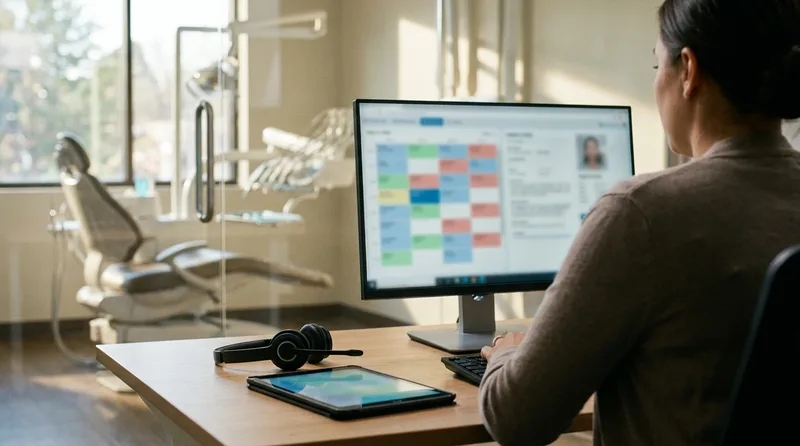
Think of it simply. Your PMS holds the patient record, the schedule, the billing codes, and insurance details. Any tool that touches patient interactions, whether it's a phone system, a reminder platform, or a marketing dashboard, needs to read from that record. Otherwise your staff becomes the integration layer. They copy. They paste. They toggle between tabs. They make mistakes.
What Real Integration Looks Like
A properly integrated tool does three things without your team lifting a finger: it reads patient data from the PMS, performs its function (answering a call, sending a reminder, updating a record), and writes the result back. A well-built AI receptionist, for example, should pull the schedule, book or reschedule an appointment, and log the interaction inside your PMS. If someone on your team has to move that data manually afterward, the integration is cosmetic.
The four PMS platforms that matter for most U.S. practices are Dentrix, Open Dental, Eaglesoft, and Curve Dental. When evaluating any new tool, ask which of these it connects with, how deep that connection runs, and whether it requires a third-party middleware layer. Middleware adds cost and introduces another failure point.
Beyond the PMS, the second most important integration is between your front office workflow tools and your marketing stack. If your call tracking, website analytics, and ad spend data don't connect, you can't answer a basic question: which marketing channel is actually producing patients who show up and pay? That's how you stop wasting marketing dollars.
See How DentalBase Integrates With Your PMS
Book a demo and we'll show you real-time integration with Dentrix, Open Dental, Eaglesoft, or Curve Dental.
Book a Free Demo →What Dental Office IT Do You Need Behind the Software?
Dental office IT is the layer your software runs on: network and Wi-Fi, workstations and operatory monitors, server or cloud hosting, backups, and security controls. Software gets all the attention. But when the schedule won't load at eight in the morning, the cause is almost always down here.
Most offices run this layer informally. Someone's cousin who is good with computers set up the network in 2019, the backup is a drive a team member remembers to swap, and nobody has ever tested a restore. That works until it doesn't.
What Actually Sits Under Your Software
Patient-facing layer
Website, online booking, reminders, inbound calls, review requests
Software layer
Practice management system, digital imaging, patient communication, reporting
Dental office IT foundation
Network and Wi-Fi, workstations, hosting, tested backups, access control
Each layer depends on the one beneath it. The bottom layer is the one nobody budgets for until it fails.
Four pieces are worth paying for properly:
- Network and Wi-Fi. Keep the clinical network separate from guest Wi-Fi. Digital sensors and 3D scanners push large files, so the consumer router in the closet becomes the bottleneck the moment imaging goes digital.
- Backups you have actually tested. An untested backup is a hope, not a plan. Restore one patient chart every quarter and time how long it takes.
- Access control. Unique logins per person, automatic screen lock, role-based permissions. Shared logins make your audit trail worthless.
- A support agreement with a stated response time. Downtime during business hours costs production, not just patience.
Security is where dental office IT stops being optional. Any vendor touching patient data needs a signed Business Associate Agreement, encryption in transit and at rest, and audit logging you can pull on request. Ask for all three before the contract, not after an incident.
Growth changes the math here. Dental employment is projected to rise about 4% through 2032, according to the Bureau of Labor Statistics. Practices adding operatories or a second location outgrow informal IT quickly. Worth noting: a managed IT agreement for a small office often costs less per month than one unused software subscription, which is exactly the kind of trade an annual audit puts in front of you.
What Are the Hidden Costs Most Owners Miss in Their Tech Stack?
Hidden costs typically add 30-50% on top of the listed subscription price. Implementation fees, staff training time, productivity loss during rollout, and data migration charges are the four biggest ones. Most vendors don't volunteer this information during sales conversations.
Let's put real numbers on a common scenario. Say you're adding a patient communication platform at $350/month. Sounds manageable. But the onboarding fee is $1,500. Your office manager spends 12 hours over two weeks learning the system and training everyone else. During that window, reminder calls go out late, two patients miss appointments because the old system was already turned off, and your hygienist's schedule has a gap. The actual first-year cost isn't $4,200. It's closer to $6,500-$7,000 when you total everything.
| Cost Type | What Vendors Show You | What They Don't |
|---|---|---|
| Monthly Fee | $200-$500/month per tool | Annual price locks, auto-renewal clauses, per-user add-ons |
| Implementation | Sometimes listed as "one-time setup" | $500-$3,000 depending on complexity, often billed separately |
| Training | "Free onboarding included" | 10-40 hours of your team's time during the learning curve |
| Data Migration | Rarely discussed upfront | $500-$2,000 to move patient records, templates, and history |
| Productivity Dip | Never mentioned | 2-4 weeks of slower workflows as staff adjusts to the new tool |
The real price of your dental practice tech stack only becomes visible when you total everything across a full year. That's why an annual audit is so important. It's not about cutting costs for the sake of frugality. It's about making sure every dollar produces measurable value in your daily dental office operations.
One more hidden cost that rarely gets airtime: opportunity cost. Every hour your office manager spends learning a new dashboard is an hour she's not spending on patient experience, insurance follow-ups, or training a new hire. Before adding any tool, ask whether the problem it solves is worth the transition penalty. Running a dental technology ROI calculation that accounts for these hidden costs gives you a real number instead of a gut feeling. Sometimes the answer is yes. But sometimes it's "not right now."
Guides, Templates, and Tools for Practice Owners
Download free resources to help you audit your tech stack, plan your marketing, and run your practice more efficiently.
Browse Resources →How Should You Run an Annual Software Audit?
Audit your software subscriptions by listing every active subscription, its monthly cost, what it does, and whether it integrates with your PMS. Then score each tool on three criteria: active usage, workflow impact, and overlap with other tools. Any tool that fails two out of three gets flagged for removal.

Most practice owners haven't done this exercise. Ever. They know the big-ticket items, like the PMS and imaging software, but they've lost track of the $150/month review tool someone signed up for in 2023 or the email marketing platform that sent exactly one campaign before everyone forgot the password.
The 30-Minute Tech Stack Audit
Pull your credit card and bank statements from the last three months. Search for every recurring software charge. You'll probably find 2-3 subscriptions you'd forgotten about. Not a good feeling, but a useful one.
For each tool, answer these questions. Is anyone on the team using it at least weekly? Does it connect to your PMS or does data sit in a silo? Does another tool you're paying for already do the same thing? If a tool isn't used weekly and doesn't integrate, it's almost certainly waste.
Annual Tech Stack Audit Checklist
Check each item you've completed during your audit.
Your score: count your checks out of 8. If you score below 5, you haven't dug deep enough yet.
After the audit, you'll know exactly where your technology spending stands. The typical outcome? Practices find $400-$800/month in tools that can be canceled or consolidated. That's not a small number. Over a year, that's $4,800-$9,600 going back into your pocket or toward tools that actually move the needle.
How Is Dentist Office Technology Changing in 2026?
Dentist office technology is consolidating. Practices are trading four narrow tools for one platform that connects to the practice management system, and the front office is absorbing AI for calls, recall, and follow-up. Clinical technology keeps moving too, but operational budgets are shifting faster.
Three shifts are worth planning around.
Search behavior moved. Patients increasingly get an answer before they get a list of links, which changes what your website has to do. Structured, properly marked-up pages are how search engines and AI assistants read your practice, and Google's structured data documentation is the reference your web vendor should be working from. A site built in 2018 and never touched since is largely invisible to this layer.
Reviews became infrastructure. Review volume and recency now sit alongside proximity in local ranking. BrightLocal's consumer review research continues to find that nearly all consumers read reviews before choosing a local business. A review request that fires automatically after a completed visit is dental office technology doing quiet work in the background.
AI moved from the operatory to the front desk. The earliest returns aren't in diagnostics. They're in answering calls, booking appointments, and working recall lists that no one has time to touch. Our breakdown of dental AI adoption data separates what practices are actually buying from what they say they'll buy.
The risk isn't moving slowly on any single tool. It's carrying an aging core while bolting new pieces on top of it. If you're weighing whether to replace or patch, why owners wait on legacy technology covers that trade-off honestly.
How Do You Build a Connected Dental Practice Tech Stack for 2026?
A connected technology setup means your tools share data automatically so your team works from one source of truth instead of five disconnected dashboards. The practices pulling ahead in 2026 aren't the ones with the most software. They're the ones where every tool feeds the same patient record and the same reporting layer.
The shift happening right now is from point solutions to platforms. Instead of buying separate tools for calls, reminders, reviews, and marketing reporting, more practices are choosing systems that handle multiple functions through one PMS integration. This cuts subscription costs, reduces training time, and produces reporting that actually connects cause and effect.
What a Connected Stack Looks Like in Practice
Picture this. A new patient finds your practice through a Google search. They click your website, read your reviews, and call your office. An AI receptionist answers, books the appointment directly into your PMS, and sends a confirmation text. The day before the visit, an automated reminder goes out. After the appointment, a review request fires automatically. Your marketing dashboard shows which search term produced that patient, what the call sounded like, and whether they accepted treatment.
None of that is hypothetical. That's what a connected stack does today. But it only works when the pieces communicate. If your call system doesn't write to the PMS, attribution breaks. If your reminders come from a different platform than your booking system, patients get conflicting messages. The dental practice automation roadmap starts with integration, not feature counts.
The Right Order for Building Your Stack
Don't connect everything at once. Start with your PMS. Make sure it's current and that your data is clean, no duplicate patient records, no outdated schedules. Then add communication tools (reminders, two-way texting) as a direct PMS integration. Next, tackle call management, because missed calls are where most practices lose the most revenue per gap. After that, layer in marketing (SEO, PPC, social) connected to a single attribution dashboard. Finally, add engagement tools like reactivation campaigns and recall automation.
Your dental practice tech stack should feel like one system, not twelve. The single most important thing you can do this week is run that audit. List every tool, what it costs, what it does, and whether it talks to your PMS. That exercise alone will show you where to cut, where to upgrade, and where the real gaps are hiding. For the full picture of how technology fits into running a profitable practice, the complete owner's guide to practice management ties it all together.
Ready to Replace Your Scattered Tech Stack?
See how DentalBase connects AI call handling, marketing, and patient communication into one platform that works with your PMS.
Book a Free Demo →Explore More Guides and Tools for Dental Practice Growth
Browse Resources →Related Reading
About the Author
Dr. Muhammad Abdel-rahim, DMD
Doctor of Dental Medicine and implantologist, practicing at Peterborough Family Dental and co-founder of DentalBase. He writes about practice operations, patient-centered care, and the technology decisions owners weigh every year, drawing on both chairside experience and building software for dental offices.
Reviewed by the DentalBase editorial team for operational and technical accuracy. Last updated July 2026.
Sources & References
Frequently Asked Questions
Most general practices need five core systems: practice management, digital imaging, patient communication, a website with SEO, and call or phone management. Anything beyond that should solve a specific, measurable problem. Adding tools without a clear workflow gap creates subscription waste.
Integration with your practice management system matters most. If a new tool can't read and write to your PMS, your front desk will manually re-enter data. That creates errors, slows check-in, and defeats the purpose of the software.
Technology spending varies by practice size, but a typical range is $1,500-$4,000 per month for a solo or small group practice. That covers PMS licensing, imaging, communication tools, website hosting, and marketing software. Spending beyond that range deserves a line-item audit.
Neither approach is always right. All-in-one platforms reduce integration headaches but often have weaker individual features. Best-of-breed tools perform better per category but require more setup. The right answer depends on your team size and technical comfort.
Ask every vendor for a signed Business Associate Agreement. Confirm that data is encrypted at rest and in transit, that access controls are role-based, and that audit logs exist. Check whether the vendor has completed a SOC 2 audit or equivalent third-party security review.
The three most common mistakes are buying based on a polished demo instead of a real-data trial, ignoring total cost of ownership including training and migration, and choosing software that doesn't integrate with the existing PMS. Each one leads to wasted budget or abandoned tools.
Run a full tech stack audit once a year. Review each subscription for active usage, monthly cost, and whether it still solves the problem it was purchased for. Practices that skip annual audits tend to carry two or three unused subscriptions indefinitely.
A dental practice management system is the central database holding your schedule, charts, ledger, and claims. Other dental office software programs are add-ons that plug into it, such as reminders, call handling, or marketing tools. One is the core, the rest are extensions.
Dental office IT covers the network and Wi-Fi, workstations and operatory monitors, server or cloud hosting, tested backups, and access controls. It also includes a support agreement with a stated response time. Software failures during business hours usually trace back to this layer.
It depends on your internet reliability and location count. Cloud platforms remove the on-site server and handle updates centrally. Server-based installs keep running when the connection drops and give you local control. Multi-location groups usually lean cloud for shared scheduling.
A dental practice technology stack is the set of connected software systems an office uses to run its schedule, charting, imaging, patient communication, website, and calls. Most general practices build it around five core systems, with the practice management system at the center so every other tool can share data with it.
Was this article helpful?
Written by
DentalBase Team
Expert dental industry content from the DentalBase team. We provide insights on practice management, marketing, compliance, and growth strategies for dental professionals.