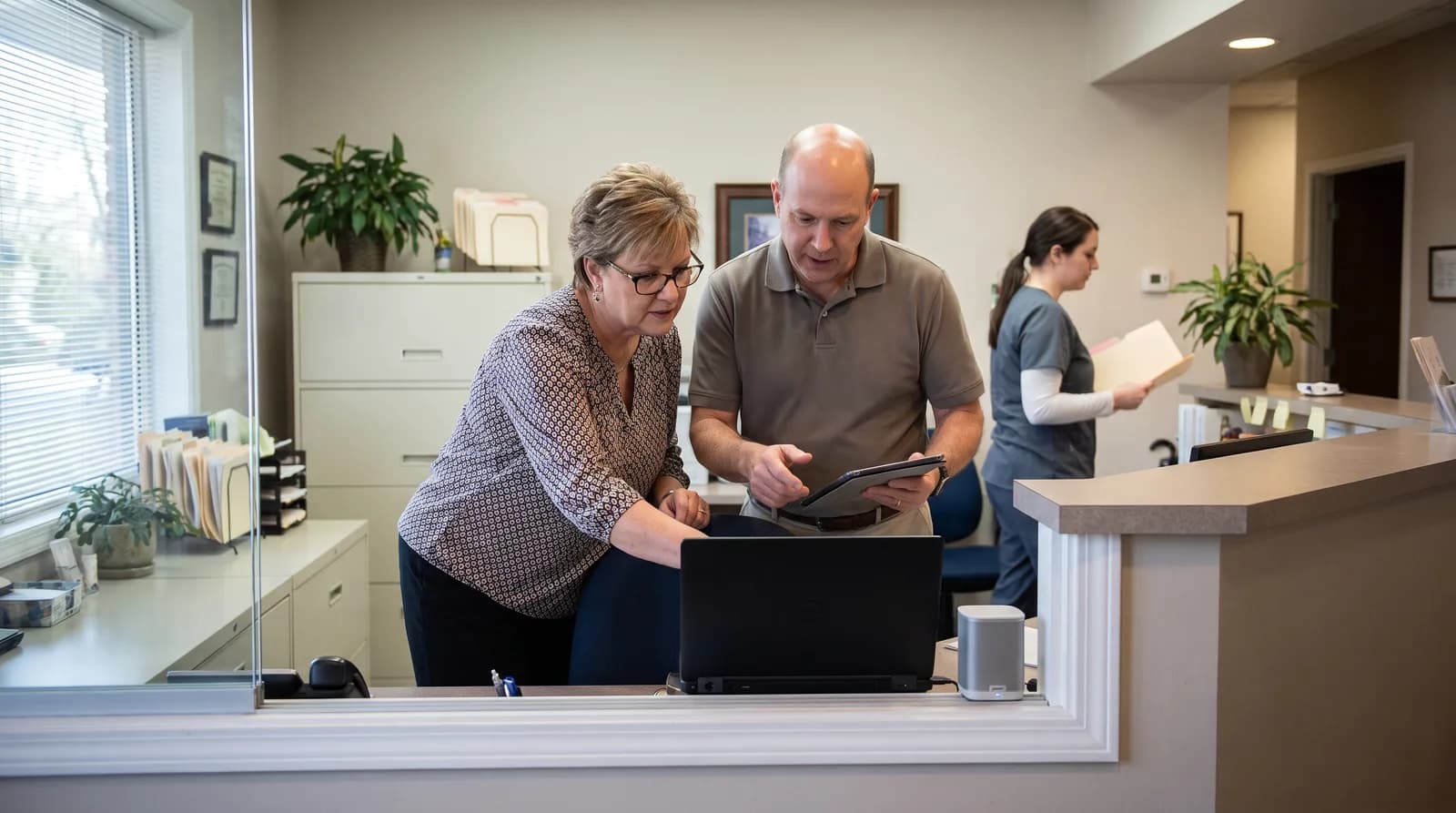
Dental AI Receptionist: How It Works and What It Costs
How a dental AI receptionist answers calls, books appointments, and hands off emergencies. Setup, PMS integration, and monthly cost.
Share:
Table of contents
Learning how to set up an AI dental receptionist is less about the technology and more about the decisions you make before go-live. Picture a three-provider practice fielding 200 calls a week, with a front desk already juggling check-ins and insurance verification. Bolting on an AI phone system without planning the call flows just moves the chaos.
Done right, the setup decides which calls the AI resolves, which ones reach your team, and how a new patient becomes a booked appointment.
This guide walks through the actual configuration work: connecting your practice management system, designing call-flow logic, writing the scripts, setting emergency triage rules, and rolling out gradually so nothing breaks. No theory. Just the build.
Phone setup is one piece of a larger front desk strategy. If you are weighing an AI receptionist alongside other growth priorities, DentalBase's full range of dental practice marketing and growth services covers how phone answering fits alongside SEO, paid ads, and social media.
What Does It Take to Set Up an AI Dental Receptionist?
Setting up an AI dental receptionist means four things: connecting it to your practice management system, designing the call flows, writing the scripts and triage rules, then testing before a phased go-live. Most practices complete the core configuration in two to four weeks.
The work breaks into a sequence. First the integration, so the AI can read your schedule and write appointments. Then the logic layer, which decides what the AI handles alone versus what it escalates. After that come the scripts, the words the system actually says.
Skipping any one of these is where rollouts go sideways. A practice that connects the calendar but never writes triage rules ends up with an AI that books cleanings beautifully and fumbles a patient in pain.
Treat the build like hiring. You would not put a new front desk hire on the phones without training them on your software, your scheduling rules, and what counts as an emergency. The AI needs the same onboarding. A practical look at how virtual reception fits a dental front desk can help frame the role before you configure it.
New to the concept before you configure?
Start with the buyer's overview of what a 24/7 AI receptionist does, then come back here to build it.
See How DentiVoice Works →How Do You Connect an AI Receptionist to Your PMS?
You connect an AI receptionist to your practice management system through a direct integration or a scheduling bridge, so the AI can read open slots and write appointments in real time. The depth of that connection decides how much the AI can do without a human.
Integration depth varies by platform. Dentrix and Eaglesoft, both long-established server-based systems, often connect through a sync agent that mirrors the schedule. Open Dental, with its open API, tends to allow tighter real-time writes. Cloud-based Denticon and Curve Dental expose their own scheduling endpoints.
The practical question is not "is it compatible" but "can it write a booking back, or only read availability." Read-only setups still answer questions; they just hand the actual booking to staff.
What to confirm before you set up an AI dental receptionist
Map your operatories, providers, and appointment types first. The AI cannot book a 60-minute new-patient exam into a 30-minute hygiene column if nobody told it the difference. Confirm how blocked time, double-booking rules, and provider preferences carry over.
The National Institute of Dental and Craniofacial Research documents how common untreated dental needs are, which is exactly why a booking system that writes accurately matters, and PMS integration is consistently the step that separates a working deployment from a demo. For the full mechanics, the complete guide to AI receptionist PMS integration covers each major system in depth.
One caution: if you are mid-migration between software, finish that first. Configuring an AI on top of a system you are about to replace doubles the work. The questions to answer before switching dental software apply here too.
How Much Does It Cost to Set Up an AI Dental Receptionist?
Part of learning how to set up an AI dental receptionist is budgeting for it correctly. Setup itself is typically a one-time configuration fee, with the ongoing cost running as a flat monthly subscription rather than an hourly wage. That structure is the main financial difference from staffing the phones with people: a subscription does not need overtime, benefits, or a second hire to cover sick days and vacation.
Weigh the AI receptionist against the real, fully-loaded cost of adding front desk capacity, not just a base hourly rate. A single additional hire also brings recruiting time, training weeks, and turnover risk, none of which show up on a job posting. Dental employment is projected to keep growing through the decade, which means competition for front desk talent is not getting easier, and that scarcity is part of what is pushing practices to evaluate AI coverage in the first place.
AI Receptionist vs. Hiring Additional Front Desk Staff
The table below lines up the two paths on the factors that actually change your monthly bottom line and your coverage.
| Factor | AI Receptionist | Additional Front Desk Hire |
|---|---|---|
| Coverage hours | 24/7, including after-hours and holidays | Scheduled shifts only |
| Ramp-up time | Weeks, mostly configuration | Recruiting plus training, often months |
| Cost pattern | Flat monthly subscription | Wages plus benefits, overtime, and turnover cost |
| Consistency | Same script and triage rules every call | Varies by shift, mood, and experience |
| Best for | Overflow, after-hours, high call volume | In-person tasks, complex judgment calls |
Most practices land on a blend rather than an either-or: the AI absorbs after-hours and overflow, while staff stay focused on the in-person work only a person can do. DentiVoice's call analytics breakdown walks through how practices measure the return on that blend in real numbers.
How Should You Design the Call-Flow Logic?
Call-flow logic is the decision tree that routes every call: what the AI answers directly, what it books, and what it escalates to a human. Good logic resolves routine calls automatically and never traps an urgent patient in an automated loop.
Start by sorting your real call volume into buckets. Most practices find the same pattern. The average dental practice misses 15 to 20 calls a week, according to Dental Economics, and most of those are routine: scheduling, rescheduling, hours, directions, and basic insurance questions, all of which the AI can own. New patient intake it can also handle, collecting demographics and insurance, then writing a clean record into the PMS.
The escalation cases are fewer but matter more: a billing dispute, a clinical question, a patient in pain. The table below shows a typical split.
| Call Type | AI Action | Config Note |
|---|---|---|
| New appointment | Book directly | Map appointment types to PMS columns |
| Reschedule / cancel | Update and re-offer slot | Set cancellation window rules |
| Hours / directions | Answer from profile | Pre-load practice details |
| Insurance (general) | Confirm accepted plans | Escalate complex eligibility |
| Dental emergency | Triage and route | Define urgency keywords and on-call path |
| Billing dispute | Hand to staff | Capture details, create callback task |
Build the tree so escalation is always reachable. Every flow needs a "talk to a person" exit, and every after-hours path needs a defined destination, whether that is a message, a callback task, or a live transfer. How AI handles dental insurance calls is worth reviewing, since insurance is the bucket practices most often misconfigure.
What Features Should You Look for During Setup?
Look for real-time PMS booking, configurable triage rules, call transcripts, and multi-language support, since those four features decide how much of the phone workload the AI can actually own versus how much still falls back to your front desk.
The features that separate a working setup from a demo
Not every AI phone system is built the same, and the gap shows up fastest during setup, not in the sales pitch. With 73% of dental practices planning to adopt AI tools by 2027, according to Dental Economics, knowing how to set up an AI dental receptionist correctly the first time is quickly becoming a baseline skill rather than a novelty. A few features consistently make the difference between a smooth rollout and a frustrating one:
- Two-way PMS sync, so bookings write back to the calendar instead of only reading it.
- Configurable triage logic, so urgency keywords and on-call routing match your practice, not a generic template.
- Full call transcripts, so your team can audit and retrain the system from real conversations.
- Bilingual coverage, so Spanish-speaking callers get the same booking experience as English speakers.
- A visible human escalation path on every single call flow, with no dead ends.
The full breakdown of AI receptionist features that matter most goes deeper on how to weigh these against your specific call volume and staffing gaps.
What Goes Into the Scripts and Emergency Triage Rules?
Scripts are the words the AI uses; triage rules are the conditions that decide urgency. Together they keep the system sounding like your practice and acting safely when a call is time-sensitive. Both should be written, not left to defaults.
Write scripts in your practice's voice. A pediatric office and an oral surgery practice greet callers differently, and the AI should reflect that. Keep the greeting short, confirm the caller's intent early, and avoid long menus. For triage, define the language that signals urgency: swelling, severe pain, trauma, bleeding that will not stop. When the AI hears those cues, it should follow your on-call protocol rather than offer the next routine opening.
According to the ADA, clear patient communication directly shapes retention, and an emergency mishandled on the phone is the fastest way to lose a patient and their trust.
Document a fallback for everything. What does the AI say when it does not understand? Where does an unresolved call go at 9 PM on a Sunday?
The stakes are plain: when after-hours and overflow calls vanish into voicemail, most callers simply move on. Industry reporting on the cost of missed dental calls puts after-hours volume at roughly a quarter of all patient calls, which is a large block of opportunity to leave unattended. Your triage rules are what stop that from happening. Honest answers to common AI receptionist concerns can help you pressure-test the edge cases with your team.
Be specific about what counts as an emergency in your practice. The CDC notes that untreated dental conditions remain widespread among US adults, which means a meaningful share of after-hours calls really are urgent. An AI that treats a cracked tooth at midnight as a routine booking request fails the one call that mattered most that day. Write the urgency keywords down, test them, and have your team review the triage transcripts weekly during the first month.
Want the call flows built for you?
DentiVoice ships with dental-specific scripts, triage rules, and PMS connectors, so your setup starts from a working baseline instead of a blank page.
Explore the AI Receptionist →Should Patients Be Told They Are Talking to an AI?
Yes, tell patients upfront. A short disclosure at the start of the call builds trust rather than eroding it, and most patients respond well once they realize the AI can book, reschedule, and answer questions immediately instead of routing them to voicemail.
Write the disclosure into the greeting script itself, not as a buried disclaimer. This matters more than it might seem: 77% of patients use online reviews when choosing a dentist, according to Software Advice, and a caller who feels misled by an unannounced AI is far more likely to mention it in one. Something as simple as identifying the system by name before it asks how it can help covers this cleanly. A closer look at disclosure and patient experience covers the wording patterns that test well versus the ones that make callers hang up.
How Do You Test and Roll Out Without Disrupting Patients?
You test by placing sample calls through every flow, then roll out in stages: after-hours first, then overflow, then full volume. A phased go-live catches misconfigurations before they reach a real patient. Never flip every call to a brand-new system overnight.
Run a structured test pass before launch. Call as a new patient, as an existing patient rescheduling, as someone with a vague insurance question, and as an emergency. Listen for three things: did it understand, did it write the right record, and did it escalate when it should. Fix what breaks, then test again.
Search Engine Land has documented how quickly AI systems now appear across everyday workflows, but a phone system touching live patients deserves more caution than a typical software switch.
A sensible rollout order
Start with after-hours, which is pure upside. Calls that currently hit voicemail now get answered, and any mistake happens when staff are home rather than mid-shift. After-hours calls represent about 27% of total patient call volume, per Dental Economics, so this stage alone recovers a large block of missed opportunity.
Once after-hours is solid, add overflow during business hours, so the AI catches the calls your team cannot reach. Only then move to full coverage.
- Phase 1, after-hours. Route only evenings, weekends, and holidays to the AI. Zero daytime risk.
- Phase 2, daytime overflow. Send calls the front desk cannot reach within a set ring count.
- Phase 3, full coverage. The AI answers first on every line, with staff handling escalations.
Keep a go-live checklist and review the first week of transcripts together. Common questions about dental office phone systems and patient retention strategies both inform how aggressively you should expand coverage.
How to Set Up an AI Dental Receptionist Across Multiple Locations or Languages
Yes, a single configuration can route calls across multiple providers, operatories, and locations, and can answer in more than one language, as long as each variable is mapped during setup rather than assumed by default.
Multi-provider and multi-location configuration
Every provider, operatory, and location needs its own mapping inside the call-flow logic, not a single shared calendar treated as one big pool. A group practice with three locations should configure location-specific hours, holidays, and on-call contacts separately, since a caller asking "are you open" needs the answer for the office they actually reached. A closer look at dental practice phone capacity covers how volume changes once a single system spans multiple locations.
Bilingual and Spanish-language support
Language should be detected automatically at the start of the call, not selected from a menu that adds friction before the AI has helped anyone. DentiVoice's bilingual Spanish AI update is a real example of this shipping in production, and it matters for setup because triage keywords and scripts need their own Spanish-language versions, not a direct translation of the English ones.
What Should You Track After Go-Live?
Track answer rate, booking conversion, escalation accuracy, and after-hours capture in the first 30 days. These four numbers tell you whether the setup is working or whether a flow needs retuning. Configuration is not a one-time event; it is the first version.
Answer rate is the simplest signal. Every call should be picked up, so anything below 100% points to a routing gap. Booking conversion shows whether the scheduling flow actually closes appointments or stalls partway. Escalation accuracy is the safety metric: are real emergencies and billing disputes reaching humans, and are routine calls staying with the AI. After-hours capture quantifies the upside, since those calls were previously lost entirely.
A BrightLocal consumer survey has long shown how heavily people weigh responsiveness and reviews when choosing a local provider, and a phone that always answers feeds directly into both.
Set a recurring review. Pull a sample of transcripts every week for the first month, then monthly. Look for the calls the AI mishandled and adjust the scripts or triage rules behind them. the list of AI dental receptionist red flags to watch for is a useful reference here, because the warning signs of a weak setup show up fast in real transcripts.
Small, steady adjustments beat a single big reconfiguration. Configuration done well compounds: each tuned flow makes the next month quieter for your front desk.
What Does a Real After-Hours Launch Look Like?
A real after-hours launch typically starts recovering missed calls within the first week, since that time slot was previously going straight to voicemail. The pattern shows up fastest here because there was no prior coverage to compare against, only lost calls.
The numbers behind this stage are stark once you look at them directly. An estimated 38% of new-patient calls to dental offices go unanswered during business hours, according to ADA Practice Transitions, and roughly 80% of callers who reach voicemail never leave a message and never call back, per Forbes. Add an average hold time of about 90 seconds before a frustrated caller hangs up, a figure reported by Marchex, and the case for after-hours coverage stops being theoretical. DentiVoice's after-hours launch update documents what that first stage of rollout looked like in production, including the call types that showed up most once the line was actually answered.
Practices that track the first 30 days closely tend to see the same pattern repeat: after-hours capture climbs fast, booking conversion improves as scripts get tuned from real transcripts, and escalation accuracy becomes the metric worth watching most closely once staff trust the system to only hand over what actually needs a person.
Conclusion
The difference between an AI dental receptionist that works and one that frustrates patients is almost never the model. It is the setup. The integration, the call-flow logic, the scripts, the triage rules, and a patient rollout are what turn a phone tool into a real member of your front desk.
Start small. Connect your PMS, write the triage rules first, test every flow, and launch after-hours before you go wider. Review the first weeks of transcripts with your team and tune the flows that stumble. If you want a baseline that is already configured for dental workflows, that is the fastest path from decision to a phone that never goes unanswered.
See an AI Dental Receptionist Configured Live
Book a free demo and watch DentiVoice handle real call flows, PMS booking, and emergency triage for a dental practice.
Book a Free Demo →More setup and growth guides for your practice.
Browse Resources →Related Articles
Sources & References
Frequently Asked Questions
Most practices complete the core configuration in two to four weeks. The timeline depends on PMS integration depth, how many call flows you need, and how much testing you run before a phased go-live.
Yes, for full functionality. A PMS integration lets the AI read open slots and write appointments in real time. Read-only setups still answer questions but hand the actual booking to your front desk staff.
Common ones include Dentrix, Eaglesoft, Open Dental, Denticon, and Curve Dental. Integration depth varies: open-API systems usually allow tighter real-time writes, while older server-based systems often sync through an agent.
Define the urgency keywords your practice cares about, such as severe pain, swelling, or trauma. When the AI hears those cues, it follows your on-call protocol and routes the caller to a person instead of offering a routine appointment.
Yes, for routine calls. It books appointments, answers hours and insurance questions, and collects new-patient intake on its own. Complex eligibility, billing disputes, and clinical questions get escalated to your team.
Launch in stages. Start with after-hours calls, which are pure upside, then add daytime overflow, then move to full coverage. Test every flow with sample calls and review transcripts before expanding.
Track answer rate, booking conversion, escalation accuracy, and after-hours capture in the first 30 days. These four numbers show whether a flow needs retuning and whether emergencies are reaching humans correctly.
Was this article helpful?
Written by
Dentalbase Team
The Dentalbase Team is a collective of dental marketing experts, AI developers, and practice management consultants dedicated to helping dental practices thrive in the digital age.