AI Receptionist for Dental Office: 42 FAQs Answered (2026)
Get answers to 42 questions about an AI receptionist for dental office use, from HIPAA and cost to setup, ROI, and patient experience.
Share:
Table of contents
If you're reading this AI receptionist for dental office FAQ, you've probably heard the pitch: an AI receptionist answers your phones, books appointments, and never calls in sick. Sounds great on a slide deck. But what does it look like inside a real practice with real patients, insurance questions, and a front desk that's already stretched thin?
That's what this guide covers. It answers 42 questions that practice owners, office managers, and front desk coordinators are asking in 2026, grouped by topic so you can jump straight to yours.
According to Dental Economics, 73% of dental practices plan to adopt AI tools by 2027. For the full product breakdown, the DentalBase AI Receptionist Complete Guide goes deeper on features and configuration.
Companion guide: For an honest look at the boundaries of this technology, see what a dental AI receptionist can and can't do →
How Does an AI Receptionist for Dental Office Calls Actually Work?
An AI receptionist answers your phone, talks with the patient in natural conversation, and completes the task while they're still on the line. It books appointments, answers common questions, and connects to your practice management software in real time instead of routing callers through button menus.
1. How does an AI receptionist actually work when a patient calls?
It's a voice AI that picks up when your phone rings, talks to the patient like a person would, and handles the call end to end. It asks the right questions, checks your schedule, books the appointment into your PMS, and texts a confirmation. Unlike a basic auto-attendant, it resolves the call instead of routing it.
2. Is an AI receptionist the same as a chatbot or a phone menu?
No. It's a real voice conversation, not a text chat window on your website or a press-1 menu. Current systems use natural-sounding voice synthesis, though quality varies by vendor. Some platforms also add text and web chat, but the core product is live phone answering.
Not every AI receptionist is built for dental workflows. Some also serve medical offices and urgent care clinics, and our guide to AI medical receptionists shows how those broader platforms compare to dental-specific tools.
3. Can patients tell when they're talking to AI on the phone?
Some will, most won't. Voice quality has improved quickly over the last couple of years. Most practices still choose transparency: a quick "you're speaking with our automated assistant" at the start of the call builds trust and sets expectations. Patients care more about getting their problem solved than about who solved it.
4. Can an AI receptionist handle multiple dental office calls at once?
Yes. A human receptionist can take one call while others roll to voicemail, but an AI receptionist can handle many calls at the same time. During a Monday morning rush, every caller can be answered on the first ring. ADA Practice Transitions data puts unanswered new patient calls at 38% during business hours.
For a practice that averages 15-20 missed calls per week, according to Dental Economics, that alone changes the math. The revenue math behind those missed calls shows how fast it adds up.
What Happens When the AI Can't Help or the Patient Wants a Person?
The AI should hand the call to a human or capture a detailed message instead of dead-ending. Clear escalation rules, set during onboarding, decide when that happens: a live transfer during business hours, a priority message or callback request after hours.
5. What happens when an AI receptionist can't answer a question?
A well-configured system recognizes when it's out of its depth and routes the call. That might mean a live transfer to your front desk during business hours, a detailed voicemail to the right person, or a callback request with the patient's question attached. The key is setting clear escalation rules during setup.
For guidance on what should and shouldn't be automated, read about AI in dental patient communication.
6. What happens if a patient wants to talk to a real person instead?
The AI should always offer a transfer option. A well-built system detects frustration through conversation patterns (repeated questions, raised voice, explicit requests) and offers to connect the caller with a team member. During business hours that's a live transfer. After hours, it takes a priority message.
That matters because preferences are split. HubSpot's customer service research finds that 48.8% of customers prefer interacting with a human over AI across industries. For more on balancing the two, read our guide on AI and human omnichannel dental reception.
7. Does an AI receptionist log what was said when it can't finish a call?
Yes. A properly configured AI doesn't dead-end a call. When something is outside its scope, it transfers to a live team member during business hours or captures a detailed message and callback number after hours. It then logs the full transcript so your team can follow up with context already in hand.
Want to hear DentiVoice handle a real patient call?
DentiVoice answers calls, books into your PMS, and handles after-hours coverage for dental practices of every size.
See DentiVoice in Action →Can an AI Receptionist Book Into My Dental Software?
Yes, if the platform integrates with your practice management system. It reads your live availability, books the appointment during the call, and writes it into your PMS like any other booking, so your front desk doesn't re-enter anything.
8. Can an AI receptionist book appointments into my dental software?
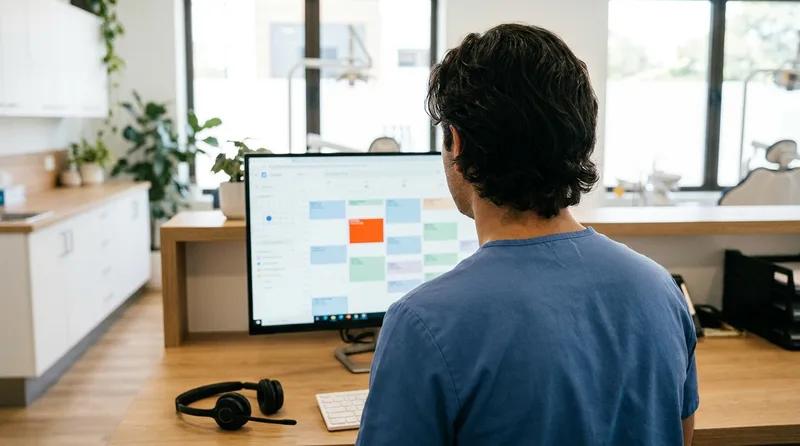
Yes, this is the core function. The AI connects to your practice management system through an API, sees your live availability, and books the appointment in real time during the call. The patient doesn't wait for a callback, and the appointment shows up in your PMS like any other booking.
9. Do AI receptionists work with Dentrix and Open Dental?
Most major platforms integrate with Dentrix, Open Dental, Eaglesoft, and Curve Dental, but depth varies by vendor. Some only read the schedule. Others read and write, meaning they can create patient records, book appointments, and update entries. Confirm integration capabilities for your PMS version before signing.
If you run Open Dental, the Open Dental setup guide walks through the integration.
10. Does an AI receptionist integrate with anything besides my scheduling software?
Often yes. Beyond the PMS, many systems connect to SMS platforms, review tools, and digital intake forms, and some push call data into reporting dashboards. Confirm the integrations you need during evaluation, since depth varies widely between dental-specific platforms and generic voice bots.
Can It Handle Insurance Questions, Emergencies, and Balances?
Yes, within the limits you set. The AI answers from information you configure, such as accepted plans and payment options, triages urgent calls using your rules, and sends billing or benefit-specific questions to a human or a verification step instead of guessing.
11. Can an AI receptionist tell patients what insurance we accept?
Yes, for the information you configure it with. You tell the AI which plans you accept, what your new patient specials are, and how payment plans work, and it repeats that accurately. For benefit questions like "what's my copay for a crown," most systems offer to verify benefits before the visit rather than guess.
12. How do AI receptionists handle dental emergencies?
Good systems triage. The AI asks about symptoms, pain level, bleeding, and timing, then routes the call by your rules. A knocked-out permanent tooth at 11 PM can go straight to your on-call provider's phone, while mild sensitivity gets a next-day callback. Configuration quality matters enormously here.
13. Can an AI receptionist take payments or discuss account balances?
Most practices restrict this. The AI can tell a patient that a balance exists and offer to connect them to billing, but taking card payments or negotiating balances adds PCI and accuracy risk. A common setup lets the AI surface the balance and route the transaction to a human or a secure payment link.
Related: Learn how AI reception helps capture calls your team physically can't get to. How AI Reception Reduces Missed Calls and Voicemails →
Will an AI Receptionist for Dental Office Lines Cover Nights and Outages?
Yes. An AI receptionist answers calls around the clock, including nights and weekends, and reputable providers run on redundant cloud infrastructure so a local outage doesn't take the line down. Ask each vendor about uptime and failover before you sign.
14. Do AI receptionists answer dental office calls after hours?
Yes, and this is where the return is easiest to see. After-hours calls represent 27% of total patient call volume, per Dental Economics, and most go to voicemail. Forbes reports that 80% of callers who reach voicemail don't leave a message and won't call back. The AI answers, books what it can, and triages the rest.
See our after-hours AI receptionist guide for the full breakdown.
15. Do I still need voicemail if I use an AI receptionist?
Much less. Because the AI answers every call on the first ring, voicemail volume drops sharply. For the rare call that routes to a human who is unavailable, the AI still captures the reason for the call and contact details, so a returned call starts with context instead of a blank voicemail.
16. What happens during internet or power outages?
Reputable providers run on redundant cloud infrastructure, so a local outage at your office doesn't take the AI offline and calls still get answered. Ask each vendor about its uptime track record and failover behavior, and confirm where calls route if a rare platform-side outage does occur.
Will My Patients Actually Like Talking to an AI?
Most patients care more about a quick resolution than about who answers. Satisfaction tends to be highest for after-hours callers who expected voicemail and lowest on complex calls that should have reached a person sooner, so voice quality and escalation rules decide the experience.
17. Does voice quality differ between AI receptionist vendors?
Yes, quality varies significantly. The technology has moved past the "press 1 for scheduling" era, but some vendors use generic text-to-speech while others use custom voice models trained on conversational tone and dental terminology. Always listen to a live demo call before you buy. If it sounds robotic to you, it will sound robotic to patients.
18. Are there AI receptionists that can speak Spanish for dental offices?
Most platforms support multiple languages, with Spanish the most common second language for US dental practices. Some systems auto-detect the caller's language and switch mid-conversation, while others ask for a language selection first. If you serve a multilingual community, test the languages you need during your trial.
Accents matter too, and our guide on AI receptionist accent understanding covers how to test for them.
19. Do older dental patients have trouble with AI phone systems?
Usually not, because there's nothing to download, no app to install, and no buttons to press. The AI picks up and talks. A 75-year-old calling to schedule a cleaning gets the same voice conversation they'd have with a human receptionist. Callers who talk over the AI struggle most, and that happens at every age.
20. Do dental patients actually like talking to an AI receptionist?
The most common reaction is no reaction, which is the goal. Patients call, get booked, and move on. HubSpot's customer service research finds that 35% of customers would prefer an AI agent if it meant not repeating themselves. Satisfaction runs lowest on complex calls that should have reached a human sooner.
Still weighing other worries? Dental AI receptionist objections answers twelve common fears.
See how DentalBase connects call answering with patient marketing
DentalBase drives new patient calls and makes sure they get answered.
Explore DentalBase Services →Is an AI Receptionist HIPAA Compliant?
An AI receptionist for dental office calls can be HIPAA compliant, but compliance depends on the vendor's practices, not a label. HIPAA applies to any technology that handles protected health information, and phone calls count. Verify encryption, access controls, audit trails, and a signed business associate agreement before any patient data flows.
21. Are AI dental receptionists HIPAA compliant?
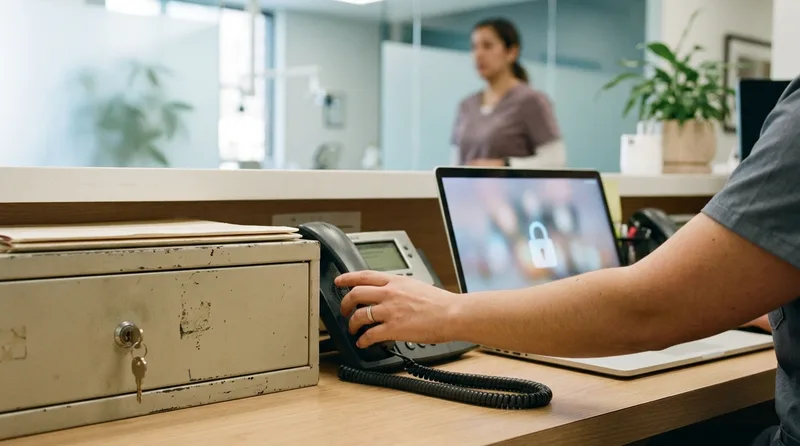
Reputable vendors build HIPAA safeguards into the platform: encrypted transmission, secure cloud storage with access controls, audit trails, and staff training requirements. But "HIPAA compliant" isn't a certificate you hang on a wall. It's a set of practices. Ask how the vendor handles PHI, where data is stored, who has access, and what happens during a breach.
The ADA's HIPAA page offers HIPAA resources for dental practices to use alongside that conversation.
22. Do I need a BAA with an AI receptionist company?
Yes. If the AI processes any protected health information, such as names, appointments, insurance details, or health concerns mentioned on calls, the vendor is a business associate under HIPAA. You need a signed Business Associate Agreement before patient data flows. If a vendor won't sign one, walk away.
Our HIPAA compliance checklist for AI dental receptionists covers the other items to verify.
23. Are AI receptionist calls recorded and where is that data stored?
Most platforms record calls for quality assurance and dispute resolution, usually in encrypted cloud storage (AWS, Azure, or Google Cloud) with access limited to authorized personnel. You should be able to access your recordings, set retention periods, and request deletion.
Key data protection layers include:
- Encrypted call transmission (TLS/SRTP) during every patient interaction
- Isolated speech processing with no shared environments between practices
- Minimum necessary data capture limited to what the task requires
- Automatic redaction of sensitive fields from call logs
- Defined retention policies with on-demand deletion capabilities
24. How do AI receptionists handle call recording consent laws?
Some states require two-party consent for call recording, including California and Florida. Most platforms handle this with a brief disclosure at the start of the call, such as "This call may be recorded for quality purposes." Verify the default call flow includes it if you're in such a state. Your practice remains responsible for compliance.
How Much Does an AI Receptionist for Dental Office Use Cost?
Most single-location practices spend roughly $500-900 per month, with plans running from about $299 to $1,500 per month per location, according to our AI dental receptionist cost breakdown. Pricing model, call volume, and setup fees drive the difference.
25. How much does an AI receptionist cost for a dental office?
Plans range from about $299 to $1,500 per month per location, and most single-location practices spend $500-900 monthly. Vendors price by flat subscription, by call, or by minute. Watch for setup and PMS integration fees that some vendors charge separately, and compare total cost, not the headline rate.
| Pricing model | How it works | Watch for |
|---|---|---|
| Flat subscription | Fixed monthly fee for a set coverage level | Setup or integration fees charged separately |
| Per call | Fee for each answered call | Overages when call volume spikes |
| Per minute | Billed on talk time | Long or complex calls raise the bill |
26. Is an AI receptionist cheaper than hiring a front desk person?
Usually, though the two do different jobs. Our cost breakdown puts a full-time receptionist at $42,000-60,000 per year including payroll taxes, benefits, and paid time off, against $3,600-18,000 per year for an AI subscription. The AI covers all 168 hours of the week and handles many calls at once.
| Factor | Human Receptionist | AI Receptionist |
|---|---|---|
| Annual Cost | $42,000-$60,000 | $3,600-$18,000 |
| Hours Covered | 40 hrs/week | 168 hrs/week (24/7) |
| Simultaneous Calls | 1 at a time | Many at once |
| Time Off | Paid time off and sick days | None |
| Complex/Emotional Calls | Excellent | Transfers to human |
27. Do AI receptionist companies have hidden fees?
Sometimes, so get the total cost in writing before you sign. A hypothetical $199-per-month plan with $2-per-call overages could quietly become $600 per month for a busy practice. Ask about:
- Setup and onboarding fees
- PMS integration fees
- Per-call overages beyond a monthly limit
- Different rates for after-hours and business-hours calls
- Fees for additional phone lines
- Contract termination penalties
Is an AI Receptionist Worth It for My Practice?
An AI receptionist for dental office use is worth it when you're losing calls you could convert. The test is simple: compare your missed-call volume and the value of a new patient against the monthly cost. Small and busy practices often see the clearest return because phone coverage competes with in-office work.
28. How fast do dental offices see ROI from an AI receptionist?
It depends on call volume, but the math is simple. If your practice misses 15 calls per week and each new patient is worth $1,200+ in lifetime value, per Dental Economics, recovering even 3-4 of those calls weekly would outweigh a $500-900 monthly subscription. That's an illustration, not a guarantee.
The full ROI breakdown goes deeper on these numbers.
29. Is an AI receptionist worth it for a small dental practice?
Often, because small practices rarely have a dedicated phone person and the front desk juggles calls between check-ins. Even capturing 5-10 calls per week that currently go to voicemail could offset the cost. The AI receptionist guide for small practices covers what smaller and solo offices should weigh.
30. Will an AI receptionist replace my front desk staff?
In most practices it doesn't. AI absorbs high-volume, repetitive calls so existing staff can focus on in-office patients, treatment coordination, and complex conversations. Offices more often redeploy front desk time than cut headcount, though some use AI to avoid backfilling a vacancy rather than to eliminate a role. For a firsthand example of how one front desk team responded, read an owner's honest account of moving off a traditional front desk setup.
31. Can an AI receptionist help reduce no-shows?
Yes. Automated confirmations and easy rescheduling by text or voice are among the most reliable no-show reducers. Dental Economics reports that practices with online scheduling see 24% fewer no-shows, and the Journal of Dental Hygiene reports SMS reminders cut no-show rates by 38%. The AI can also fill freed slots from recall and waitlist lists.
How Do I Set Up an AI Receptionist and Train My Team?
Plan for one to two weeks from signing to go-live, plus an hour or two of staff training. Week one covers integration and call flows, and week two is live testing with your team monitoring. The harder part is helping staff trust the handoffs.
32. How long does it take to set up an AI receptionist at a dental office?
Plan for 1-2 weeks from signing to fully live. The work splits between integration and configuration in week one and live testing, with your team monitoring and adjusting, in week two. Expect four steps:
- Integrate your PMS and confirm read and write access.
- Upload schedule rules, provider hours, and office-specific information.
- Configure call flows and escalation rules.
- Run live test calls and adjust while your team monitors.
The AI receptionist onboarding guide explains what to expect at each stage.
33. Does my dental team need training to use an AI receptionist?
Minimal training, but it matters. Your front desk needs to know when calls transfer to them, how to review AI call summaries each morning, and how to flag issues for adjustment. Budget 1-2 hours for initial training. The bigger challenge is helping your team see that AI takes routine calls so they can focus on in-person patient experience.
The ADA's practice management resources can also help with staffing and workflow planning.
34. Can I keep my existing phone number when I add an AI receptionist?
Yes. AI receptionists work by forwarding or porting your existing number, so patients keep calling the same line. You decide whether the AI answers every call, only overflow, or only after hours, without changing what's printed on your cards and website.
35. How do I measure if my AI receptionist is working?
Track three numbers: calls answered versus missed before and after launch, appointments booked by AI versus total appointments, and new patient calls captured after hours. Most platforms show these in a dashboard. Set a 90-day review point to judge whether recovered calls justify the cost. A 30/60/90 pilot plan gives you checkpoints.
How Do I Choose an AI Receptionist for Dental Office Use?
Compare vendors on a short list of verifiable points: PMS write-back, a signed BAA, human escalation, a trial period, and data export terms. Test with your own call scenarios, and get pricing and contract terms in writing before you commit.
36. Can I try an AI receptionist before signing a contract?
Many reputable vendors offer a trial period, and some offer a money-back guarantee instead. A vendor that won't let you test before committing is a red flag. Use the trial to test real scenarios, such as:
- Calling from an unknown number and trying to book.
- Calling after hours with an emergency scenario.
- Testing a Spanish-speaking caller.
- Asking about a service you don't offer.
37. What should I look for when comparing AI dental receptionist companies?
Five things matter most when you compare vendors: how deeply they integrate with your PMS, whether they'll sign a BAA, how their calls sound, how dental-specific their training is, and how transparent their pricing is. In order of priority:
- PMS integration depth: Does the system read AND write to your specific software? Confirm your exact PMS version.
- HIPAA compliance: Will they sign a BAA? Ask for their security documentation.
- Call quality: Listen to real demo calls, not marketing recordings. Test with your own scenarios.
- Dental-specific training: A generic answering AI doesn't know what an emergency extraction is.
- Transparent pricing: Get the total cost in writing, including all fees and overage charges.
The guide to choosing an AI dental receptionist offers a full evaluation framework, and our AI dental receptionist reviews comparison puts five platforms side by side.
38. Is there a long-term contract, and can I cancel?
Terms vary. Some providers offer month-to-month plans while others require annual commitments, so read the cancellation and data-export terms before signing. A free trial or pilot period is a good sign that a vendor is confident the product earns its keep.
39. What happens to patient data if I cancel my AI receptionist?
Your BAA should specify data handling on termination. A common standard is that the vendor returns all data to you or destroys it within a set window, often 30-60 days after contract end, with written confirmation. Get this in writing before you sign, so patient recordings don't sit on a former vendor's server indefinitely.
What Else Should I Know Before Scaling an AI Receptionist?
Check how the AI fits larger setups and how it differs from alternatives you already know. Multi-location groups, outbound calling, and live call centers each change the evaluation, so confirm each against your own workflow during the demo.
40. Can an AI receptionist work across multiple dental office locations?
Yes. Most dental-specific AI receptionists support multi-location and group practices, routing each call to the right location's schedule, hours, and provider list. A DSO can run one AI layer across every office while keeping each location's PMS data separate. Group operators can read about AI receptionists for DSOs.
41. Can an AI receptionist make outbound calls, not just answer them?
Yes. Beyond answering, dental AI systems run outbound recall and reactivation campaigns, appointment confirmations, and post-visit follow-ups by phone and text. This is one of the larger differences between a true AI receptionist and a basic answering service that only handles inbound calls.
42. How is an AI receptionist different from a virtual or call-center service?
A live virtual receptionist or call center routes your calls to remote humans, which adds per-minute cost and hold times at peak. An AI receptionist answers instantly, handles many calls at once, and books directly into your PMS, though it escalates judgment-heavy calls rather than handling everything itself.
An AI receptionist for dental office use isn't a question of whether the technology works. It does. The real question is whether your practice is set up to capture the value.
Start with your missed-call data. If you're losing 15+ calls per week, the math in this FAQ is already clear. If you're not sure how many calls you're missing, that's an even bigger sign you need better phone coverage.
Five things to verify before you sign
1. PMS write-back
Books directly into your software, not just a notification
2. Signed BAA
HIPAA business associate agreement in writing
3. Human escalation
Clear rules for transferring judgment-heavy calls
4. Trial period
A pilot before any long-term commitment
5. Data exit
You can export and delete data if you cancel
See how DentiVoice answers your toughest questions
Book a demo to hear a live call, walk through your PMS integration, and talk through pricing.
Book a Free Demo →Explore more guides and tools for dental practice growth.
Browse Resources →Sources & References
- American Dental Association: HIPAA resources for dental practices
- American Dental Association: Practice management resources
- HubSpot: Customer service statistics, including AI and customer preferences
- DentalBase: AI Dental Receptionist Cost 2026 Pricing Breakdown
- Dental Economics: Practice management coverage
Frequently Asked Questions
A phone tree makes callers press buttons to reach a department, and it can't complete a task. An AI receptionist holds a spoken conversation, checks your schedule, books the appointment, and answers common questions. It also escalates to a person when a call needs judgment, instead of sending every caller down a menu.
Yes, when it has read and write access to your practice management system. It can move an existing appointment to a new open slot, cancel at the patient's request, and send a confirmation text. Confirm with your vendor which of these actions your specific PMS version supports before you go live.
Yes. It can capture the caller's name, contact details, reason for the visit, and insurance information, then pass it to your team or create the record in your PMS. Decide in advance which fields you want collected, and review a few call summaries early to confirm the data is accurate.
Keep calls that need judgment or empathy with your team: billing disputes, clinical questions, upset patients, and complicated treatment discussions. Set the AI to transfer those during business hours and take a priority message after hours. Review escalation logs monthly and adjust the rules as you learn which calls need a person.
Ask to hear real recorded calls, not scripted samples, and test your own scenarios. Confirm PMS write-back for your version, whether the vendor signs a BAA, how escalation works, what the full pricing includes, and how you can export or delete your data if you leave.
Explain that it takes routine calls so the team can focus on patients in the office. Show them how transfers and call summaries work, give them a way to flag mistakes, and review feedback together weekly during the first month. Staff who help tune the system tend to trust it faster.
Count your missed and voicemail calls for two weeks. Dental Economics puts the average practice at 15-20 missed calls per week, so if your numbers are close or higher, the case is strong. If you rarely miss calls, focus on after-hours coverage and no-show reduction instead.
Was this article helpful?
Written by
Dentalbase Team
The Dentalbase Team is a collective of dental marketing experts, AI developers, and practice management consultants dedicated to helping dental practices thrive in the digital age.