
Dental No-Show Recovery Workflow: The First 10 Minutes
A step-by-step no-show recovery workflow for dental front desks: what to do in the first 10 minutes to fill the slot and stop the pattern.
Share:
Table of contents
A dental no-show recovery workflow is what determines whether an empty slot gets filled today or sits wasted until tomorrow, and building one is exactly the kind of practice-operations work DentalBase's practice growth services help put in place. Most front desks lose the first ten minutes scrambling: checking the schedule twice, calling the wrong patient first, or waiting until lunch to even notice the gap. This playbook lays out exactly what to do, minute by minute, once a no-show is confirmed. A tight recovery workflow like this is one of the operational habits that protects a practice's dental patient retention rate over time.
A missed appointment costs more than the visit itself. The average dental practice misses 15 to 20 calls per week, according to Dental Economics research, and a single unfilled no-show slot adds to that same lost-revenue pattern through blocked hygienist time and wasted supply prep.
That same call-volume math applies directly to the phones themselves. A walkthrough of exactly how much a missed call costs shows how to turn that weekly number into a dollar figure for your own practice.
What follows is a step-by-step recovery script: who calls first, what to say, how fast you need to move, and how to log it so the pattern doesn't repeat.
What is the first step in a dental no-show recovery workflow?
The first step in any no-show recovery workflow is confirming the 10-minute grace mark has passed, then pulling the patient's file and the day's waitlist before calling anyone. Acting inside that first window is what separates a recovered slot from a wasted one.

Ten minutes past the scheduled time is the standard grace period most practices use before treating a slot as an actual no-show, not just a late arrival. Confirming this quickly matters because every minute spent waiting is a minute the waitlist patient could have used to get to the office instead.
Once confirmed, pull two things at once: the patient's chart, so you know if there's a pattern worth flagging, and the day's waitlist, sorted by whoever can arrive fastest. Don't wait for a lull to do this. The front desk staff member who notices the no-show should own the next three steps personally, not hand it off.
The three-step checklist
- Confirm the grace period has passed, typically 10 minutes, before treating it as a no-show.
- Pull the waitlist filtered by proximity and appointment type match.
- Flag the patient file for the day's provider so they know the chair time freed up.
A three-provider practice running 25 patients a day can lose one full chair-hour a week just from delayed recognition of no-shows. A consistent no-show recovery workflow treats the ten-minute mark as a trigger, not a suggestion.
Related: If reminder timing and confirmation policy are still unclear for your team, our companion guide covers the underlying causes in more depth. 10 Fixes for a Team Drowning in No-Shows →
Missed appointments also break continuity of preventive care, which matters beyond a single lost slot. The CDC's Division of Oral Health notes that consistent preventive visits are a primary driver of long-term outcomes, which is one more reason a fast recovery call is worth the two minutes it takes.
How fast does a no-show slot need to be worked to still be recoverable?
A no-show slot is recoverable within about 30 to 45 minutes if it's a same-day appointment type, and within a few hours for longer procedures that need prep time. Waiting until end of day drops recovery odds close to zero.
Speed matters because the waitlist candidate also has a schedule. A patient willing to come in on short notice for a cleaning usually needs at least 20 to 30 minutes to arrive, so working the slot within the first half hour still gives them a real shot at making it.
Same-day appointments
Automated recall and reminder systems increase overall patient return rates by 25 to 40 percent, according to Dental Economics research. SMS appointment reminders alone reduce no-show rates by roughly 38 percent, according to research published in the Journal of Dental Hygiene, and that same consistency is exactly what a good no-show recovery workflow depends on for same-day slot recovery. Dental employment itself is projected to grow 4 percent from 2022 to 2032, according to the U.S. Bureau of Labor Statistics, which means front desk teams are unlikely to get relief through headcount alone and need workflows like this one instead.
Longer procedures
Longer procedures are different. A crown prep or extraction needs room setup and sometimes lab coordination, so the realistic recovery window stretches to two or three hours. Past that, treat the slot as lost for the day and use it for overflow or admin catch-up instead.
Not sure how many no-shows are actually recoverable?
See how DentiVoice tracks call and cancellation data to show where your practice is losing the most chair time.
See What Call Data Reveals →Related: That 10-minute recovery touch is the fourth step of a longer reminder sequence. See how automated reminders cut a modeled no-show rate from 11.5% to 7.1% →
Who calls the waitlist first, and in what order?
Call waitlist patients in order of appointment-type match first, then proximity to the office, not simply who's been waiting longest. Matching the freed slot's length and procedure type to the right patient is what actually fills it.
A common mistake is working the waitlist strictly by date added. That feels fair, but it wastes calls. If a hygiene slot opens up, calling a patient waiting for a 90-minute restorative appointment first is a guaranteed no, and that call cost you two or three minutes you didn't have.
Sort the waitlist by appointment type match before anything else. Within that filtered group, prioritize patients who live or work close to the office, since they can realistically make it inside the recovery window. A patient 25 minutes away for a same-day slot is a lower-odds call than one five minutes out.
The call order, step by step
- Filter the waitlist by matching appointment type and duration.
- Within that group, sort by proximity or stated availability.
- Call the top three simultaneously if staff capacity allows, rather than one at a time.
This is exactly the kind of sequencing that's easy to design on paper and hard to execute consistently when the front desk is also answering the phone and checking in the next patient.
Cross-training more than one staff member on this exact sequence prevents the whole system from stalling when your primary scheduler is out or already on another call, a gap covered in our front desk cross-training guide.
What should the recovery call script actually say?
Open with the opportunity, not the no-show. Say a slot just opened, state the exact time window, and ask if they can make it, all inside the first two sentences before any small talk.
The instinct is to explain why you're calling in detail. Skip that. The patient doesn't need the backstory, they need to know a slot exists and how fast they'd need to move. Seventy-two percent of patients say convenience is a top factor in choosing a dental provider, according to the ADA, and a fast, low-friction call is exactly the kind of convenience that gets someone in the car.
Here's a version that works: "Hi, this is [name] from the front desk. A slot just opened at [time] today, about [duration] out. Would you be able to make it in?" If yes, confirm arrival time and hang up fast, don't extend the call. If no, thank them and move to the next name immediately.
Keep a printed or digital script pinned near the front desk phone. Under pressure, staff default to whatever's fastest to read, and a tight two-sentence opener beats an improvised explanation every time.
Cancellations and reschedules eat into recovery time too
See how DentiVoice handles same-day cancellations and reschedules automatically, without a staff member working the phone.
Read the Guide →How do you log a no-show so the same patient doesn't repeat it?
Log the no-show in the patient's chart the same day, noting the reason if known and whether it's a first occurrence or a pattern. Untracked no-shows repeat because nothing in the system flags the risk before the next booking.
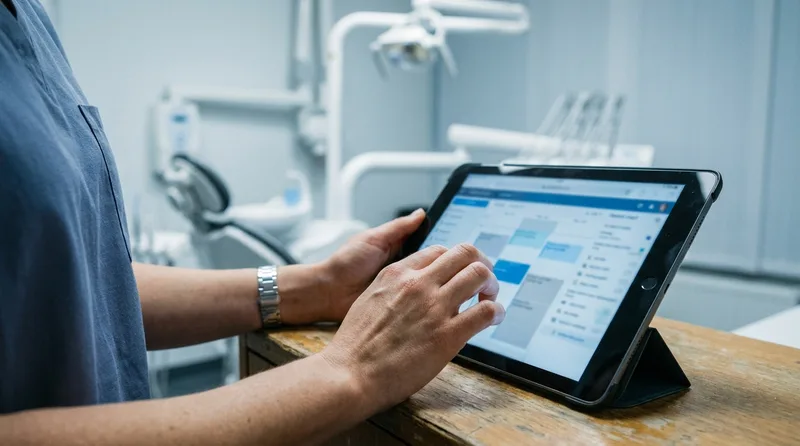
Most practice management systems have a field for this, but it goes unused because logging happens hours later, if at all. Build it into step one of the recovery process instead: while the file is already open to pull the waitlist match, add the no-show note before moving on.
Twenty to thirty percent of patients become inactive within eighteen months without consistent follow-up, according to the American Dental Association. A patient with two unlogged no-shows looks identical to a first-timer at the next booking call, and that's exactly when a preventable third no-show happens.
A simple three-tier flag works well in most systems, shown below.
Flagging catches the repeat offender after the miss. Keeping a patient from drifting past their recall interval in the first place is a separate system, and the recall workflow that stops hygiene patients from lapsing shows how the two fit together.
Three-tier no-show flag system
| Flag Level | Trigger | Front Desk Action |
|---|---|---|
| First no-show | One missed appointment | Standard reminder sequence, no extra step |
| Second no-show | Two missed within 12 months | Require active confirmation, not just a reminder |
| Third no-show | Three missed within 12 months | Book same-day-only or apply practice's no-show policy |
Structured, logged follow-up is also standard guidance outside dentistry. HubSpot's research on customer retention points to the same pattern seen in dental practices: tracked, consistent contact after a missed interaction recovers far more relationships than an ad hoc approach.
What happens if no one on the waitlist can take the slot?
If the waitlist comes up empty, use the freed time for tasks that don't need advance patient notice: overdue patient recalls, insurance follow-ups, or moving up a patient already in the building. Don't leave it unassigned.
Related: Overdue recalls are worth its own workflow, and orthodontic practices in particular lose retention and post-debond visits this way. A full breakdown of orthodontic patient recall automation →
An empty waitlist doesn't mean the slot is wasted, it means the recovery target shifts. Overdue and inactive patients are a strong second option, since reactivating an existing patient costs 5 to 7 times less than acquiring a new one, according to Harvard Business Review research on customer retention economics. A new patient acquired through digital channels runs $150 to $300 on average, according to WordStream, which is exactly the cost a solid recovery workflow avoids.
Fall back to overdue and inactive patients
Keep a short list of overdue patients specifically flagged as "flexible, call anytime" separate from the standard recall list. These are patients who've previously said they'd take a short-notice slot. Calling this group second, right after the primary waitlist comes up dry, keeps the chair time productive even on an unlucky day.
Use the time productively otherwise
If neither option works, use the window for something that actually needs uninterrupted time: verifying insurance for next week's cases, or catching up on chart notes. An empty chair is a loss either way, but an empty chair with productive admin work attached is a smaller one.
Related: Building a reliable overdue-patient list takes its own process, separate from day-to-day no-show recovery. Turning Overdue Patients Into Booked Visits →
Trust also plays a quiet role in whether a waitlist call converts. Patients are far more likely to answer and commit to a short-notice slot at a practice they already trust, and BrightLocal's consumer research found that most patients read reviews before ever booking in the first place, so that trust is often built long before the phone rings.
A similar trust gap shows up right after a consult, before a patient ever misses an appointment. See recovering patients who go silent after their consult for that earlier stage.
Should the recovery process differ for morning versus end-of-day no-shows?
Yes, morning no-shows should trigger full waitlist outreach since there's still a full day to fill the gap, while late-afternoon no-shows are better spent on overdue recalls or admin work since same-day arrival becomes unrealistic.
Morning no-shows
A no-show at 9 a.m. leaves the whole day ahead of it. Work the waitlist aggressively, call three to five candidates, and expect a real chance of filling it, especially for shorter appointment types like cleanings or quick checks.
End-of-day no-shows
A no-show at 4:30 p.m. is a different problem. Most waitlist patients can't drop everything with 30 minutes' notice on a weekday evening, so the odds of a same-day fill drop sharply. Redirect that time toward tomorrow's prep, or a quick reactivation call to an overdue patient who might book for later in the week instead.
Set an informal cutoff, something like 3:30 p.m., after which the front desk stops treating no-shows as same-day recovery opportunities and starts treating them as tomorrow's opportunities instead. That single rule saves a lot of wasted call time on long-shot outreach.
What no-show policy actually backs up this recovery workflow?
A graduated policy works best: waive the first no-show, require a card on file or deposit after the second, and move a repeat patient to same-day-only booking after the third. A blanket fee applied uniformly tends to punish honest mistakes without changing repeat behavior.
A recovery workflow fills today's gap. A policy is what keeps the same patient from creating that gap every month. Only 26% of practices currently offer online scheduling, according to Dental Economics, and better scheduling flexibility is one more lever that reduces the mismatched bookings a graduated policy has to clean up after the fact. The two need to work together, but they solve different problems, so treat them as separate pieces rather than one blended rule.
Graduated policies outperform flat fees because they match the response to the pattern. A single missed visit is usually just a forgotten appointment, and a fee there damages trust more than it prevents anything. A third no-show inside twelve months is a different story, and same-day-only booking protects the schedule without a confrontational fee conversation.
The three-tier policy
- First no-show: no fee, standard reminder sequence continues.
- Second no-show: require active confirmation or a card on file before the next booking.
- Third no-show: move to same-day-only scheduling or apply the practice's stated fee.
Put this policy in writing and post it where new patients see it at intake. A policy nobody's told about doesn't change behavior, it just creates an argument the first time it's enforced.
What weekly metrics show whether a no-show recovery workflow is actually working?
Track three numbers weekly: raw no-show rate, percentage of no-show slots recovered same day, and average minutes between a no-show and the first waitlist call. A recovery workflow that's working shows the second number climbing and the third one shrinking.
Most practices only track the raw no-show rate, which tells you the problem is happening but nothing about whether the recovery side is doing its job. Two practices with identical 12 percent no-show rates can have completely different revenue outcomes depending on how many of those slots get refilled.
Recovery rate: the number that matters most
Recovery rate is the number that actually reflects the workflow described in this guide. If fewer than half of same-day no-shows get filled, the breakdown is usually somewhere in the first ten minutes: the grace period isn't enforced, or the waitlist isn't sorted correctly. Response time is the earliest warning sign of that breakdown, since it usually creeps up gradually before recovery rate visibly drops.
Make it a weekly habit, not a monthly report
Review these three numbers at a standing weekly huddle, not buried in a monthly report. A recovery workflow problem caught in week one is a five-minute fix. The same problem caught in month three has already cost real chair time.
How does an AI receptionist handle no-show recovery without adding front desk work?
An AI receptionist like DentiVoice can call the waitlist automatically the moment a no-show is flagged, working through the priority order without pulling staff off the phones or the check-in desk during a busy stretch.

Where the manual workflow breaks down
The recovery process described above works, but it depends entirely on a staff member noticing the no-show fast and having a free minute to make calls. On a busy morning with three patients checking in at once, that ten-minute window quietly becomes thirty, and the slot cools off before anyone gets to it. An average patient's lifetime value runs $12,000 to $15,000 for a general dentist, according to Dental Economics, which is exactly what a missed recovery opportunity risks over time.
What automation changes about the ten-minute window
An automated system removes that dependency. The moment the schedule shows a confirmed no-show, it can start dialing the matched waitlist in priority order, the same sequence outlined in this no-show recovery workflow, without waiting for a free staff member. If you already use DentiVoice's AI receptionist service for missed calls, extending it to no-show recovery closes a second gap with the same underlying system. It also logs every no-show automatically, so the flag table in the earlier section builds itself instead of depending on a rushed manual entry.
Making the workflow stick on a busy day
A no-show recovery workflow only works if it survives a busy Tuesday morning, not just a calm Friday afternoon. The practices that recover the most chair time aren't the ones with the cleverest script, they're the ones where every front desk staffer runs the same no-show recovery workflow without having to think about it.
Start with the ten-minute trigger and the waitlist priority order. Those two pieces alone recover more slots than any single tactic in this guide. Once that's consistent, logging and pattern tracking come easier, because the process is already running the same way every time.
Related no-show, cancellation, and rebooking guides
A recovered slot is only half the win. The other half is keeping that patient on the schedule for the next visit instead of recovering them again next month. These seven guides cover cancellations, second visits, and the reasons patients stop coming back.
- Why Do Dental Patients Cancel Same Day, and How to Fix It, The reasons behind last-minute drops, and how to cut the pattern at the source.
- 10 Proven Fixes for Patients Who Never Book a Second Visit, Ten fixes for patients who complete one appointment and never rebook.
- Can DentiVoice Really Book Appointments Without Mistakes?, How the next visit gets booked accurately, so it holds instead of falling off.
- Dental Patient Survey Questions: Templates by Visit Type, Survey templates that surface why patients stop showing up for care.
- How to Build an In-House Dental Membership Plan in 2026, Membership plans give uninsured patients a reason to keep the next appointment.
- 11 Low-Cost Dental Marketing Ideas for Slow Months, Low-cost ways to fill open chair time when the waitlist runs dry.
- 7 Times a Dental Office Misses Calls Throughout the Day, The daily windows where a returning patient's callback goes unanswered.
Related: Recovering one no-show helps, but a standing cadence keeps the column full all month. See the recall cadence and escalation ladder that gets patients rebooked →
Related: A recovery workflow is far easier to run when the system refills the slot for you. Read how to pick dental practice management software that refills broken appointments automatically.
See DentiVoice Recover No-Show Slots Automatically
Book a free demo and see how DentiVoice works the waitlist the moment a no-show is flagged, without pulling your front desk off the phones.
Book a Free Demo →Want more practice management guides like this one?
Browse Resources →Sources & References
Frequently Asked Questions
Most practices use a 10-minute grace period past the scheduled time before starting recovery. Waiting longer delays waitlist outreach, and every extra minute lowers the odds that a same-day replacement patient can actually arrive in time to fill the slot.
Call waitlist patients matched by appointment type and duration first, then sort that group by proximity to the office. Calling strictly by wait time alone wastes calls on patients who need a different appointment length entirely.
Lead with the opening, not an explanation. State that a slot is available, give the exact time window, and ask if the patient can make it, all within the call's first two sentences before any small talk.
Yes, logging flags the pattern before the next booking call happens. Without a same-day log entry, a patient's second or third no-show looks identical to a first-time miss, so nothing in the system changes their scheduling risk.
Shift outreach to overdue or inactive patients flagged as flexible for short notice, or use the freed time for tasks that don't need advance patient notice, like insurance verification, chart follow-up, or next week's prep work.
Yes, an AI receptionist can start waitlist outreach the moment a no-show is confirmed, working the same priority order described in this workflow without pulling a staff member off the phones or the check-in desk.
Was this article helpful?
Written by
DentalBase Team
Expert dental industry content from the DentalBase team. We provide insights on practice management, marketing, compliance, and growth strategies for dental professionals.